| Face Detection | Face Recognition | |
| Fee | Free Feature | Paid Feature |
| Pre-condition | Toggle on Face Detection in Attendance Settings | Purchase face recognition with Worksy. And toggle on the access right, refer to Set up Supervisor Clocking with Facial Recognition (FR) |
| Take Note | Must show full face in the center of the frame | Must register face photos in Employee > Face Photos. |
| Device | Android, IOS | Android, IOS, Web mobile view |
| Available on | Self Clocking | Supervisor Clocking (IOS/Android), Self Clocking |
Note: Supervisor clocking only available on mobile app (Android/IOS)
Common errors for self-clocking with face detection:
| No face being detected. Ensure the entire face is centered in the frame. | If the registered face is not the same as the clocking face. (if company purchased face recognition) |
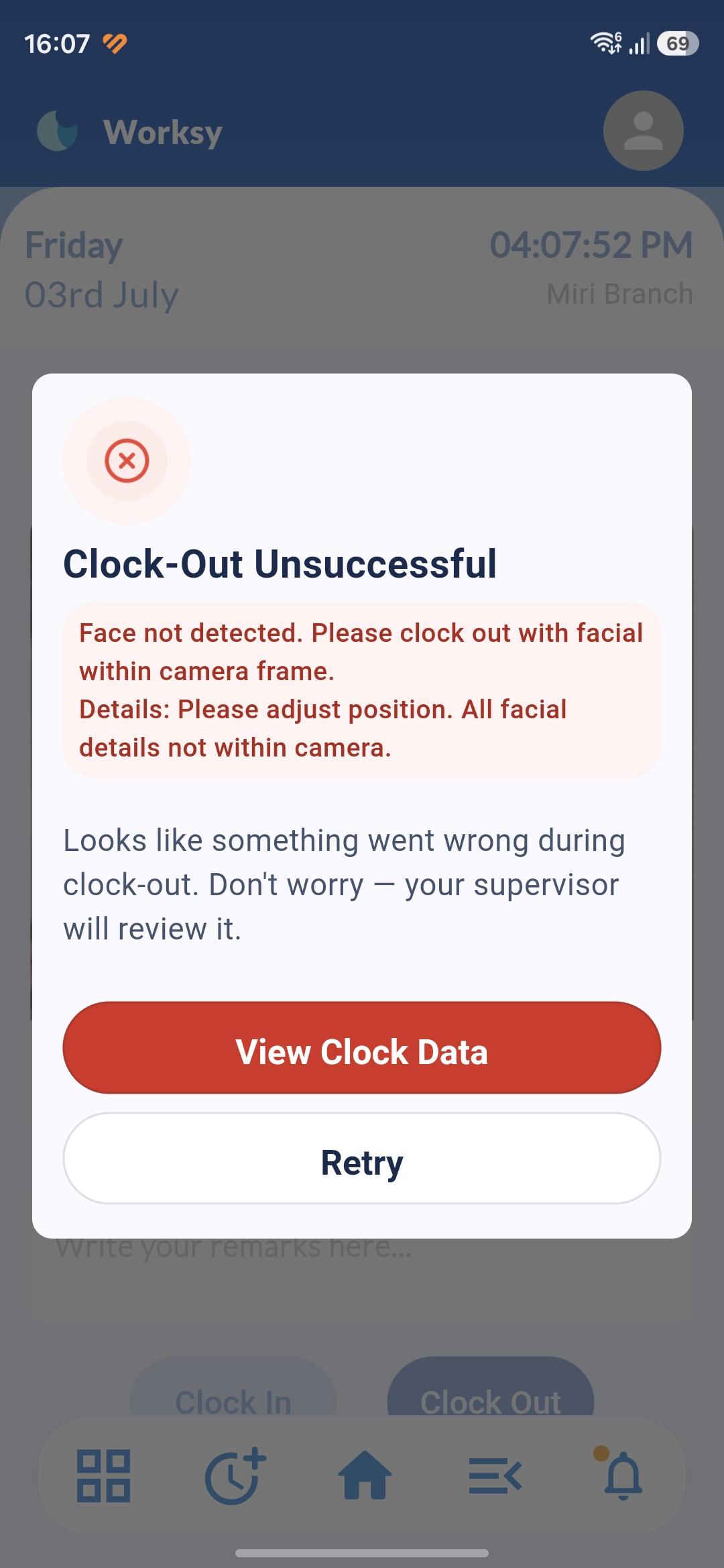 | 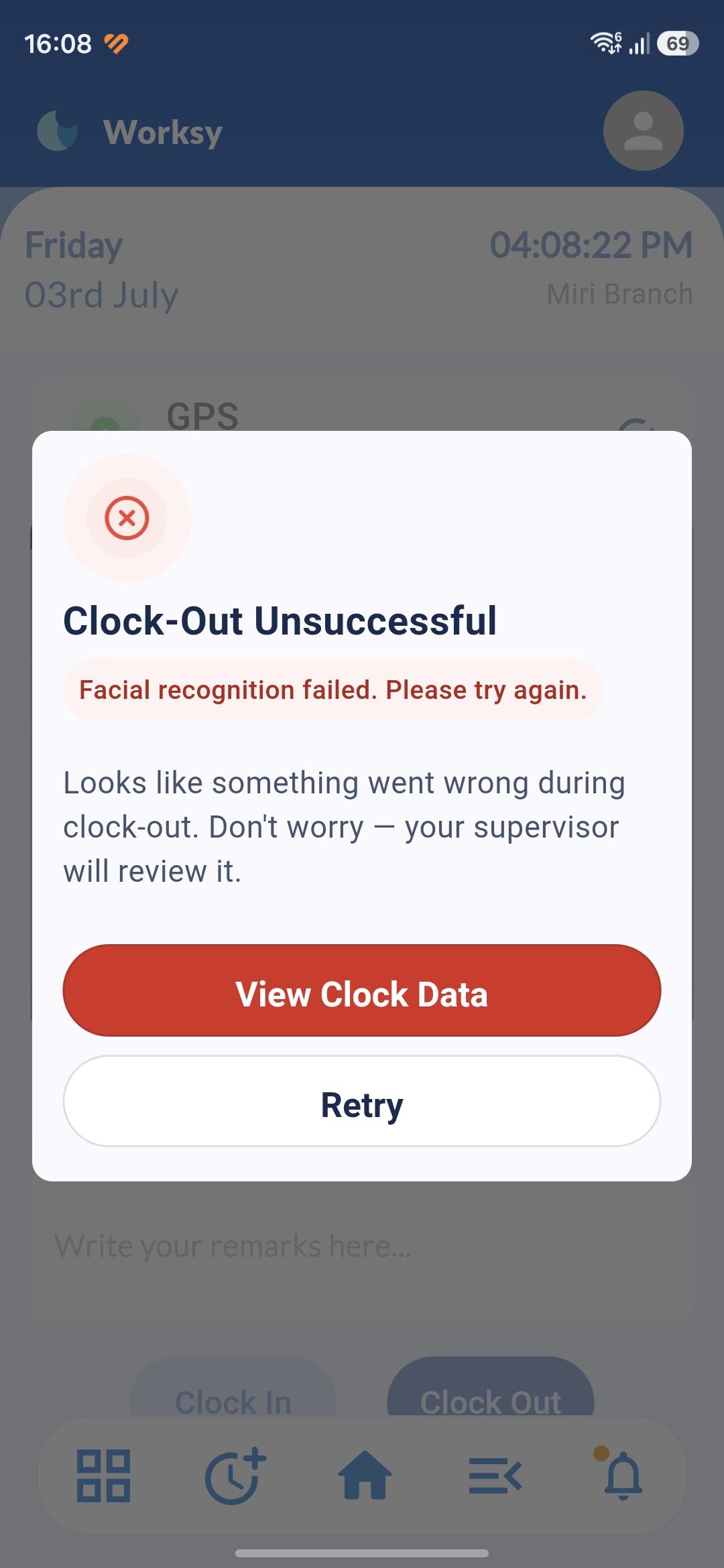 |
We hope this explanation clarifies the matter. If you require additional assistance, do not hesitate to contact our support team.
Was this article helpful?
That’s Great!
Thank you for your feedback
Sorry! We couldn't be helpful
Thank you for your feedback
Feedback sent
We appreciate your effort and will try to fix the article