Step 1
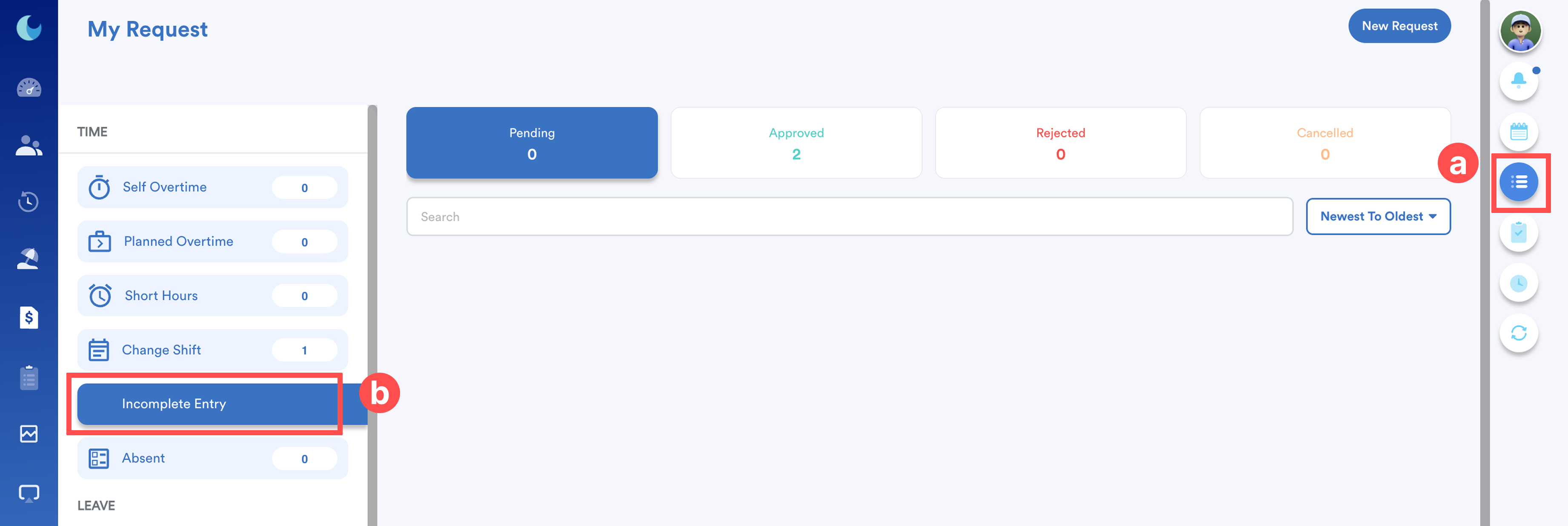
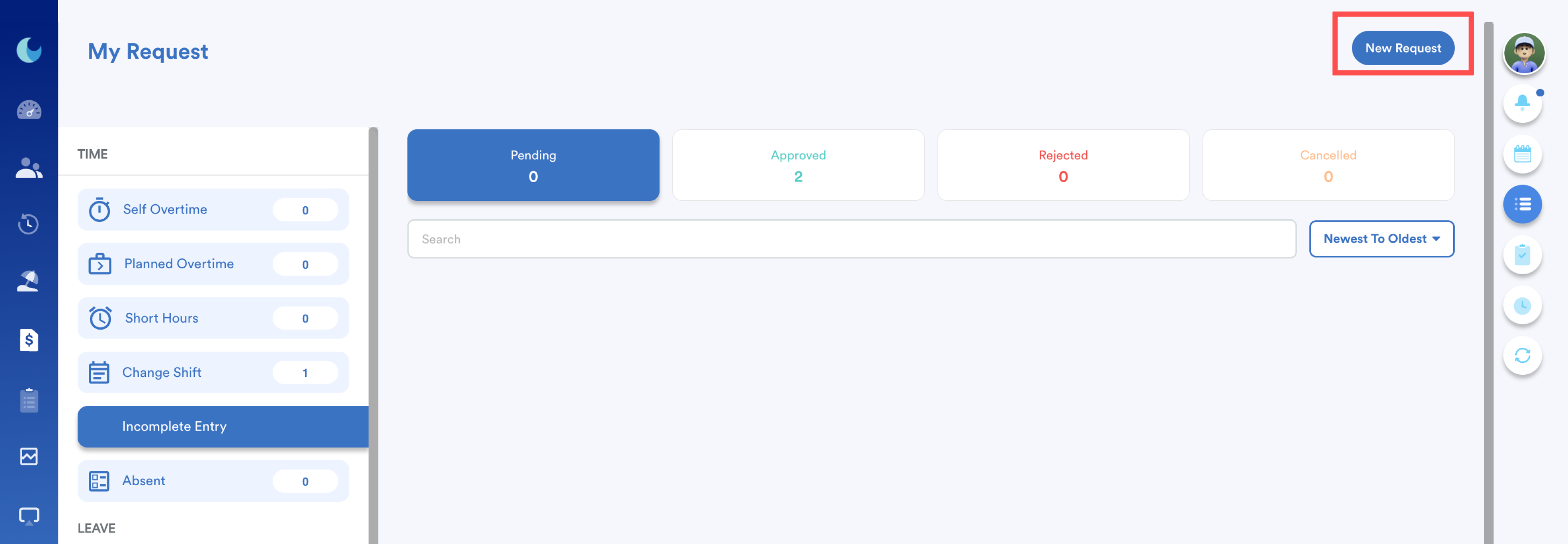
On the right menu, go to My Request (a). Then, click Incomplete Entry (b)
Step 2
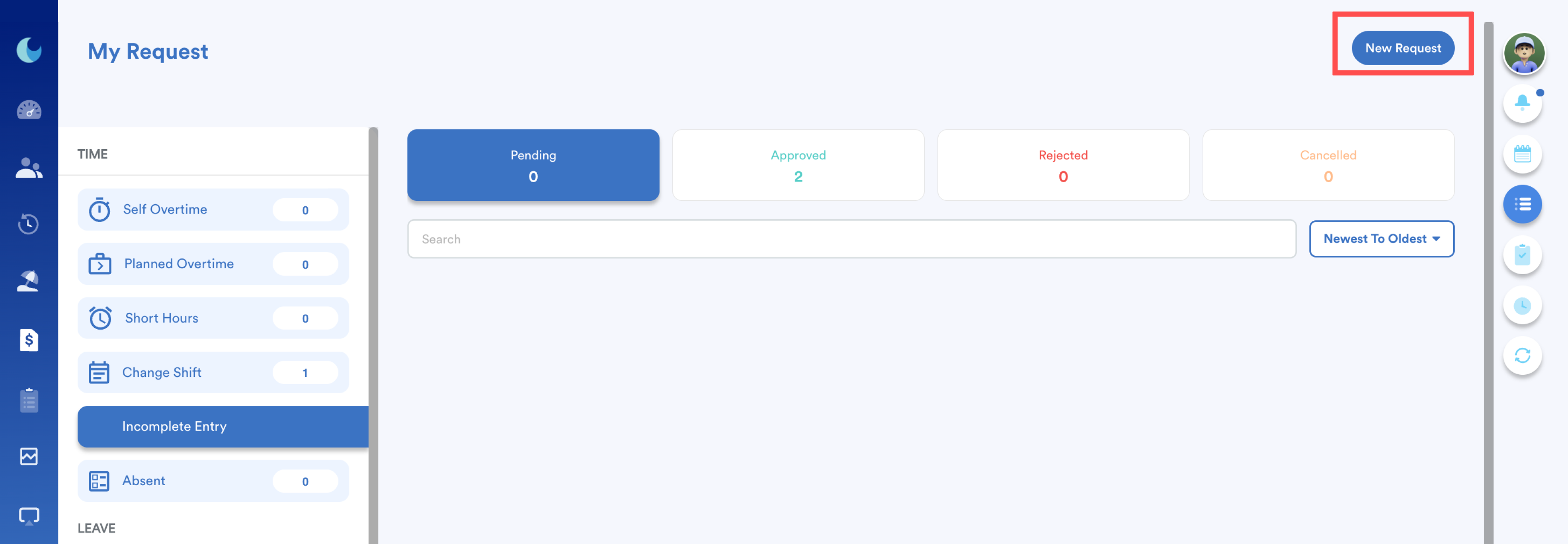
To make a new incomplete entry request, click New Request.
Step 3
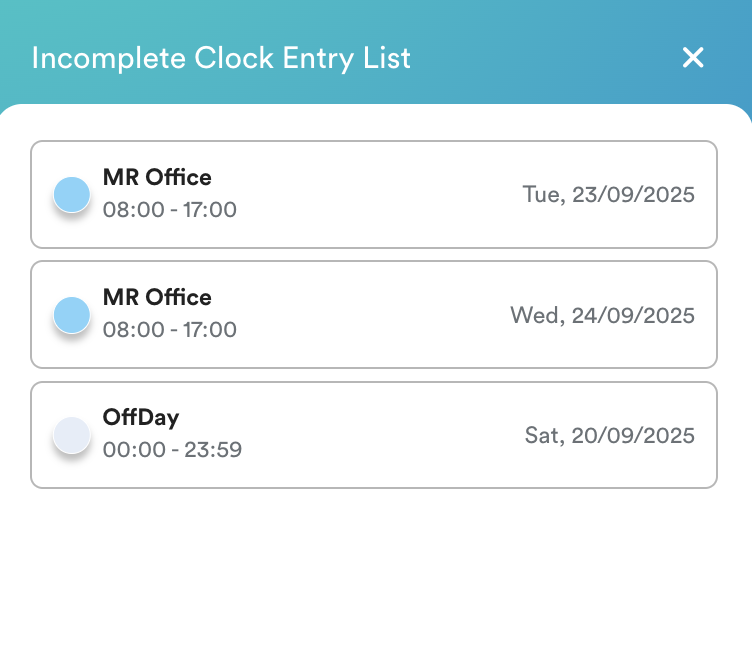
An Incomplete Clock Entry List will appear, showing the dates with missing clock in/out entries.
Step 4
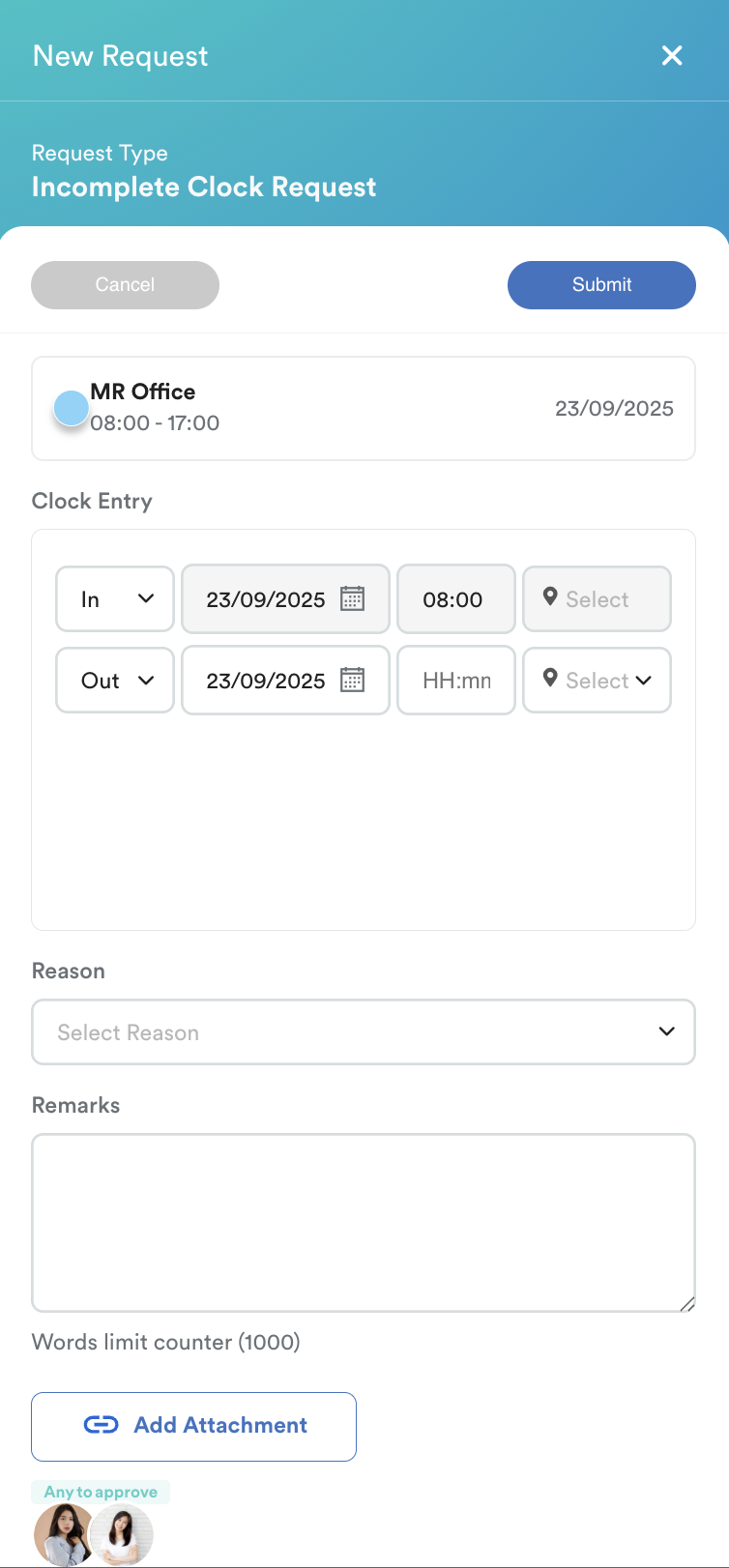
Click the date you want to request an entry for. You will see the following options:
- Insert the missing clock entry (if not greyed out)
- Select Reason for the request
- Add Remarks (if any)
- Attach Supporting Documents by clicking the attachment button
Click Submit to send your request.
Your submitted request will appear under the Pending tab. Once approved or rejected by your superior, it will move to the Approved or Rejected tab.
Video Tutorial
We hope this explanation clarifies the matter. If you require additional assistance, do not hesitate to contact our support team.
Was this article helpful?
That’s Great!
Thank you for your feedback
Sorry! We couldn't be helpful
Thank you for your feedback
Feedback sent
We appreciate your effort and will try to fix the article