In Worksy system, “Tax Borne by Employer” refers to the PCB (Potongan Cukai Bulanan) amount calculated for an employee based on their Income Tax Residency and Tax Category settings in their profile.
When the Employer Bears Tax Contribution option is enabled, the PCB amount is paid by the employer instead of being deducted from the employee’s salary. On the payslip, any tax contribution borne by the employer will be marked with an asterisk (*) next to the amount in the employee column.
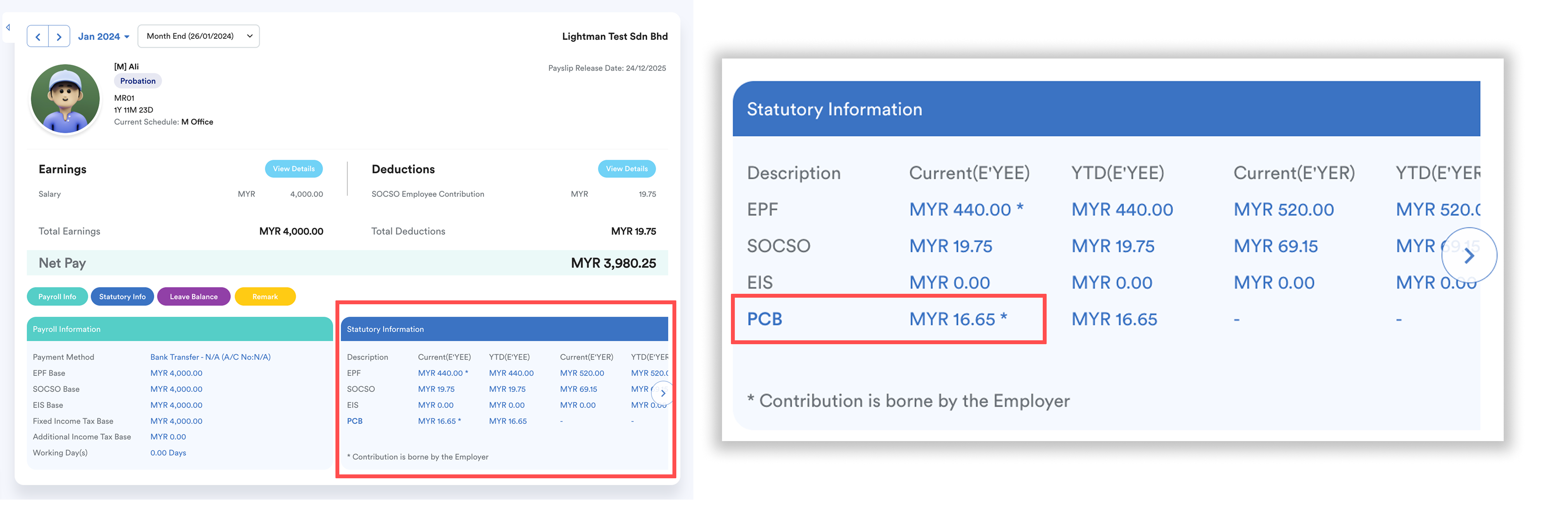
In the following year, the PCB amount borne by the employer is treated as previous year income and included in the current year’s PCB calculation under Accumulated Income.
Steps to Enable Employer-Borne Tax
Step 1
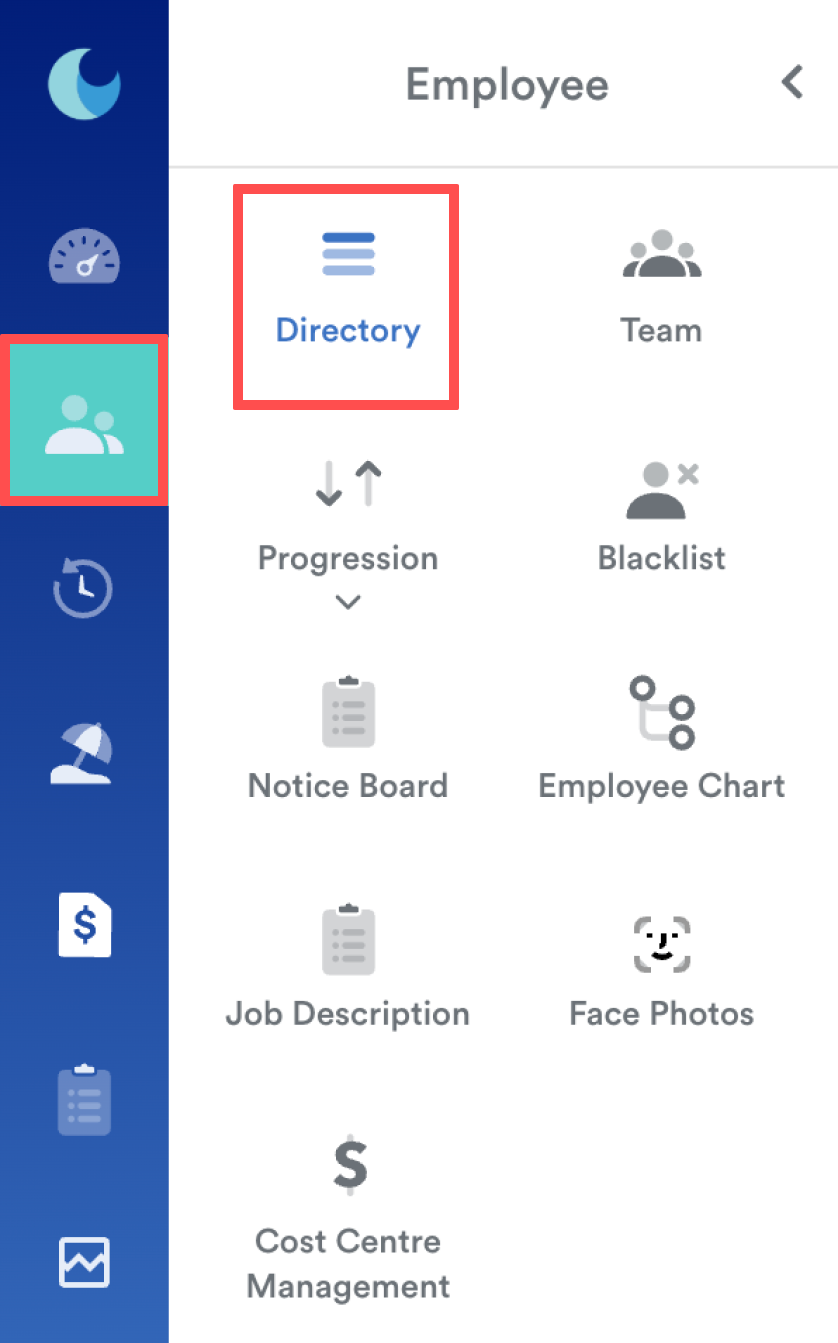
On the left menu, go to Employee > Directory. Select the employee’s name.
Step 2
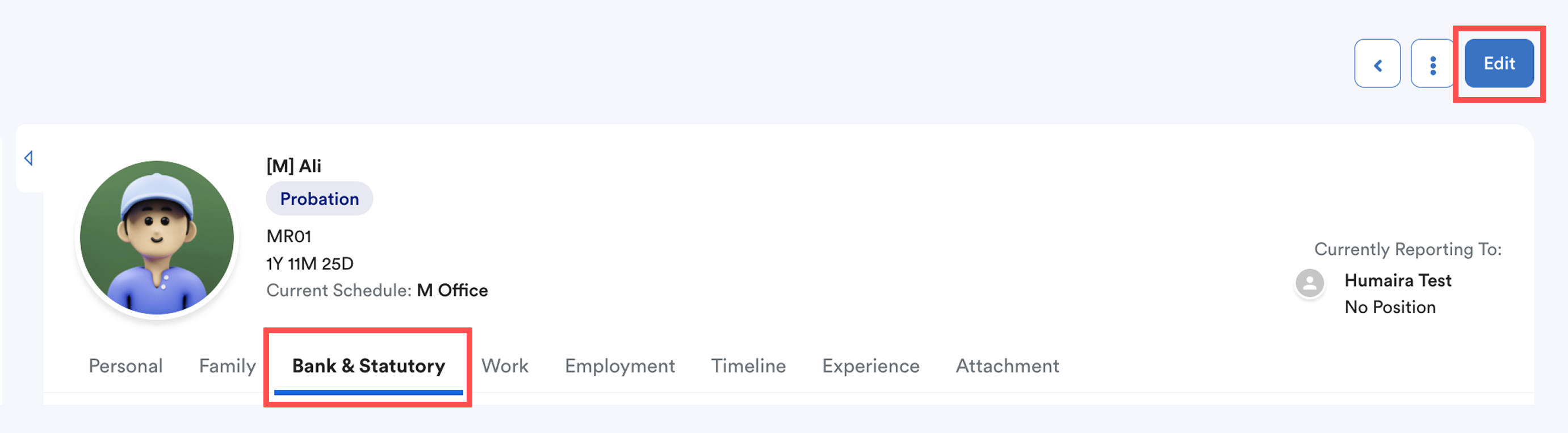
Click on the Bank & Statutory tab, then click Edit.
Step 3
Scroll down to the Income Tax section and tick the Employer Bears Tax Contribution box.
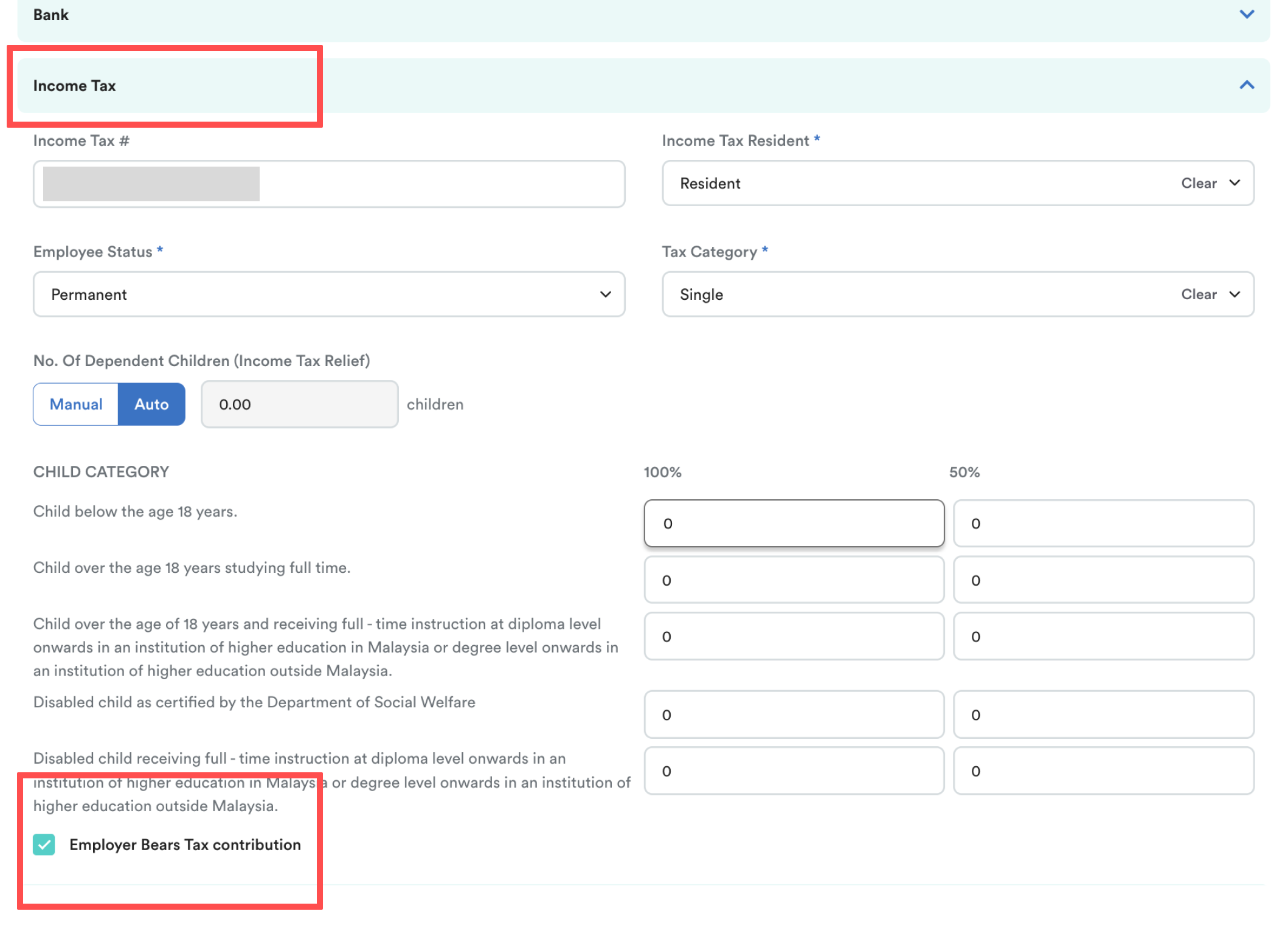
Click Save on the top-right corner.
Regulatory Notes
According to LHDN regulations:
- When the income tax for a given year is borne by the employer, it should appear in Section D1 of the EA Form for that same year.
- In the following year, the PCB amount borne by the employer is treated as previous year remuneration and is included in the current year PCB calculation under Accumulated Income.
- In the EA Form of the following year, the same amount should be reflected in Section B1(d).
Example:
- Income tax borne by the employer in 2024 → appears in Section D1 of EA Form 2024.
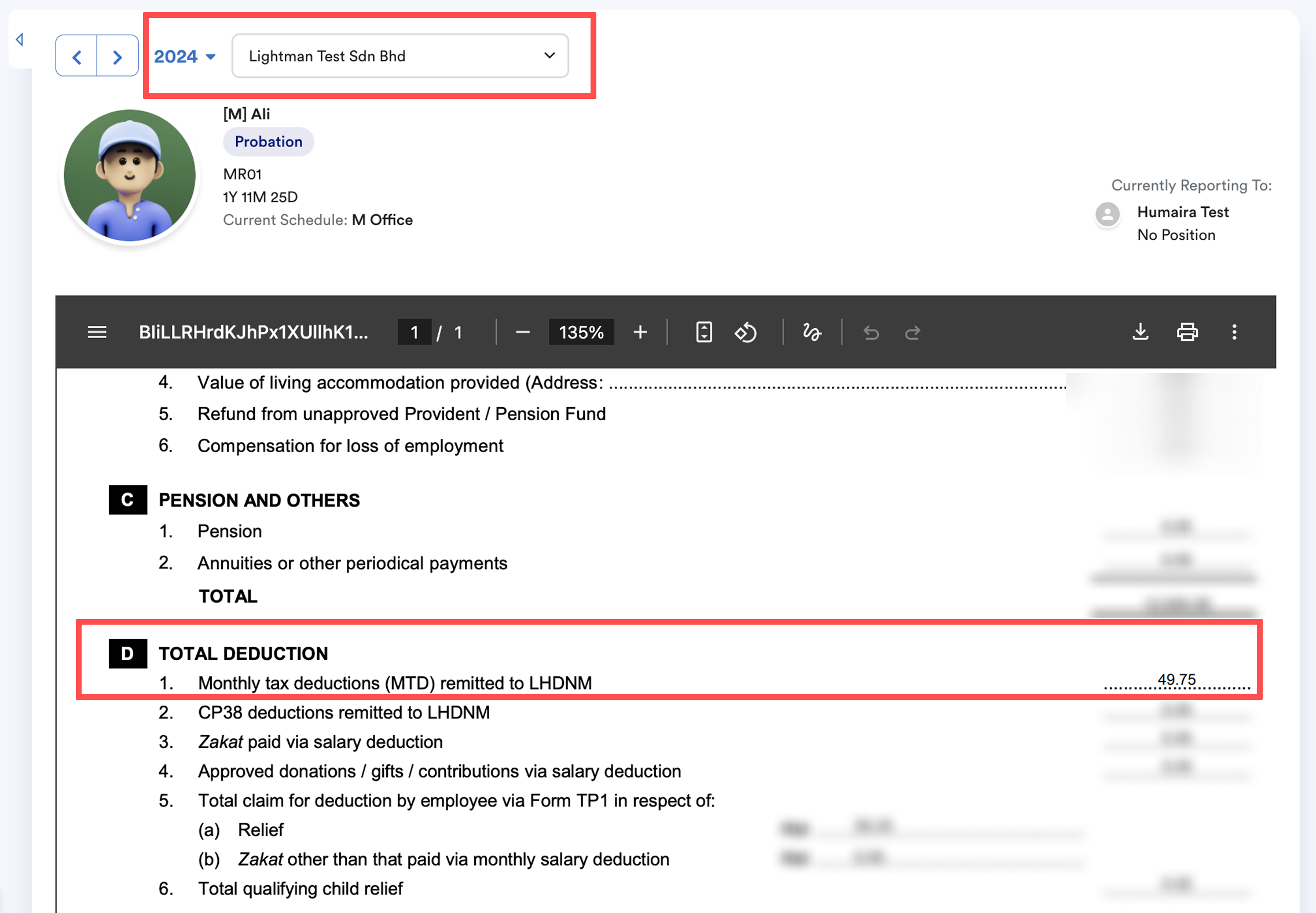
The total shown here is the yearly total of income tax borne by the employer.
- The same amount is treated as previous year remuneration → appears in Section B1(d) of EA Form 2025.
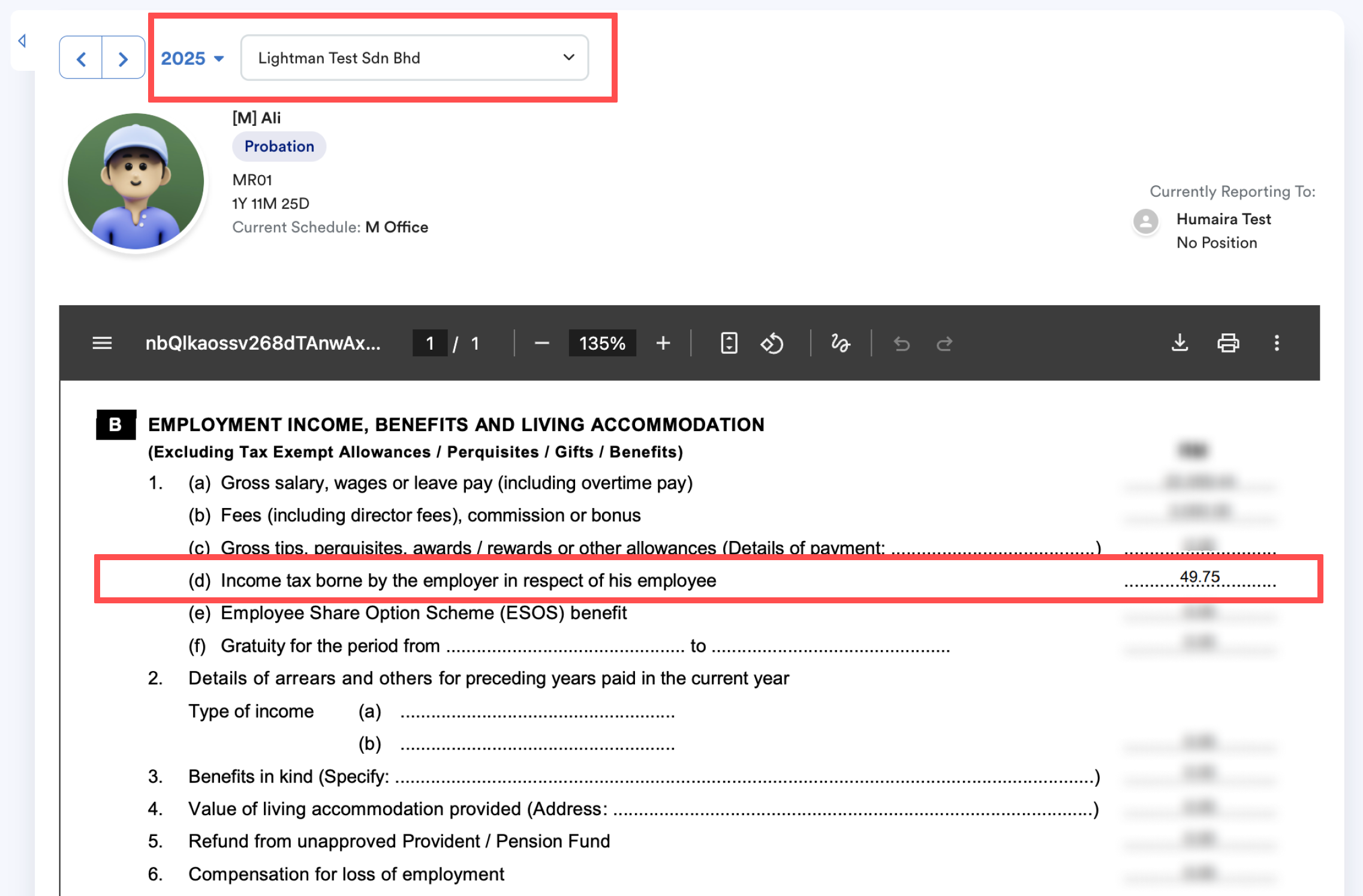
This flow continues for subsequent years.
We hope this explanation clarifies the matter. If you require additional assistance, do not hesitate to contact our support team.
Was this article helpful?
That’s Great!
Thank you for your feedback
Sorry! We couldn't be helpful
Thank you for your feedback
Feedback sent
We appreciate your effort and will try to fix the article