This article provides a step-by-step guide on how to generate claim entitlements for employees.
This action runs after Creating Claim Group. Make sure your Claim Groups include the relevant employees before generating.Step 1
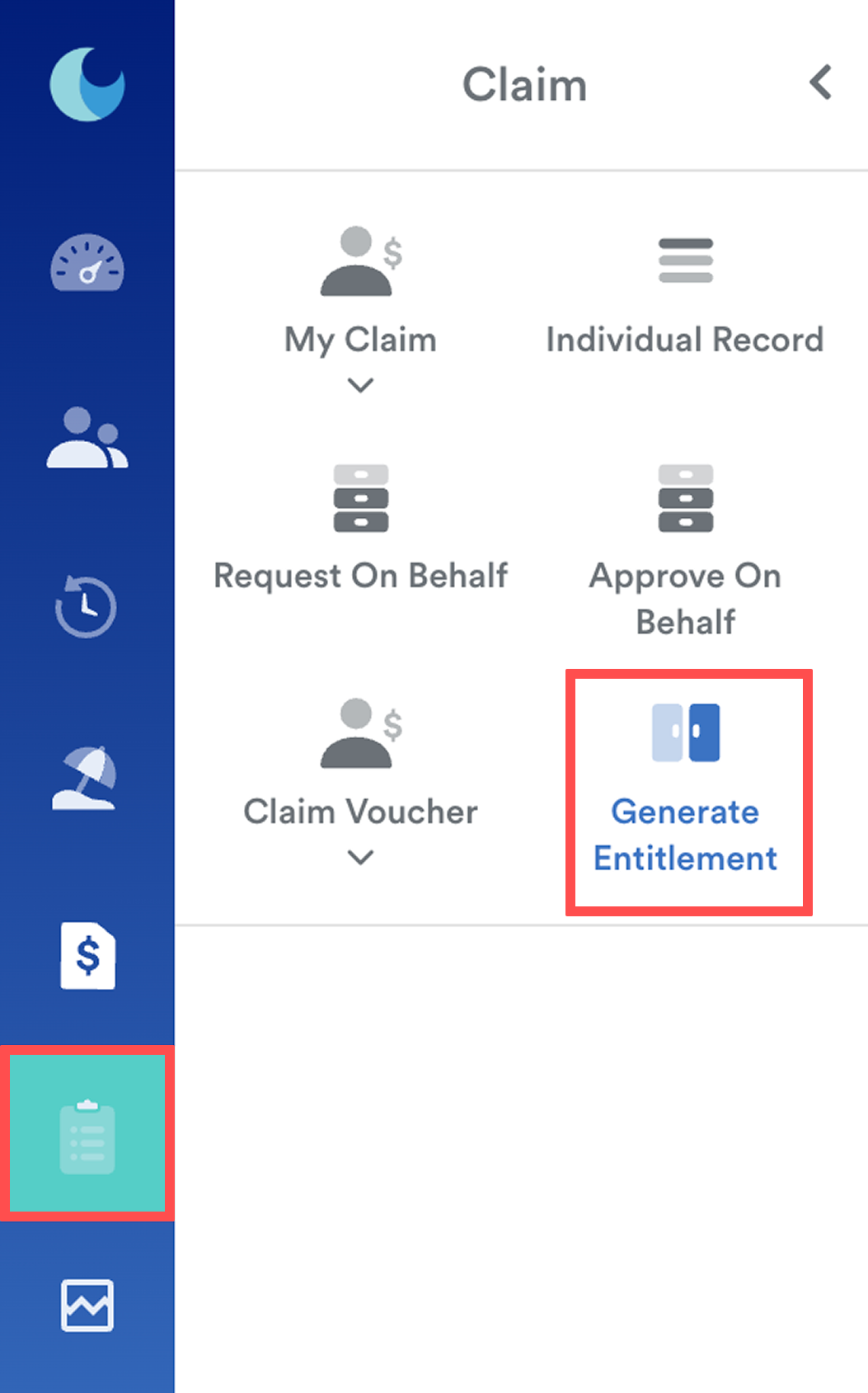
From the left menu, go to Claim > Generate Entitlement.
Step 2
On the Generate Entitlement screen, select the Claim Group(s) to include or exclude, then choose the year.
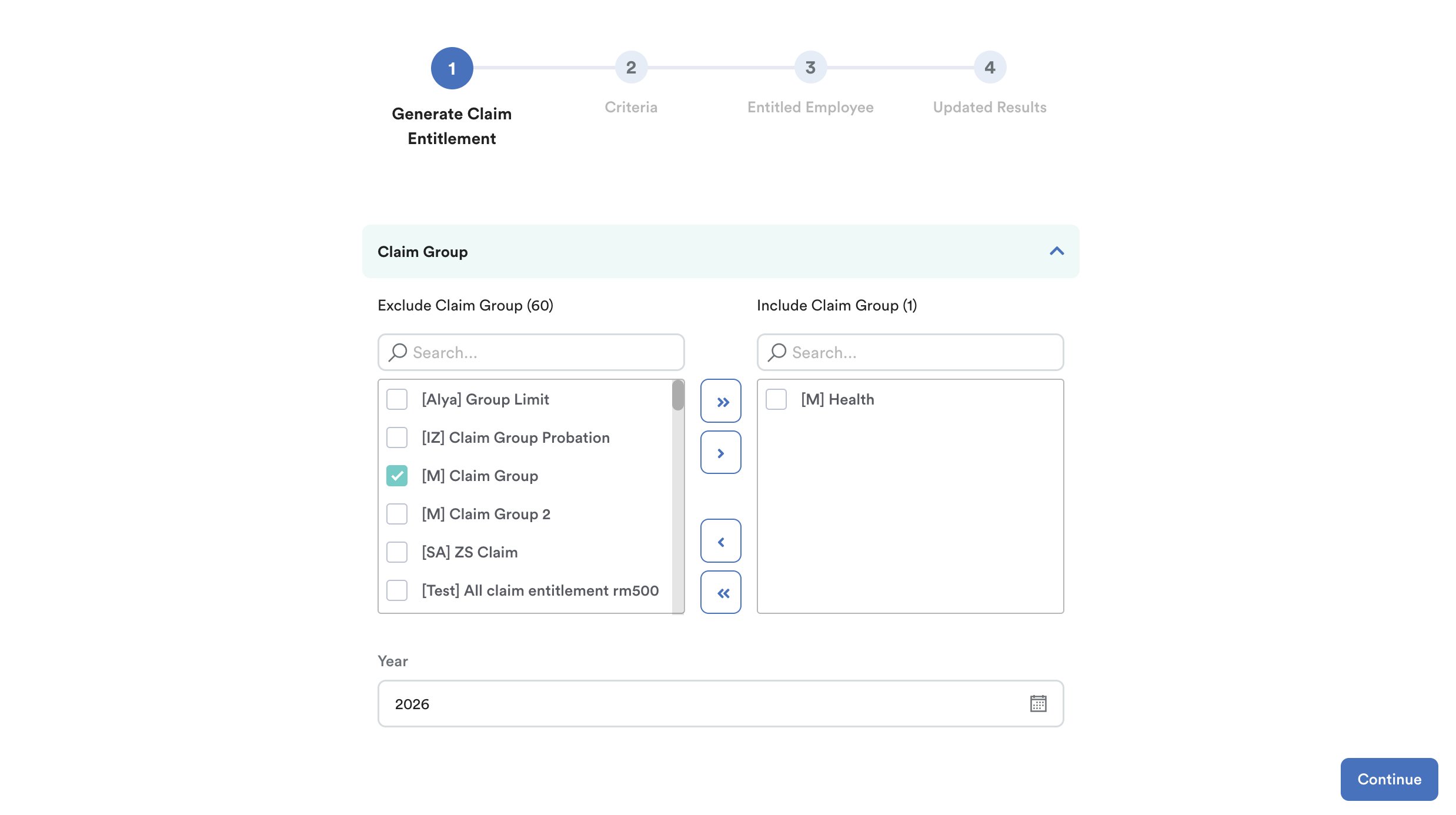
Click Continue.
Step 3
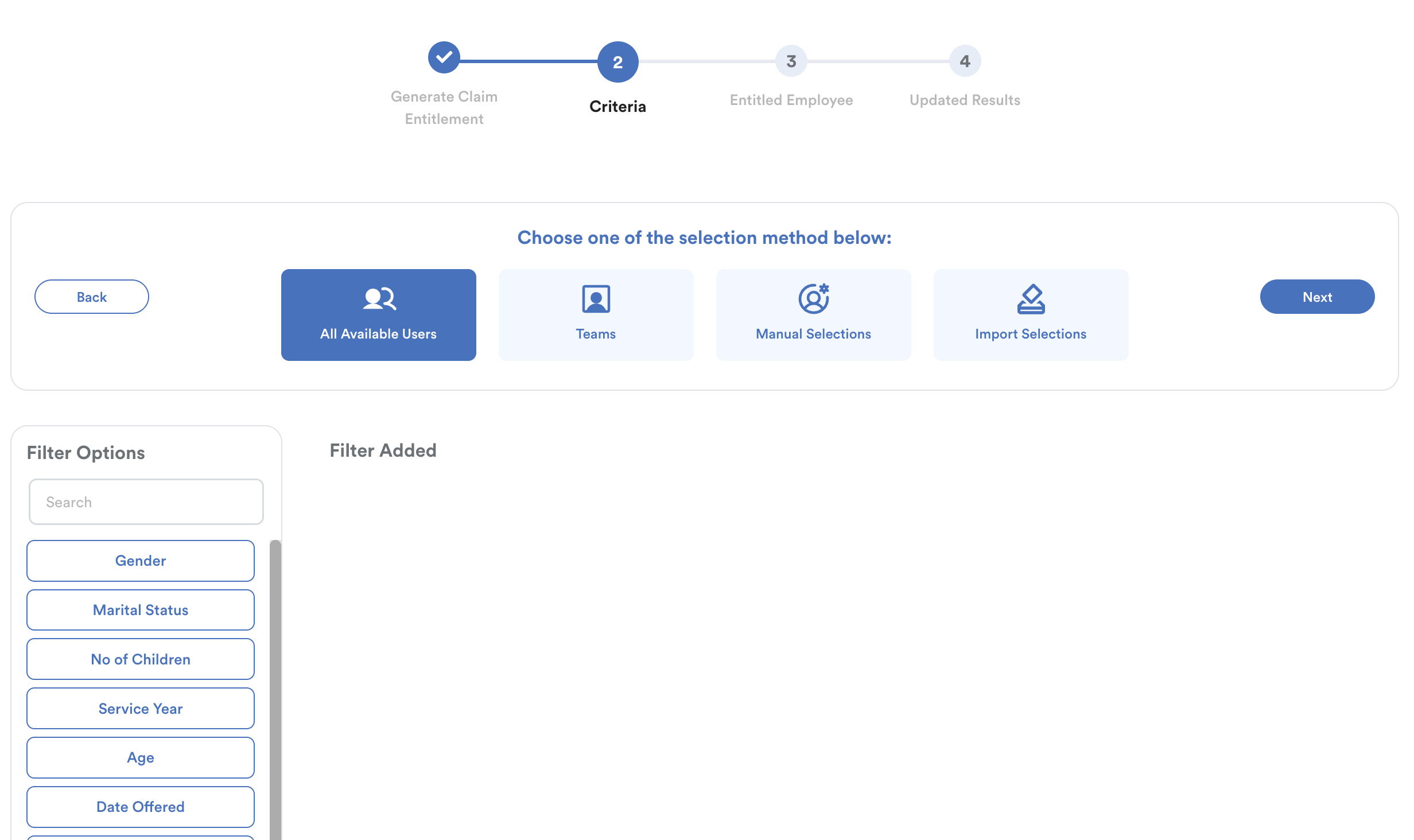
Select employees using any of the four available methods, then click Next.
Step 4
Review the entitled employees. Once confirmed, click Process.
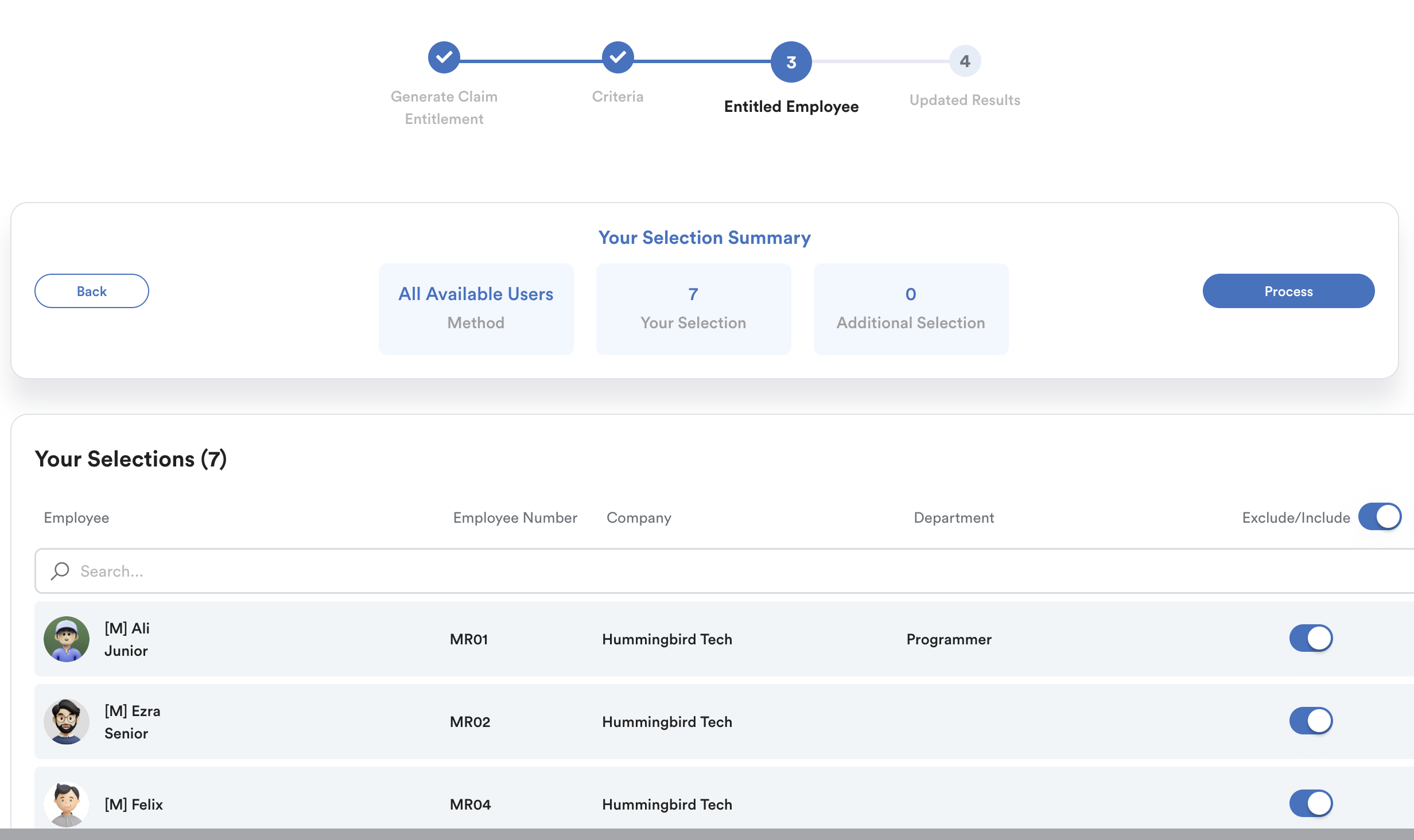
The system will display the generation status. Click Generate Another Entitlement to repeat the process if needed.

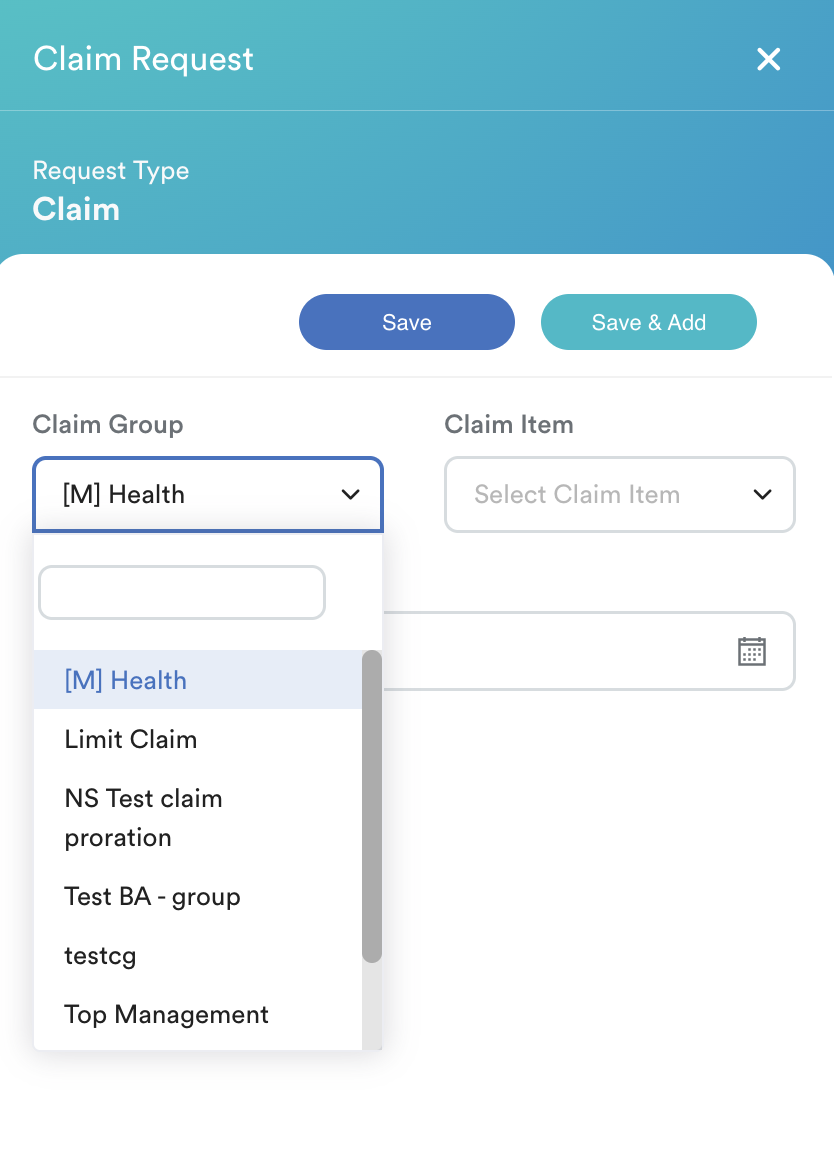
Once completed, the Claim Group will appear in the list when employees submit a Claim Request.
We hope this explanation clarifies the matter. If you require further assistance, please don't hesitate to contact our support team.
Was this article helpful?
That’s Great!
Thank you for your feedback
Sorry! We couldn't be helpful
Thank you for your feedback
Feedback sent
We appreciate your effort and will try to fix the article