Path: Employee > Directory > Select employee > Work.
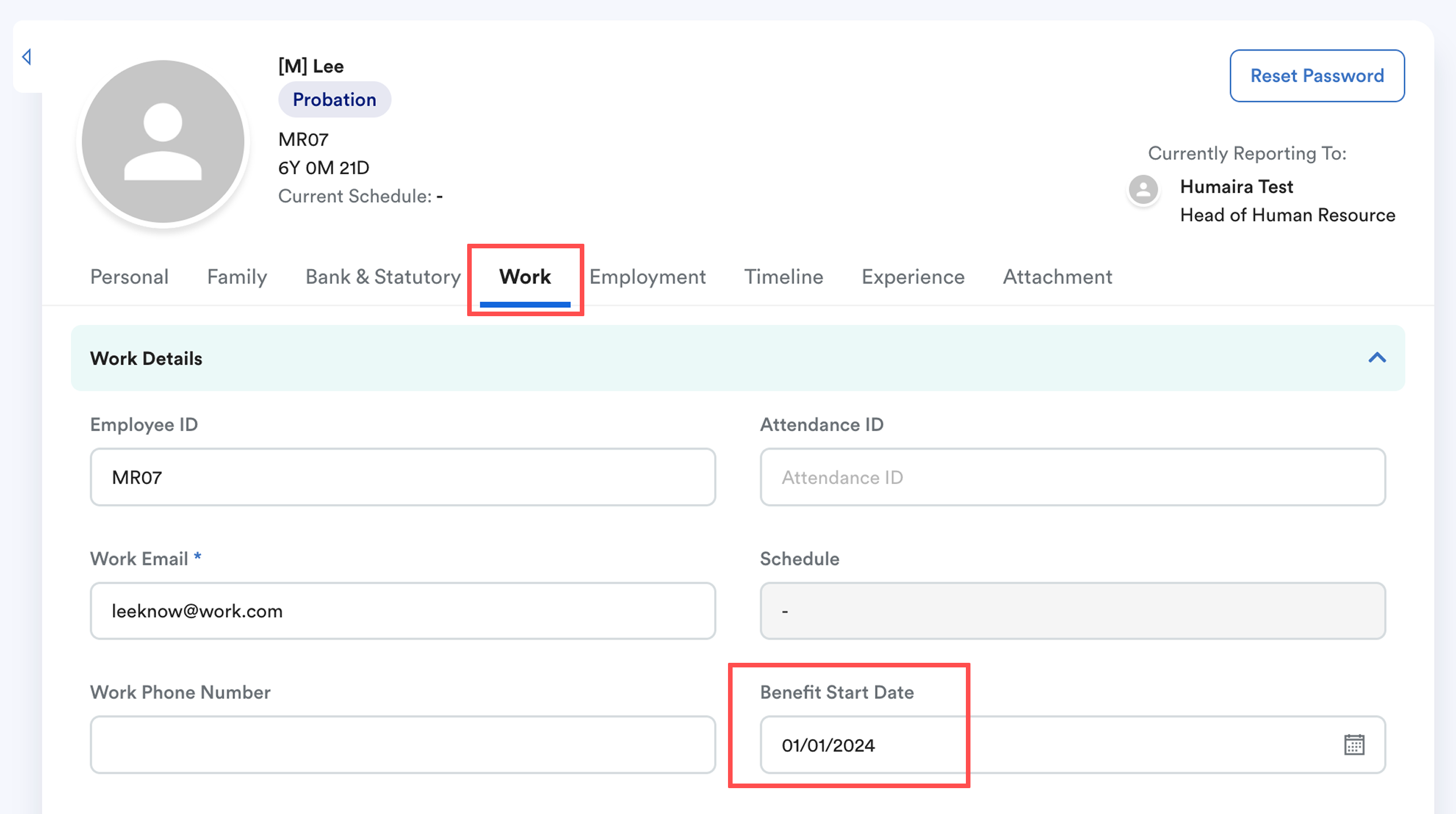
The Benefit Start Date determines when the system starts calculating an employee’s leave and claim entitlement. If you do not have benefit start date, system will follow hire date.
This date can be earlier, the same, or later than the Hire Date, depending on your company policy.
Once filled, the system will use this date to calculate:
- Year of service
- Leave entitlement tier
- Claim entitlement tier/limit
Quick Links
When to Use Benefit Start Date
When to Use Benefit Start Date
You may use the Benefit Start Date to control when leave entitlement calculation begins. Common scenarios include:
Scenario 1: Generate Entitlement Only After Probation
If your company policy allows employees to start using leave or submit claims only after completing probation (e.g. after 3 months):
- Enter the probation end date in the Benefit Start Date field
- Leave and claim entitlement will only be generated starting from this date
Scenario 2: Calculate Entitlement from Confirmation Date Instead of Hire Date
If your company calculates year of service and entitlement based on the employee’s Confirmation Date instead of Hire Date:
- Enter the employee’s Confirmation Date in the Benefit Start Date field
- The system will calculate leave and claim entitlement tiers starting from this date
Scenario 3: Calculate Leave from Rehire Date
If the employee is rehired and leave should be based on the rehire date instead of the original Hire Date:
- Update the Benefit Start Date in the staff profile to the rehire date
- Regenerate leave entitlement for the staff to reflect the updated calculation
Leave Example
- Hire Date: 01/01/2020
- Benefit Start Date: 01/01/2024
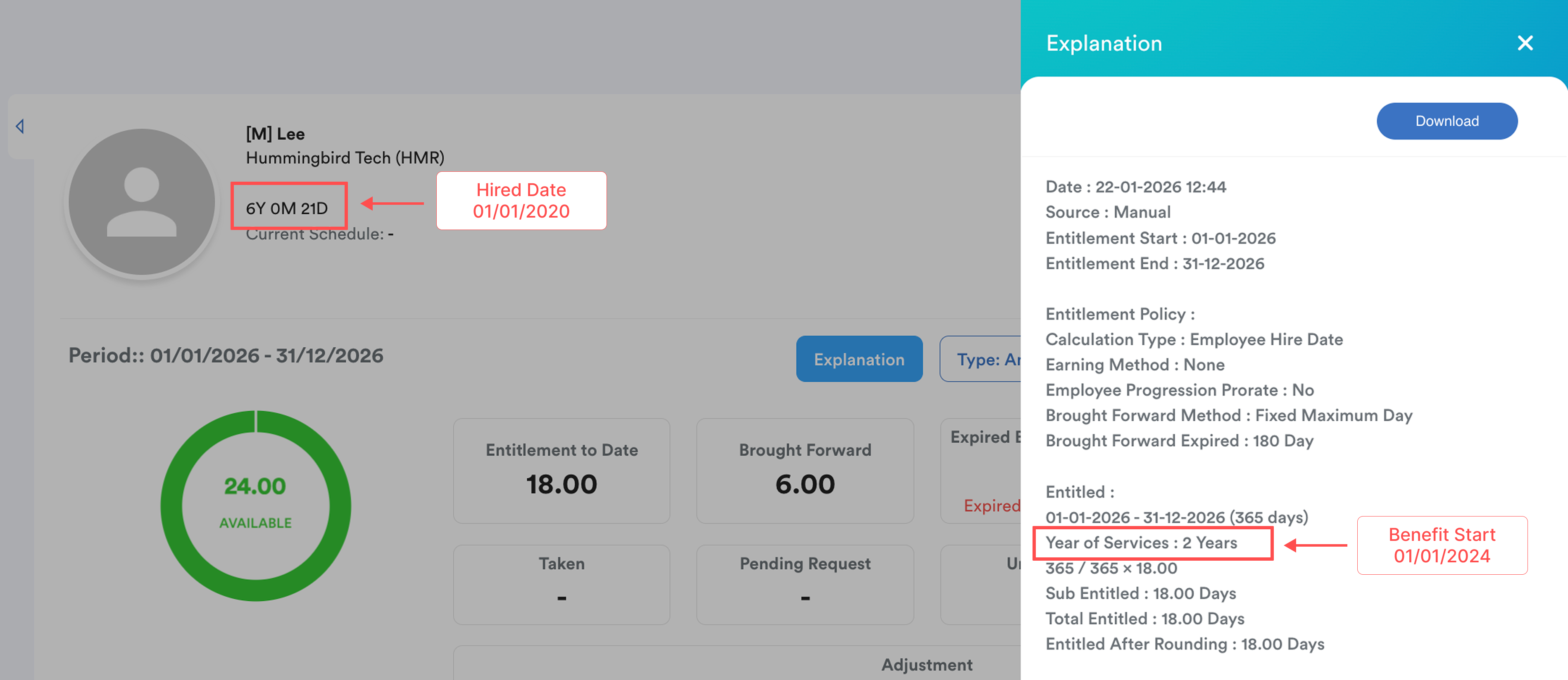
Even though the employee has served 6 years (2020 – 2026), the system will treat the entitlement as 2 years, because the calculation starts from 01/01/2024.
Claim Example
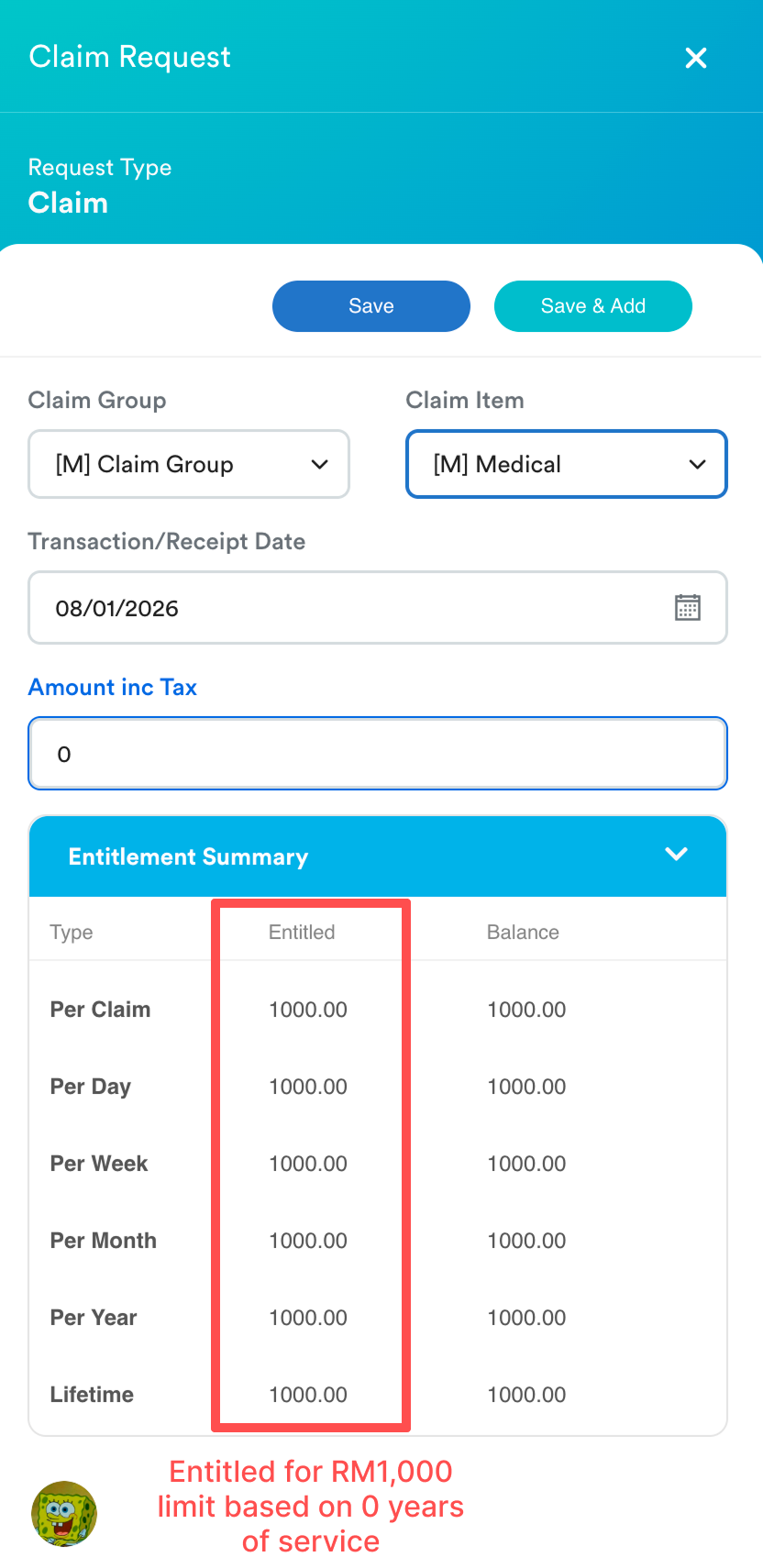
The same calculation logic applies to the employee’s claim entitlement if the claim item limit type is by year of service. System calculates year of service from benefit start date to today's date.
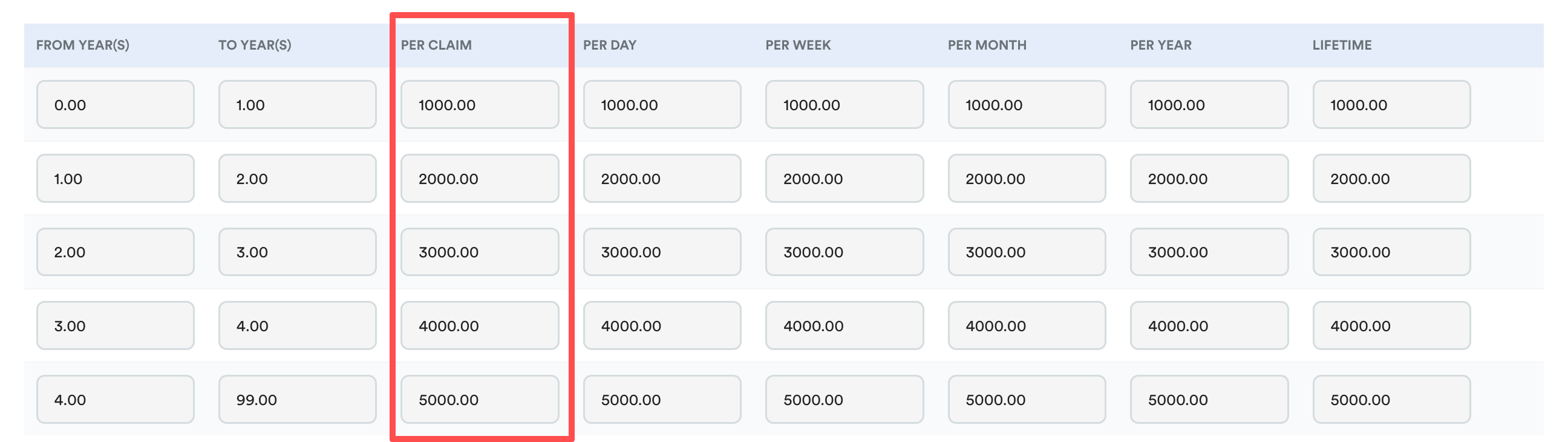
Below is the entitlement table for [M] Medical:
Benefit start date: 28/01/2025
Today's date: 27/01/2026
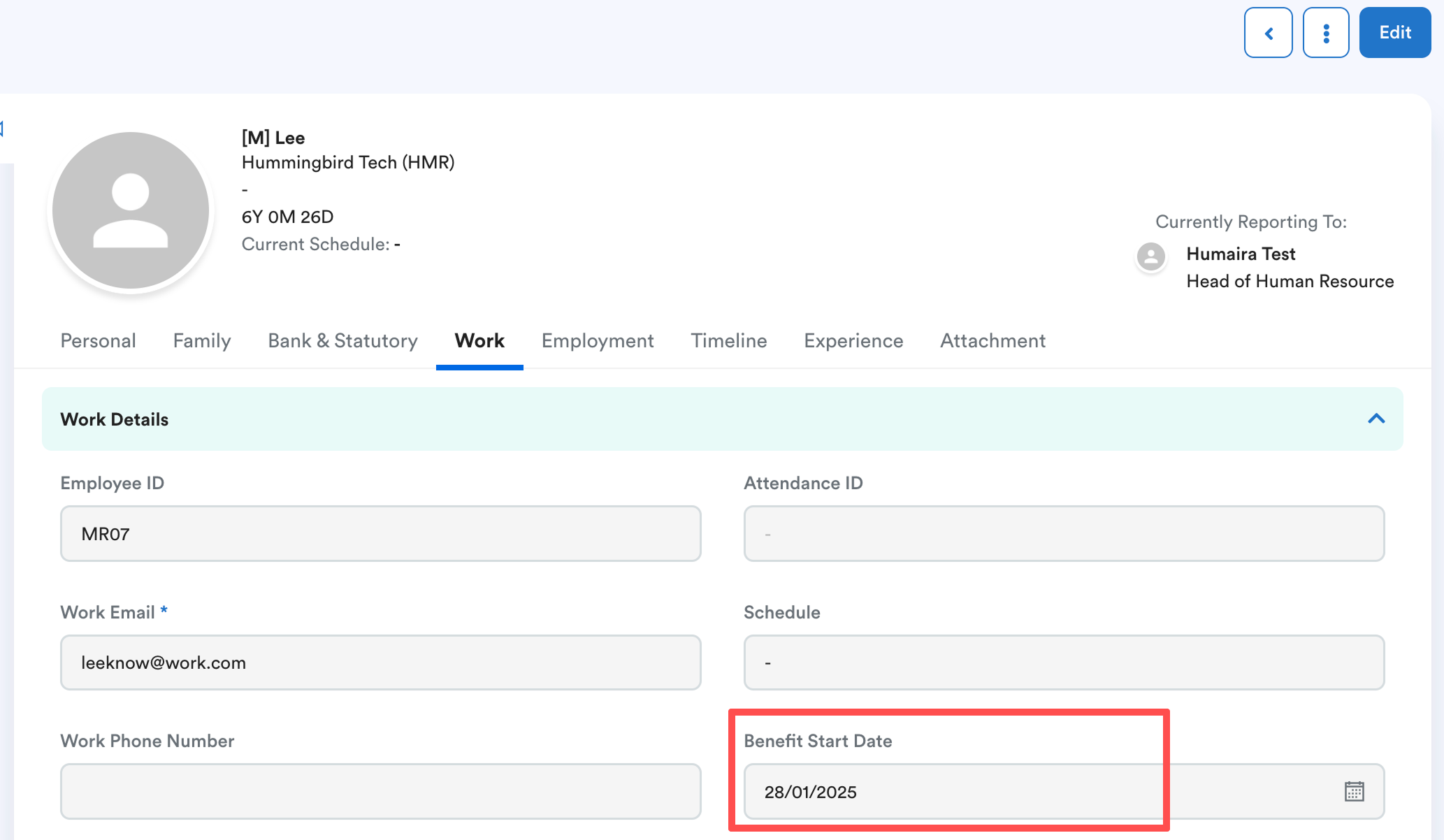
On 27 January 2026, the YOS is under 1year. Therefore, the claim limit in 2026 for this staff falls under row 1 - RM 1000 (refer to above entitlement table)..
On 28 January 2026, the YOS is 1year. Therefore, the claim limit in 2026 for this staff falls under row 2 - RM 2000 (refer to above entitlement table).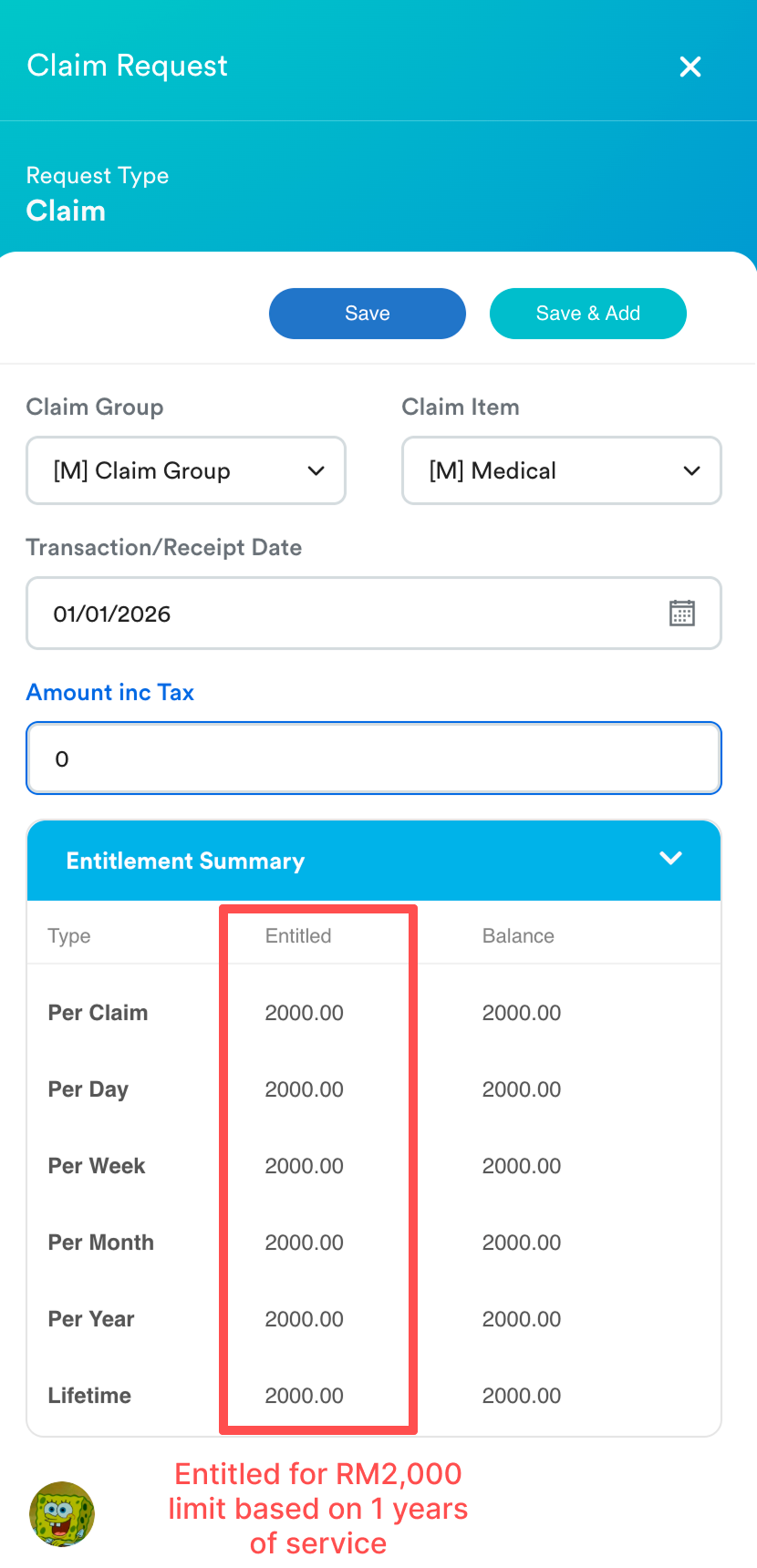
We hope this explanation clarifies the matter. If you require additional assistance, do not hesitate to contact our support team.
Was this article helpful?
That’s Great!
Thank you for your feedback
Sorry! We couldn't be helpful
Thank you for your feedback
Feedback sent
We appreciate your effort and will try to fix the article