This guide explains how to send a vacancy invitation to candidates in the Talent Pool. Whether you're reaching out to new candidates, re-engaging previously rejected candidates, or inviting candidates to reapply, you can do so by sending a new vacancy invitation.
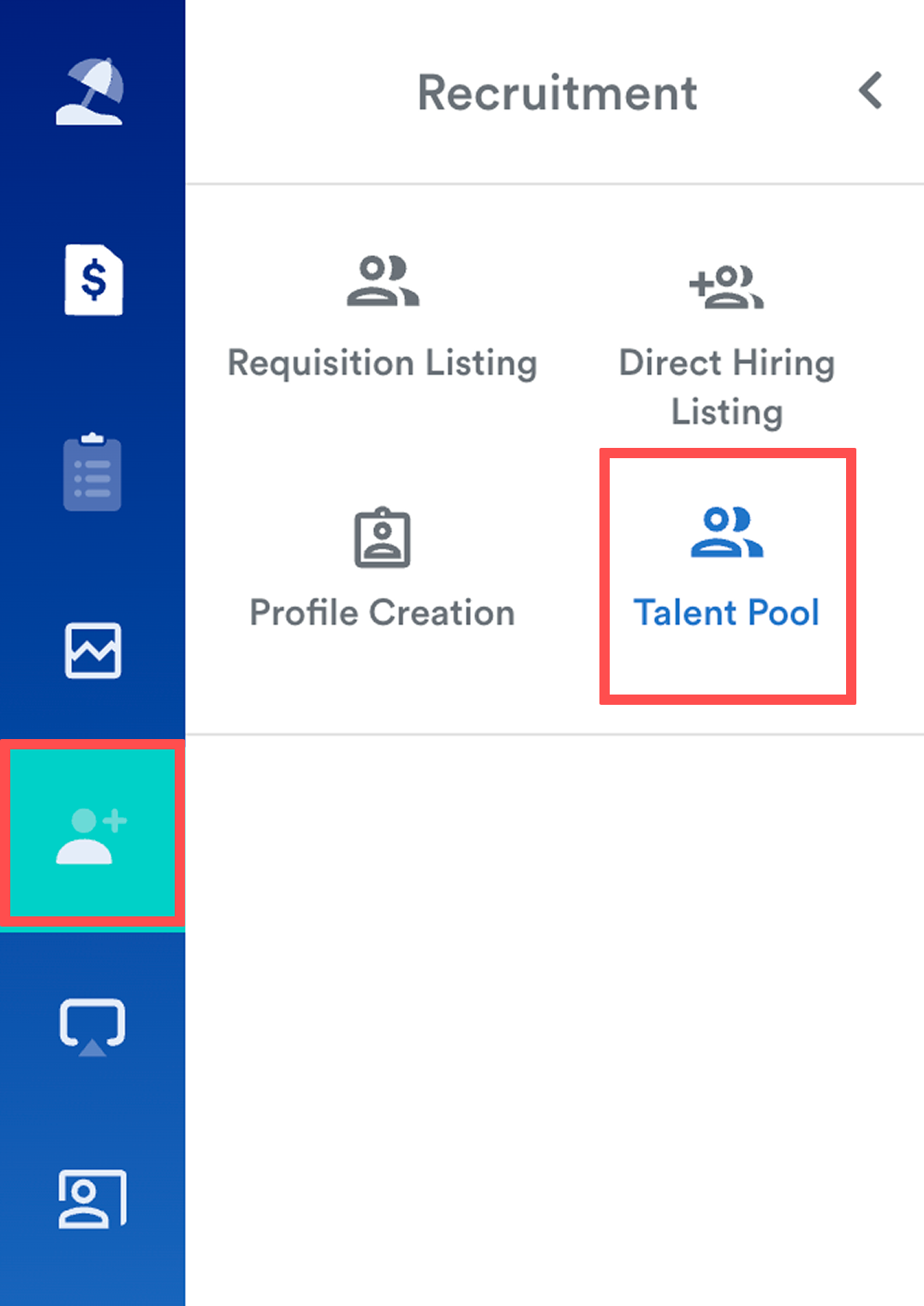
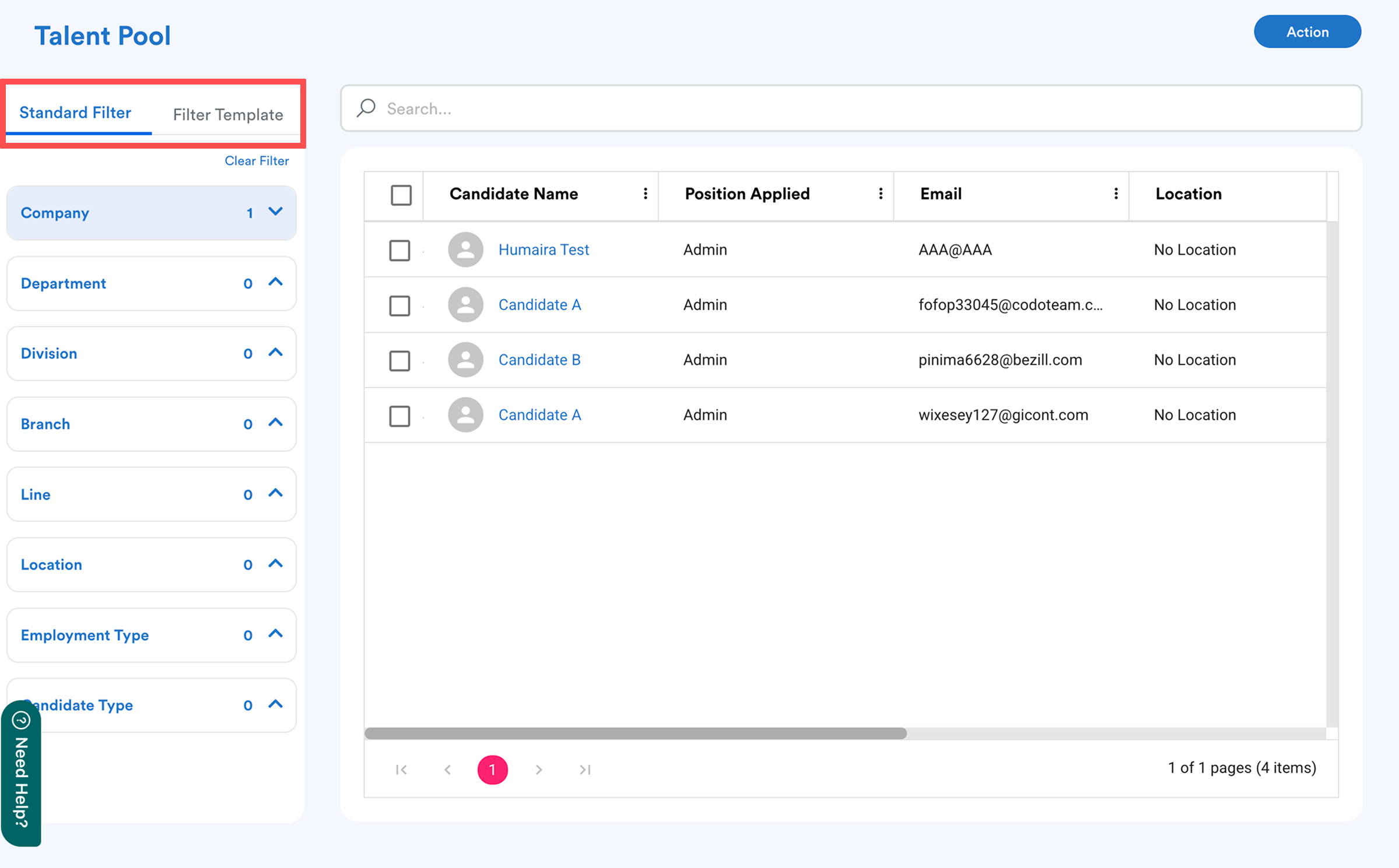
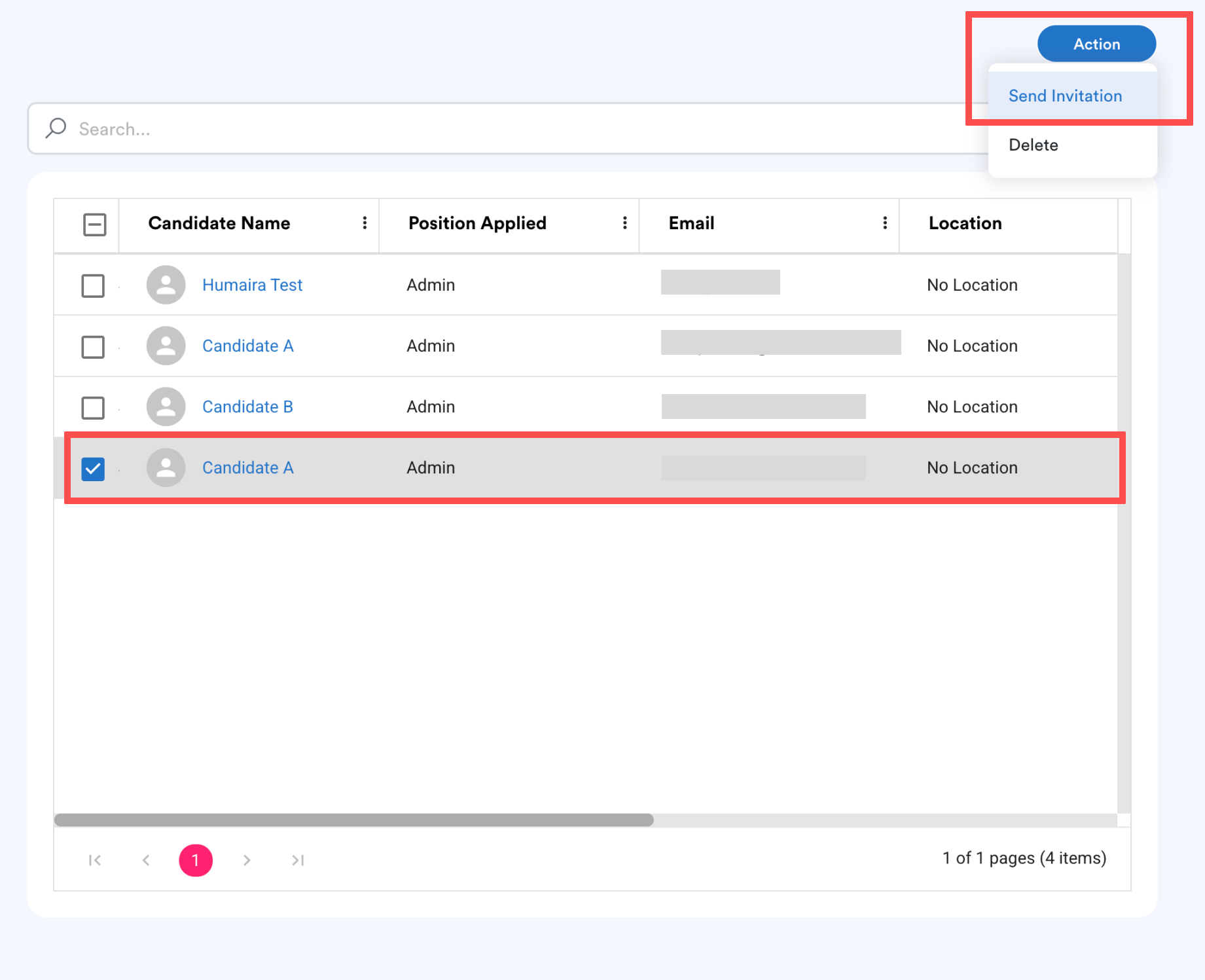
Select the requisition you want to invite the candidate to. Only one requisition can be selected at a time.
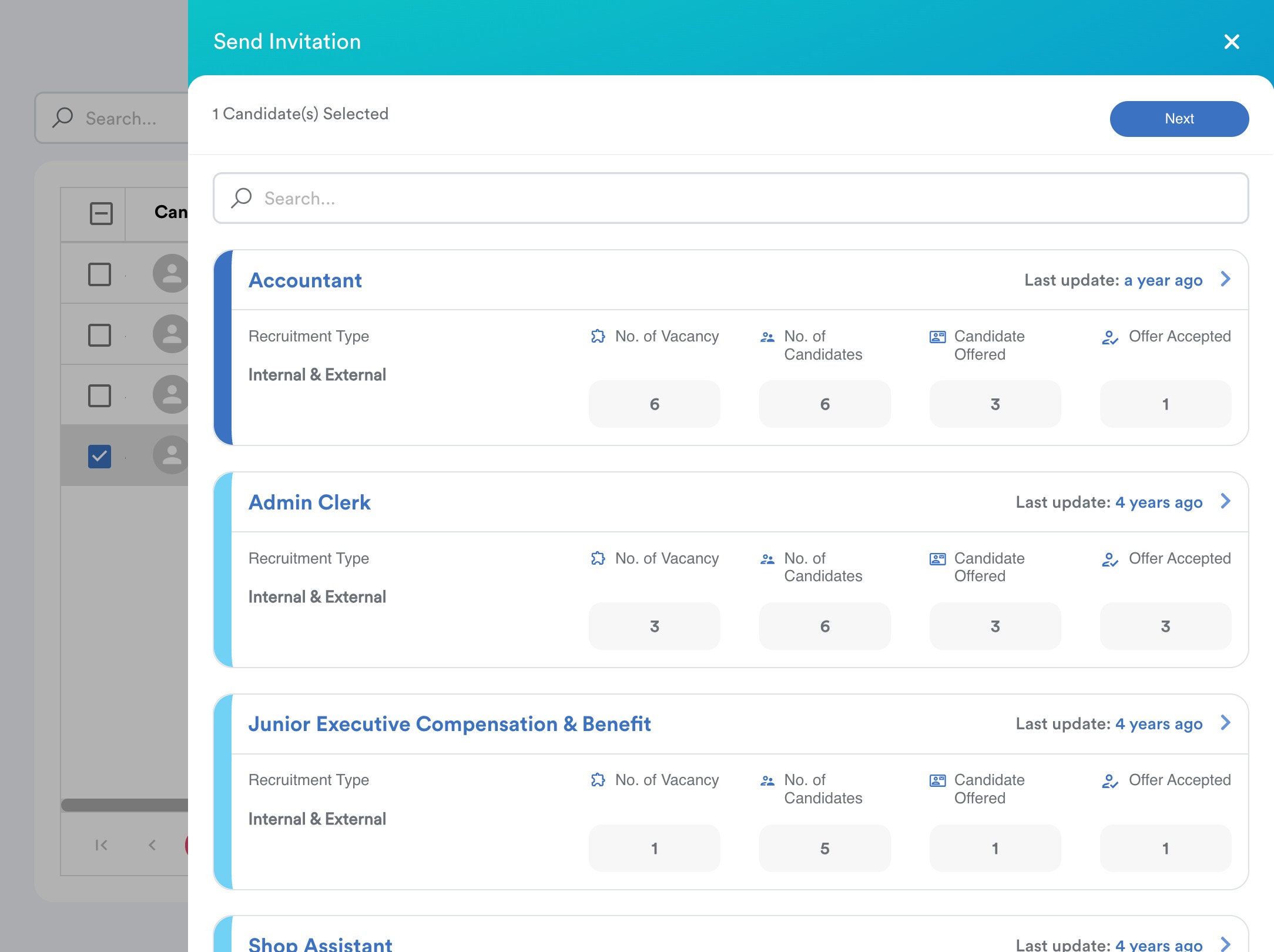
Selected requisition is marked with darker blue
Click Next to continue.
Step 5
Select the relevant Vacancy Type. The system displays the vacancy information so you can verify that you have selected the correct position.
Next, enter the Subject and edit the pre-built notification message if needed.
You can use the available dynamic placeholders to automatically populate candidate and job information.
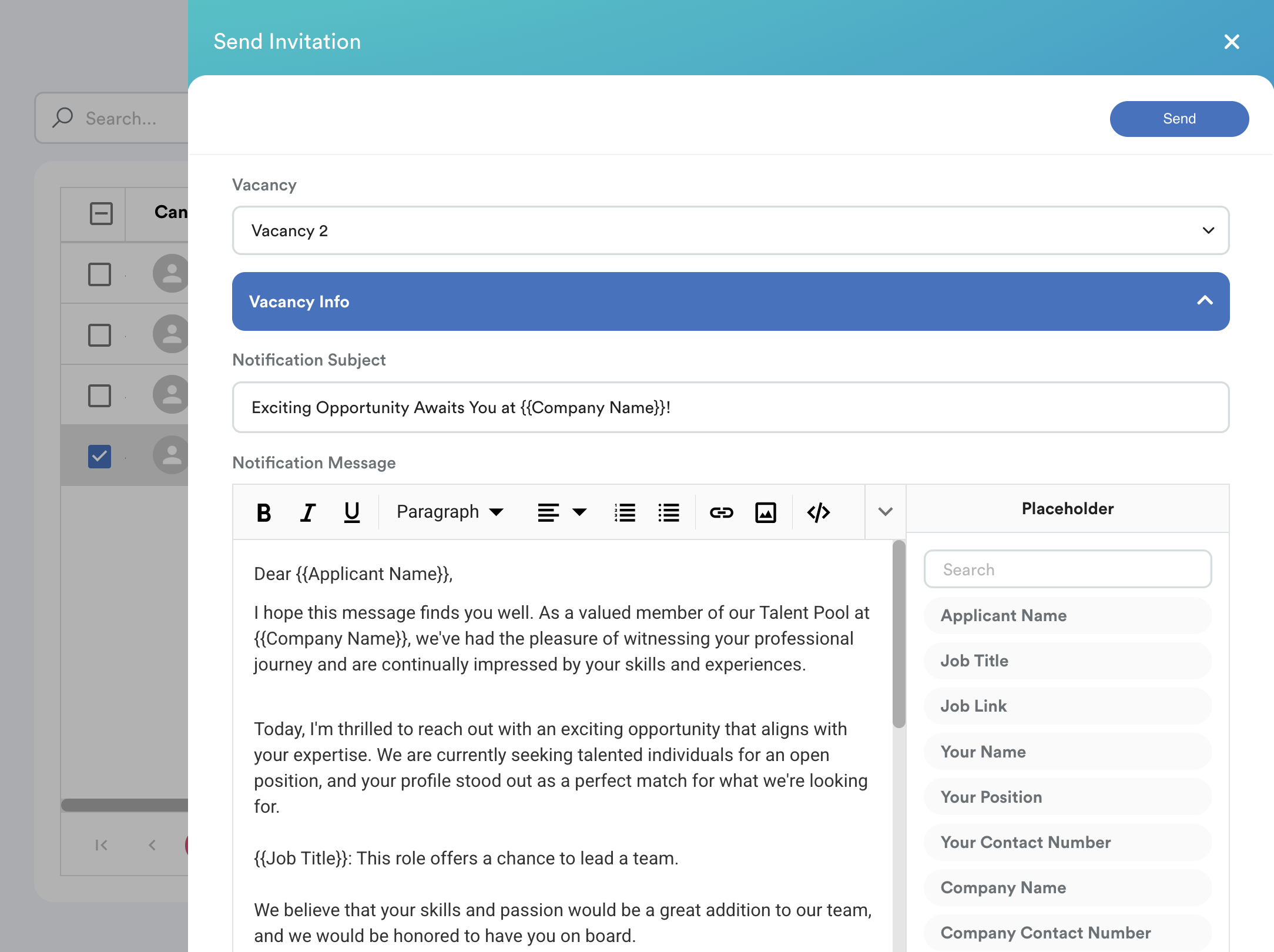
Click Send.
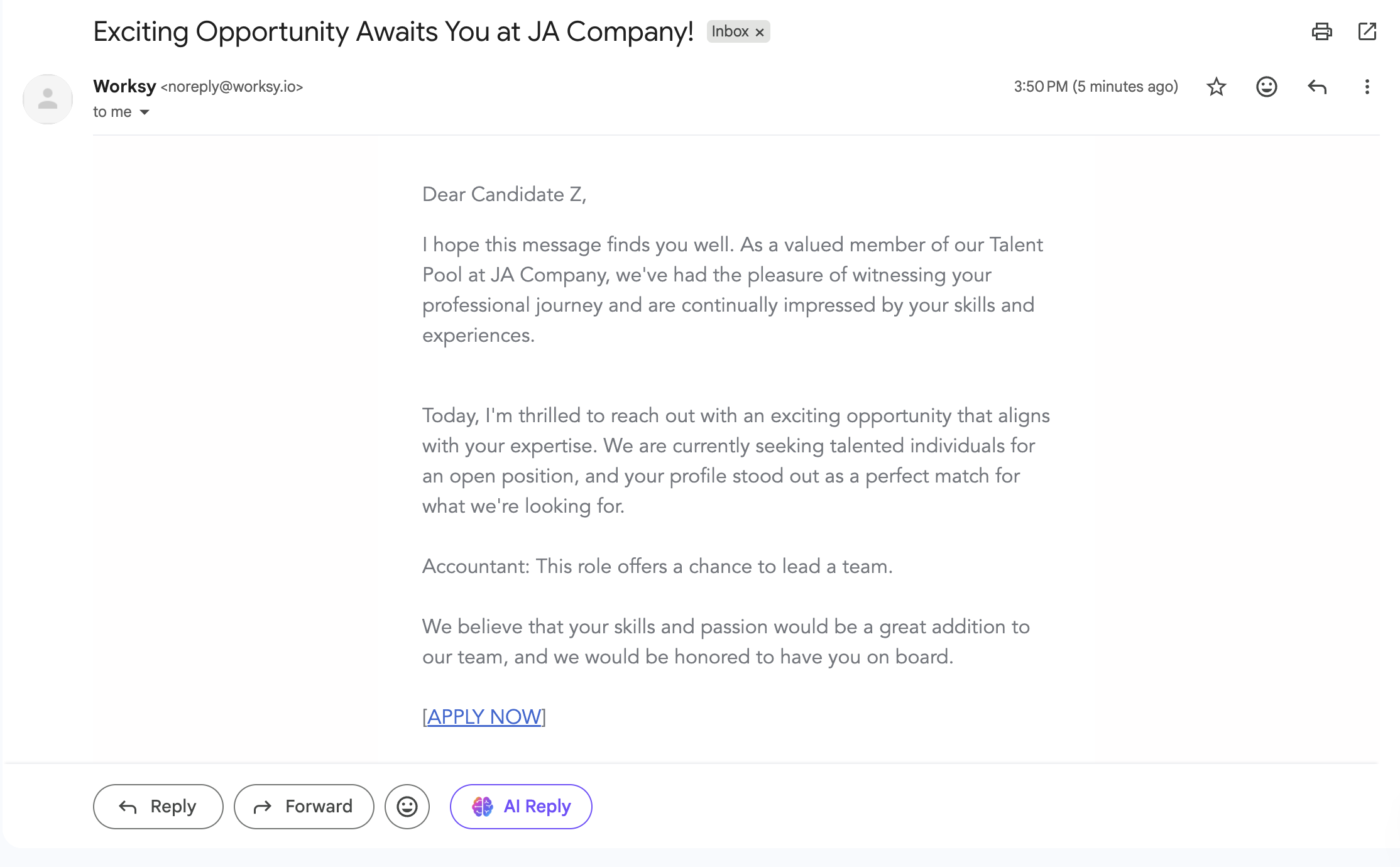
The candidate will receive the invitation in their email inbox. They can use the invitation to apply for the position again.
Note: The invitation is sent via email only. It will not appear as a notification on the candidate's Career Portal dashboard.
Sample:
We hope this explanation clarifies the matter. If you require additional assistance, do not hesitate to contact our support team.
Was this article helpful?
That’s Great!
Thank you for your feedback
Sorry! We couldn't be helpful
Thank you for your feedback
Feedback sent
We appreciate your effort and will try to fix the article