This guide provides a step-by-step walkthrough on how to review candidate profiles and progress their applications through your requisition flow.
Step 1
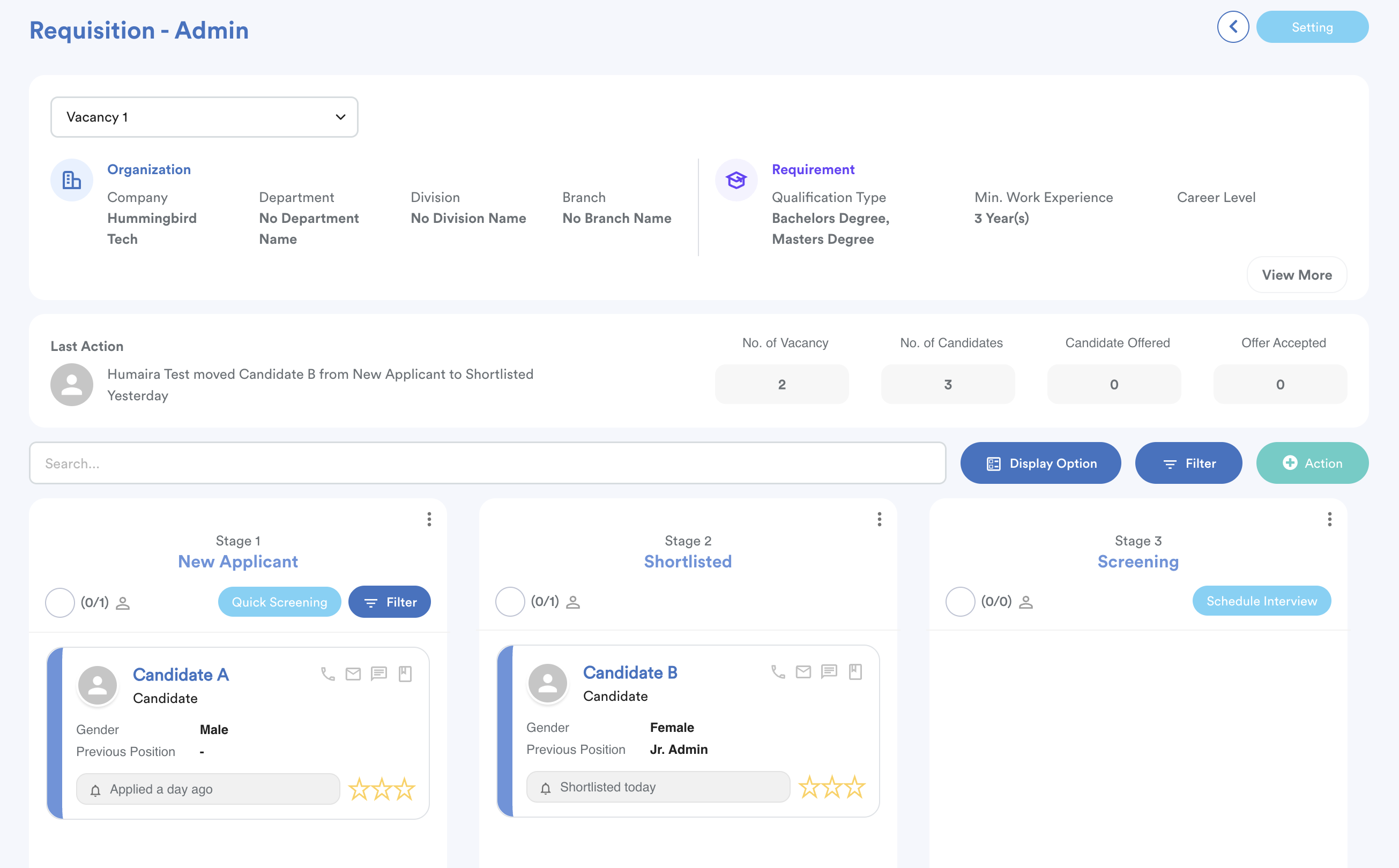
Go to Recruitment > Requisition List. Select the specific vacancy you wish to manage.
Upon selection, you will see a comprehensive overview of the vacancy, including:
- Organization details and job requirements.
- The status of all applicants (Applied, Offered, and Accepted).
- Most recent actions within the vacancy.
Step 2
To view an individual's details, click on the candidate's name. This opens their full profile, organized as follows:
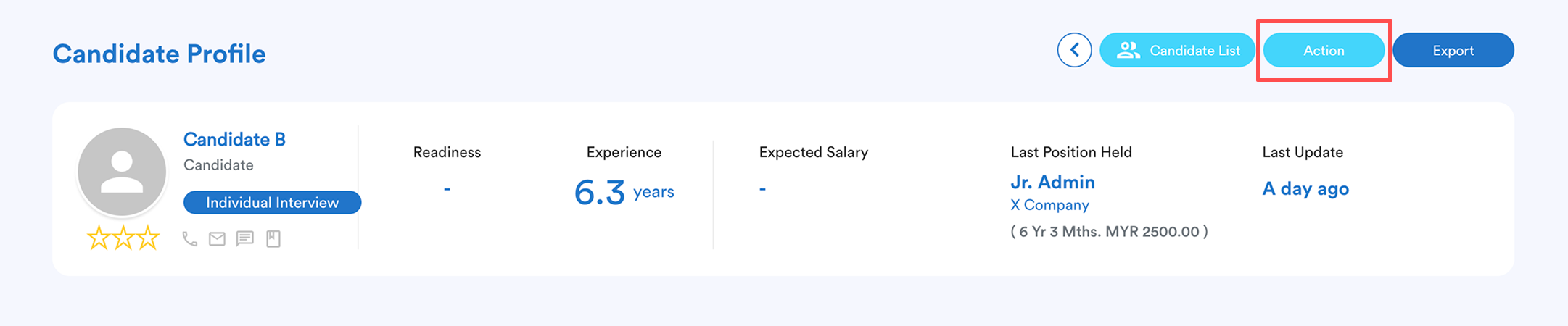
- Candidate Summary: Located at the top for a quick glance at their application such as experience, expected salary, etc.
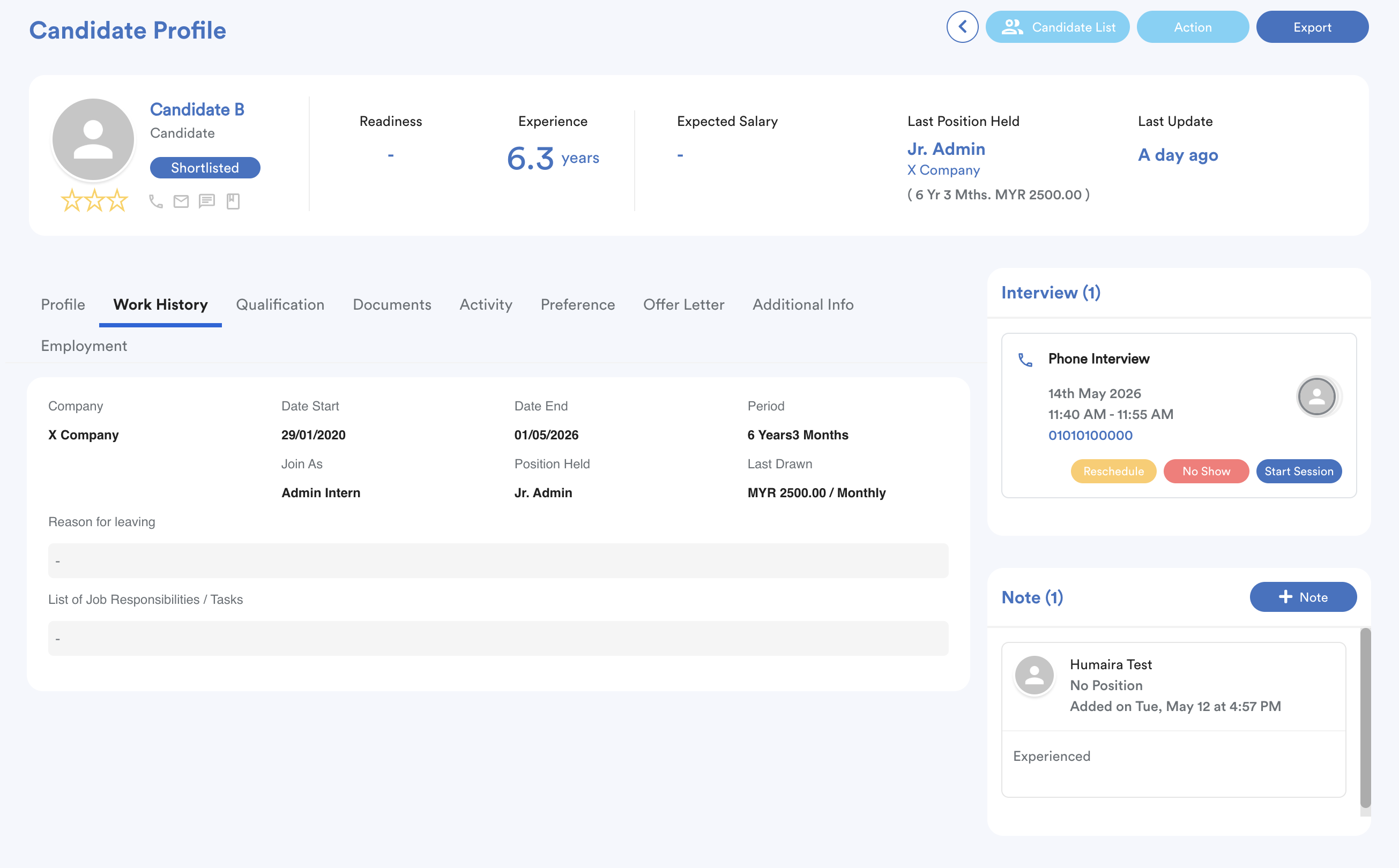
- Information Tabs: Switch between tabs to view Profile, Work History, Qualifications, Documents, Activity, Preferences, Offer Letters, and Additional Info, Employment.
- Interview: If an interview has been scheduled, the details will be visible.
- Note: You can add internal notes here to share feedback or reminders with other recruiters and managers.
Step 3
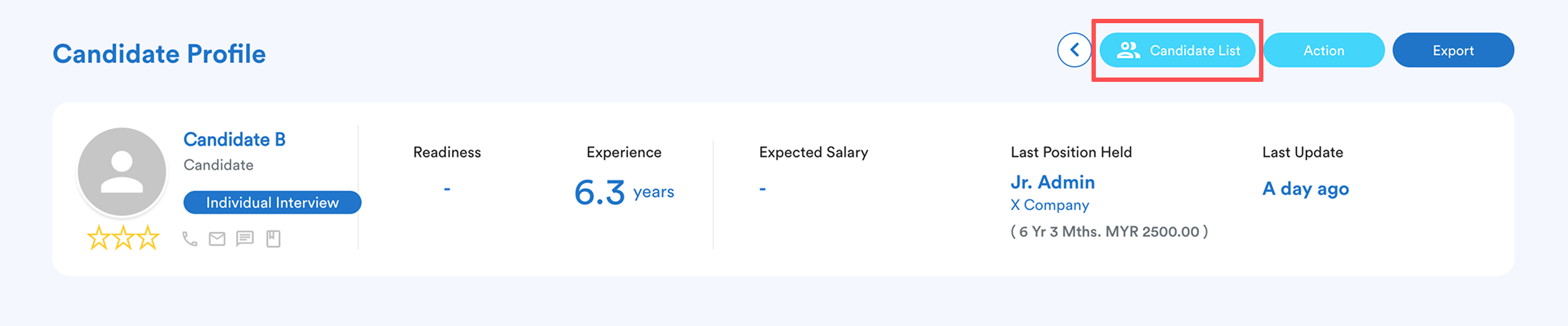
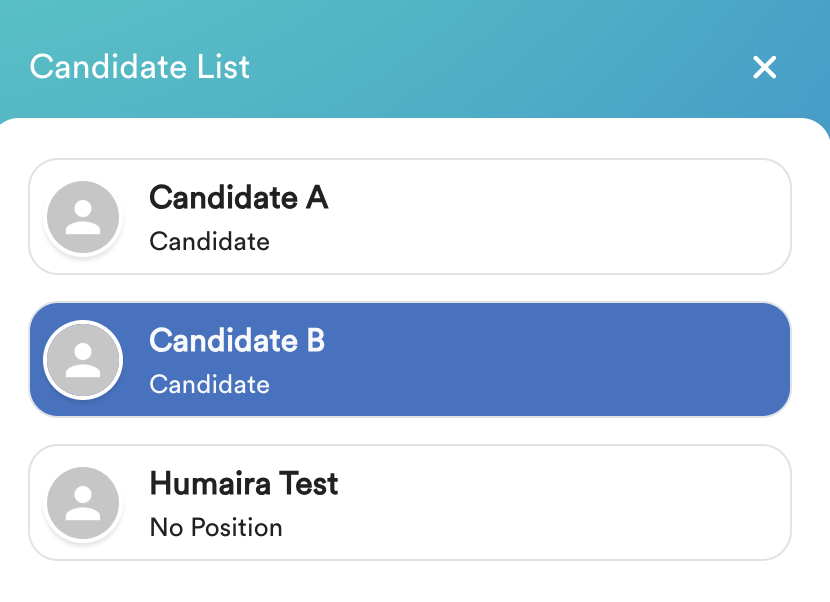
To review other applicants without returning to the main menu, click the Candidate List button on the top right-hand side of the screen.
Simply click another name from the list to switch profiles.
Step 4
When you are ready to progress a candidate, click the Action button (located on the top right, next to the Candidate List).
Select the correct recruitment stage from the menu.
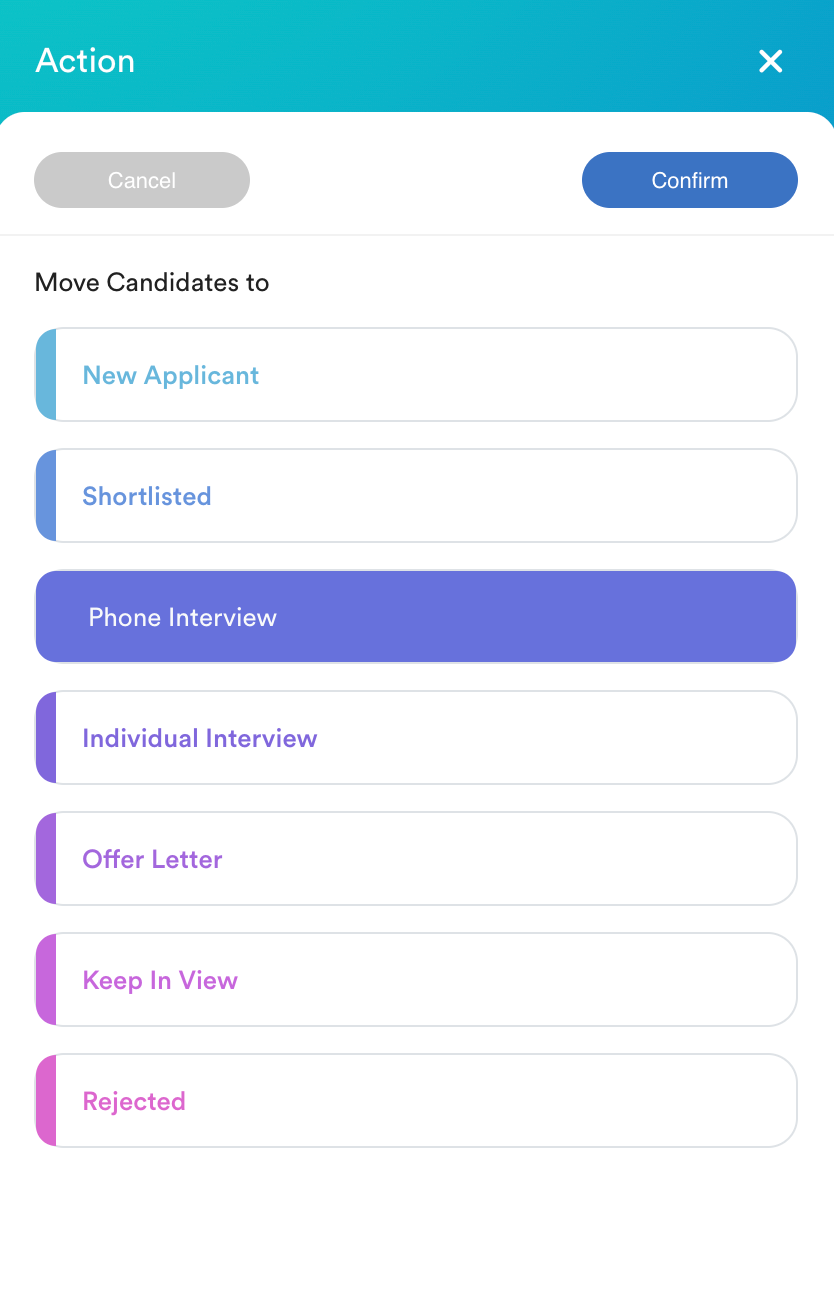
Click Confirm to update the candidate's status.
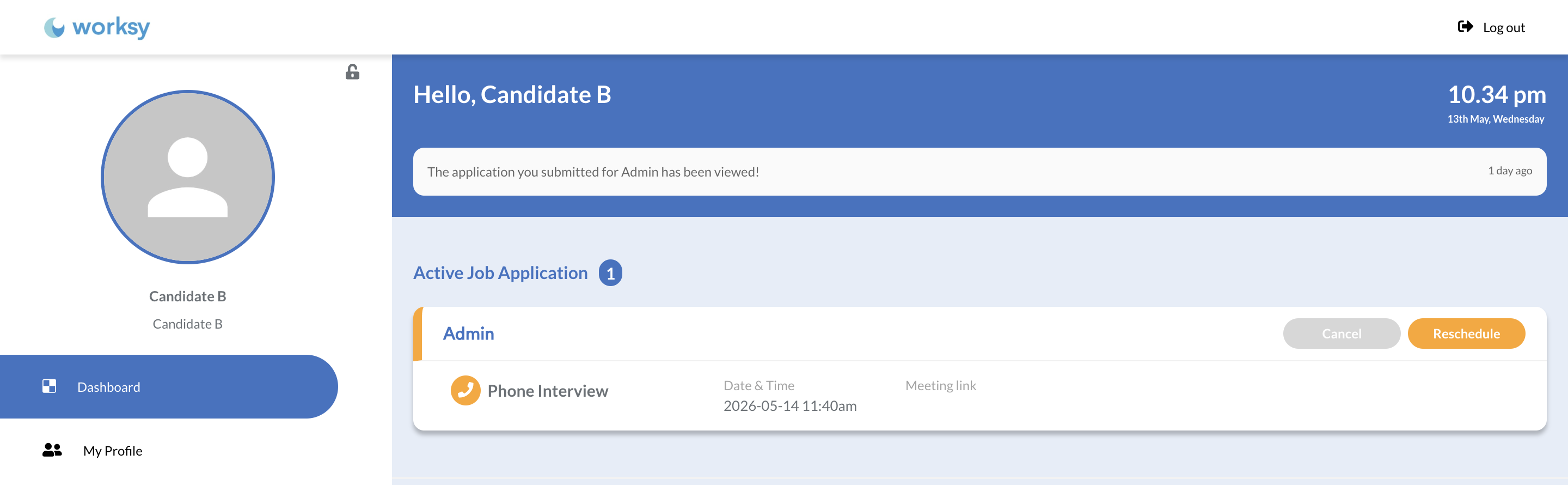
After updating interview details, the information will be visible on the candidate's profile for them to access, ensuring they stay informed about the next steps in their application process.
The applicant will also be able to cancel or reschedule the interview.
We hope this explanation clarifies the matter. If you require further assistance, please don't hesitate to contact our support team.
Was this article helpful?
That’s Great!
Thank you for your feedback
Sorry! We couldn't be helpful
Thank you for your feedback
Feedback sent
We appreciate your effort and will try to fix the article