This article explains how age-based claim groups work and how the Limit Refresh Month determines the claim entitlement period.
To learn how to set up a claim group, refer to Creating Claim Group.
Quick Links:
Logic 1: Claim Group Entitlement
Logic 2: Explain Limit Refresh Month
For illustration, the claim groups are configured as follows:
| Claim Group | Age Range |
|---|---|
| Below 40 Years Old | 0 - 39 |
| 40 Years Old and Above | 40 - 99 |
The system determines an employee's claim group based on their age.
Logic 1: Claim Group Entitlement
When an employee reaches the next age range, the system will automatically make the employee eligible for the applicable claim group on the 1st day of the nexy month.
Example
Employee: Rina
- Date of Birth: 3 July 1986
- Turns 40 years old on: 3 July 2026
Rina belongs to the Below 40 Years Old claim group from 3 July 2025 until 2 July 2026.
On 3 July 2026, Rina turns 40 and becomes eligible for the 40 Years Old and Above claim group.
Her new claim entitlement will be generated automatically on 1 August 2026, the first day of the following month.
Logic 2: Explain Limit Refresh Month
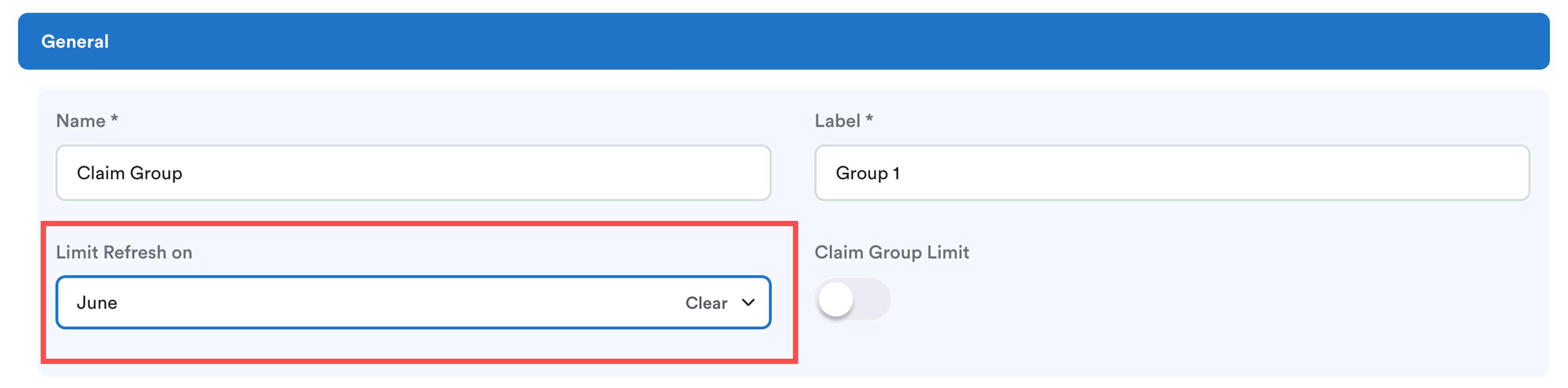
The configured Limit Refresh Month determines:
- The claim entitlement period for the claim group.
- When a new entitlement period begins.
It doesn't determine when an employee becomes eligible for an age-based claim group.
i. Claim Period Example
If the Limit Refresh Month is set to June, the claim period will be: 01/06/2026 - 31/05/2027
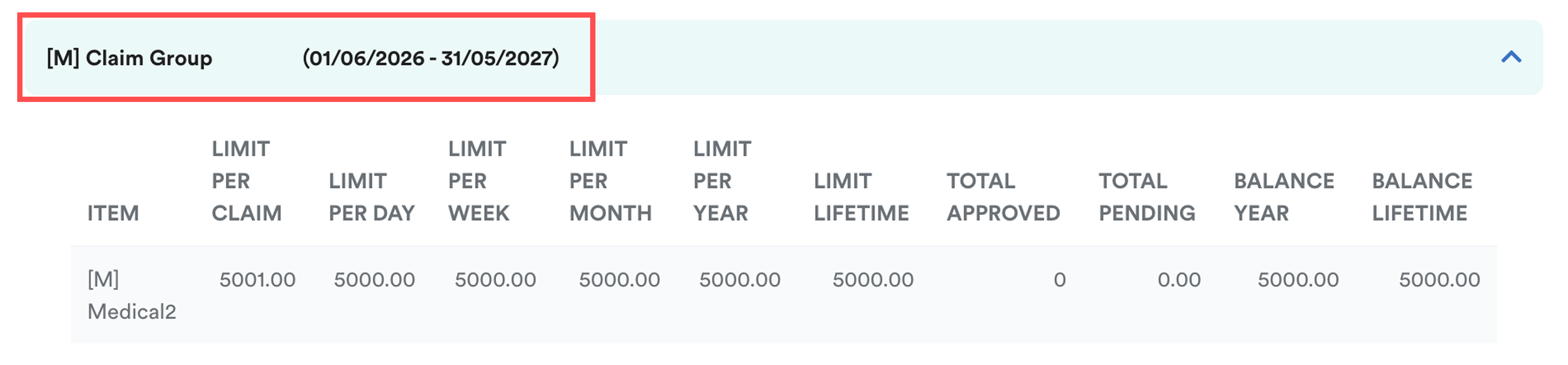
When the next refresh month is reached, the claim limit refreshes and a new entitlement period begins.
ii. Entitlement Period Example
The Limit Refresh Month defines the start of each entitlement period. It's not related to an employee's birthday.
Example:
Employee's date of birth is 1 July 1986. Limit Refresh on January.
| Entitlement Period | Applicable Claim Group |
|---|---|
| 01/01/2026 – 31/12/2026 | Below 40 Years Old |
| 01/01/2027 – 31/12/2027 | 40 Years Old and Above |
Although Rina turns 40 during the year, the Limit Refresh Month only defines the entitlement period. It is not used to determine the employee's age eligibility.
Summary
If an employee has reached the next age range but the new claim entitlement is not displayed, wait until the 1st day of the following month. The system automatically generates age-based claim entitlements on the 1st day of every month.
Alternatively, if the employee has already met the age requirement, you can generate the claim entitlement manually. For steps. refer here: How to Generate Claim Entitlement
We hope this explanation clarifies the matter. If you require additional assistance, do not hesitate to contact our support team.
Was this article helpful?
That’s Great!
Thank you for your feedback
Sorry! We couldn't be helpful
Thank you for your feedback
Feedback sent
We appreciate your effort and will try to fix the article