When an employee transitions between managers, teams, or departments mid-year, you may need multiple appraisers to evaluate their performance for different periods of the same cycle.
This article guides you on the recommended setup to manage split evaluations without losing data. It also explains why appraisal scores reset after changing an appraiser in the middle of the evaluation period and how to avoid missing appraisal ratings after modifying the approval workflow.
TABLE OF CONTENTS
What happens if you change the appraiser mid-cycle?
Recommended: Separate the appraisal forms for different periods and assign them to a custom appraisal flow in Assign screen.
Step-by-Step
To ensure each appraiser's scores and submissions are maintained securely without overwriting historical data, you should create separate appraisal forms for each specific evaluation period. Because Worksy does not support assigning Appraiser A for one period and Appraiser B for another period within the same appraisal form.
Step 1
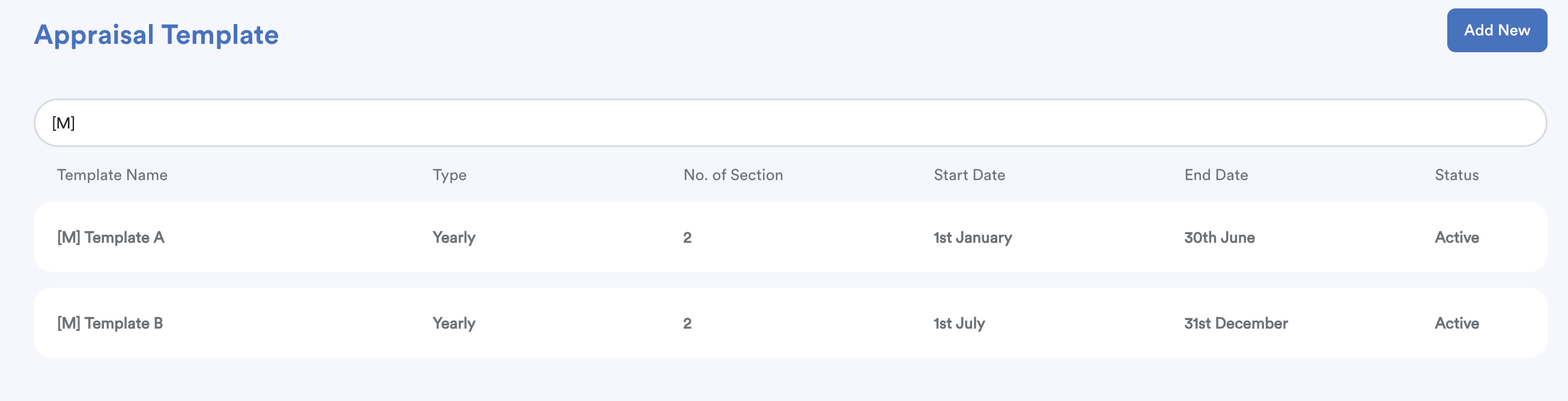
Create separate appraisal templates or duplicate existing templates for each timeline.
Example
- Period 1: Template A
- Period 2: Template B
Step 2
Assign the "First Appraiser".
In the appraisal form for the first period, use the Custom Appraisal Flow (if necessary) to assign Appraiser(s). Allow the employee and First Appraisers to fully complete and submit the evaluations.
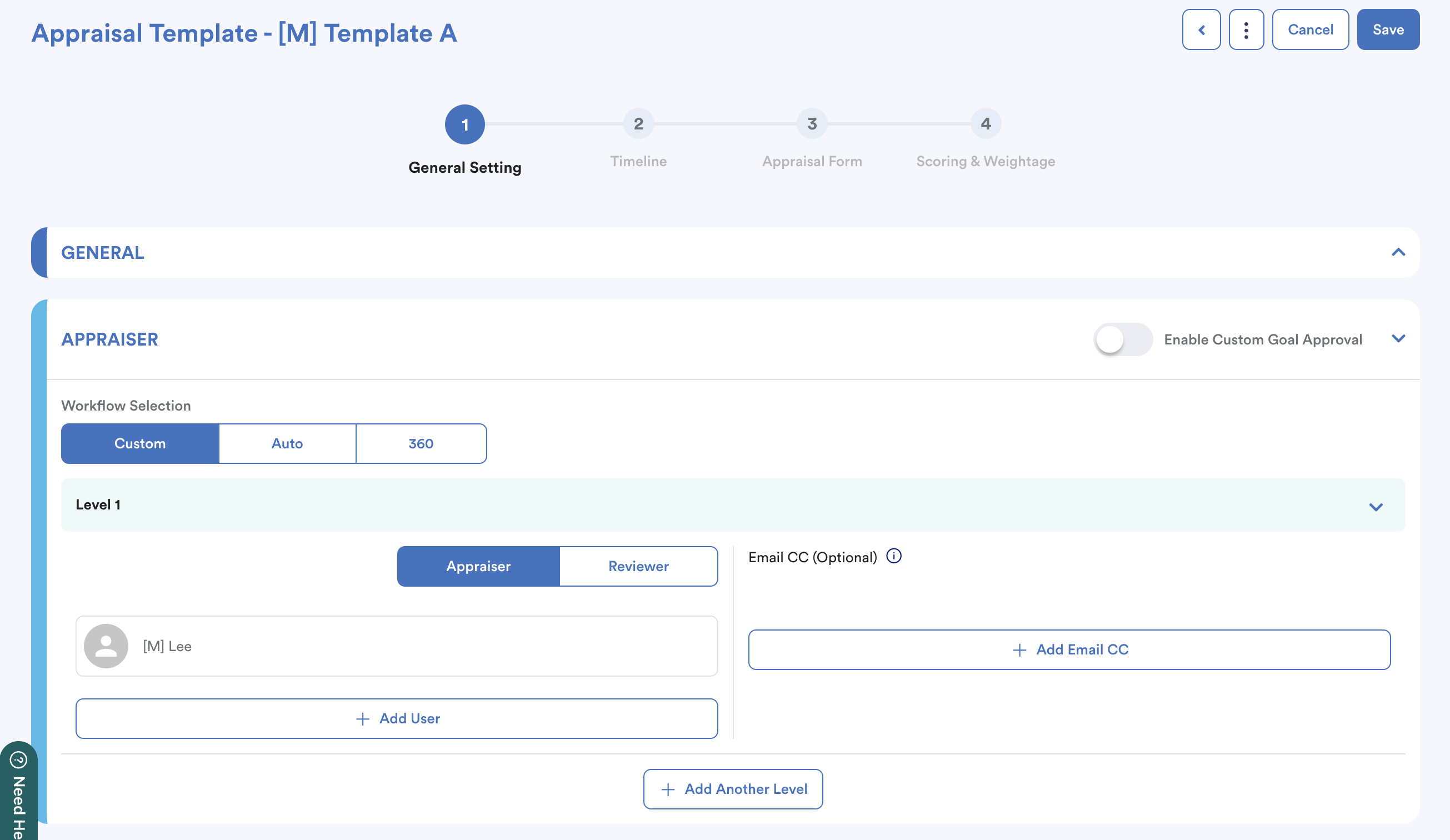
Once First Appraisers complete and submit the rating, the scores are recorded within this specific form.
Step 3
Assign the "Second Appraisers".
In the appraisal form for the next period, assign "Second Appraisers" using the custom flow.
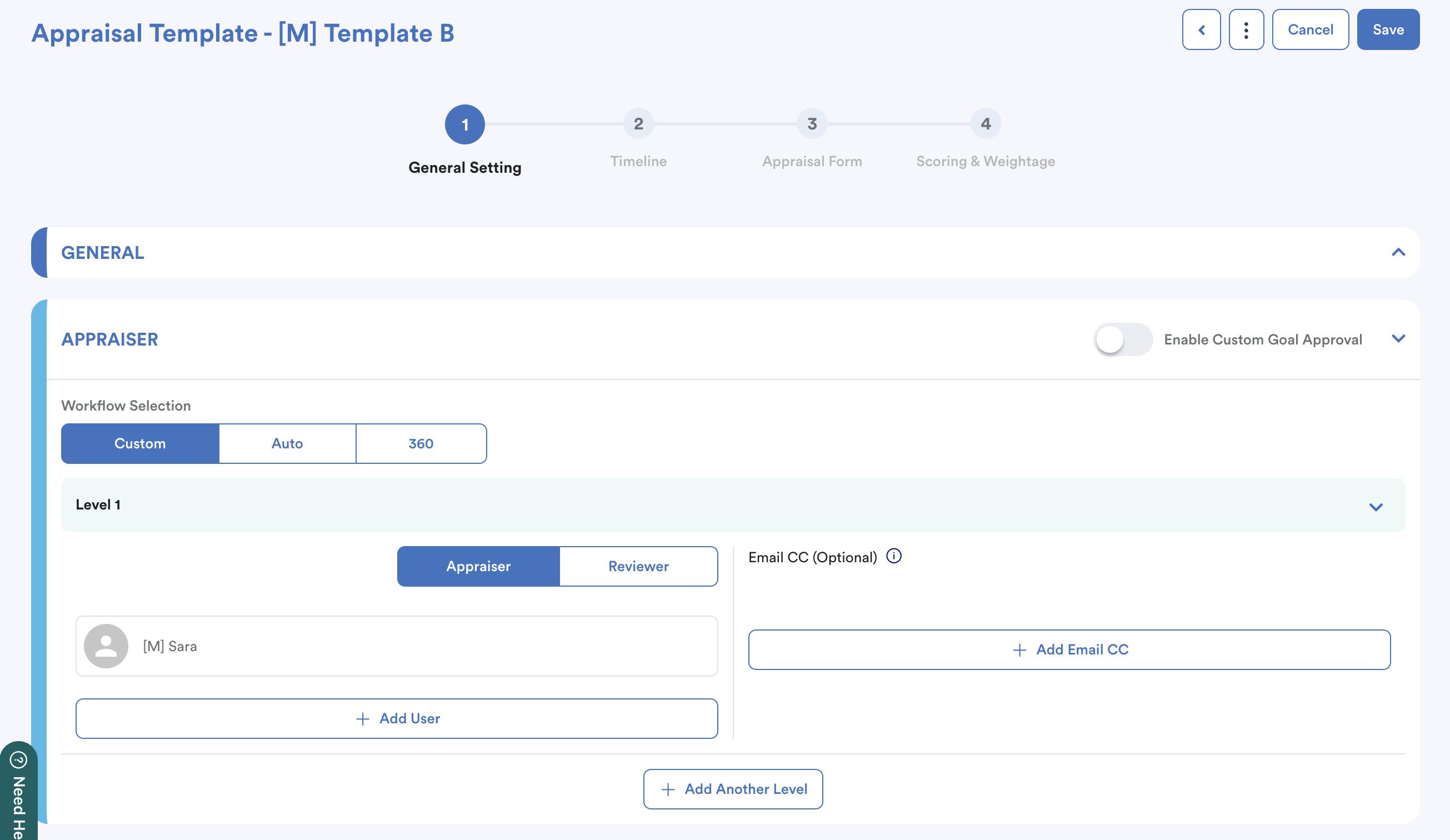
They will evaluate the employee for their designated timeline without affecting the results from Period 1.
What happens if you change the appraiser mid-cycle?
Custom Appraisal Flow
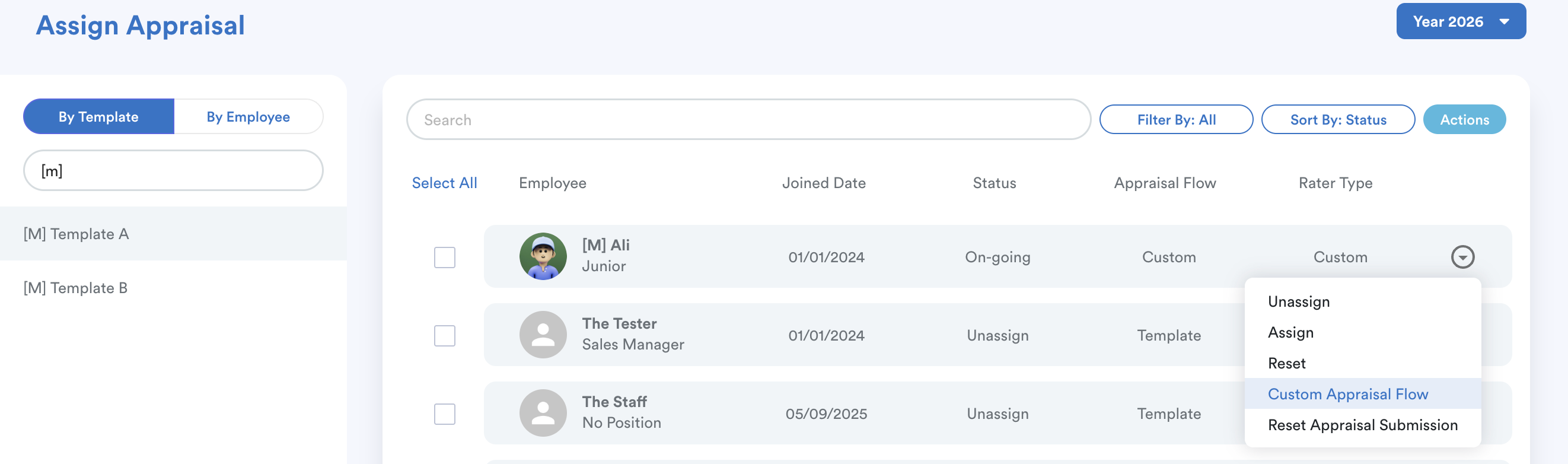
The Custom Appraisal Flow function allows you to override the default appraiser configured in a template and assign a specific appraiser to an individual employee.
If you update the appraisal flow using the Custom Approval Workflow on an active or completed form after an evaluation period has passed, the system will behave as follows:
- Ownership Transfer: The system reassigns the ownership of the entire form and timeline to the newly designated appraiser.
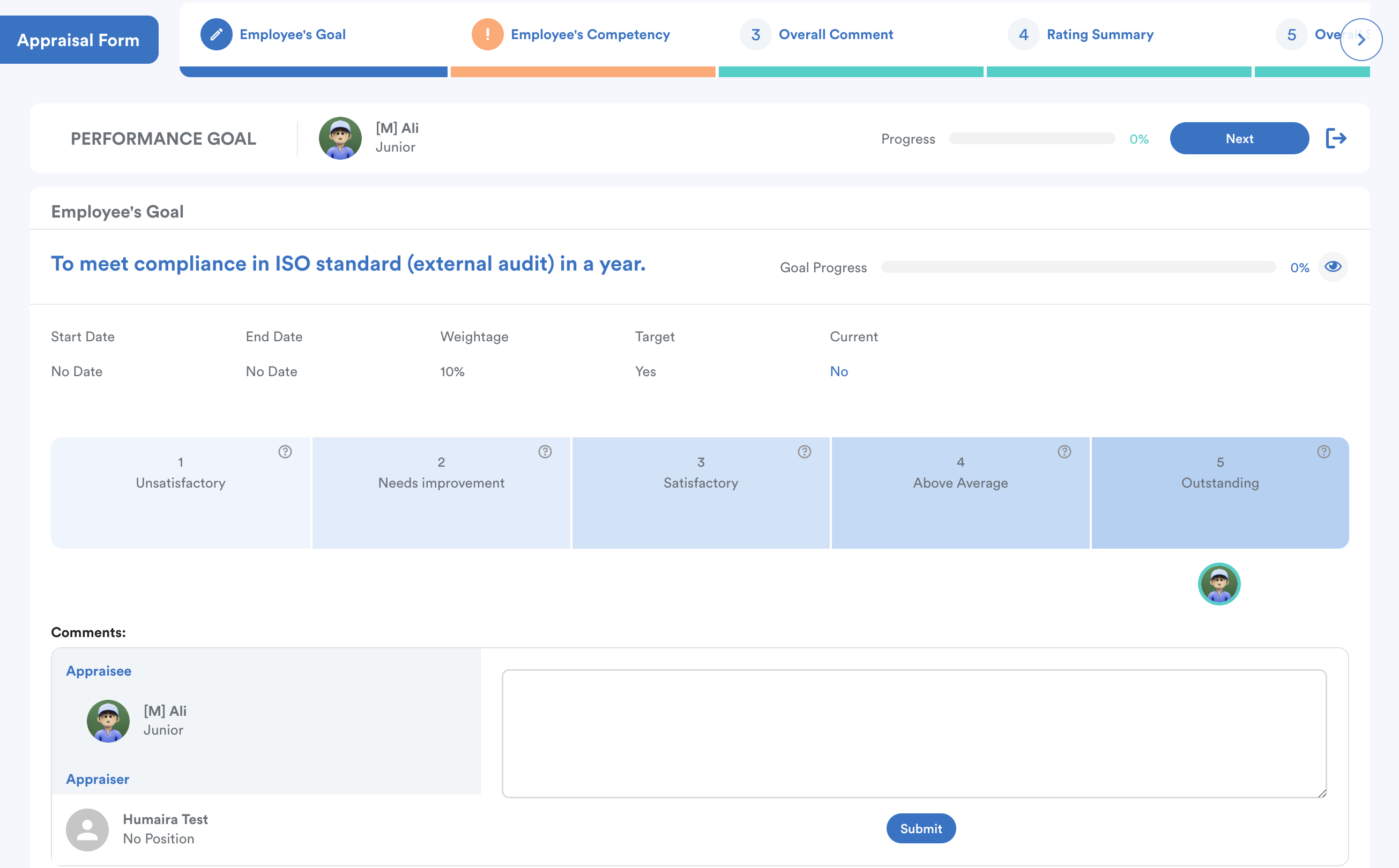
- Score Reset: Any ratings or scores previously submitted by the old appraiser will be wiped from the active flow. The system does not automatically recalculate or transfer previous scores.
- Appraisal Restart: The appraisal status reverts to "Pending." The new appraiser must perform the evaluation and submit the ratings again from scratch under their own account.
Scenario Example:
- Ali's Half Year 1 appraisal was fully completed and submitted by Lee (covering Jul 2025 – Dec 2025).
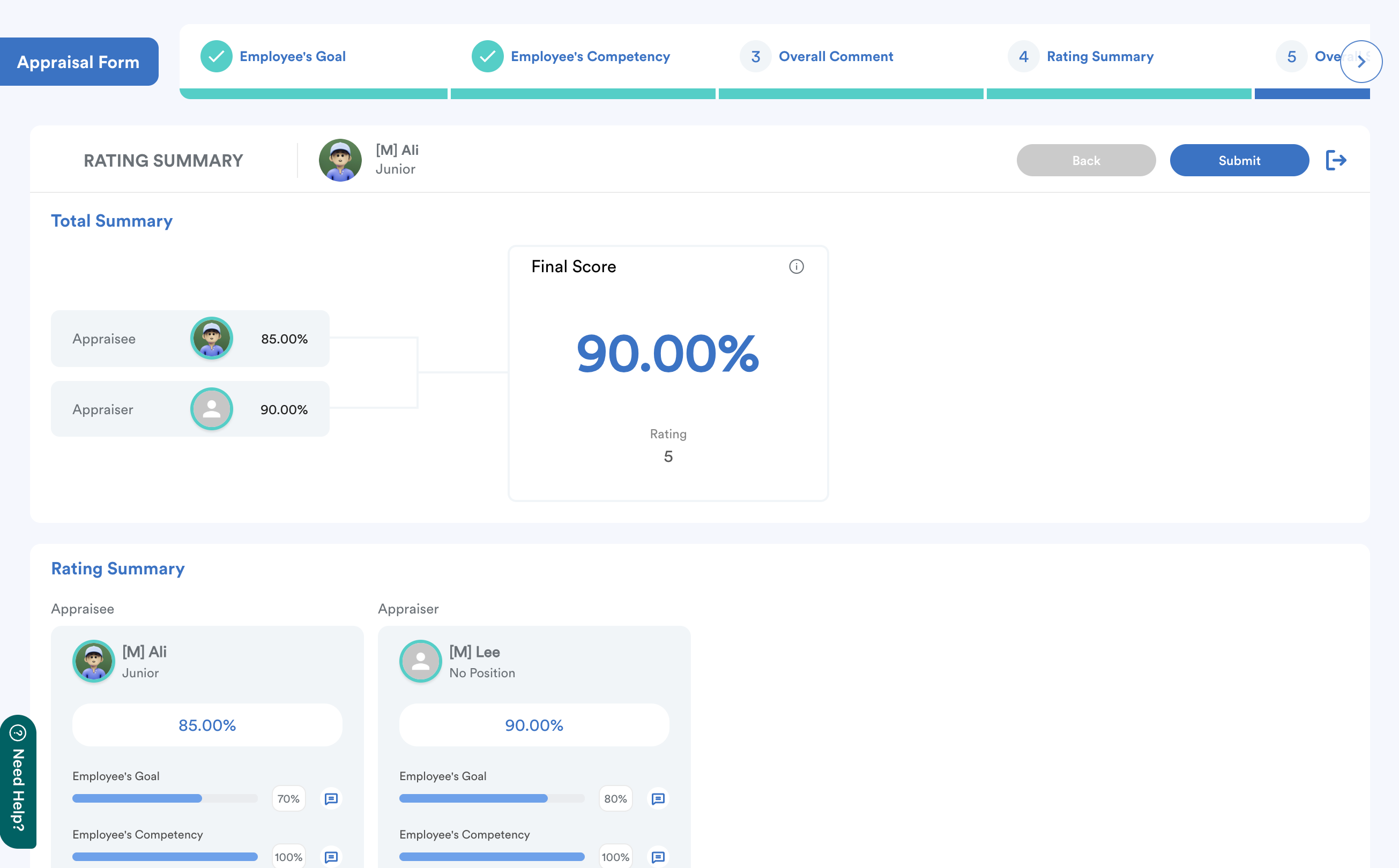
- Later, the workflow was updated via the Custom Approval Workflow to assign Humaira (covering Jan 2026 – Jul 2026) within the same form.
Result: The system resets Lee's submitted ratings, transfers full form ownership to Humaira, and requires Humaira to complete the entire appraisal from the beginning.
We hope this explanation clarifies the matter. If you require further assistance, please don't hesitate to contact our support team.
Was this article helpful?
That’s Great!
Thank you for your feedback
Sorry! We couldn't be helpful
Thank you for your feedback
Feedback sent
We appreciate your effort and will try to fix the article