Before you can schedule interview for candidates, you must generate time slots. This guide walks you through setting up interview time slots and scheduling them for candidates.
Step 1
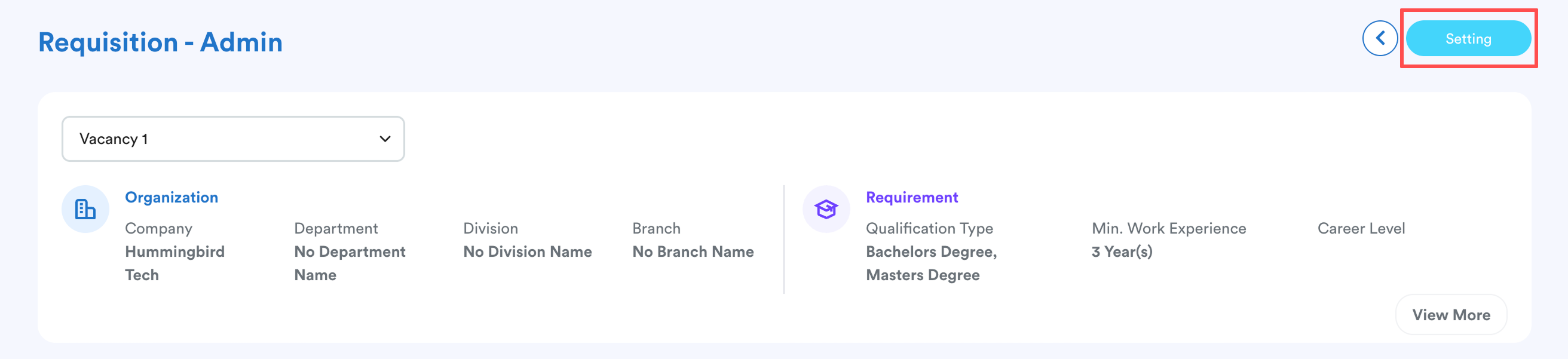
Go to Recruitment > Requisition List. Select the specific vacancy you wish to manage.
Click Settings on the requisition screen.
Step 2
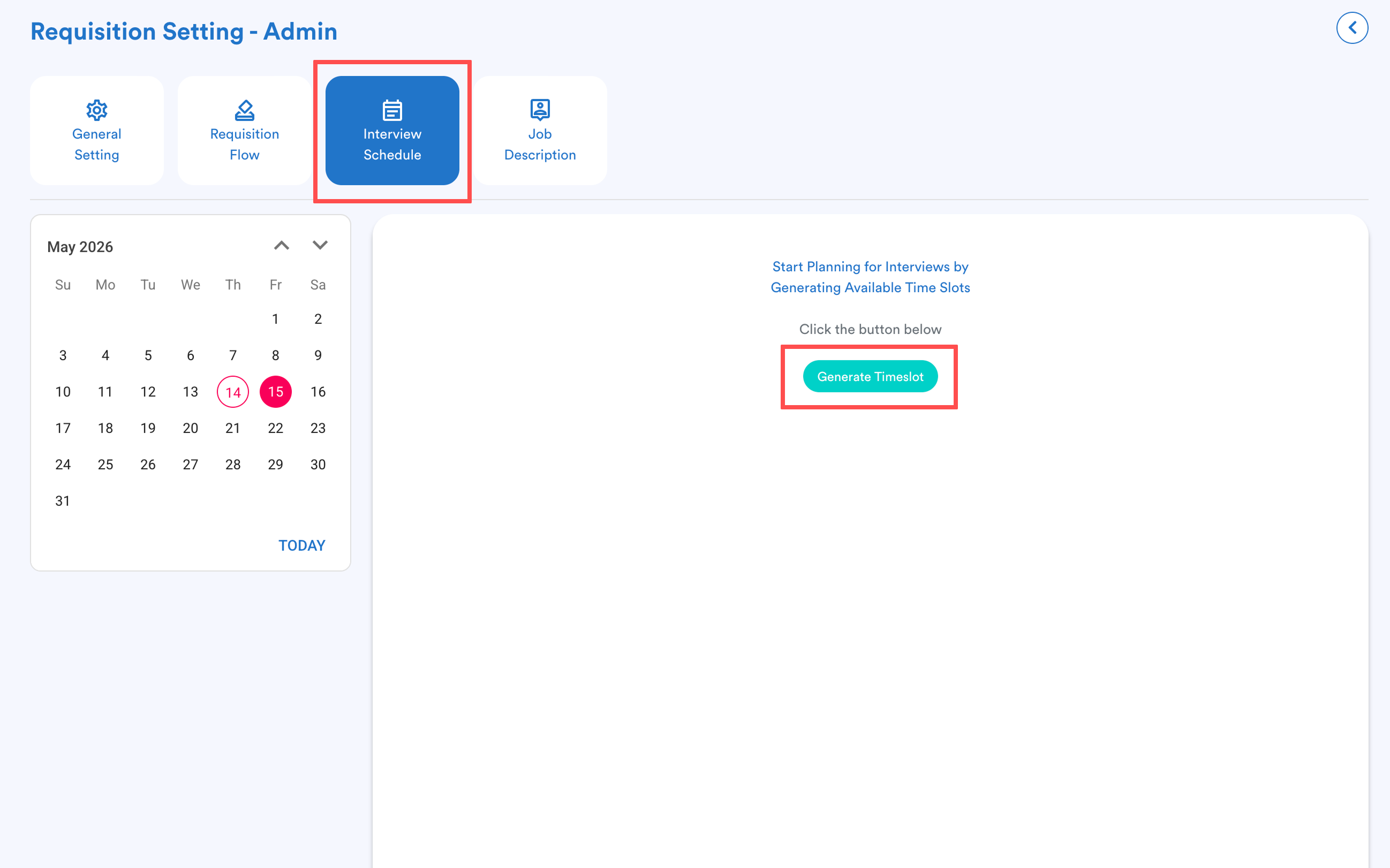
Click the Interview Schedule tab.
From the calendar and time slot view, click the Generate Timeslot button.
Step 3
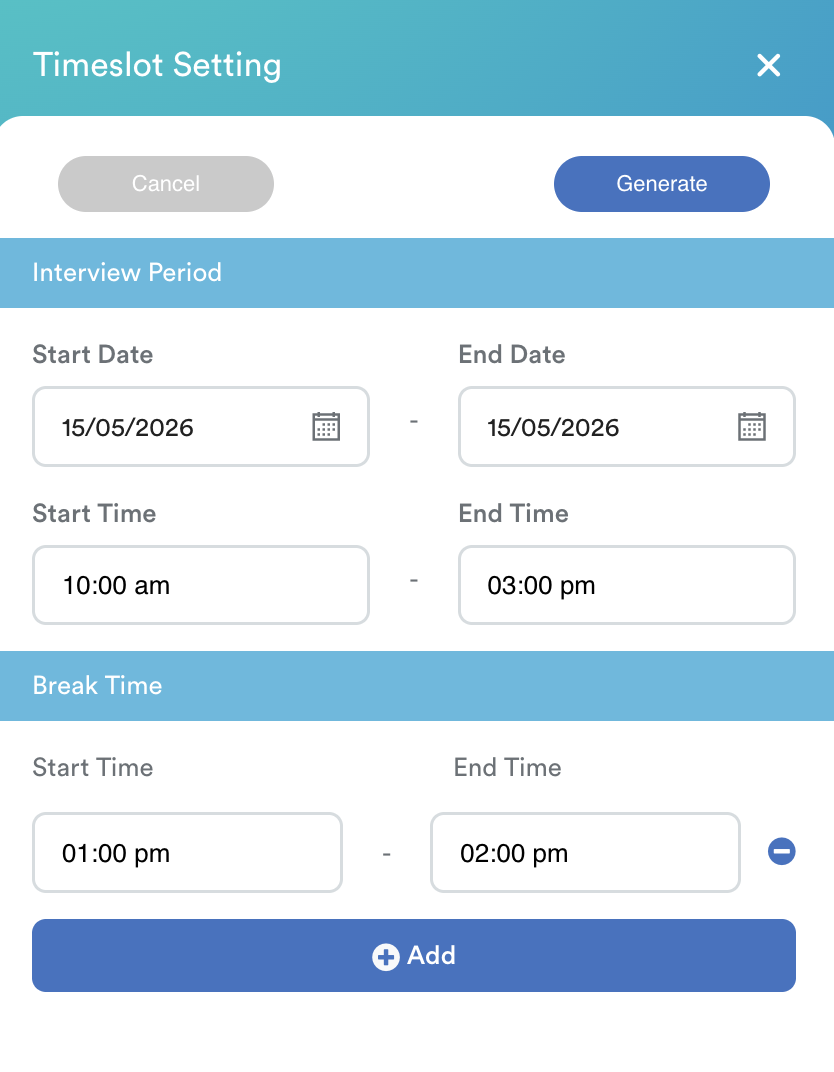
Set the parameters for your availability:
Interview Period: Select the start & end dates and the daily start & end times.
Break Time: Select the start & end time for the daily break. Add more if required.
Click Generate.
Step 4
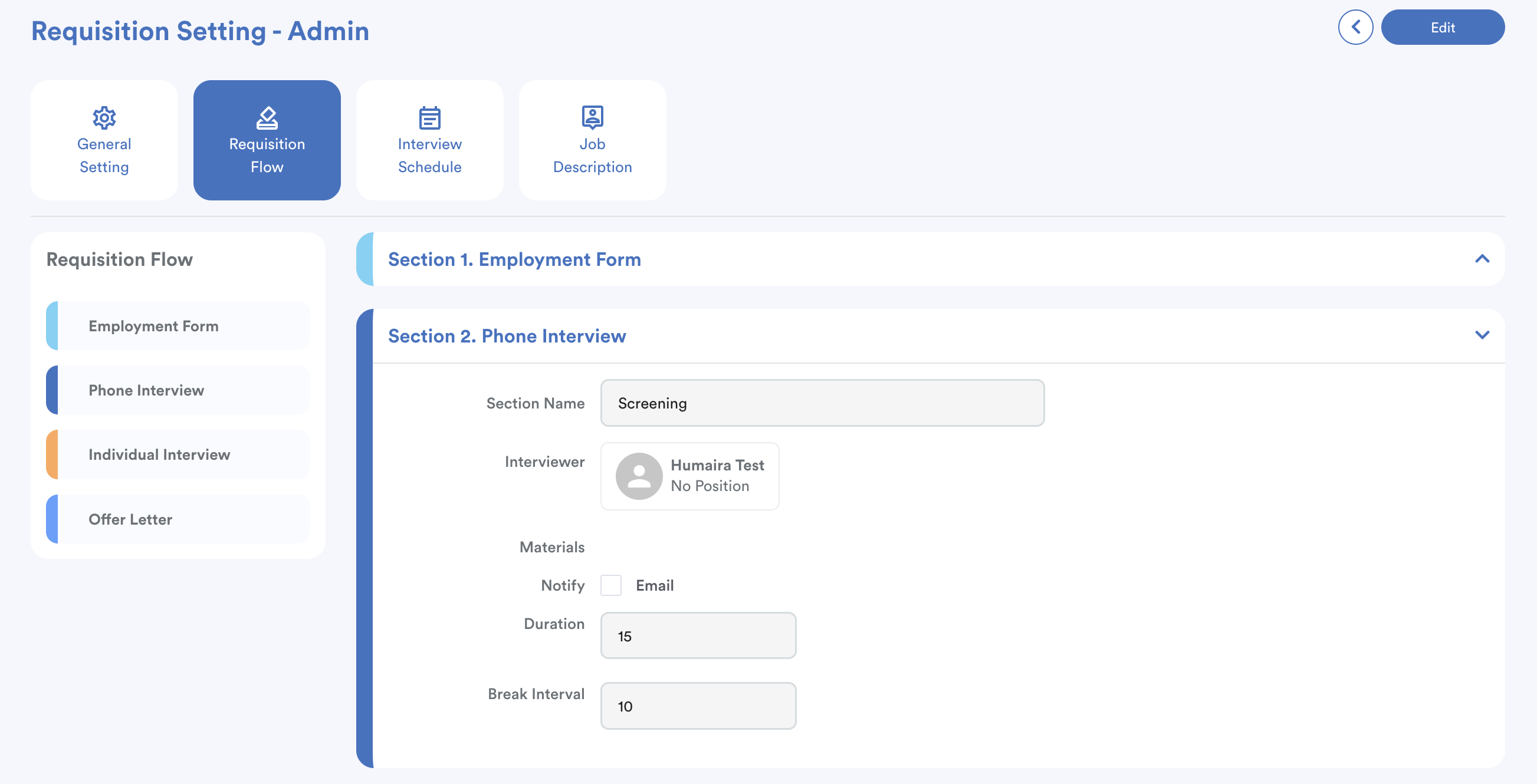
The system will automatically create slots based on the Duration and Interval settings defined in your Requisition Flow.
Note: If you do not set the duration in Requisition Flow, you will not be able to generate interview schedule.
Example
Phone screening: 15-minute duration with a 10-minute break interval.
Time Slot Result:
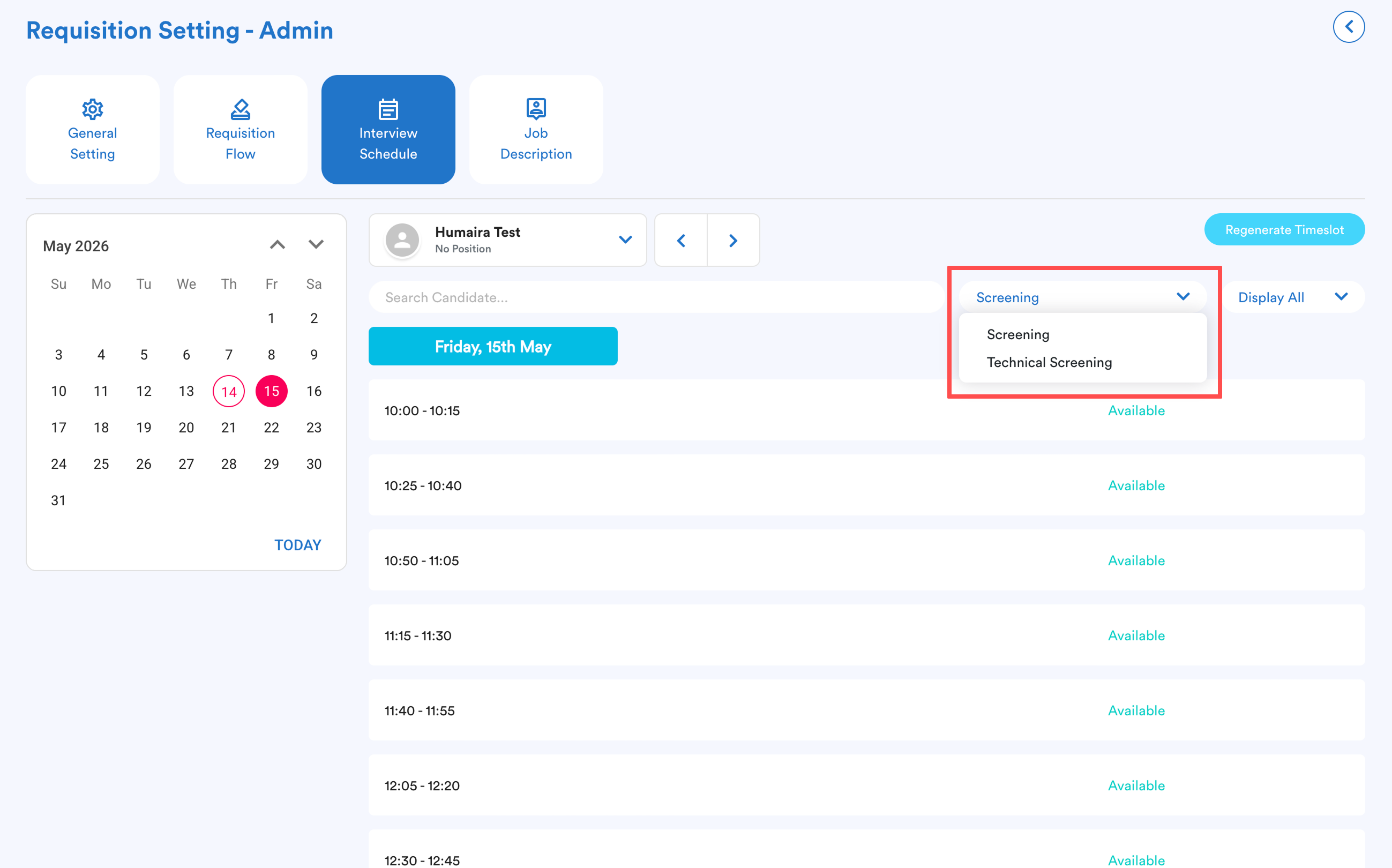
- You can view slots for different stages (e.g. Phone Screening, Technical Screening) by clicking the screening button to switch between them.
To change the timing, just click Regenerate Timeslot and adjust the parameters.
Step 5
Go back to the main requisition screen.
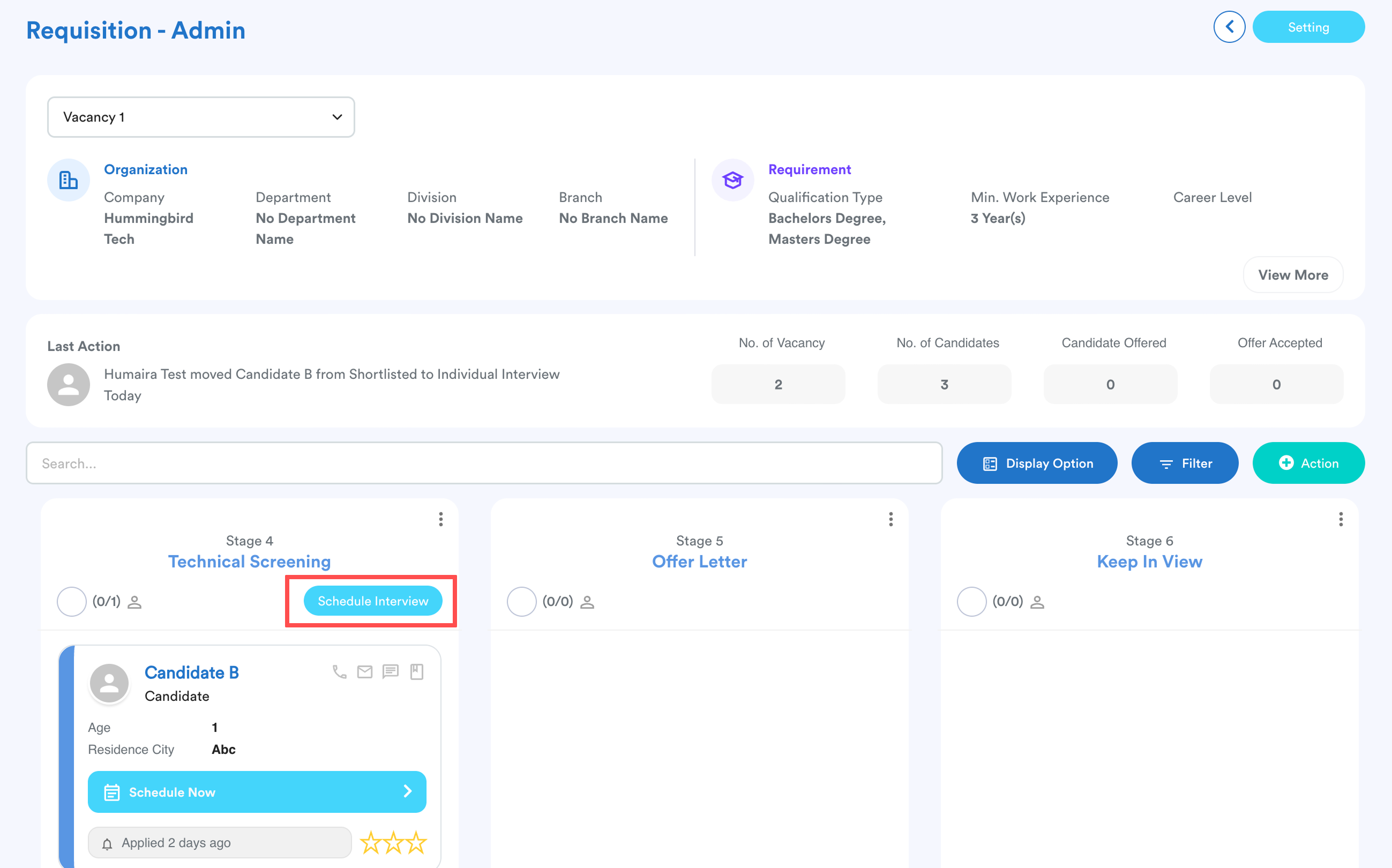
Move the candidate to the relevant screening stage, then click Schedule Interview.
Step 6
Choose an available time slot from the list and click Confirm.
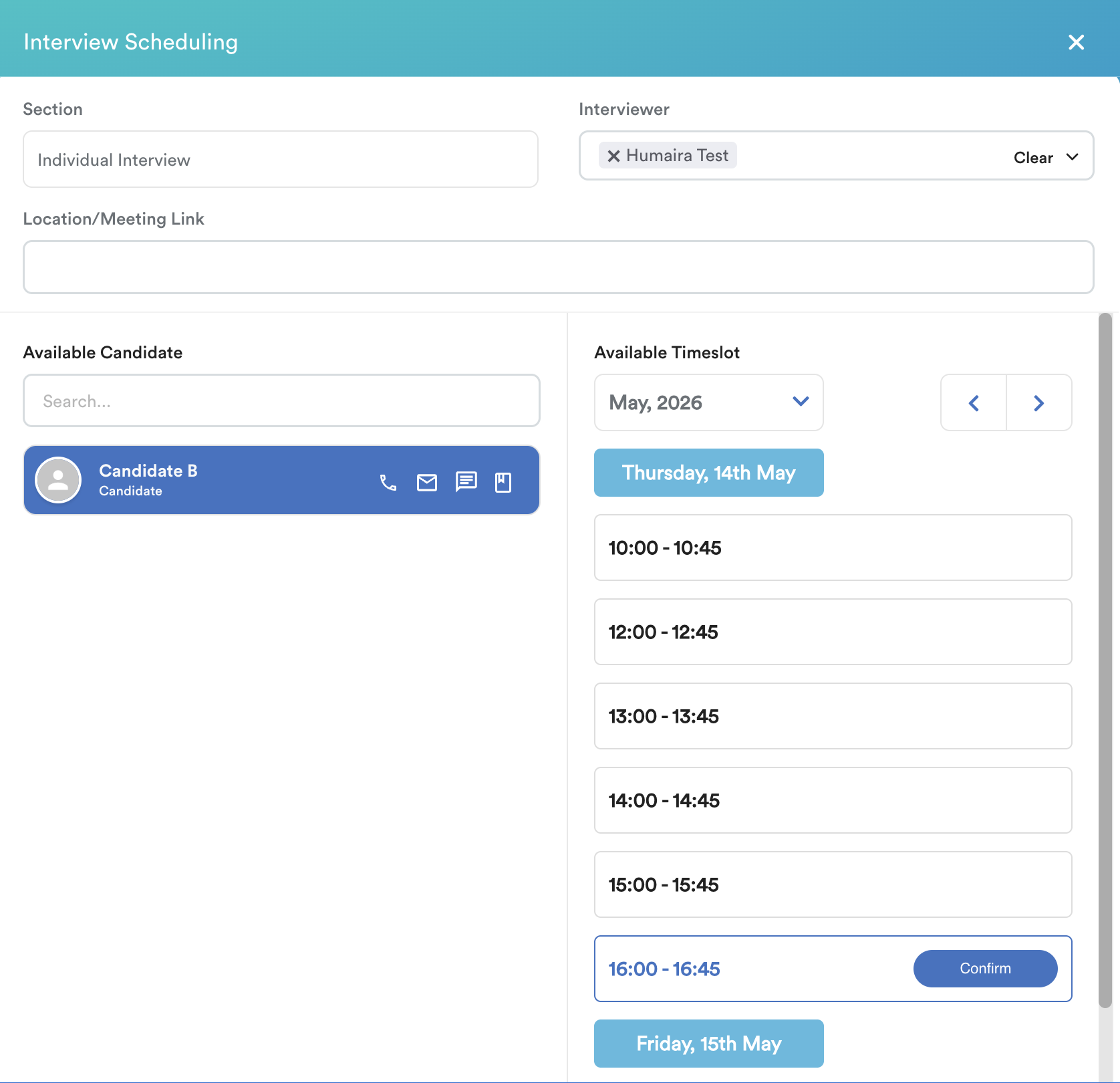
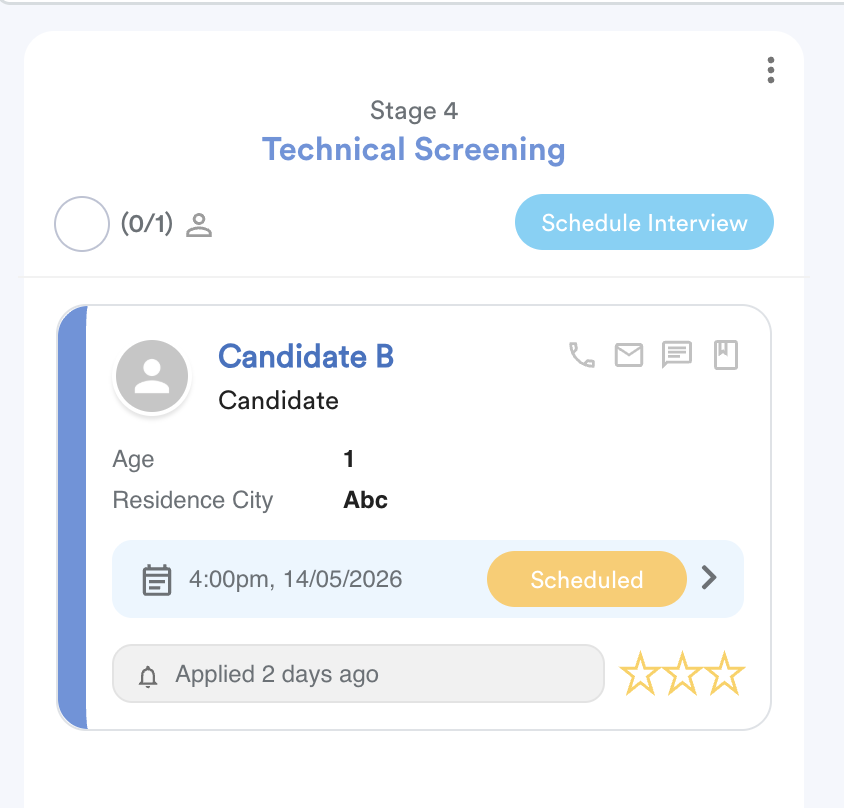
Once confirmed, the system updates the following automatically:
Status: The candidate's interview status changes to Scheduled.
Dashboard Alert: A notice appears on the candidate's Career Dashboard.
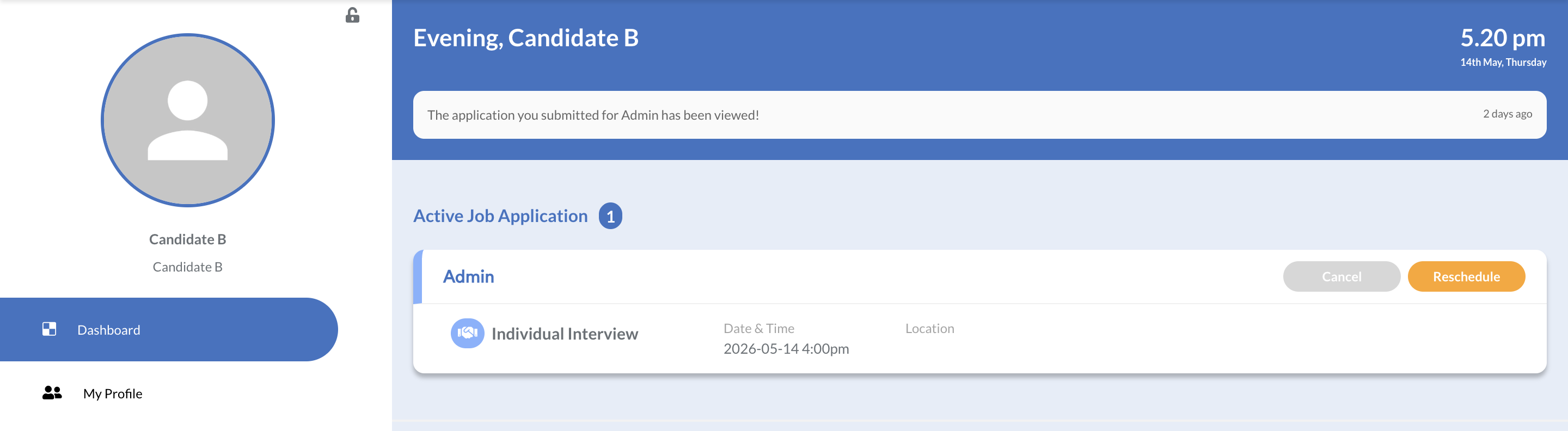
Email: An automated email is sent to the candidate with the interview details.
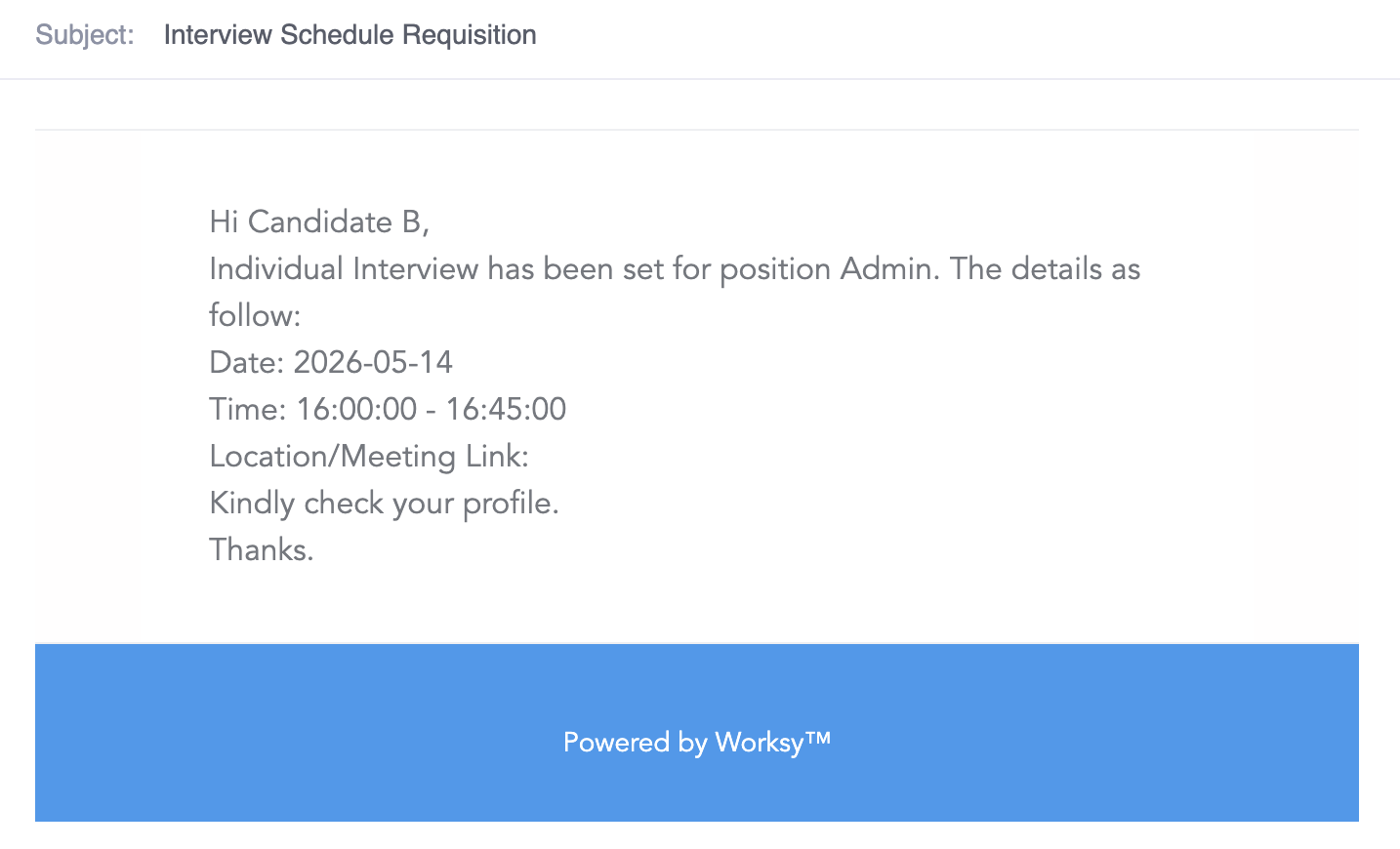
We hope this explanation clarifies the matter. If you require further assistance, please don't hesitate to contact our support team.
Was this article helpful?
That’s Great!
Thank you for your feedback
Sorry! We couldn't be helpful
Thank you for your feedback
Feedback sent
We appreciate your effort and will try to fix the article