This article explains the setup for birthday email notifications for both birthday staff and direct supervisor/HR.
To understand the general business alert setup, refer to Setting up Business Alert.
1. Birthday staff receives email notification
2. Superior/HR receives an email on the birthday staffs
In this example, today is 13th Jan 2026. Birthday is 14th Jan.
The trigger condition is 1 day before the birthday.
Note: Please ensure the relevant staff are selected, as the alert will only be triggered by them.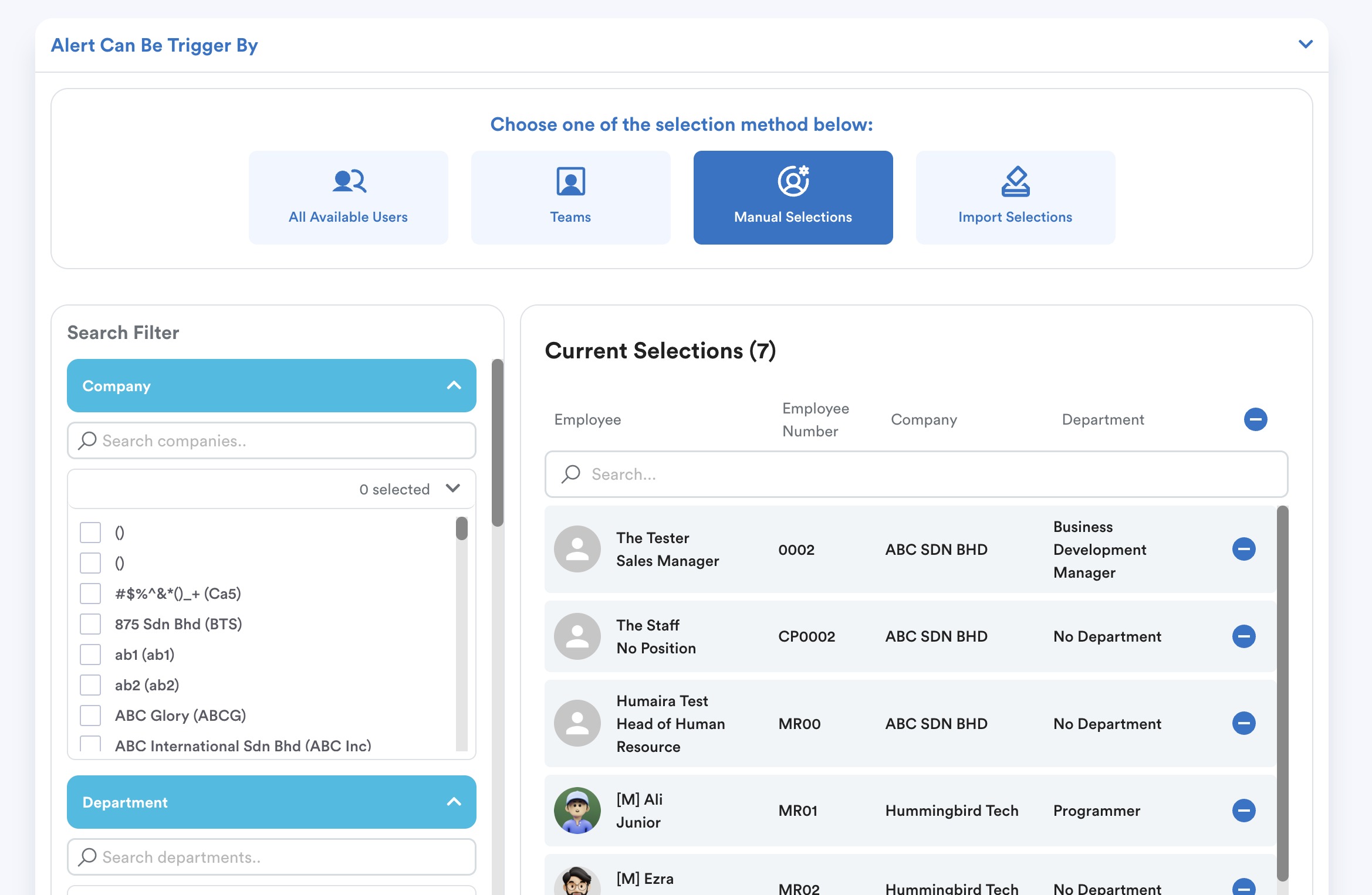
1. Birthday staff receives email notification
Email Type: Select "Individual"
Recipient: Choose "Trigger" - whoever meets the above alert trigger condition will receive
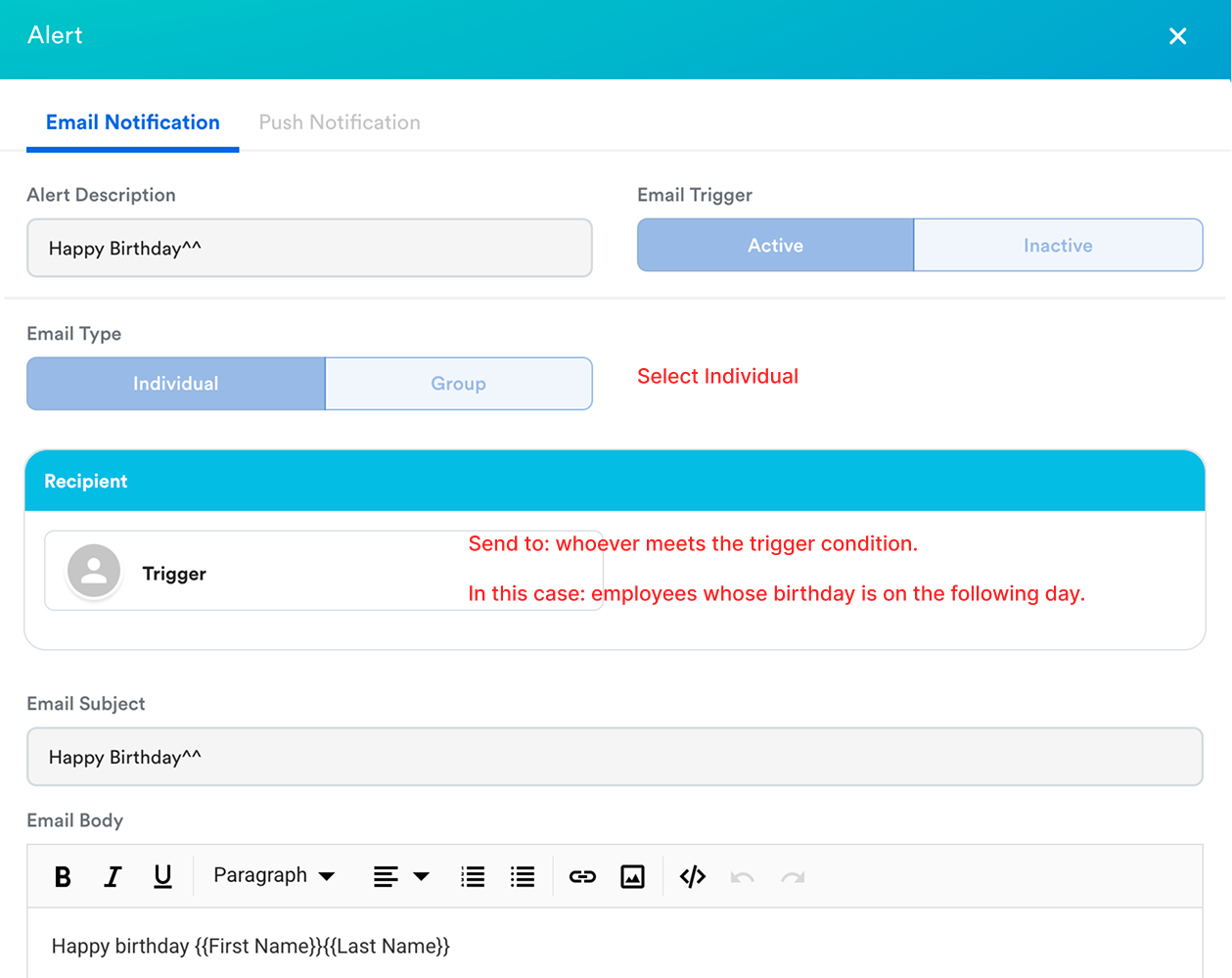
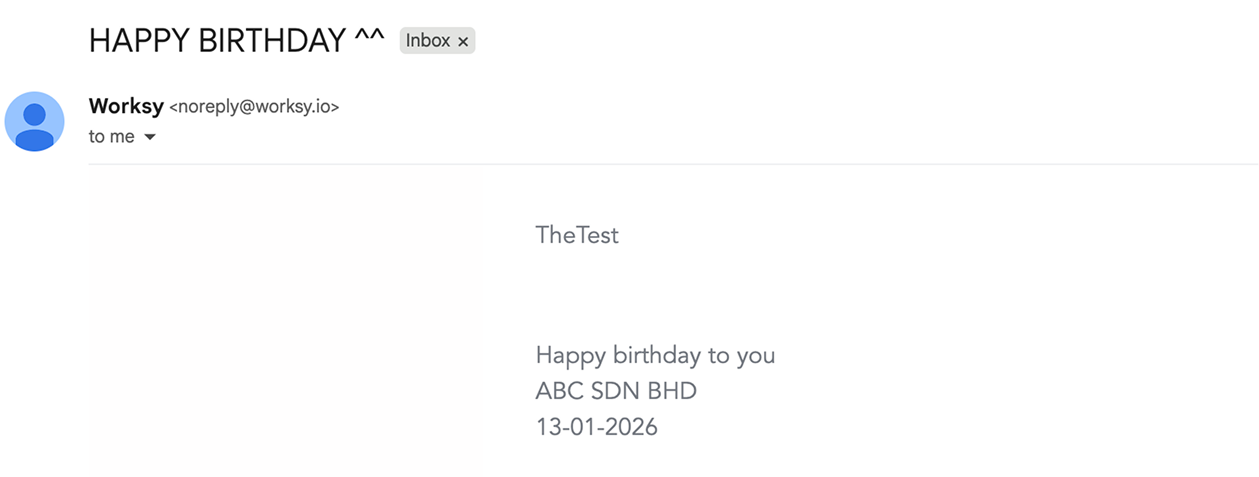
"The Test" whose birthday is on 14th Jan will receive this email on 13th Jan 2026.
The content below is what we set in the above "Email Body".
2. Superior/HR receives an email on the birthday staffs.
Email Type: Select "Group", the content will include a list of all staffs that meet the trigger condition.
Recipient: Select Level 1 Supervisor (this will follow profile > employment > reporting to selections)
You may add HR personnel as recipients based on your company's operation.
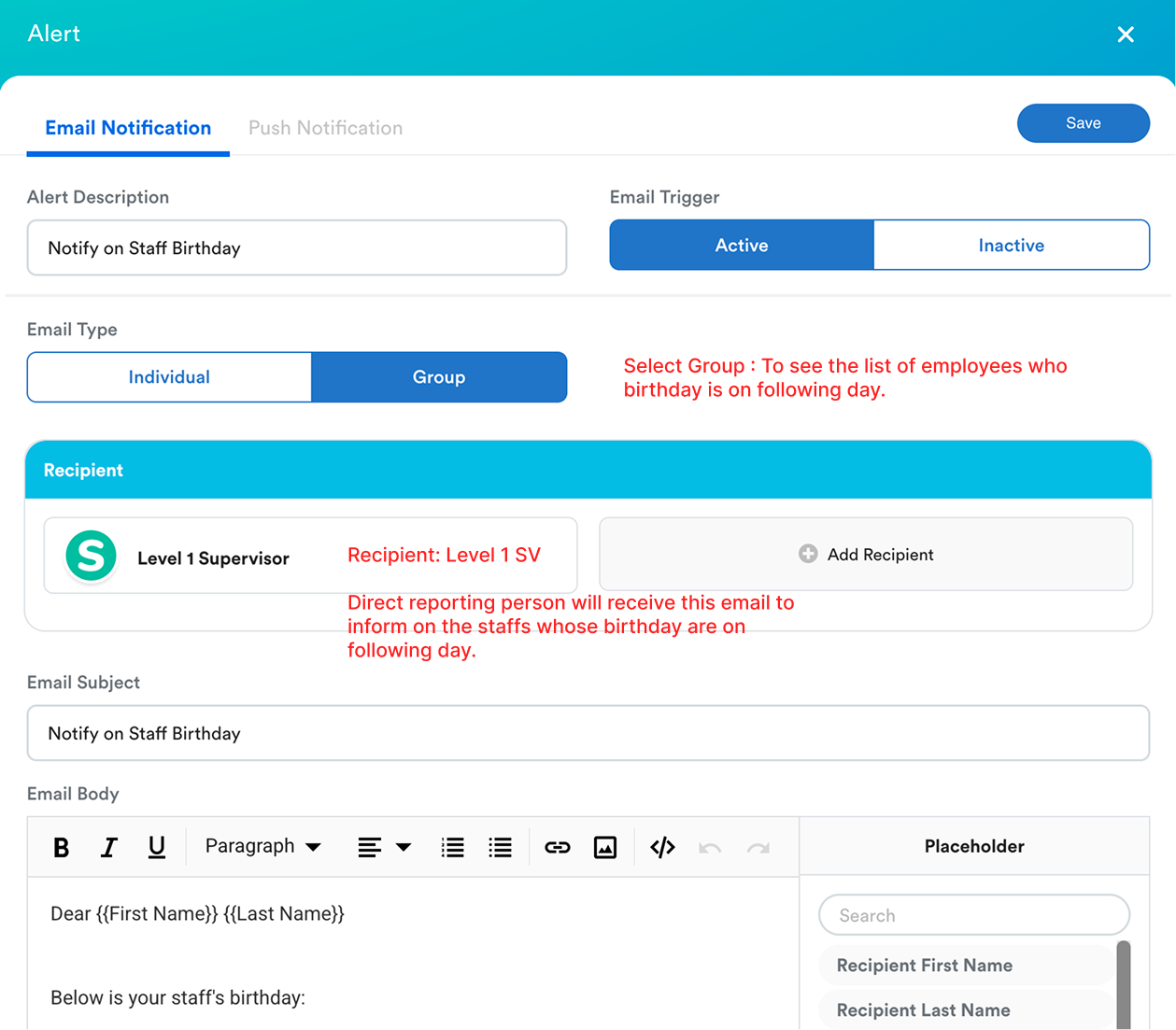
If you choose "group", you will see the employee list section between email body and the email footer. All the employee that meets the trigger condition will be shown as a list here.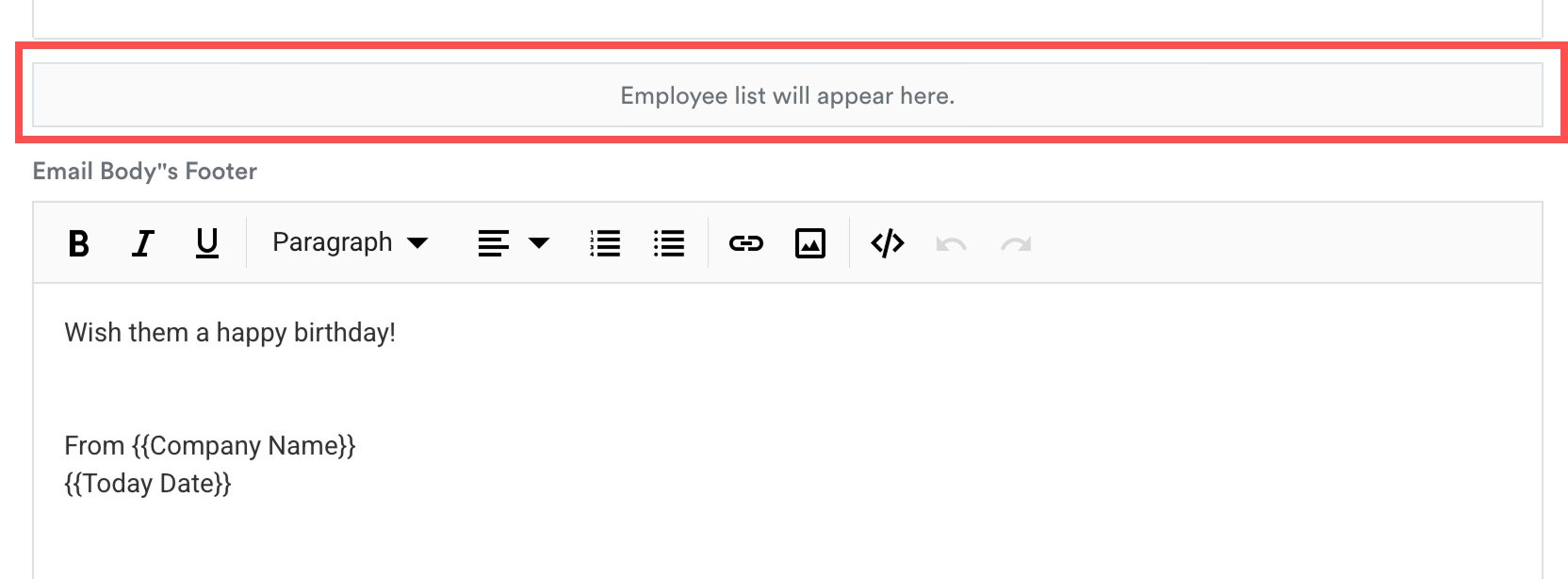
Received Email Example:
With the above settings, “The Test”, who is the direct supervisor of staff with birthdays on 14 Jan will receive the email as below on 13 Jan 2026 with a list of employee that has birthday on 14 Jan.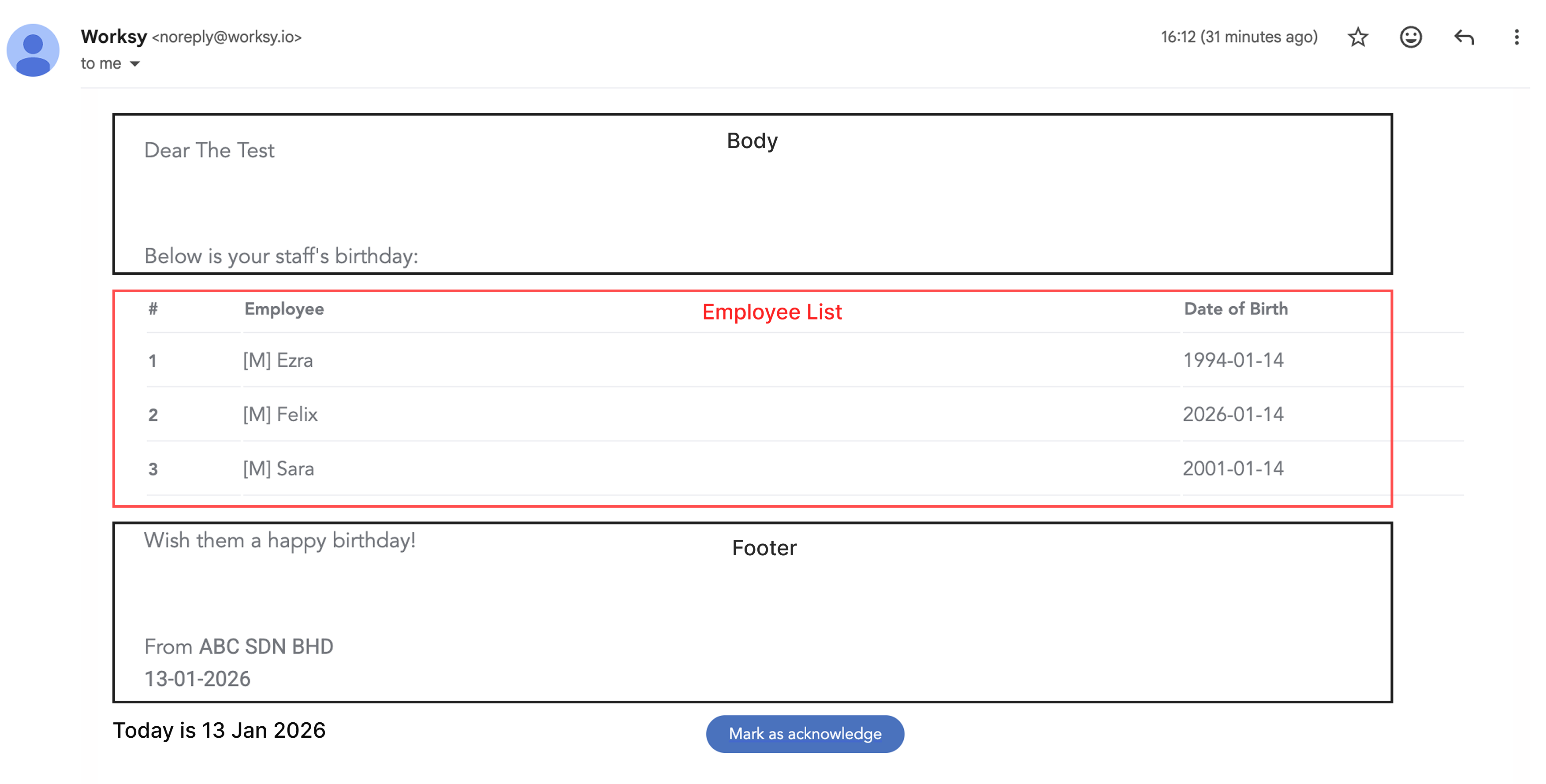
We hope this clarifies the matter. If you require further assistance, do not hesitate to contact our support team.
Was this article helpful?
That’s Great!
Thank you for your feedback
Sorry! We couldn't be helpful
Thank you for your feedback
Feedback sent
We appreciate your effort and will try to fix the article