There are Three Possible causes:
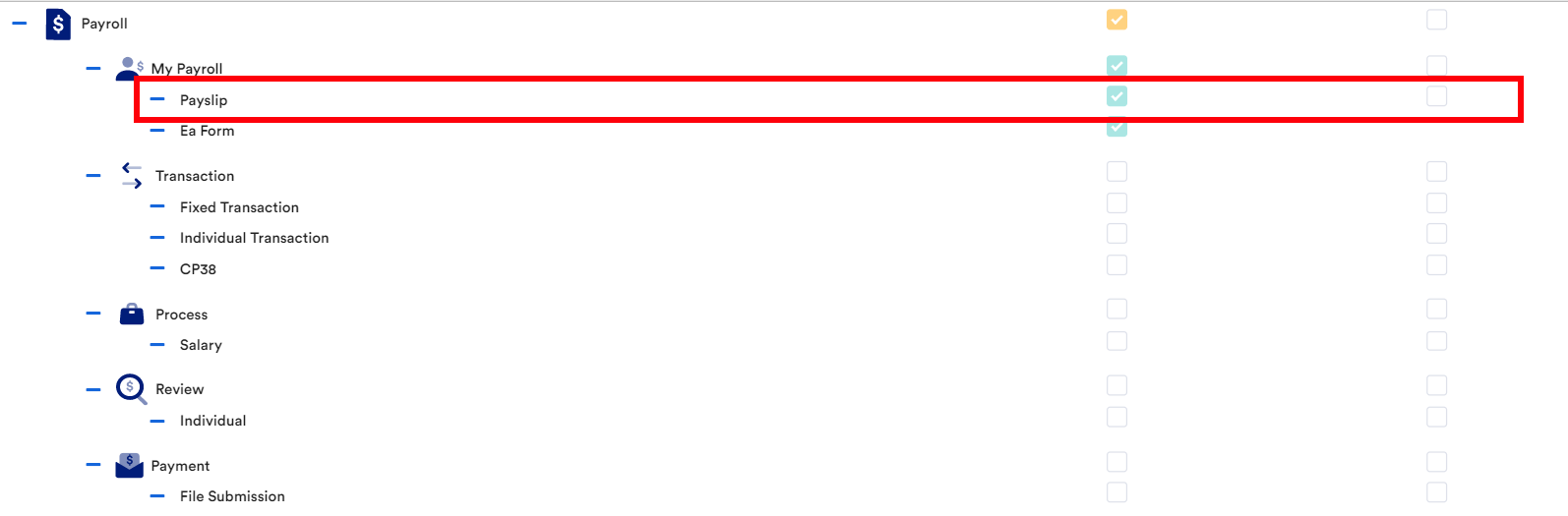
1) Admin did not give the employee the access right to view the payslip
To resolve this issue, refer to Edit access rights.
*Note: Under the Payroll section, ensure that the payslip boxes are checked.
2) The Payslip Availability setting
Kindly be informed that employees do not view payslips due to the set payslip availability setting.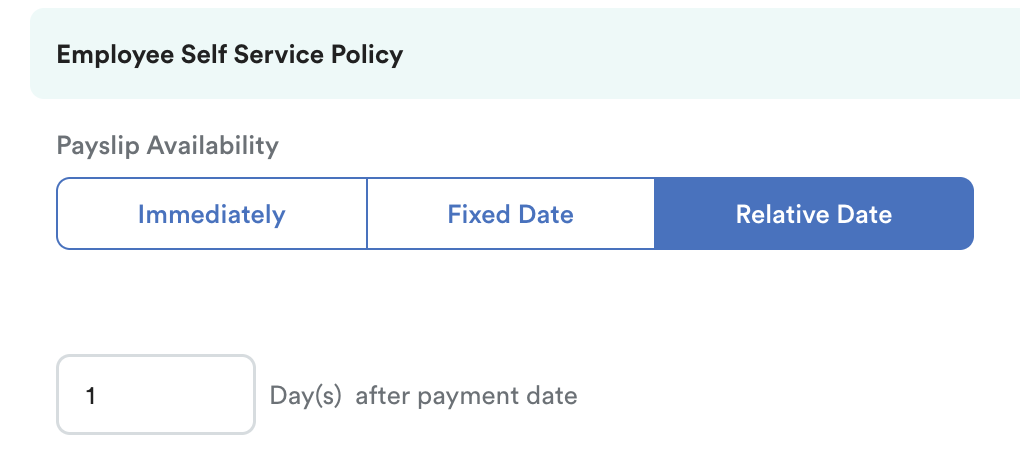
Immediately: Immediate payslip release when the salary is credited.
Fixed Date. Input how many days before/after the end of the payroll month.
- End of month: 31/1/2026
- 1st day before the end of the month: 31/1/2026
Relative Date: Set date relative to after the payment date. For example:
- Payment Date: 25/1/2026
- 1st day after payment date: 26/1/2026
For further information on Payslip Availability Setting, kindly refer to this Payslip Availability - How to Set a Fixed Date For The Payslip Release?
3) The Payroll Control Does Not Lock
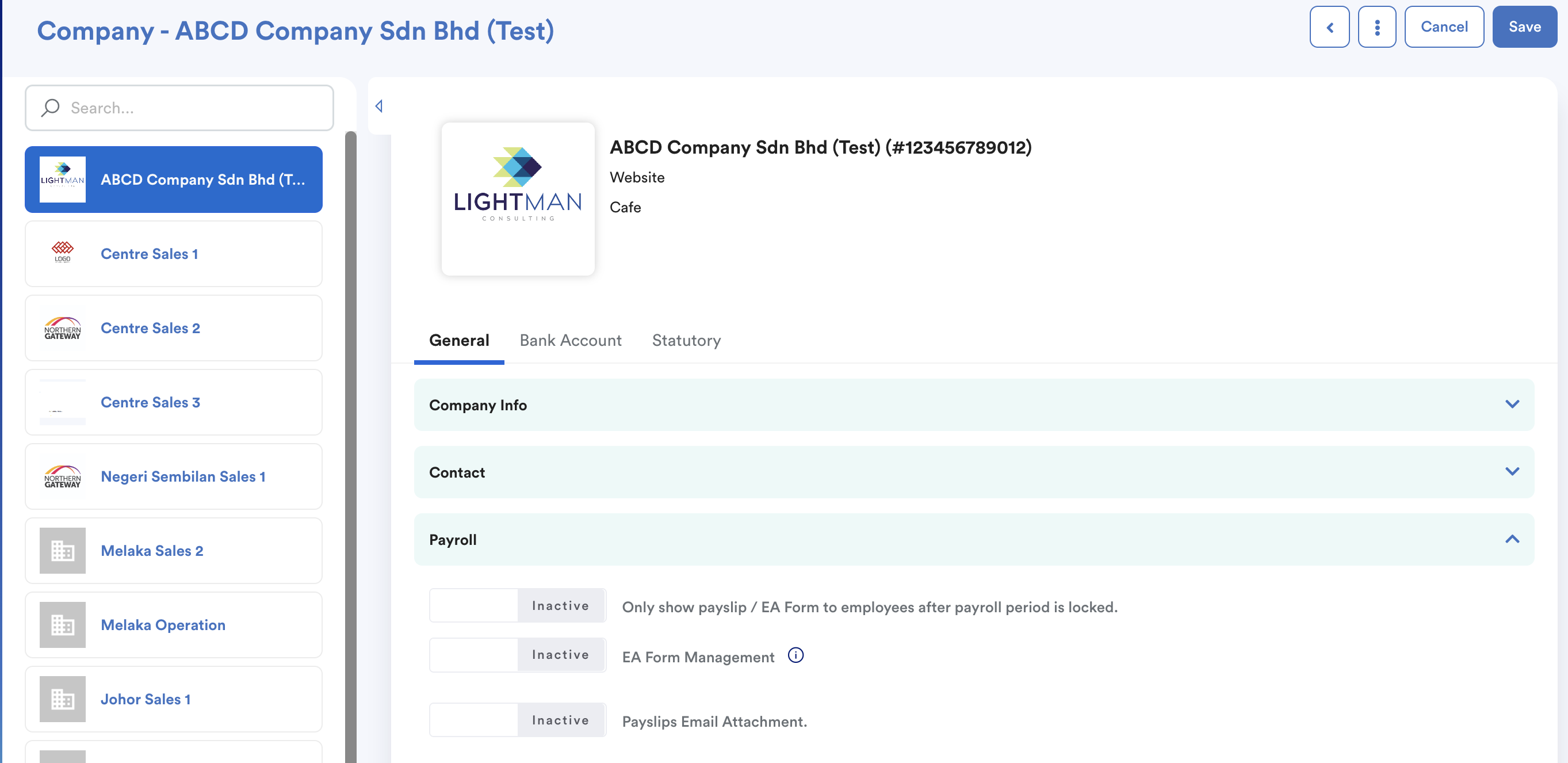
Please be informed that, if you enable the "Only show payslip/EA form to employees after payroll period is locked", you need to make sure your payroll is locked under payroll control to enable staff to view their payslip.
Alternatively, you may disable the setting. In the future, if the payroll is unlocked, employees will still be able to view their payslip once the release date is reached.
To lock payroll, refer to How to lock a pay cycle after payroll processing? (payroll control).
We hope this explanation clarifies the matter. If you require additional assistance, do not hesitate to contact our support team.
Was this article helpful?
That’s Great!
Thank you for your feedback
Sorry! We couldn't be helpful
Thank you for your feedback
Feedback sent
We appreciate your effort and will try to fix the article