Step 1
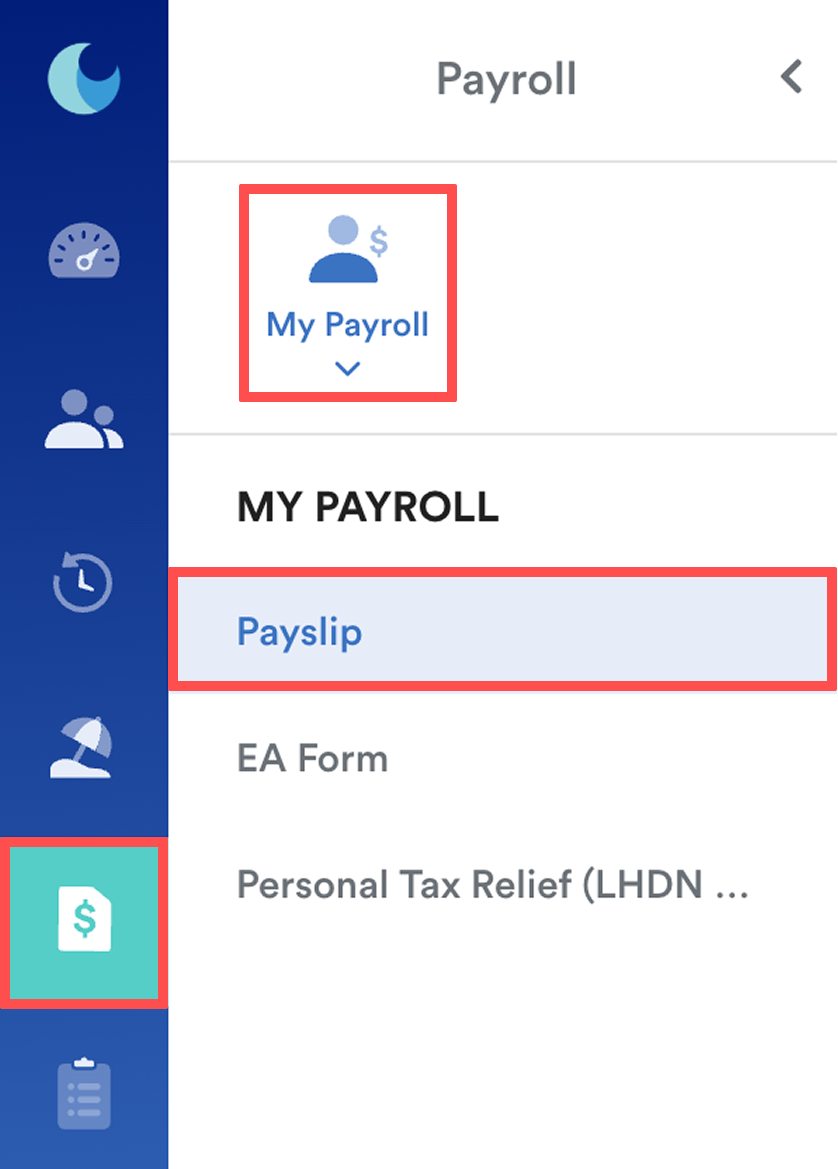
On the left menu, go to Payroll > My Payroll > Payslip.
Step 2
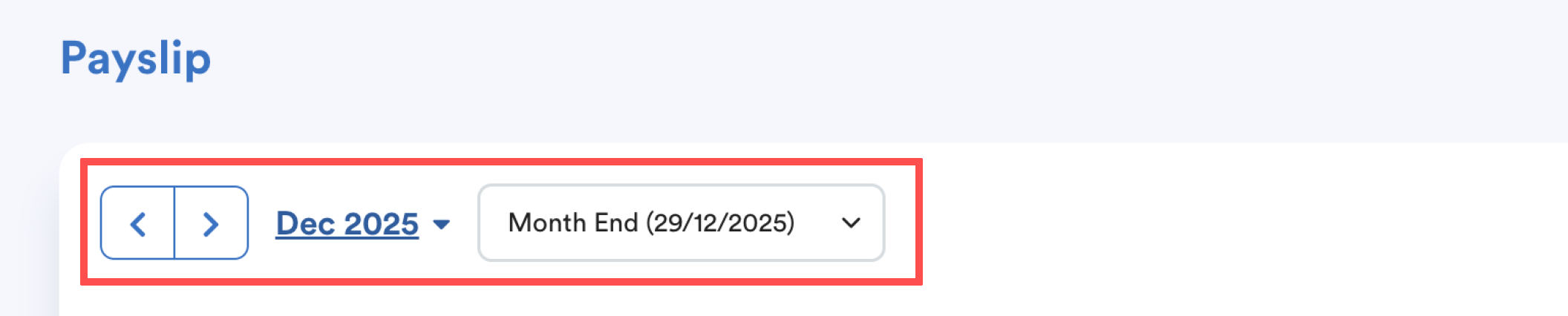
Select the Payslip month and Payment Date.
Note: Payslips are available only after HR has processed payroll for the selected month.
Step 3
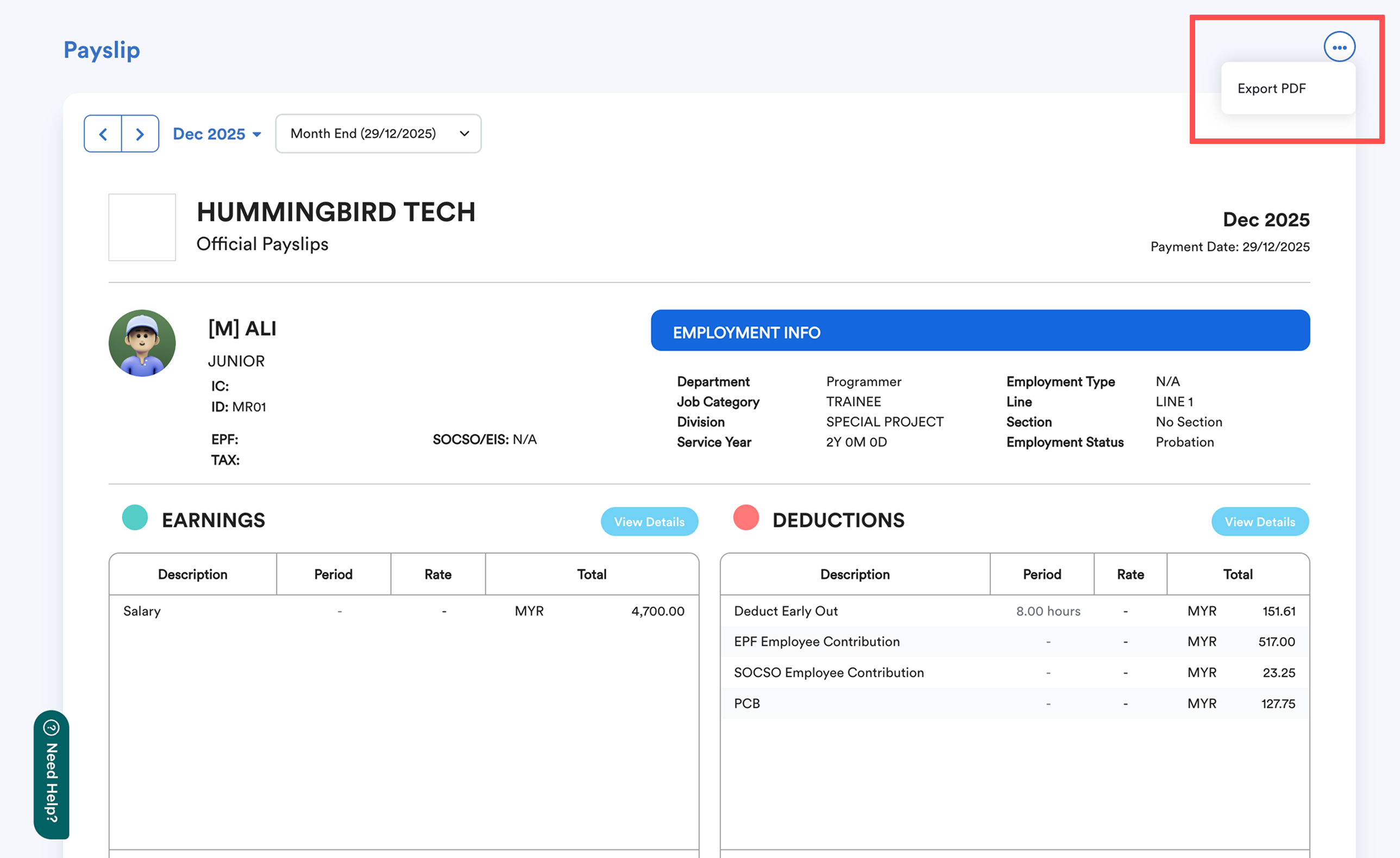
To save a copy, click the three dots in the top-right corner of the screen and select Export PDF.
For a visual walkthrough, you can refer to the following guides:
- Mobile Version
- Desktop Version
We hope this explanation clarifies the matter. If you require additional assistance, do not hesitate to contact our support team.
Was this article helpful?
That’s Great!
Thank you for your feedback
Sorry! We couldn't be helpful
Thank you for your feedback
Feedback sent
We appreciate your effort and will try to fix the article