Duplicate payslips are very uncommon. In most cases, even if payroll is accidentally processed more than once at the same time and “Overwrite Pulled Transaction” is selected, the system will usually slow down and complete only one process. As a result, only one payslip will appear.
This article explains why duplicate payslips may still happen in rare situations and how to resolve them.
Causes
Although uncommon, duplicate payslips may occur if:
- Payroll is reprocessed while the previous process is still running, and
- Multiple payroll processing screens are opened at the same time.
In these situations, if payroll is reprocessed before the previous process has fully finished, it can result in two payslips being created for the same employee in the same payroll cycle and payment date.
"Overwrite Pulled Transaction" function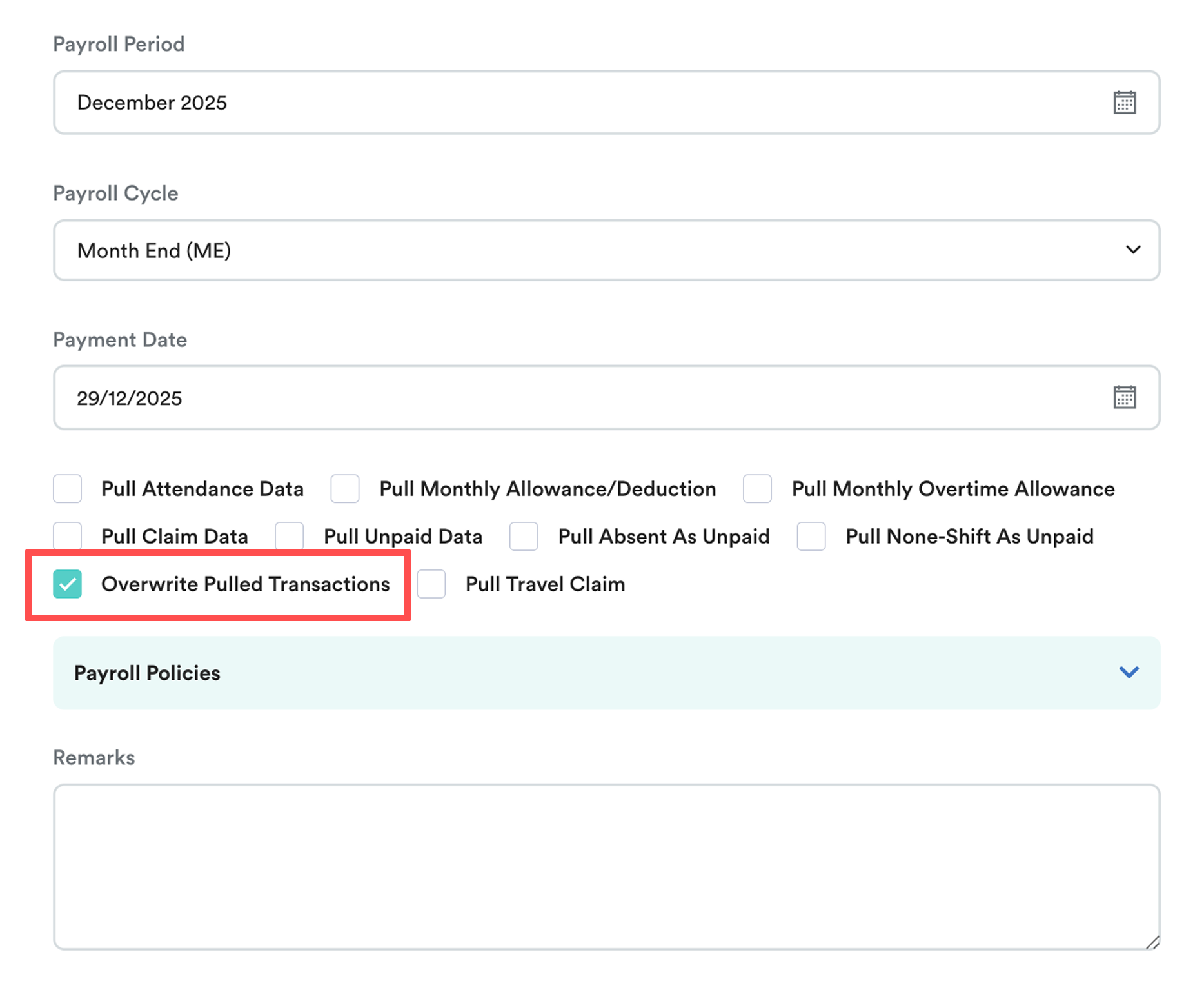
The “Overwrite Pulled Transaction” setting normally acts as a safeguard against duplicate payslips. It is built to overwrite pulled transaction data, such as:
- Attendance (overtime, allowances, etc.)
- Claims
- Leave transactions (UPL, late in, early out, absenteeism)
When payroll is reprocessed:
- Figures are updated within the same payslip.
- The overwrite applies only when payroll is processed again under the same company.
In very rare cases, duplicate payslips may appear, but this is usually caused by the system processing overlapping requests.
How to Resolve Duplicate Payslips
To fix this issue, delete the duplicate payslip by following these steps:
Step 1
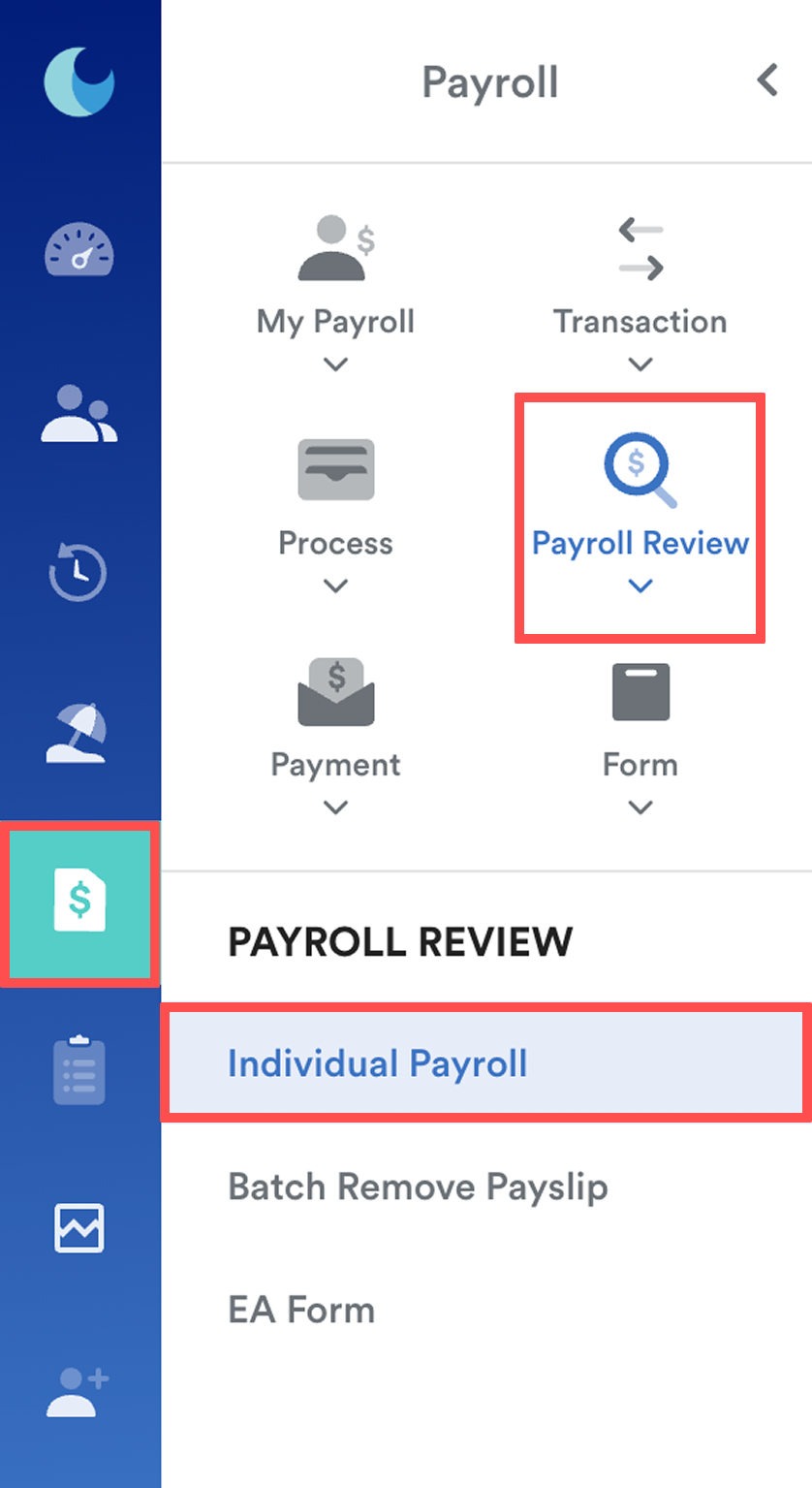
Go to Payroll > Payroll Review > Individual Payroll. Select the affected employee.
Step 2
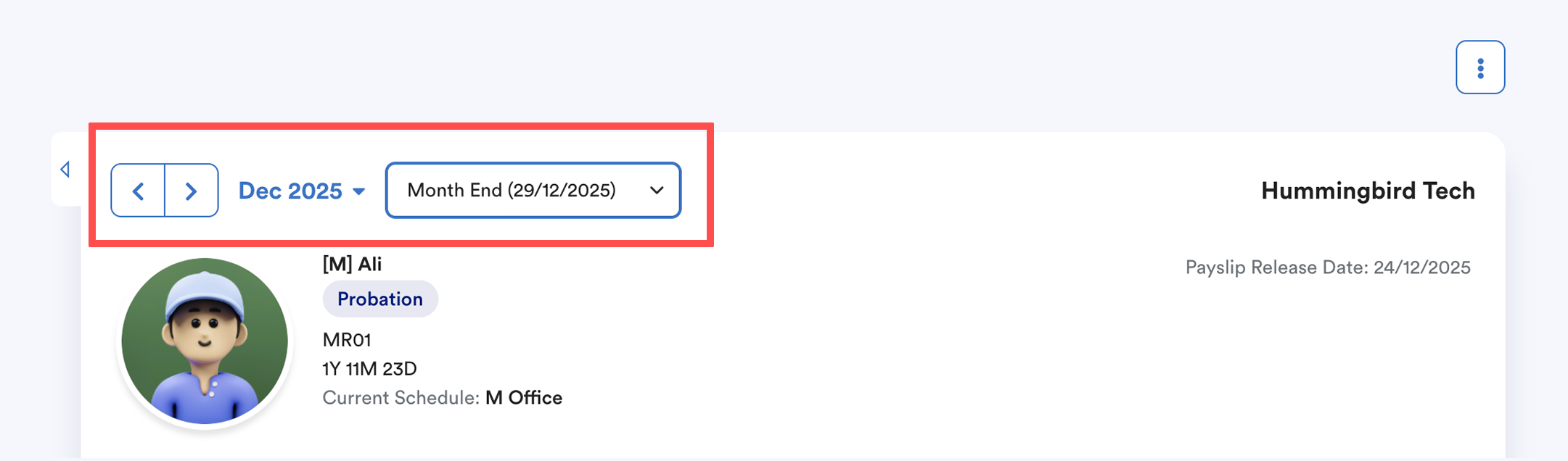
Find the month, payroll cycle, and the correct payslip you want to delete.
Step 3
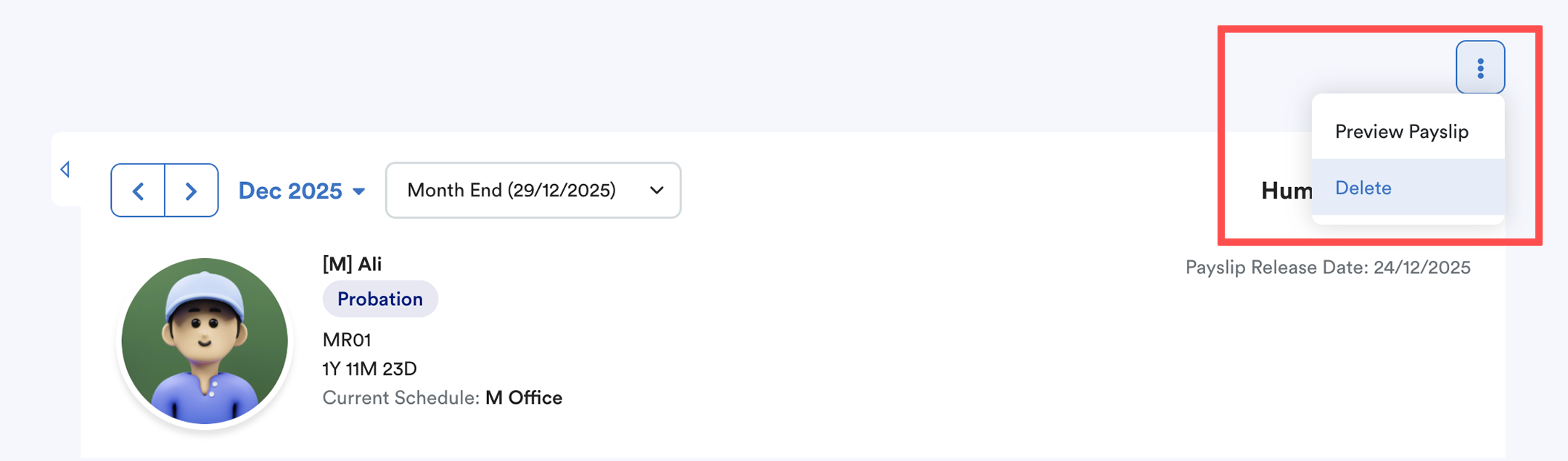
Click the three dots at the top-right corner. Select Delete.
Summary
To reduce the risk of duplicate payslips, avoid manually reprocessing payroll until the first process has fully completed.
We hope this explanation clarifies the matter. If you require additional assistance, do not hesitate to contact our support team.
Was this article helpful?
That’s Great!
Thank you for your feedback
Sorry! We couldn't be helpful
Thank you for your feedback
Feedback sent
We appreciate your effort and will try to fix the article