You can view your attendance in two ways:
- View from Calendar
- View on your dashboard
Method A: View from Calendar
Step 1
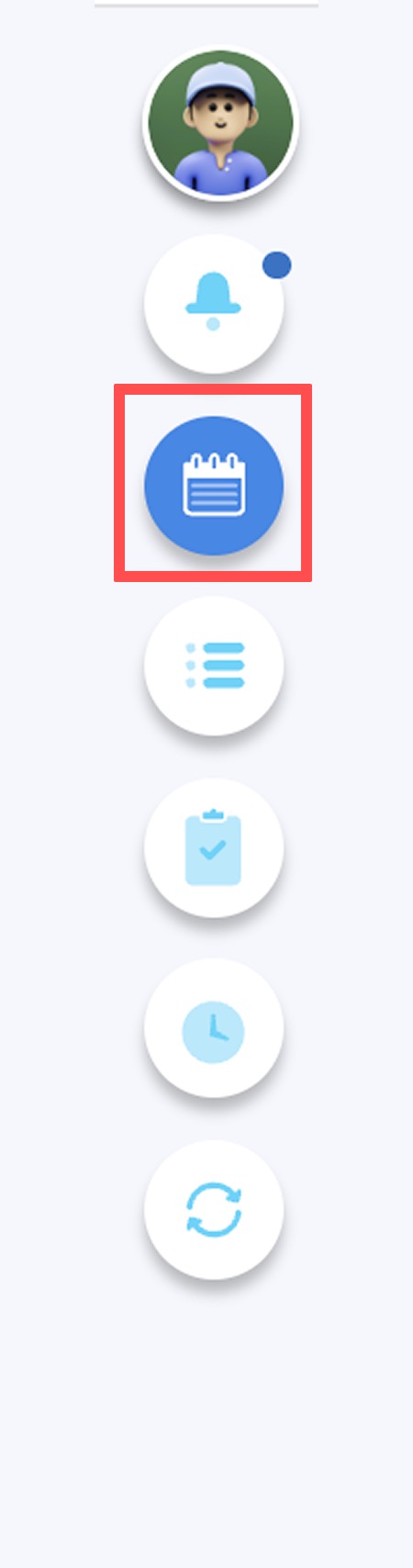
On the right-side menu, navigate to My Calendar.
Step 2
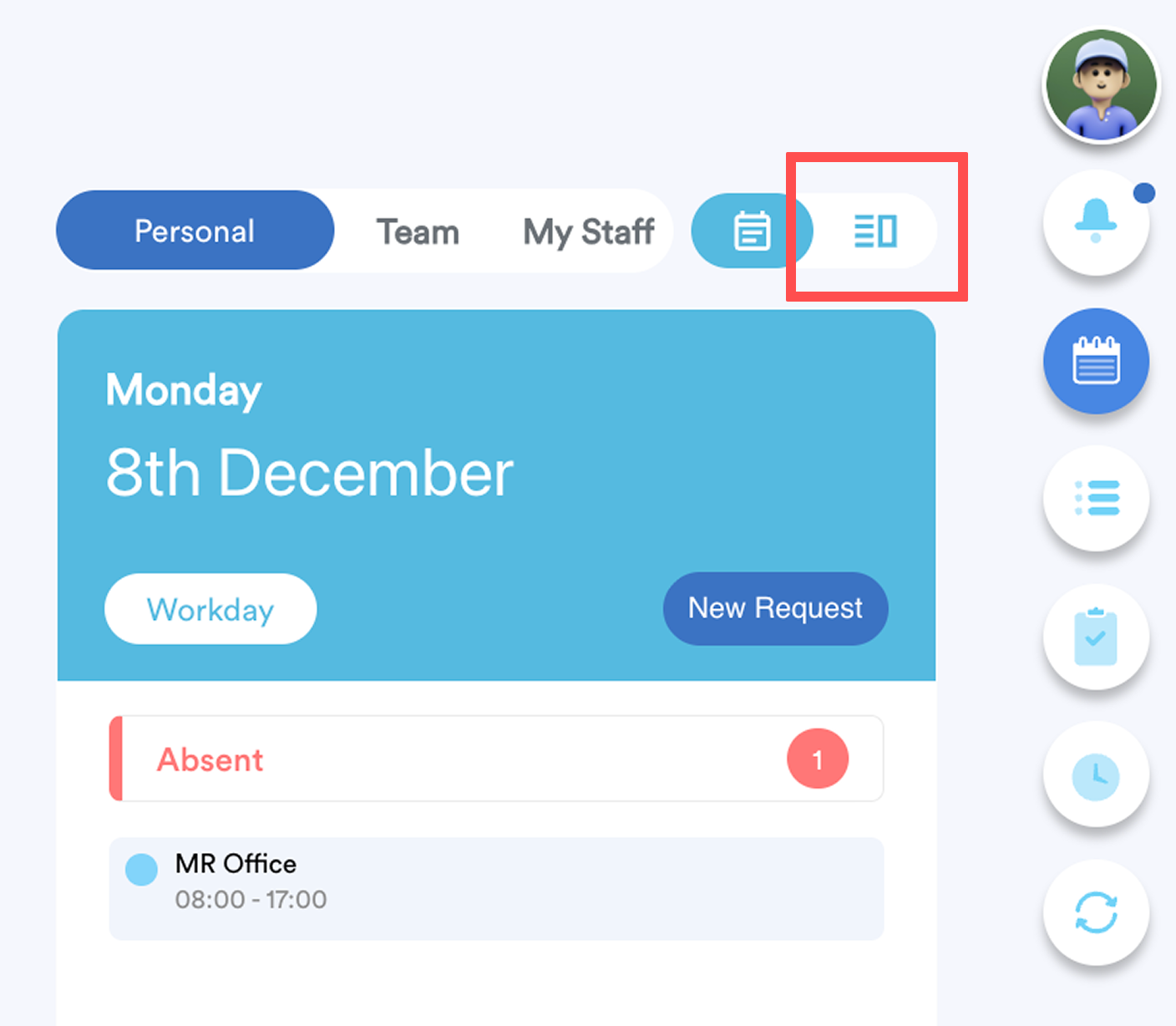
In the top-right corner, switch the view to My Attendance.
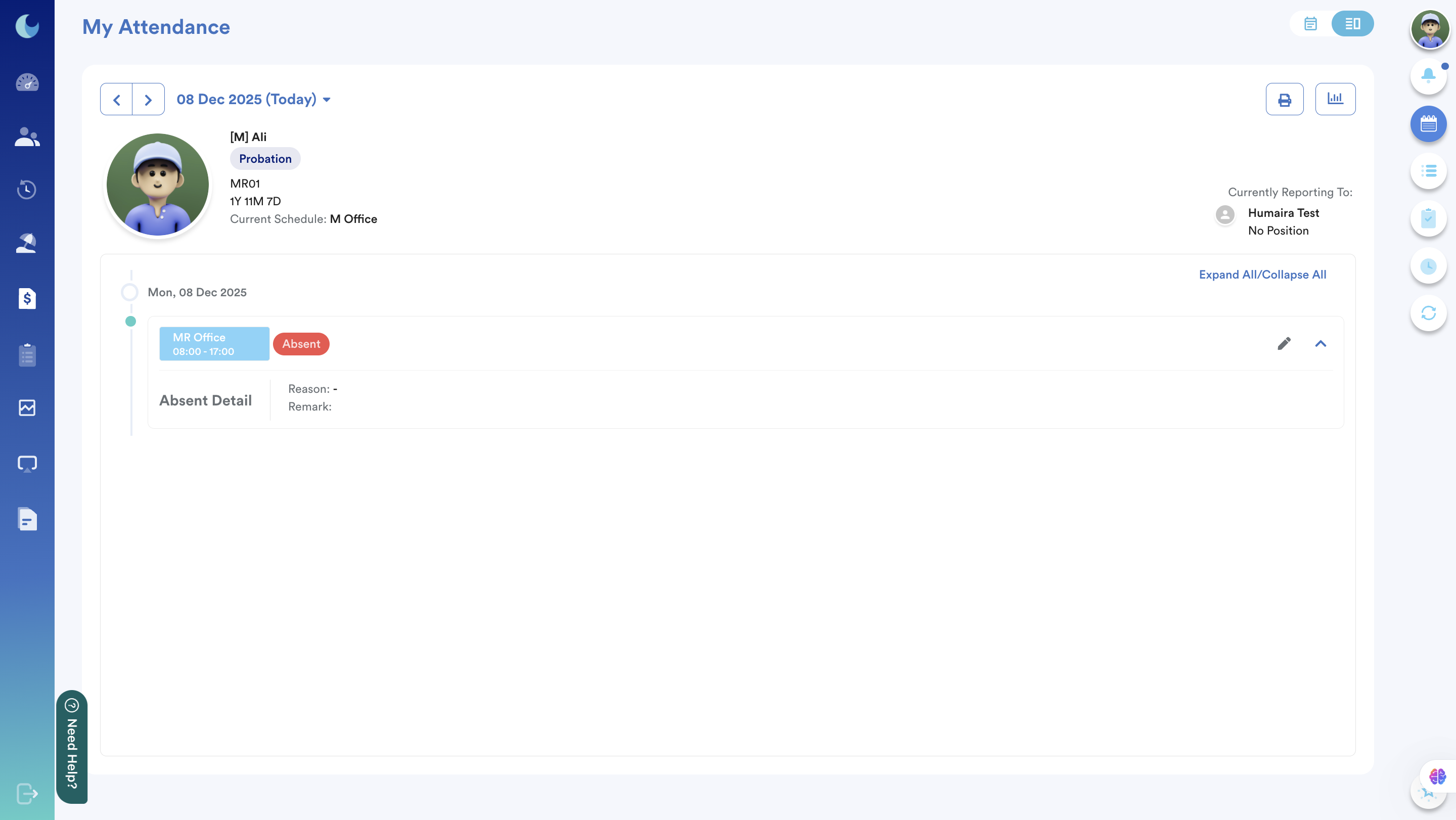
You can browse through different dates using the “<” and “>” arrows. Your attendance details for the selected date range will be displayed accordingly.
Method B: View on My Dashboard
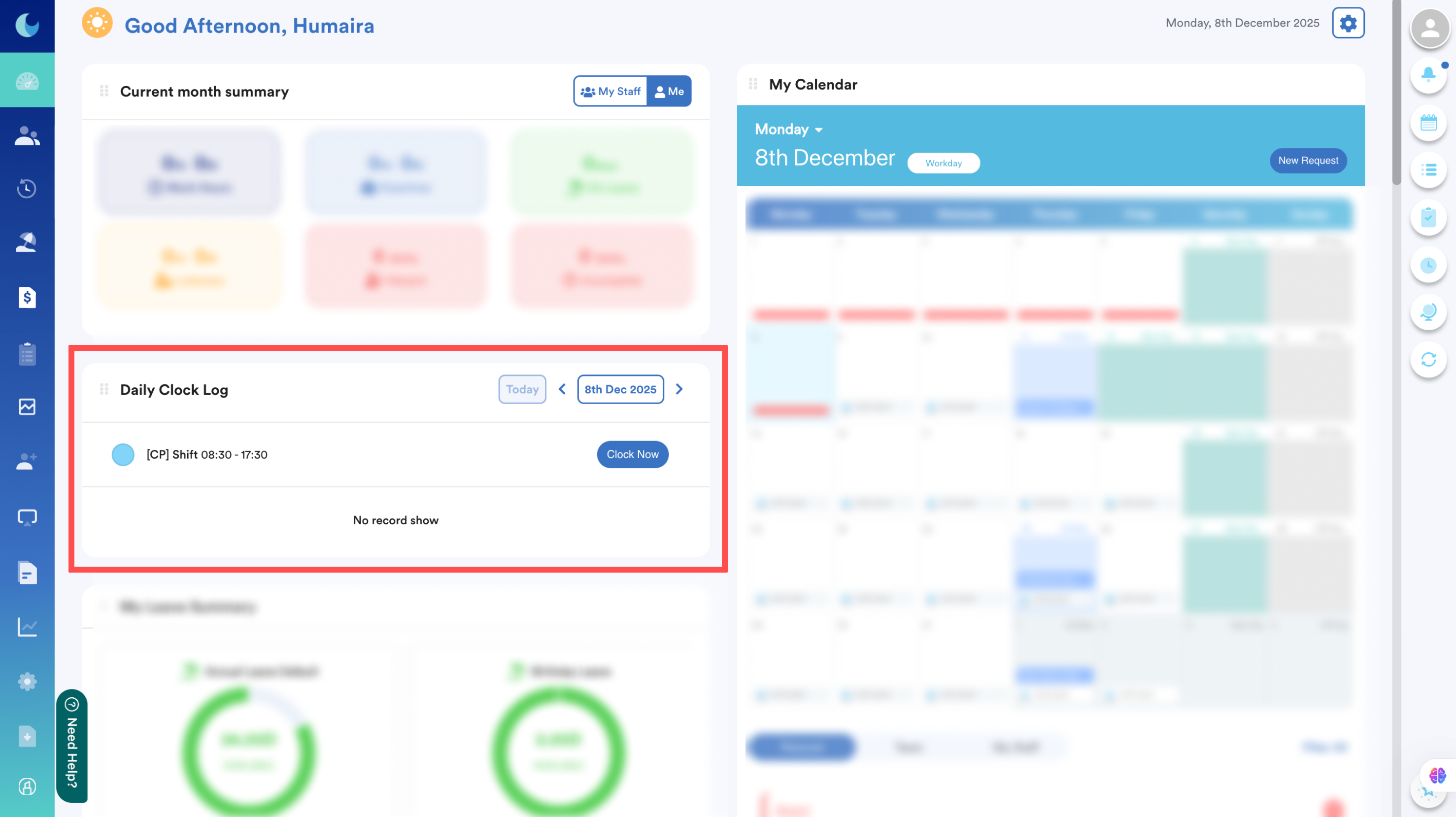
From the left menu, go to Dashboard.
Here, you will see an overview of your attendance data, including your daily clock-in information under the Daily Clock Log panel.
We hope this explanation clarifies the matter. If you require additional assistance, do not hesitate to contact our support team.
Was this article helpful?
That’s Great!
Thank you for your feedback
Sorry! We couldn't be helpful
Thank you for your feedback
Feedback sent
We appreciate your effort and will try to fix the article