There are three possible causes to why this happens:
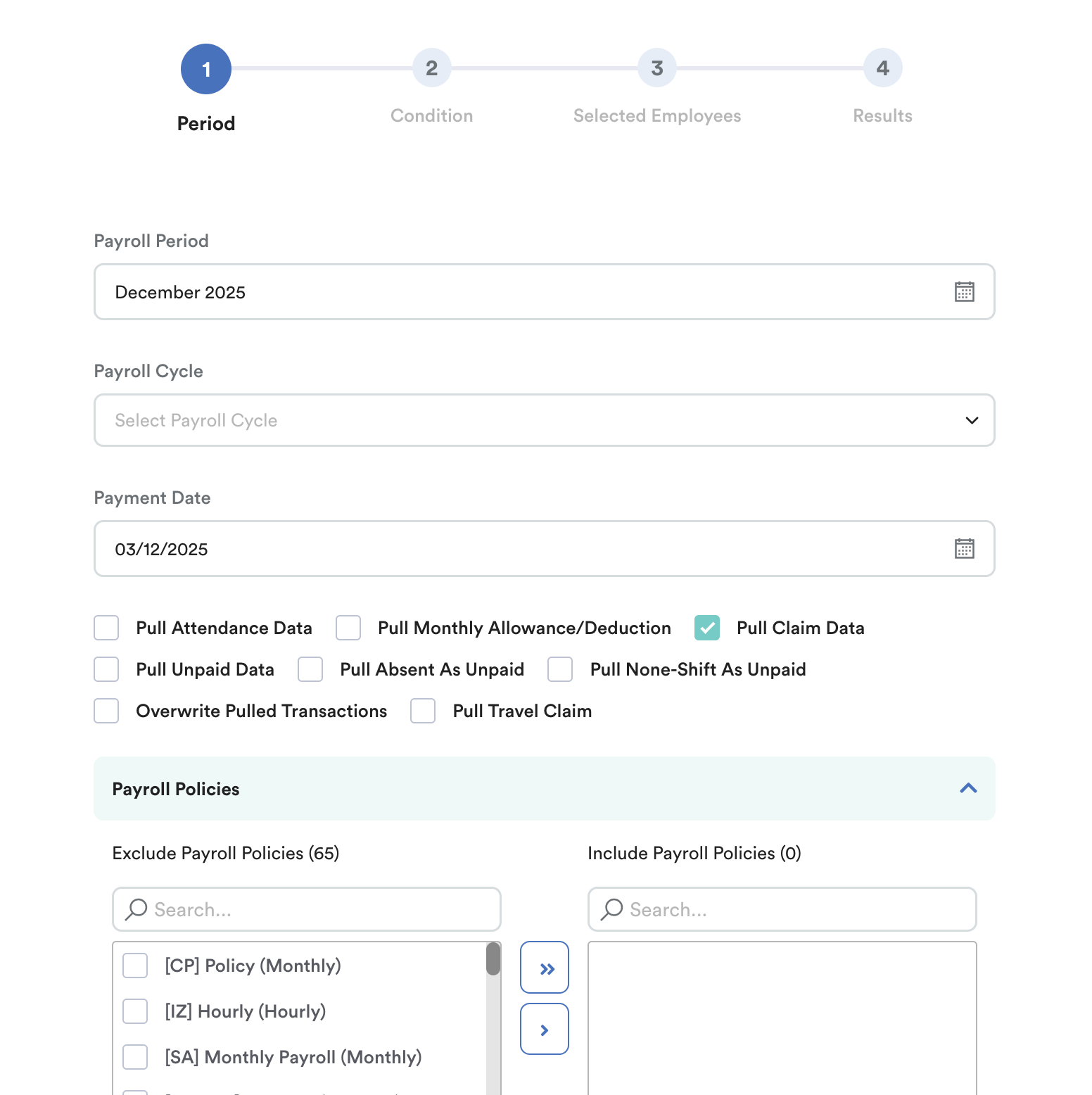
Scenario 1: The 'Pull Claim Data' checkbox wasn't checked when you processed your staff's payroll.
Scenario 2: You have not linked the claim item to a payroll item.
Scenario 3: Claim item approved/transacted is not within the cut-off period.
Scenario 1
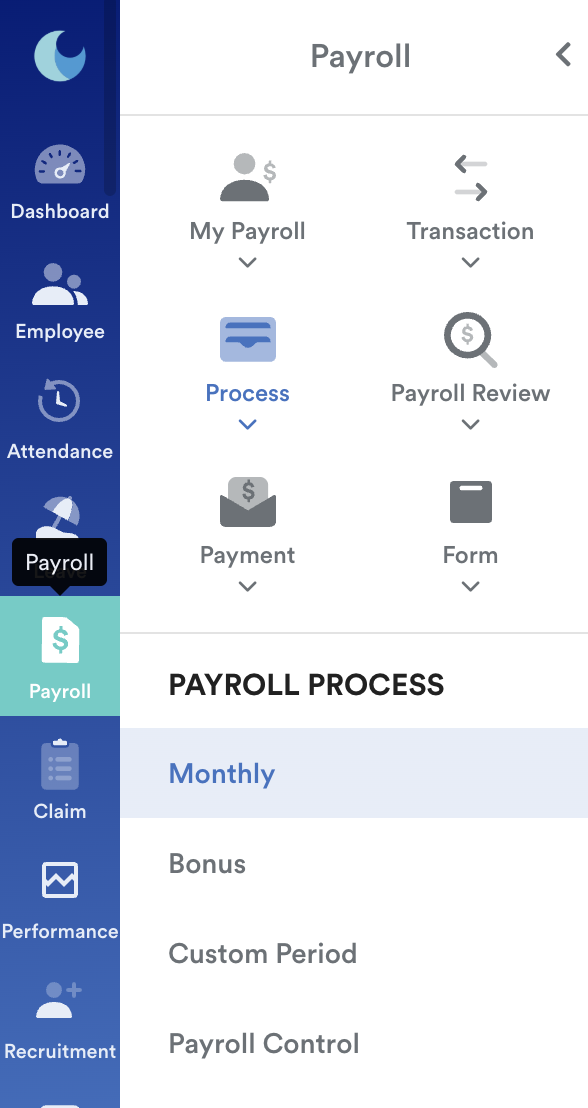
Step 1
On your left menu, go to Payroll and then click on Process.
Step 2
You will be redirected to this page, where you will be able to check or check the "Pull Claim Data" box to include claim information in your employee's payroll.
Scenario 2
Step 1
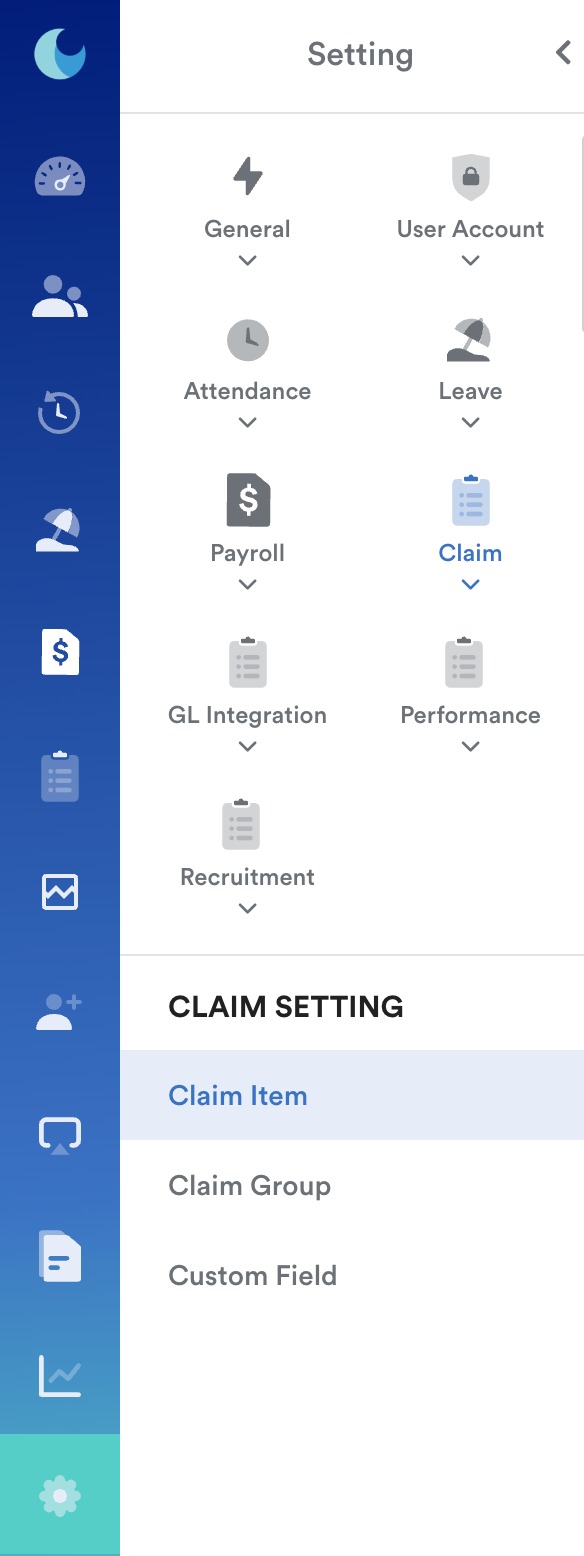
Go to Settings from the right menu and click on Claim, followed by Claim Item as shown below.
Step 2
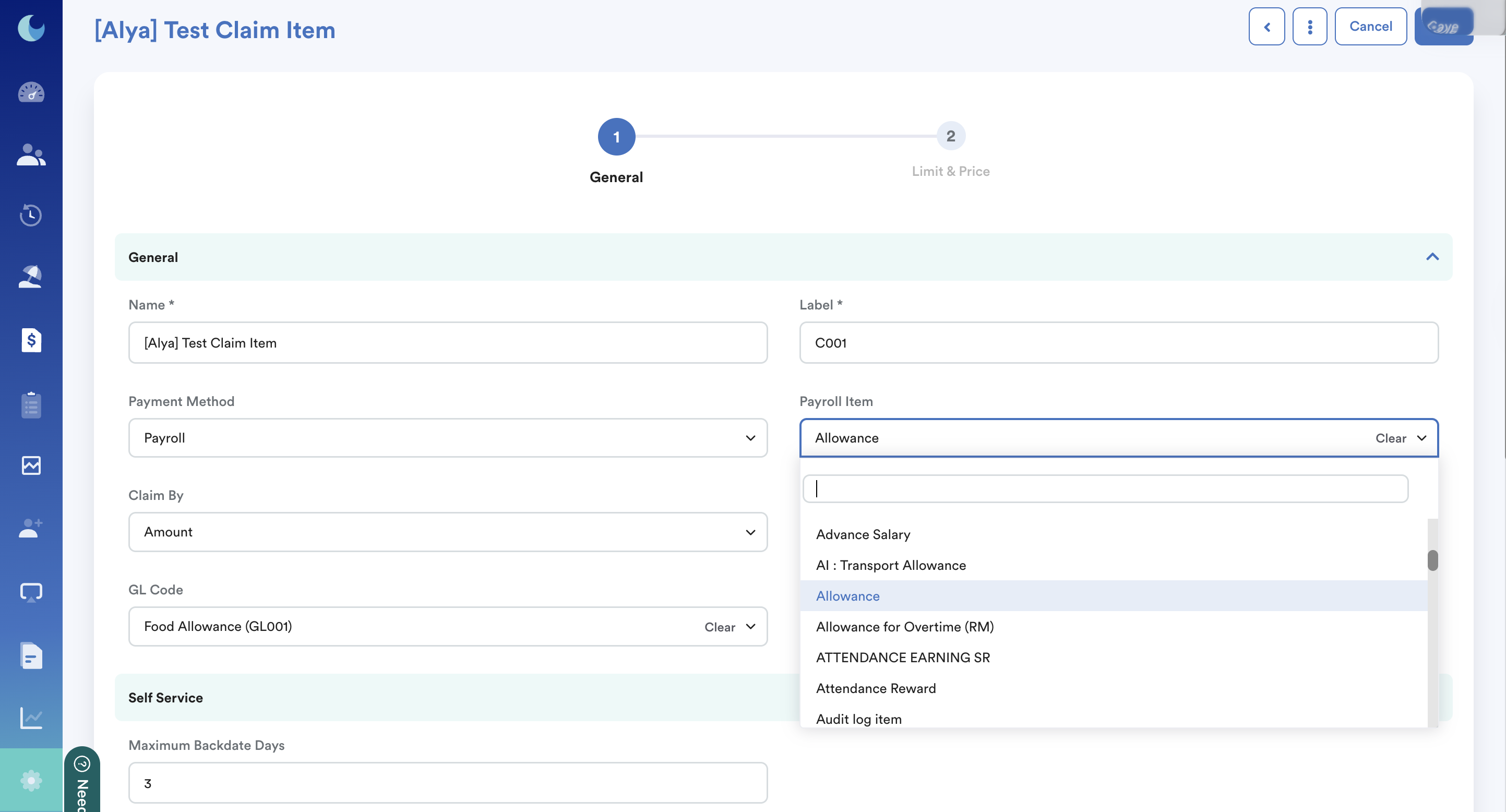
Under each claim item you have created, select the designated payroll item that you have created for the claim item. As shown in the image below.
Important: select payroll item for every claim item, so this will be reflected in payslip.
Note: If you have not created a payroll item for your claim item, please refer to this guide on Creating Claim Item.
Step 3
Click the Save button on the top right corner of your screen when you are done adjusting these settings. Try processing your staff payroll again, and make sure to check 'Pull Claim Data' on the payroll processing page.
Scenario 3
Step 1
On your left menu, go to Setting > Payroll and then click on Payroll Policies.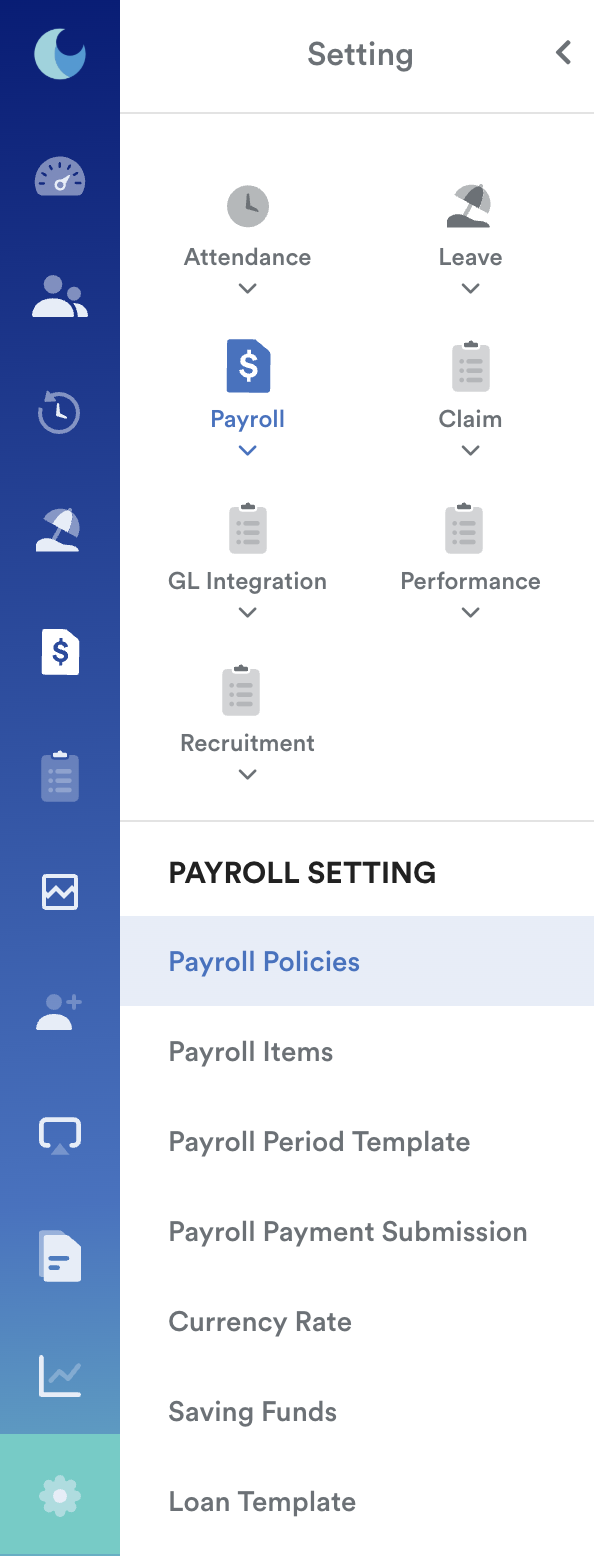
Step 2
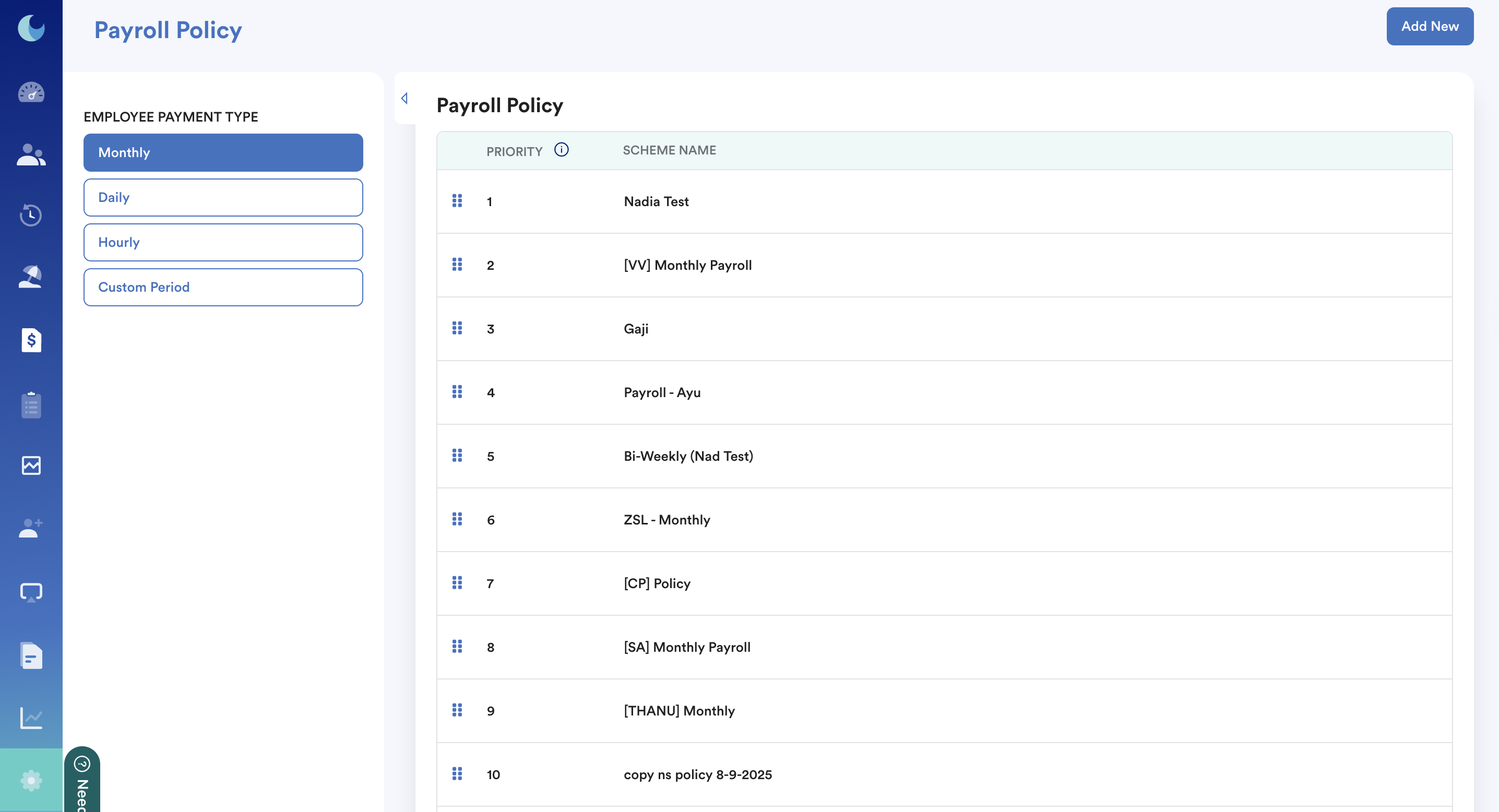
Click on the payroll policy that the staff is assigned to.
Step 3
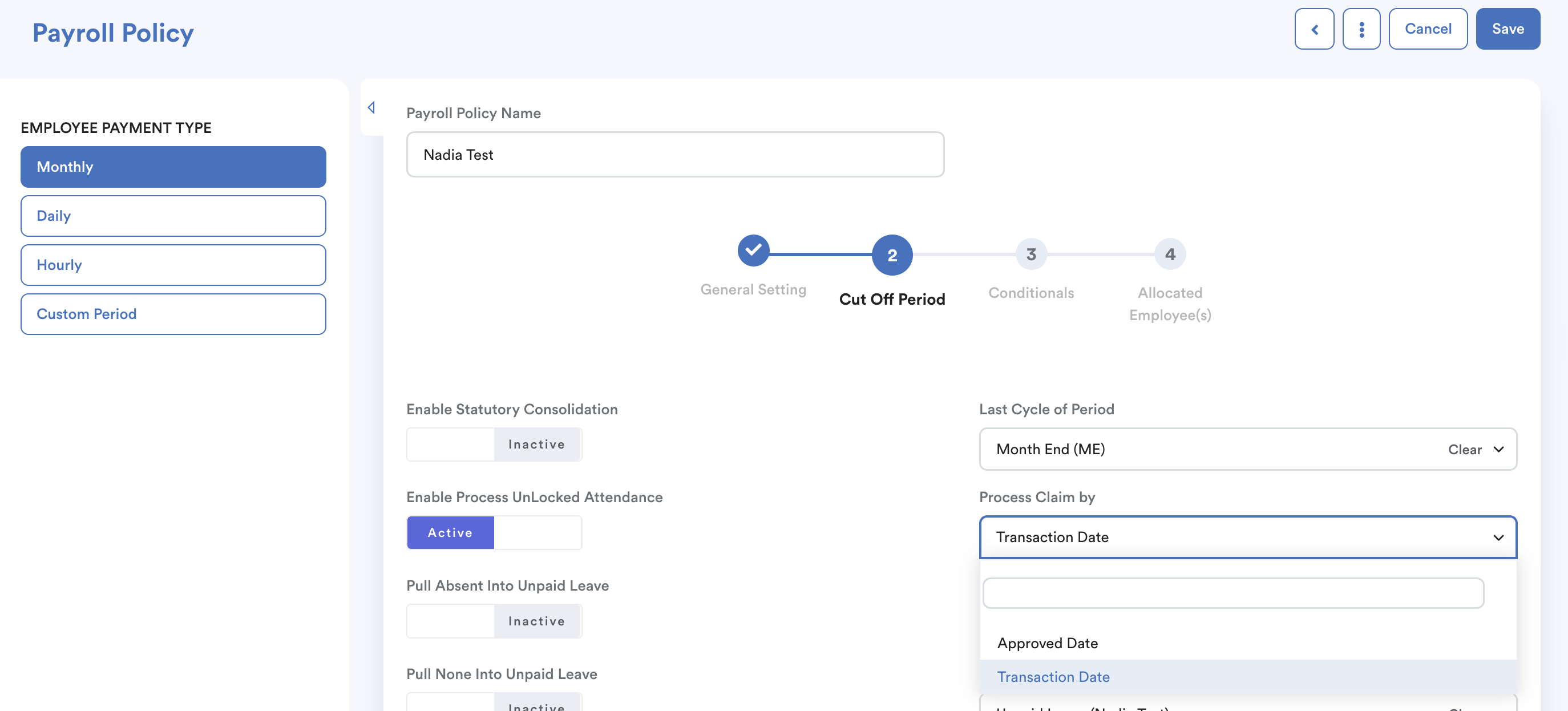
On the setting page, click on the second tab as shown in the screenshot below, the Cut Off Period tab.
Check process claim by: Transaction date or approval date.
Step 4
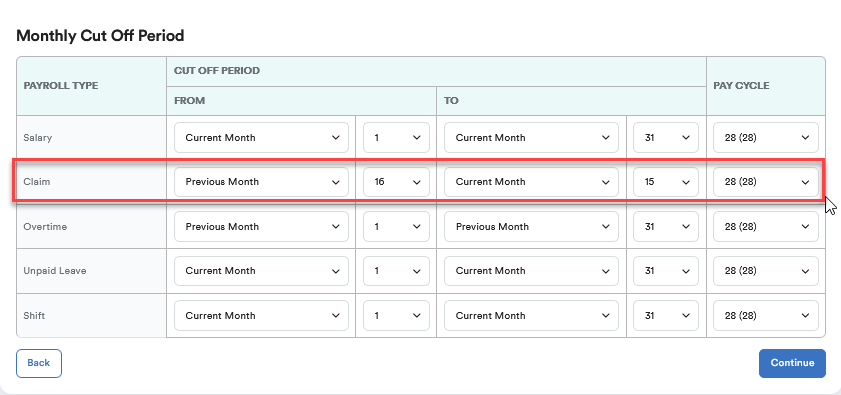
Scroll down to your periodical payroll setting. As shown in the sample below, the payroll policy in use is the Monthly Payroll Period.
Refer to the Claim column. Check if the claim item was within the cutoff month.
If you process the claim by the approved date.
Example:
Process claim by: Approved Date
Current Month: August
The claim item was approved on the 20th of August. It will not be reflected in August's payslip because the cutoff setting (in this example) is until the 15th of August.
As a result, this claim item will be reflected in September payslip because 20th August claim approval date is within the cut-off of September payroll run.
Note: If you process claim by "Approved Date" and choose "no start cut off" for From, all the approved but not yet paid claims from previous months until the end cut-off will be pulled into the payroll.
Example: All claims that have been approved and not yet paid will be included as long as it is less or equal to 15th of current month.
We hope this explanation clarifies the matter. If you require additional assistance, do not hesitate to contact our support team.
Was this article helpful?
That’s Great!
Thank you for your feedback
Sorry! We couldn't be helpful
Thank you for your feedback
Feedback sent
We appreciate your effort and will try to fix the article