This article provides the recommended setup for part-time employees who are paid on an hourly basis. It covers configuring the employee's pay mode, setting up overtime patterns, and assigning an Hourly Payroll Policy to ensure payroll.
TABLE OF CONTENTS
- Step 1: Set the Employee's Pay Mode
- Step 2: Create an Overtime Pattern for Part-Time Employees
- Step 3: Create an Hourly Payroll Policy
Step 1: Set the Employee's Pay Mode
Go to Employee > Directory, create the part-time employee (if not already created), then open the employee profile and navigate to the Employment tab.
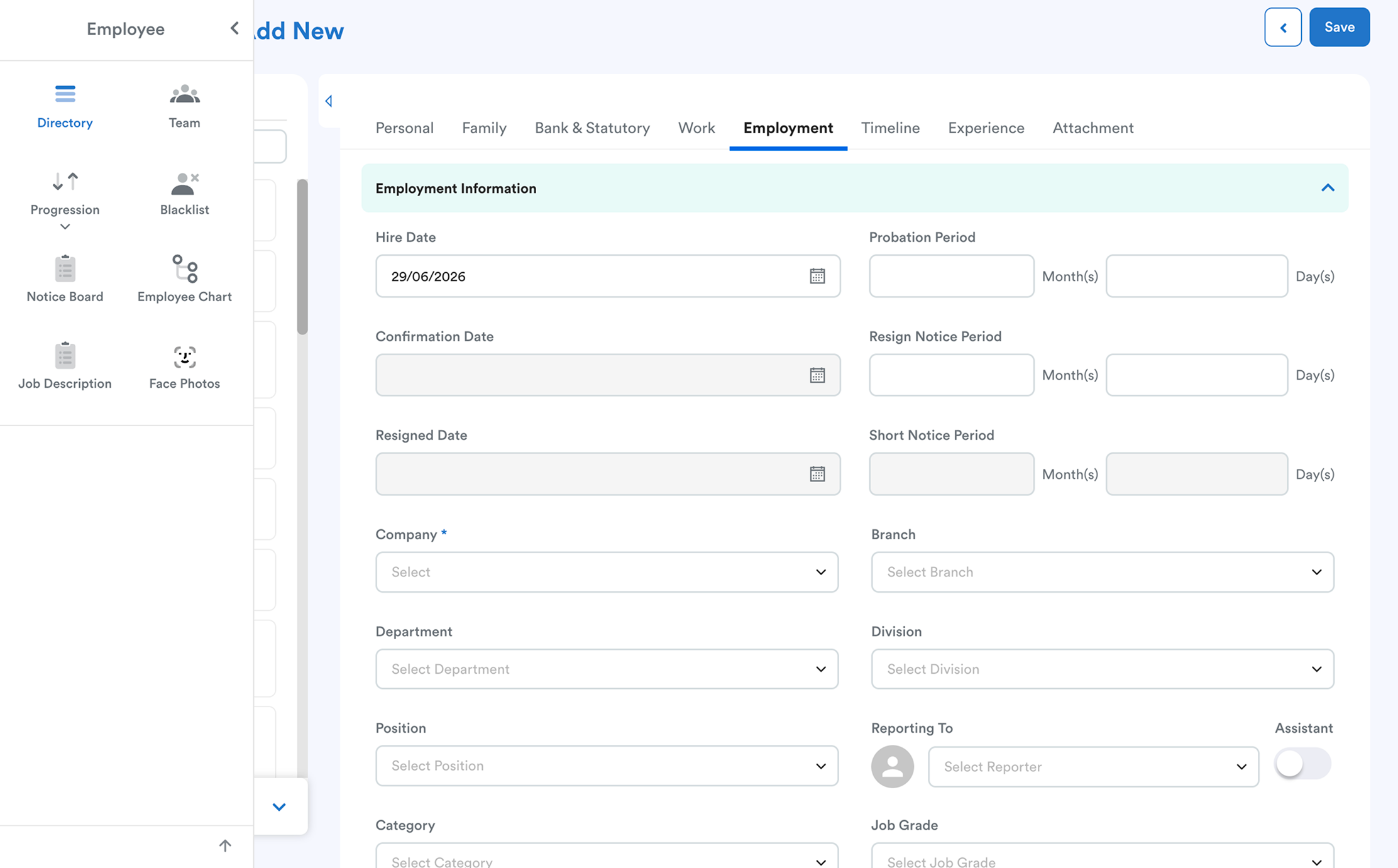
Click Edit, then scroll to the Basic Salary section.
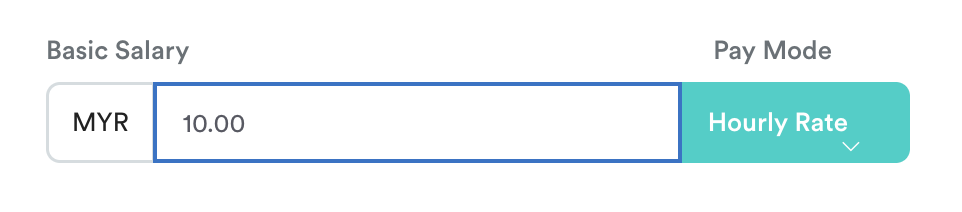
- Set the employee's Hourly Rate.
- Select Hourly Rate as the Pay Mode.
Click Save to apply the changes.
Related article: Hourly Salary Setup and Payroll Processing
Step 2: Create an Overtime Pattern for Part-Time Employees
Go to Settings > Attendance > Overtime Pattern, then click Add New.
Create a new overtime pattern (for example, Part-Time OT Rate), refer to Set Overtime Rate in Overtime Pattern.
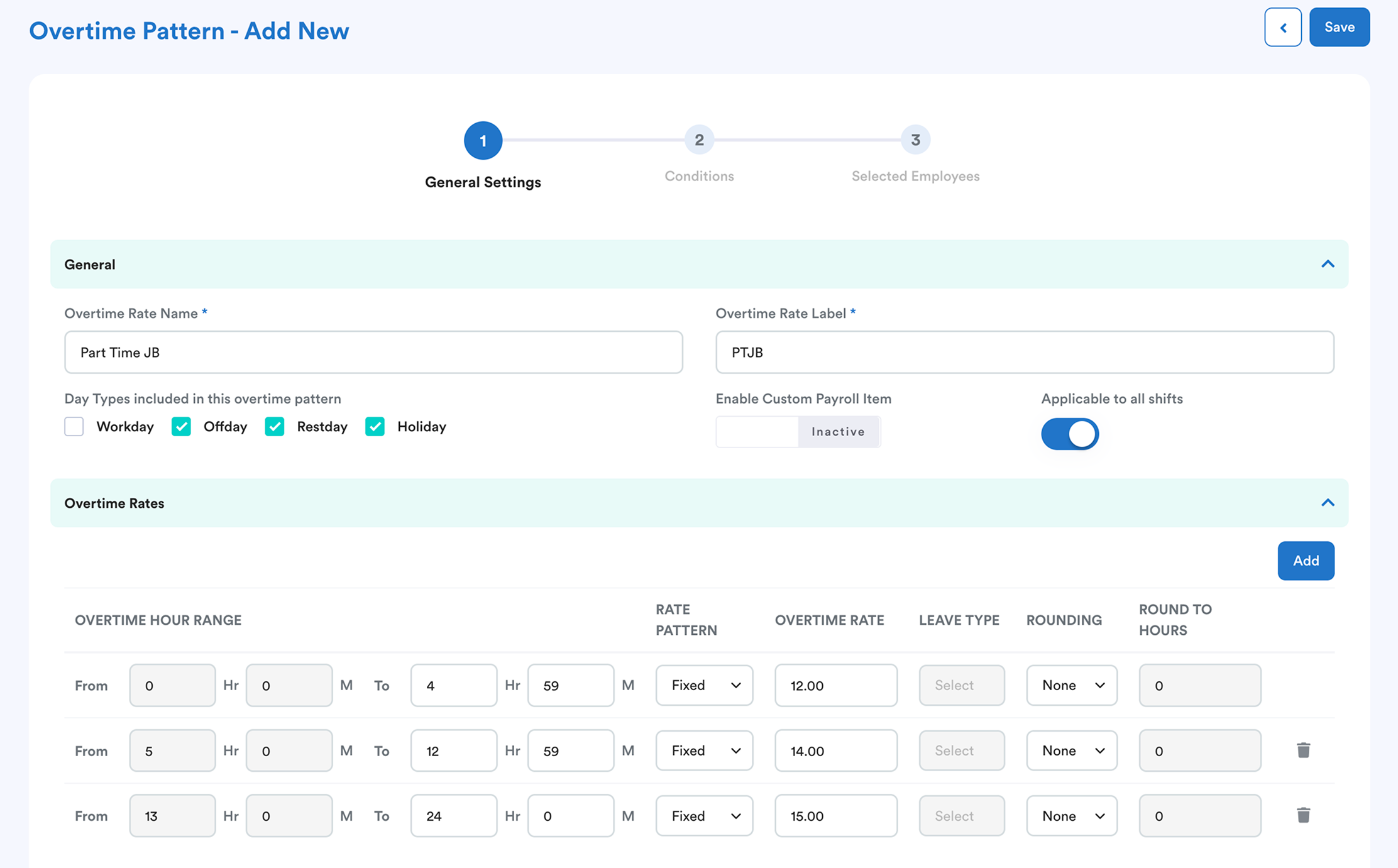
Under Day Types Included in This Overtime Pattern, select the applicable day types:
- Offday
- Restday
- Public Holiday
Next, assign the overtime pattern to the relevant part-time employees.
With this setting, the system automatically applies the corresponding overtime rate when the employee works on the selected day types.
Note: If different overtime rates apply for Off Days, Rest Days, and Public Holidays, create separate overtime patterns for each day type and assign them to the respective employees as required.
Step 3: Create an Hourly Payroll Policy
Go to Settings > Payroll > Payroll Policies > Hourly, then click Add New.
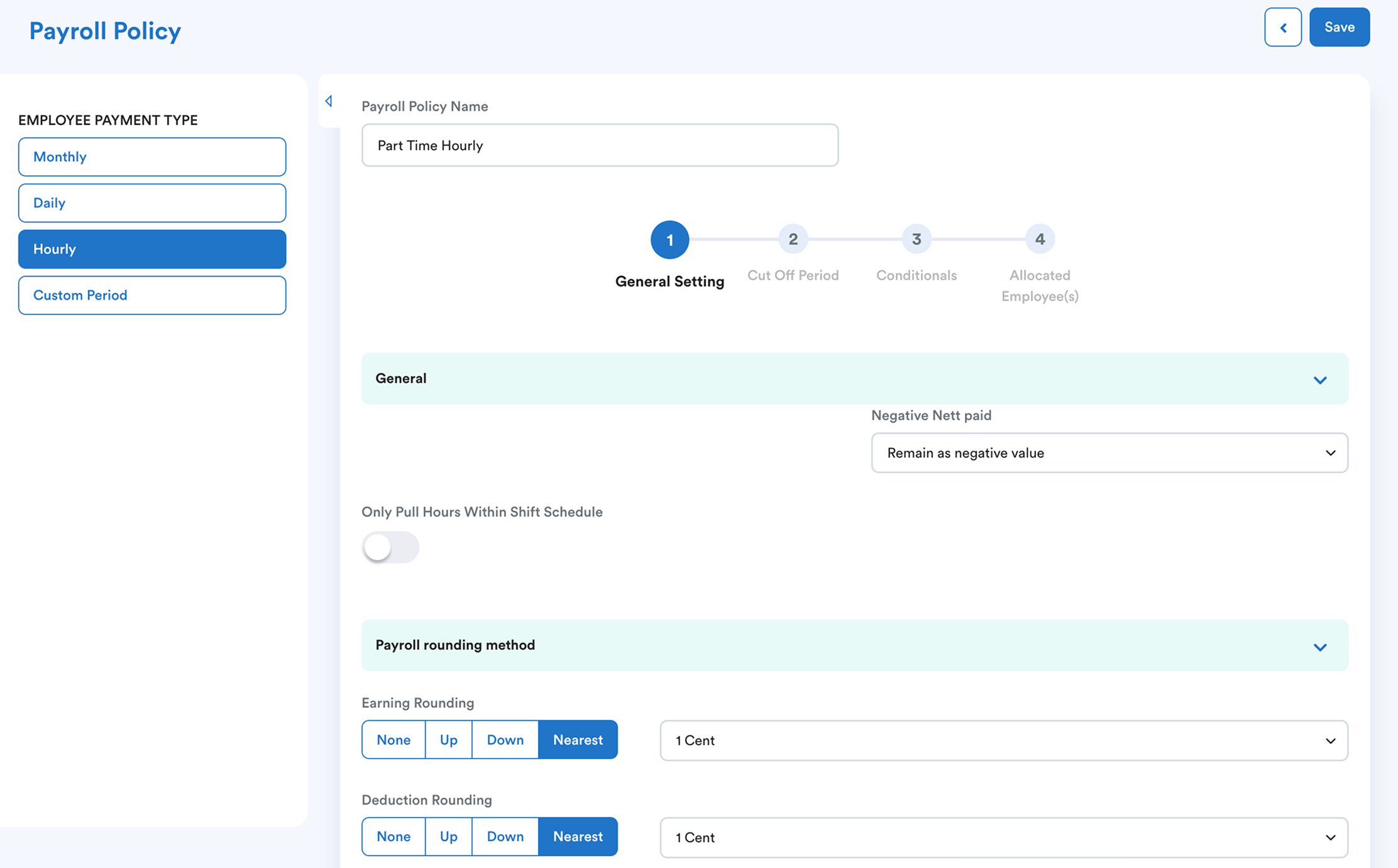
Configure the policy according to your company's requirements.
Under Allocated Employees, assign the part-time employees to this policy.
Important: Employees paid by the hour must be assigned to an Hourly Payroll Policy. Otherwise, the system will not process their payroll successfully.
Next step:
Once the setup is complete, refer to Process Hourly Salary guideline to learn how to process payroll for hourly-paid part-time employees.
We hope this explanation clarifies the matter. If you require additional assistance, do not hesitate to contact our support team.
Was this article helpful?
That’s Great!
Thank you for your feedback
Sorry! We couldn't be helpful
Thank you for your feedback
Feedback sent
We appreciate your effort and will try to fix the article