This option in Overtime request is designed for situations where an employee’s shift ends after midnight, and the employee continues working overtime after the shift ends.
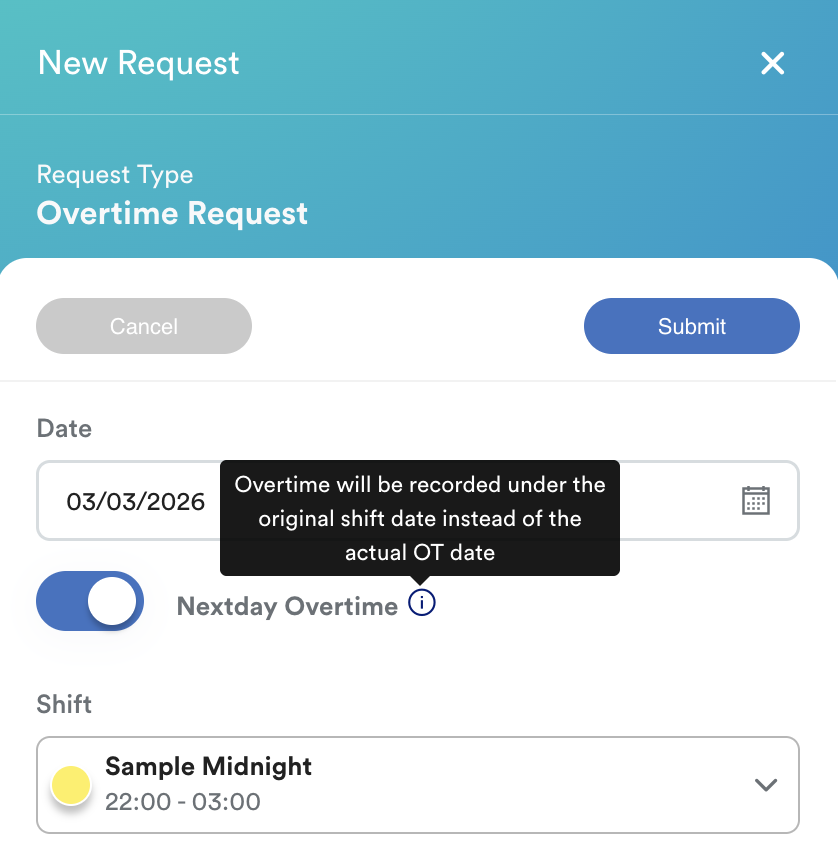
When this option is enabled, the system will record the overtime hours under the original shift date, instead of the actual calendar date when the overtime hours were worked.
This ensures the overtime is linked correctly to the shift that started on the previous day.
How Nextday Overtime works
By default, the system tracks time based on the calendar day. However, for "graveyard" or overnight shifts, businesses often need labor costs and hours to stay tied to the shift's commencement date.
Nextday Overtime should only be selected when:
- the assigned shift crosses midnight, and
- overtime is performed after the shift ends
Example scenario
| Shift Detail | Time / Day |
| Assigned Shift | 11:00 PM (Monday) – 3:00 AM (Tuesday) |
| Overtime Worked | 3:00 AM – 7:00 AM (Tuesday) |
If Pre-Approve OT is required for the shift, ensure there is an approved overtime request (Self / Planned) for Monday for the system to capture these hours.
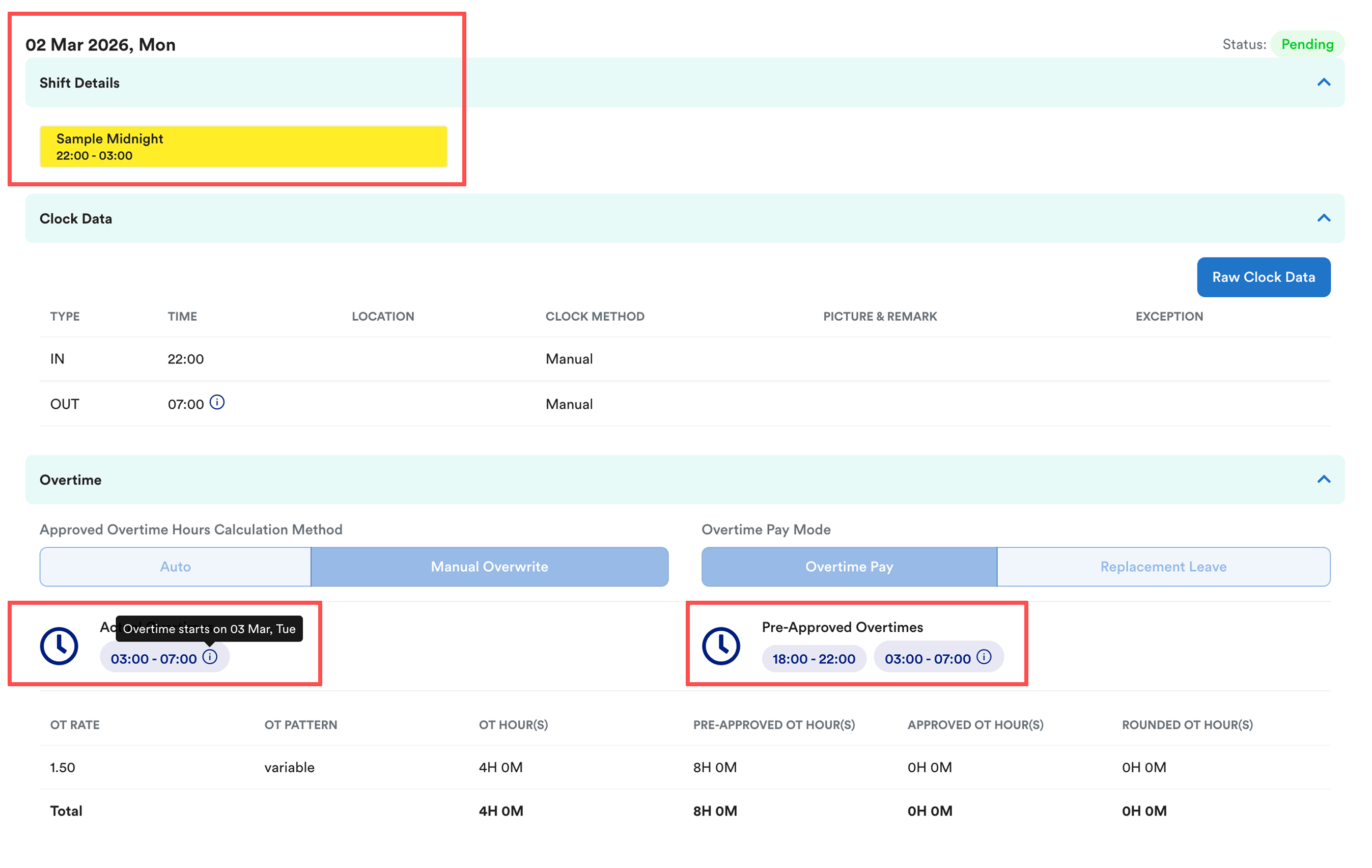
= If Nextday Overtime is enabled, the overtime hours from 3:00 AM to 7:00 AM will be recorded under Monday, which is the original shift date.
Best practice recommendation
We recommend advising employees not to enable the Nextday Overtime option unless the situation specifically involves a shift that ends after midnight.
Using this option outside of this scenario may cause overtime hours to be captured under the wrong date.
Handling Missed Overtime
If the overtime was not captured and payroll has moved to the following month, we recommend manually adding the missed OT into the current payroll using Individual Transaction.
You may refer to this guide for the steps: Add Additional Transaction into Payslip before process payroll (Individual Transaction)
Related:
- Manual Earliest In and Latest Out Explained
- Why Is My Clocking or Overtime Recorded Under the Wrong Date?
We hope this explanation clarifies the matter. If you require additional assistance, do not hesitate to contact our support team.
Was this article helpful?
That’s Great!
Thank you for your feedback
Sorry! We couldn't be helpful
Thank you for your feedback
Feedback sent
We appreciate your effort and will try to fix the article