Once your payroll administrator has enabled the EA Form for the relevant year, you can view it through the Worksy Mobile App on both iOS and Android. Follow the steps below:
Explanation of date of commencement and date of cessation:
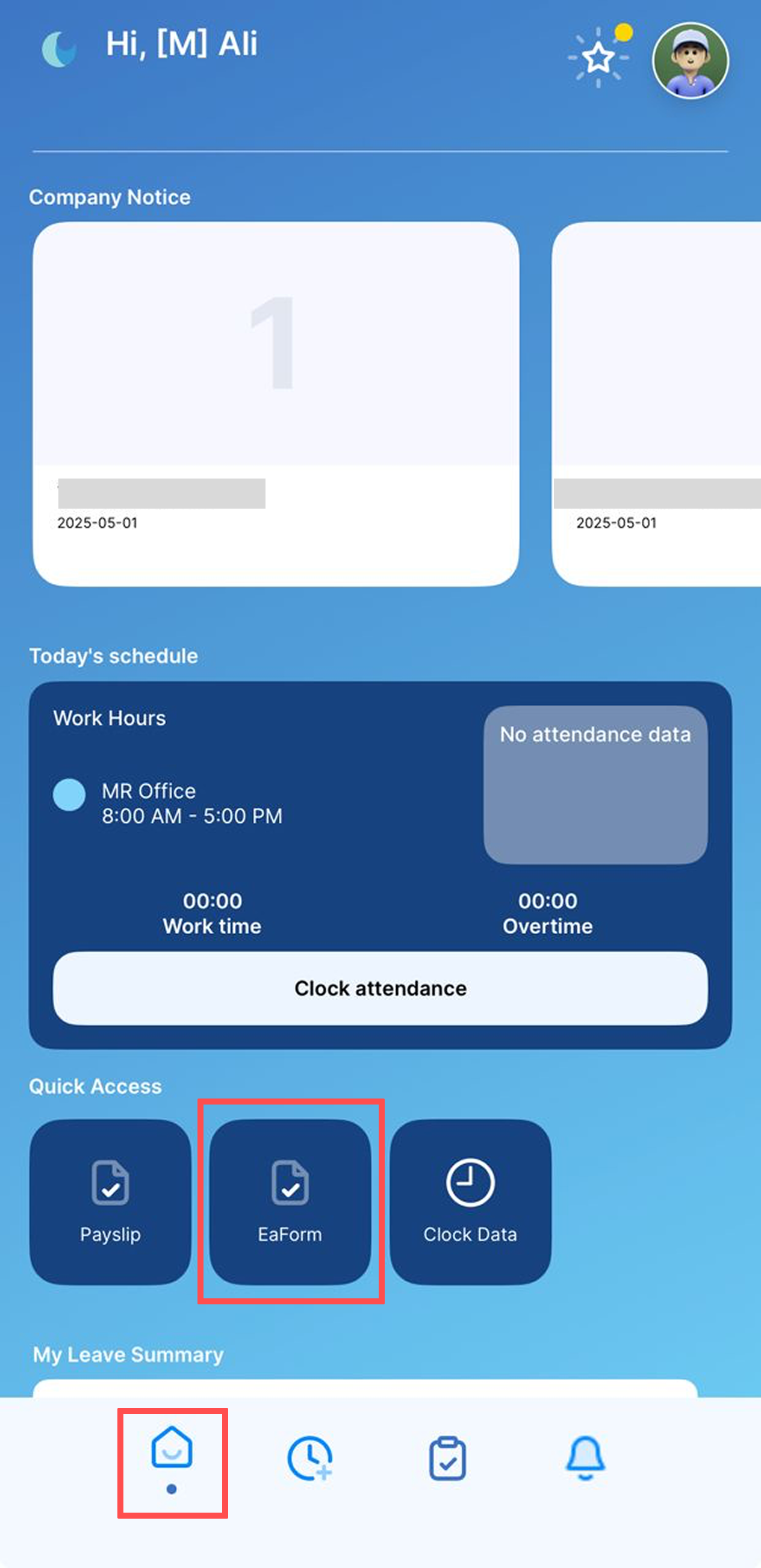
Step 1
Open the Worksy App on your mobile device.
Tap the Home tab, then select EA Form located next to Payslip.
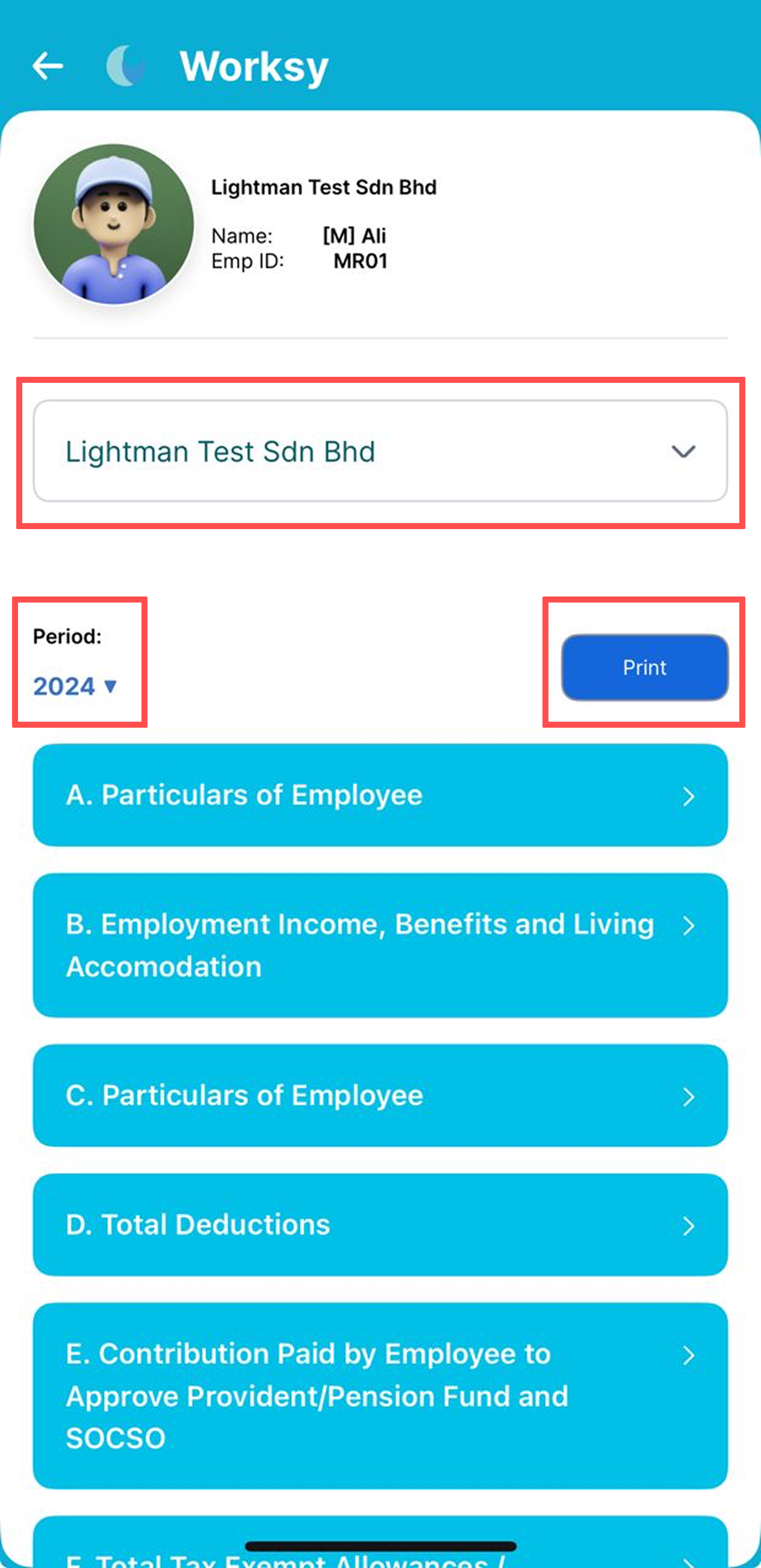
Step 2
Select the company (if you are associated with multiple companies).
Select the year to view the EA Form for that period.
All EA Form sections for the selected year will be displayed based on your HR records in Worksy.
Note: EA Form details are read-only and cannot be edited by employees. If you notice any inaccuracies, please inform your HR team for correction.
Tap Print to proceed.
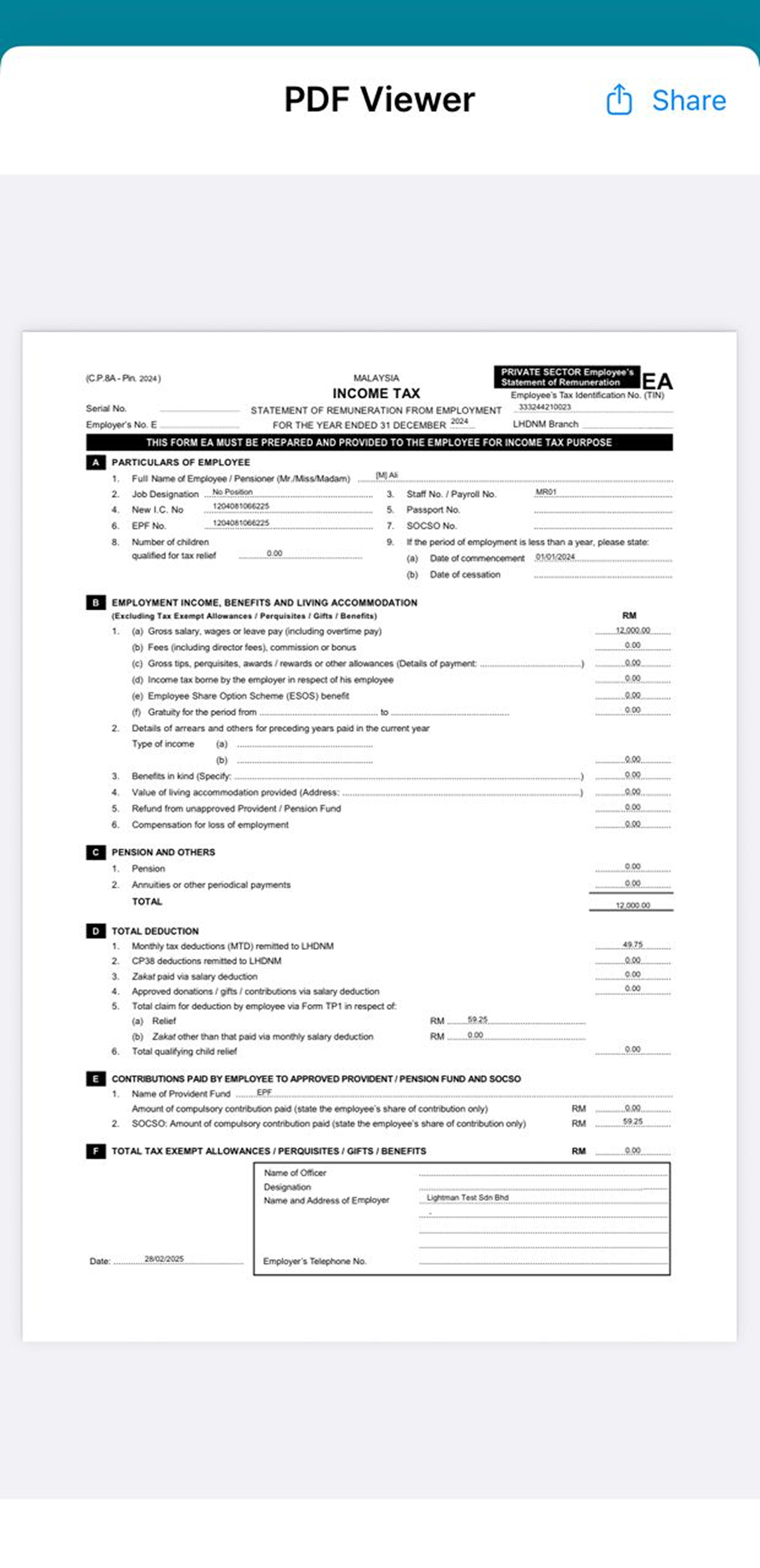
Step 3
A PDF Viewer of your EA Form will be displayed.
Tap Share to save the EA Form on your device.
Explanation of date of commencement and date of cessation:
Kindly be informed that both the commencement and cessation dates are based on the Hired/Rehired/Resigned date that is within the year of remuneration in the company.
For examples:
i) Staff A was hired and resigned in the same year; the Commencement Date and Date of Cessation will be displayed.
ii) Staff B was hired in 2024 and then resigned in Feb 2026.
2024 EA: show date of commencement;
2025 EA: empty both dates;
2026 EA: show date of cessation
iii) Staff C was hired in November 2025, the date of commencement is displayed for 2025 EA.
We hope this explanation clarifies the matter. If you require further assistance, please don't hesitate to contact our support team.
Was this article helpful?
That’s Great!
Thank you for your feedback
Sorry! We couldn't be helpful
Thank you for your feedback
Feedback sent
We appreciate your effort and will try to fix the article