If you do not see the "update" button, it could be due to these reasons, refer to Why Appraisee/Appraiser Cannot Edit/Update Goals?
Step 1
Go to home screen > Pending Task > Performance > click on "Set Goals".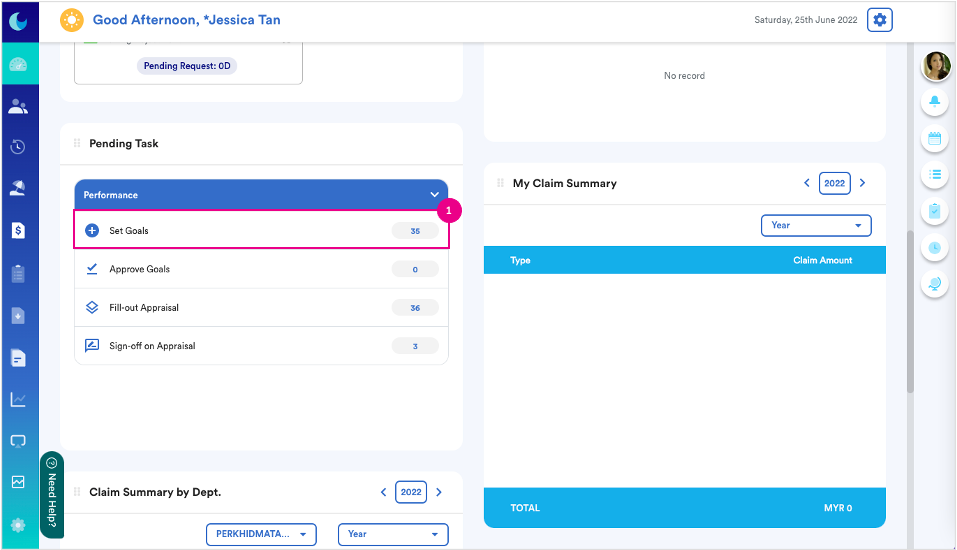
Step 2
Select "Appraisal Form".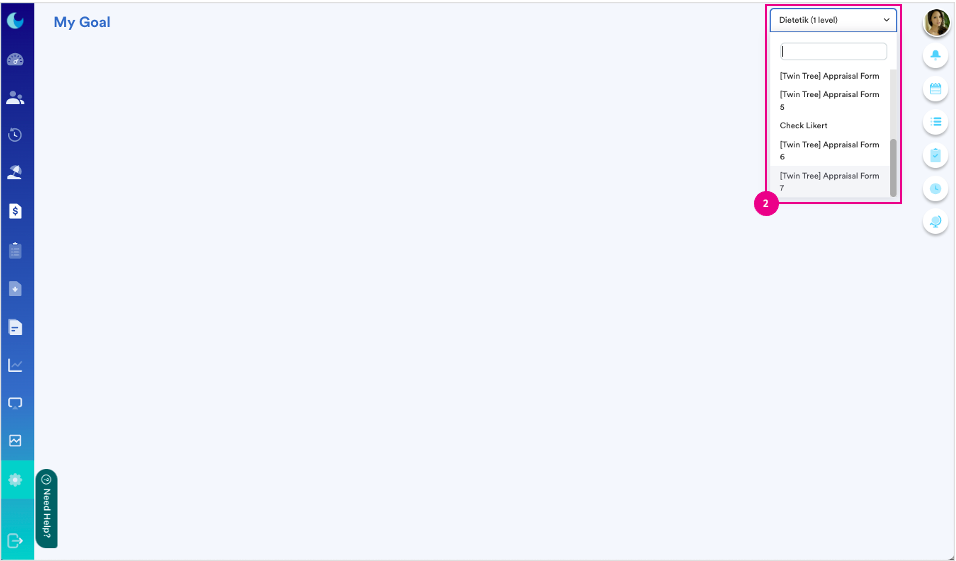
Step 3
3a : Select "KPI".
3b : Go to "In Progress" section.
3c : Click on "Update" button.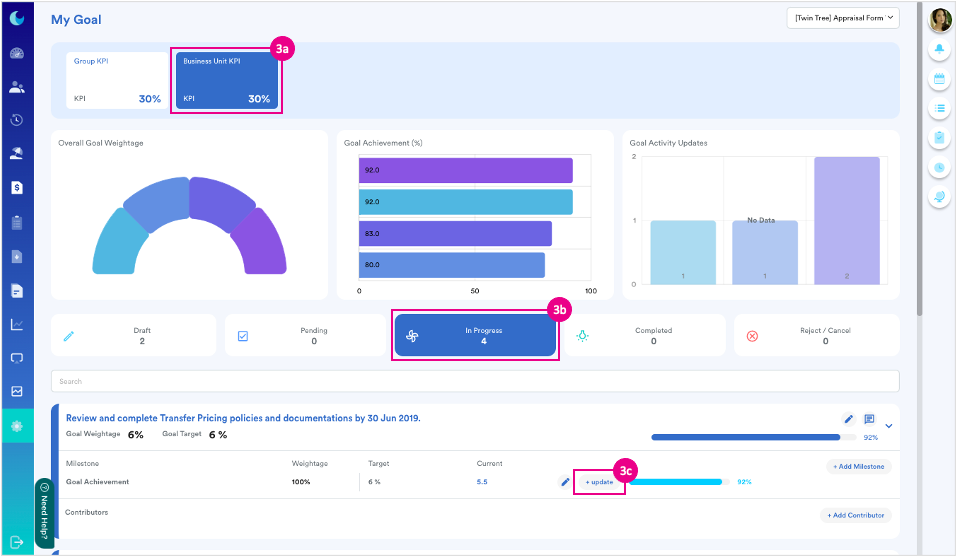
Step 4
4a : Key in value.
4b : Put remarks if any.
4c : Attach supportive document.
4d : Click on "Save" button.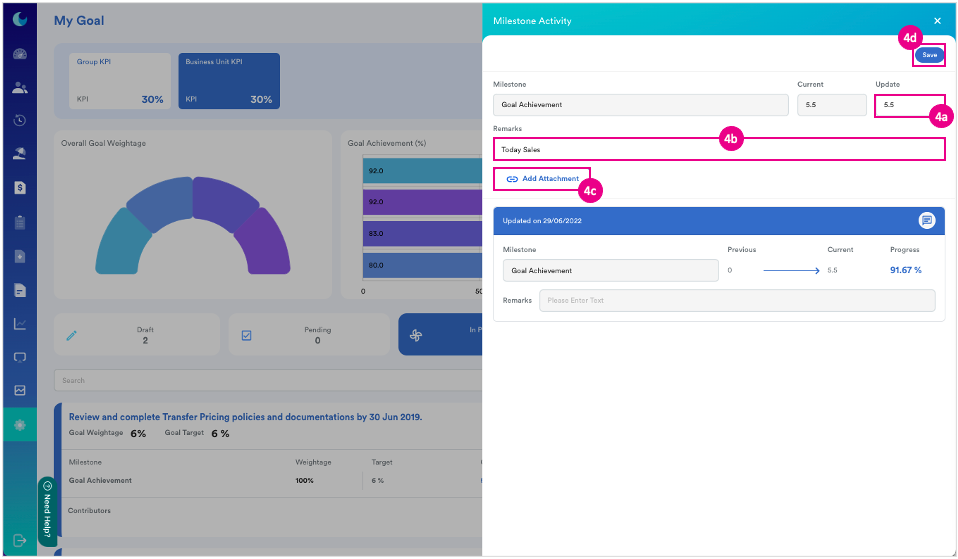
We hope this explanation clarifies the matter. If you require further assistance, please don't hesitate to contact our support team.
Was this article helpful?
That’s Great!
Thank you for your feedback
Sorry! We couldn't be helpful
Thank you for your feedback
Feedback sent
We appreciate your effort and will try to fix the article