This article guides you on how to change the officer name or person in charge that appears on government statutory forms signature.
Step 1
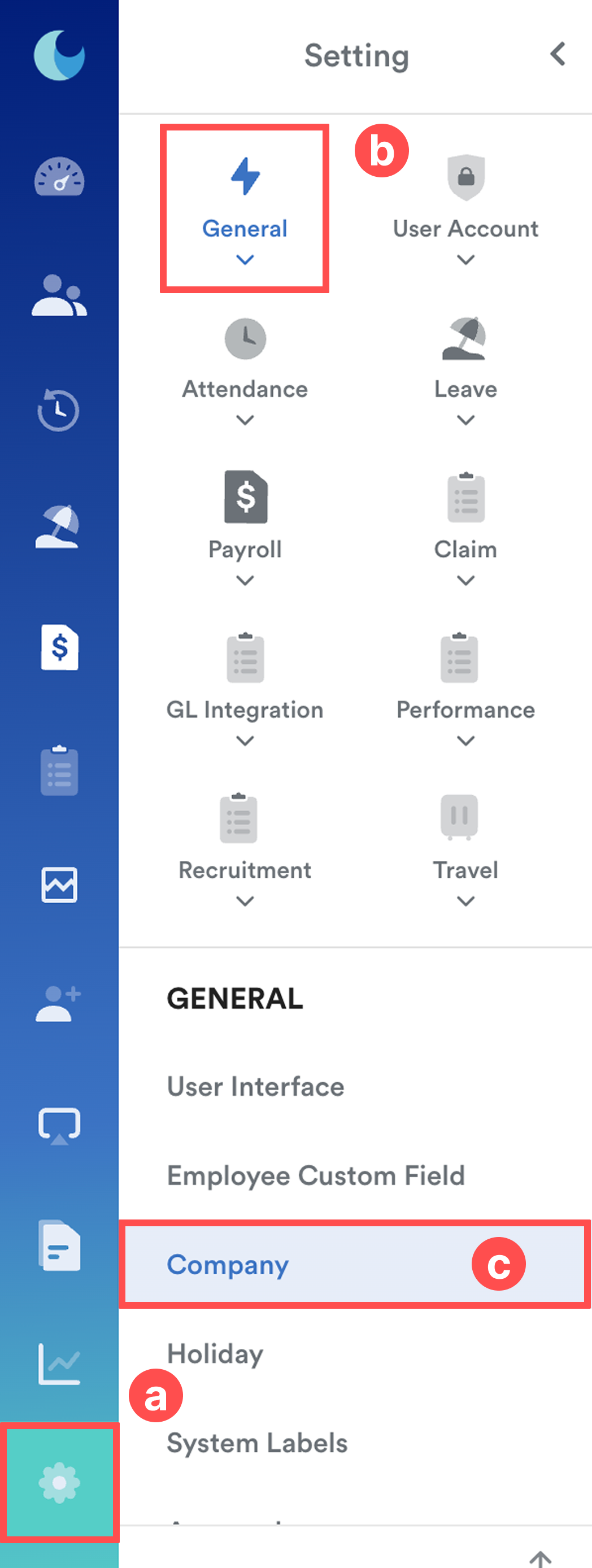
On the left menu, go to Settings (a) > General (b) > Company (c).
Step 2
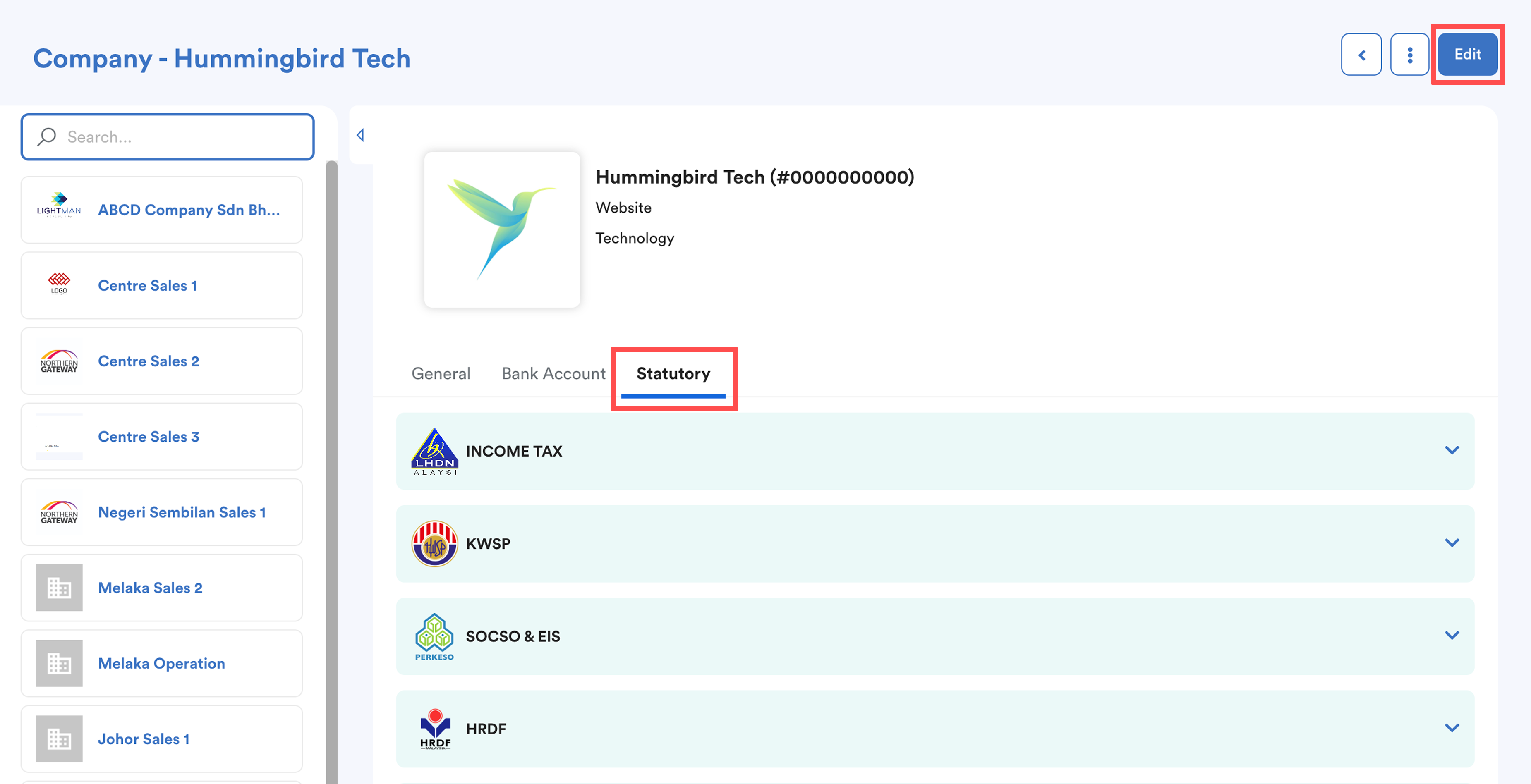
If you have multiple companies in the system, select the relevant company from the list.
Click Edit, then go to the Statutory tab. A list of statutory bodies will be displayed.
Step 3
Select the relevant statutory body. For example LHDN - Income Tax.
Under Signature Name, select an authorized employee to be set as the officer/person in charge.
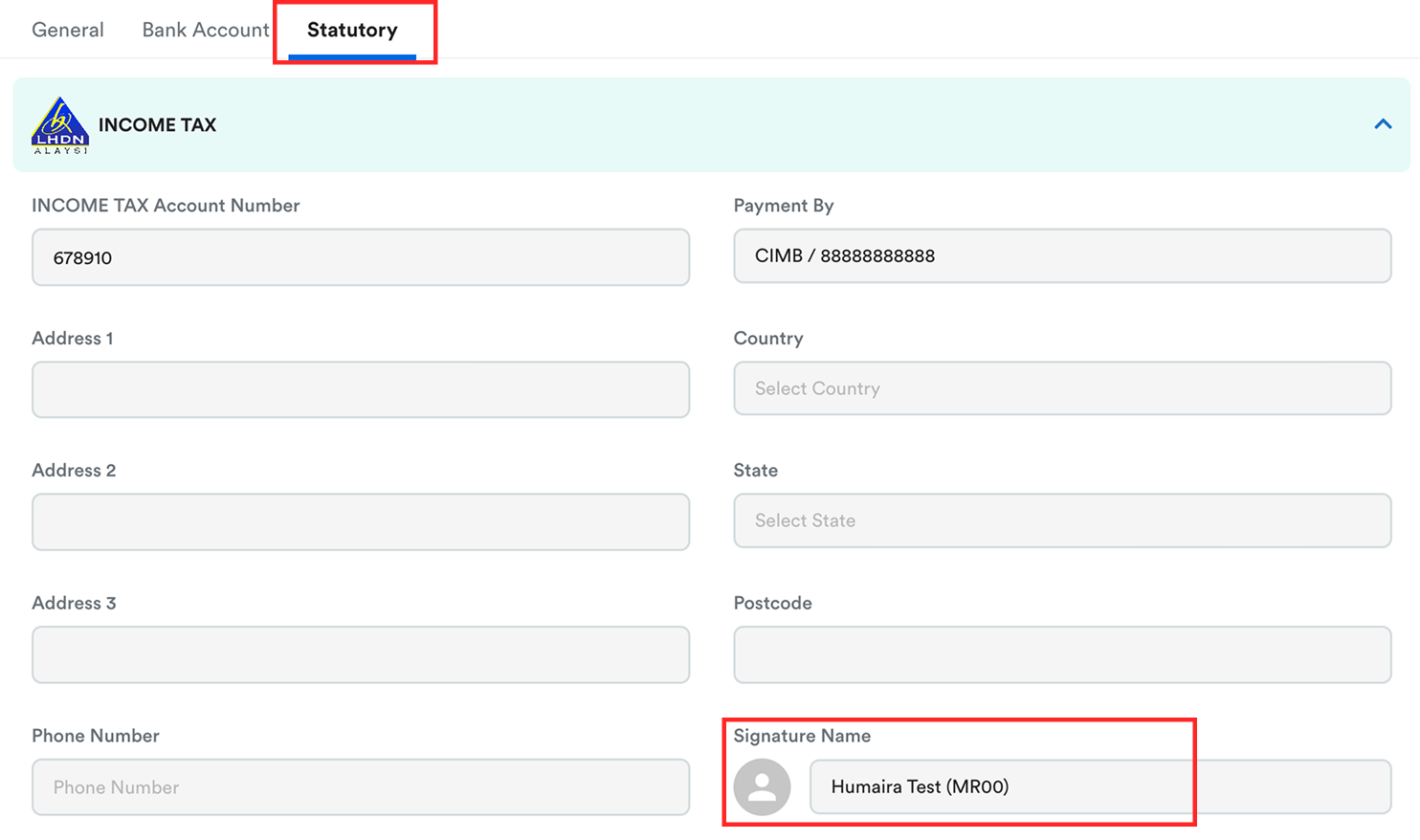
Click Save at the top right of the screen.
The selected officer’s name will appear accordingly on the statutory form (for example, on the EA Form).
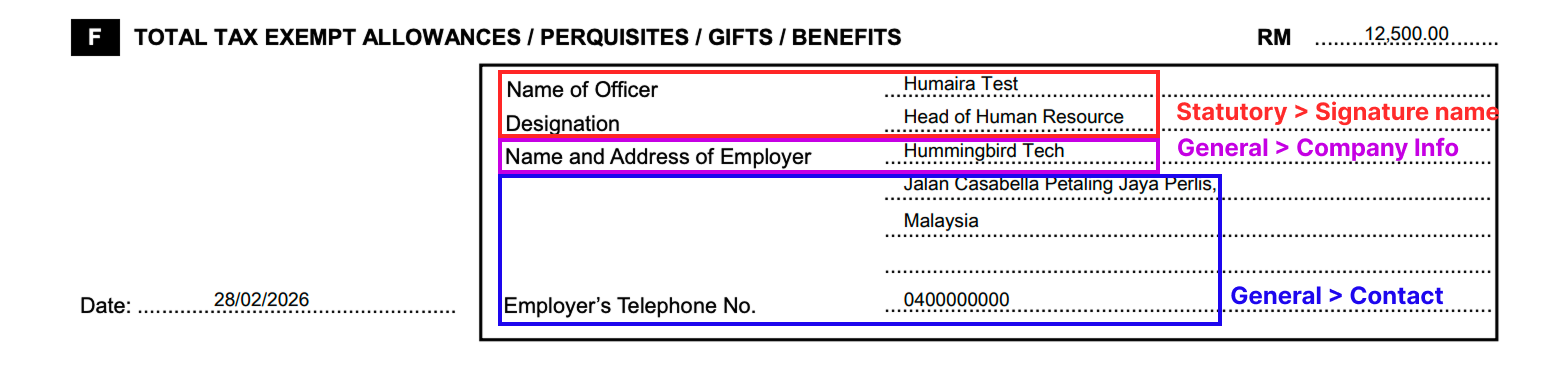
Name of Employer: Setting > General > Company > General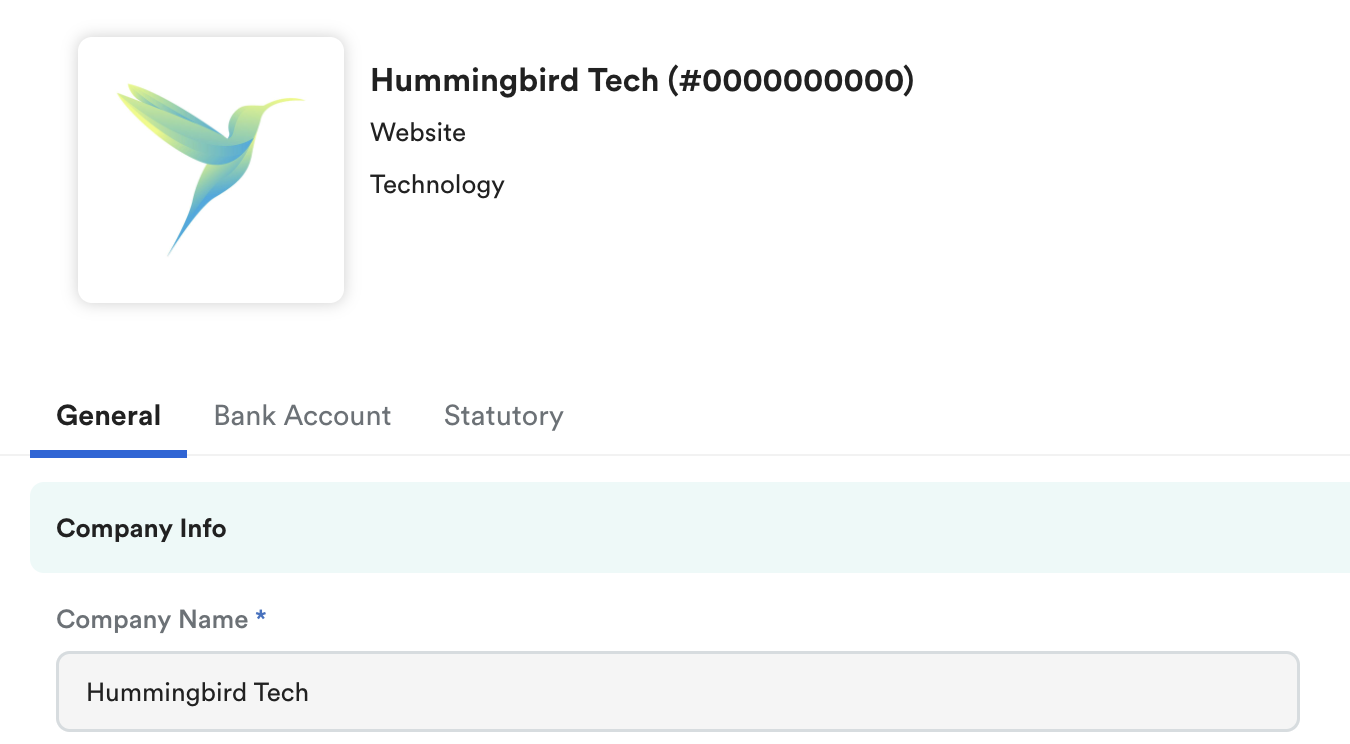
Address and Employer's Telephone No. : Setting > General > Company > Contact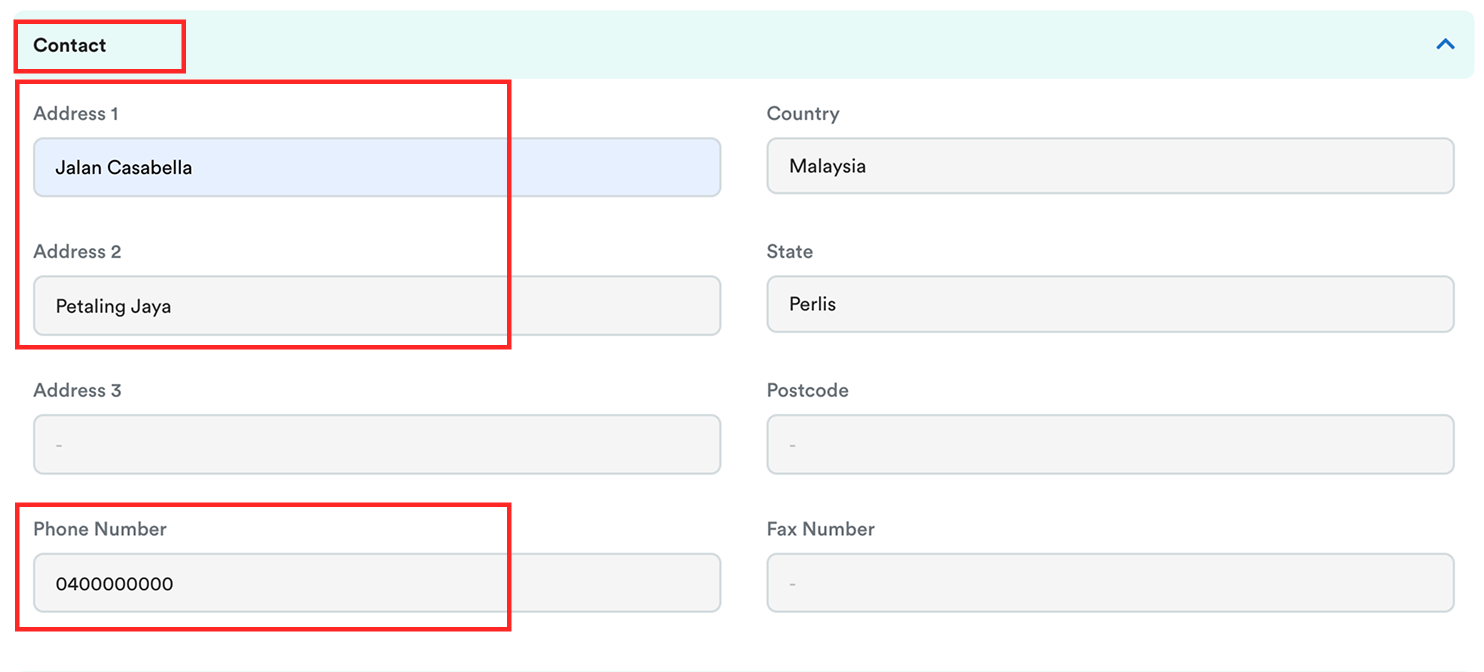
We hope this explanation clarifies the matter. If you require additional assistance, do not hesitate to contact our support team.
Was this article helpful?
That’s Great!
Thank you for your feedback
Sorry! We couldn't be helpful
Thank you for your feedback
Feedback sent
We appreciate your effort and will try to fix the article