In this guide, we will show you how to edit and withdraw a pending leave request.
To withdraw leave request - Step 2a To withdraw
To edit leave request - Step 2b To edit
Step 1
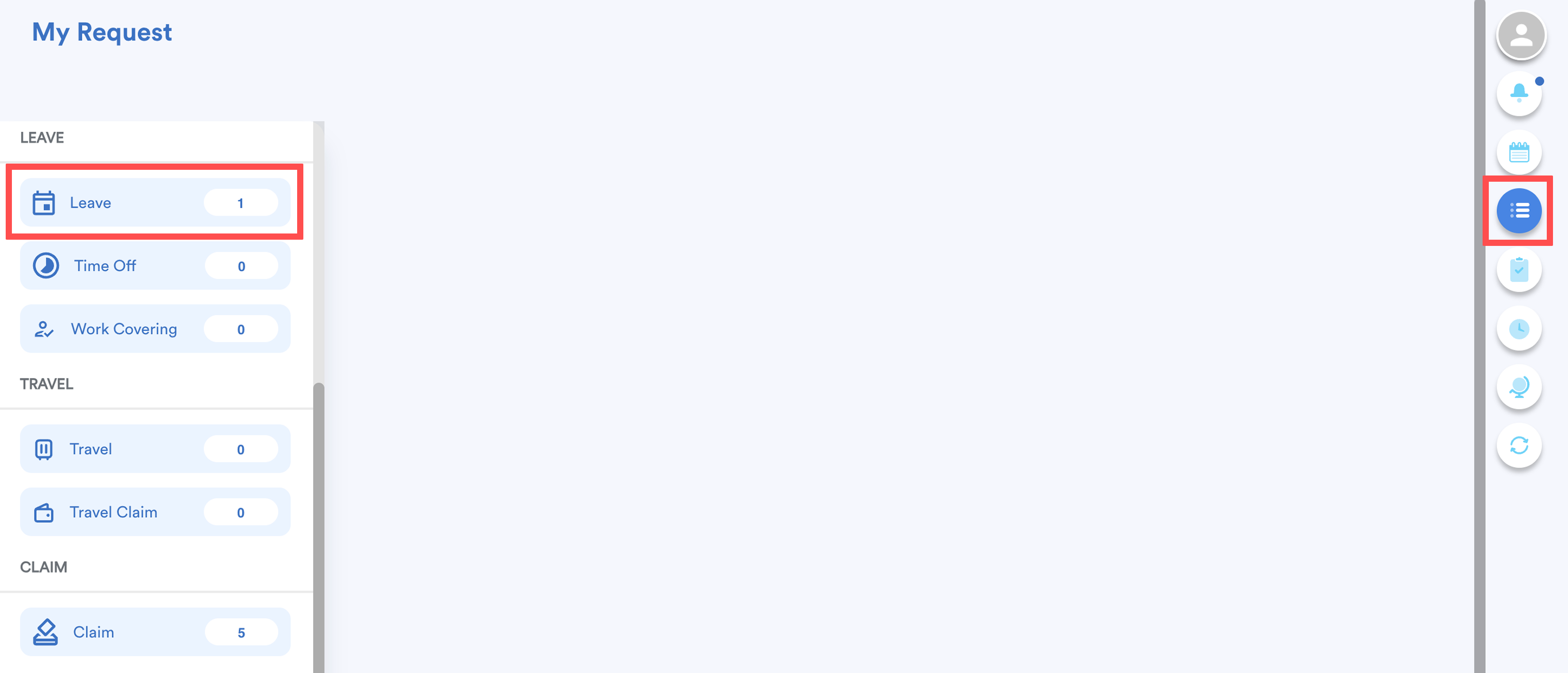
On the right-side menu, go to My Request. Then, click Leave.
Step 2
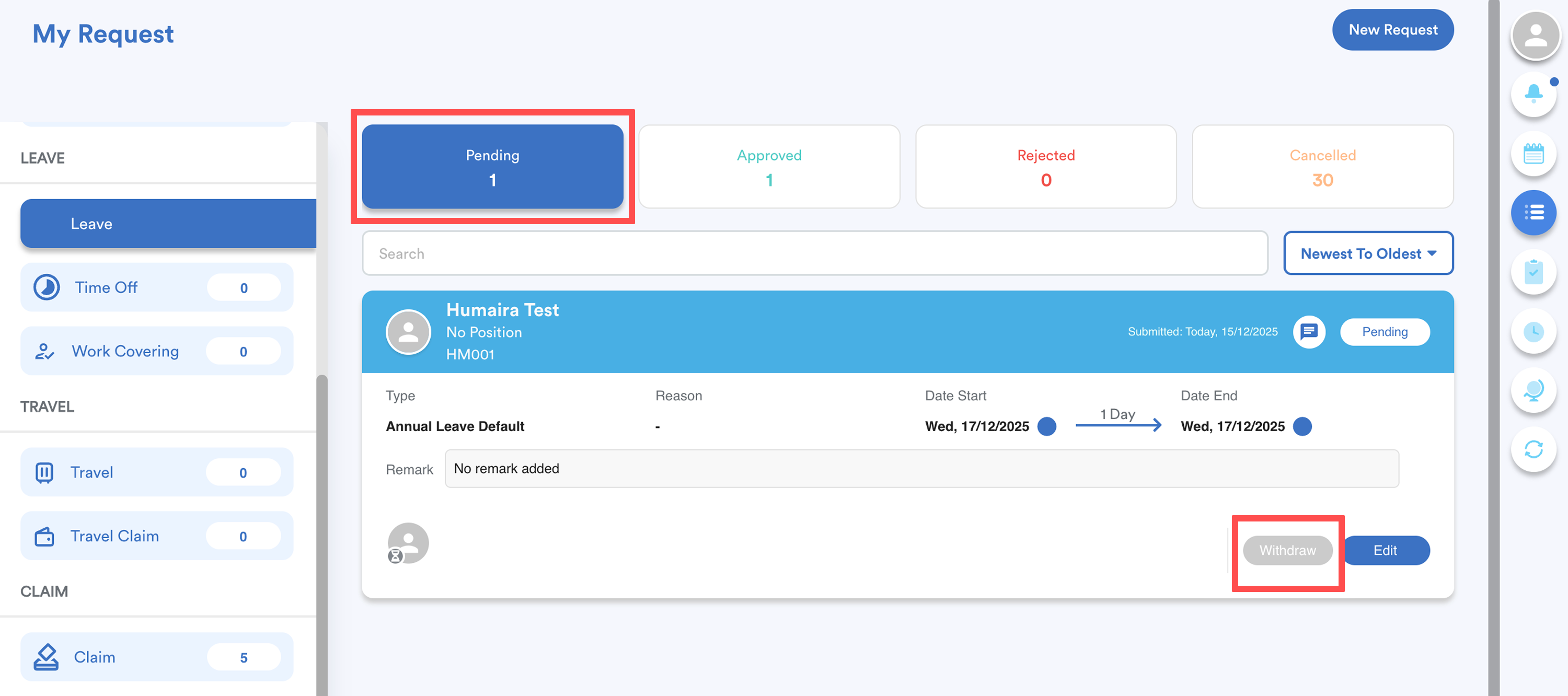
Navigate to the Pending tab to find the pending request that you intend to update.
Step 2a To withdraw
Navigate to the bottom right corner of the request. Then, click Withdraw.
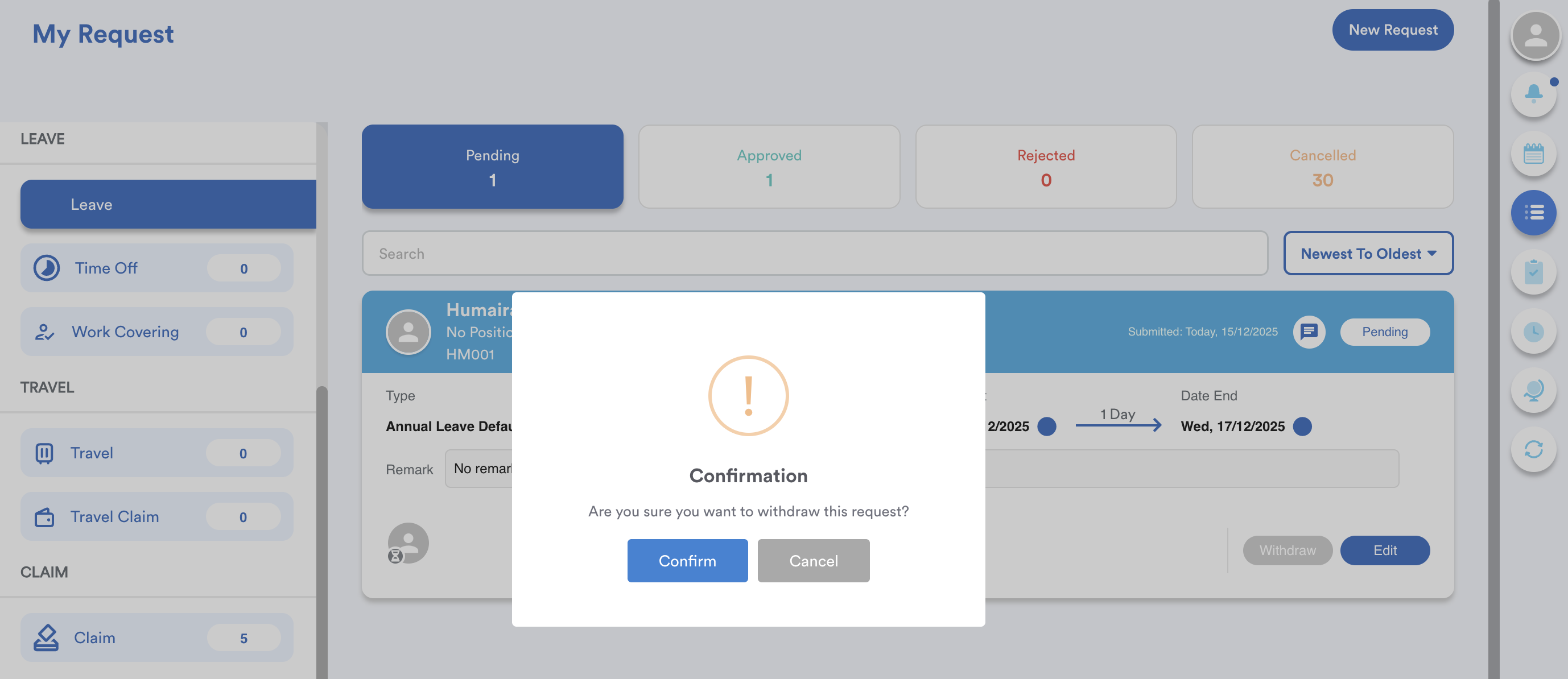
Once you have clicked, you will see a pop-up message asking for your confirmation to cancel this request. Click Confirm to proceed with cancellation.
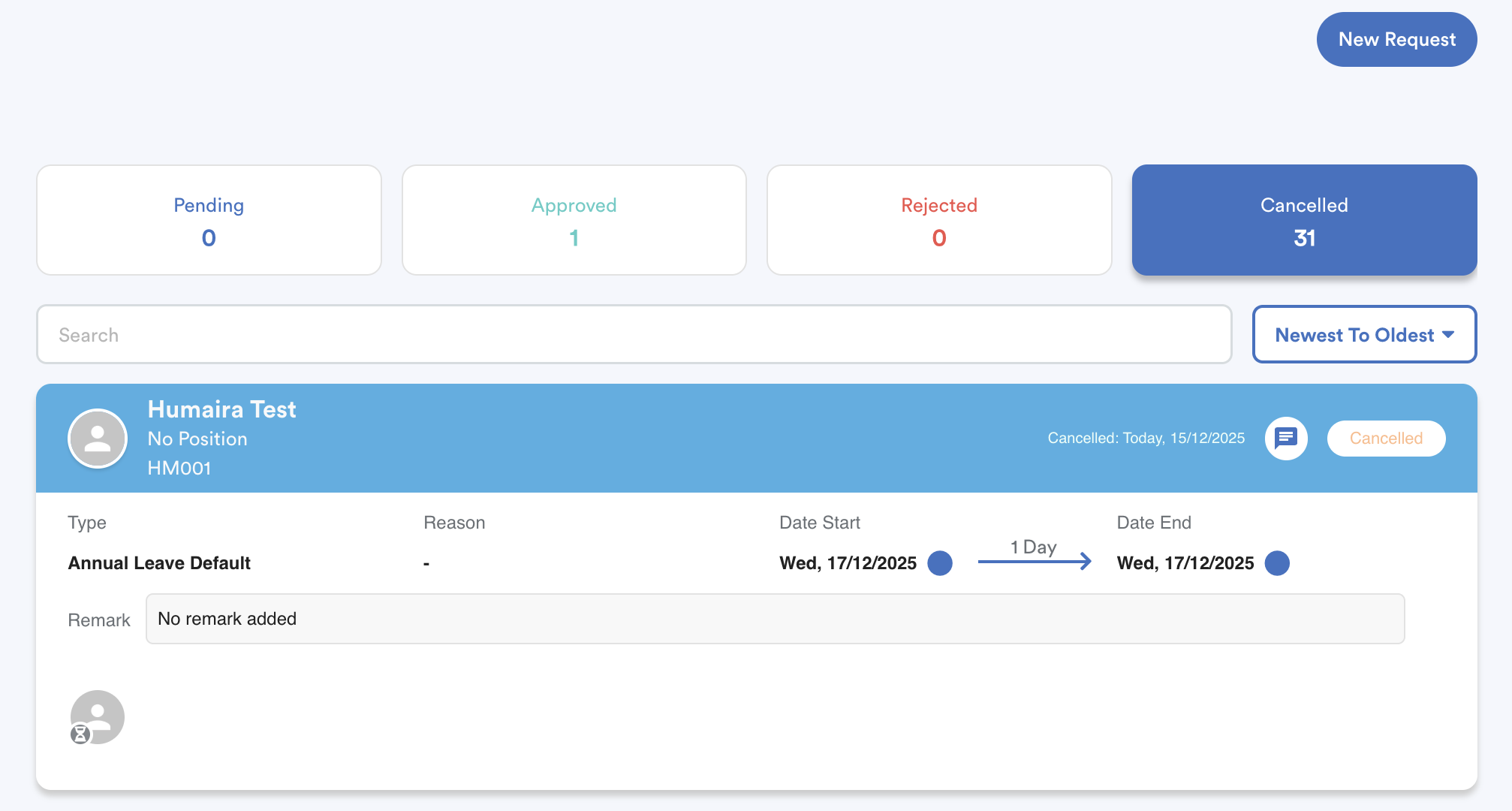
This request will also be automatically moved to the cancelled tab.
Step 2b To edit
Click "Edit".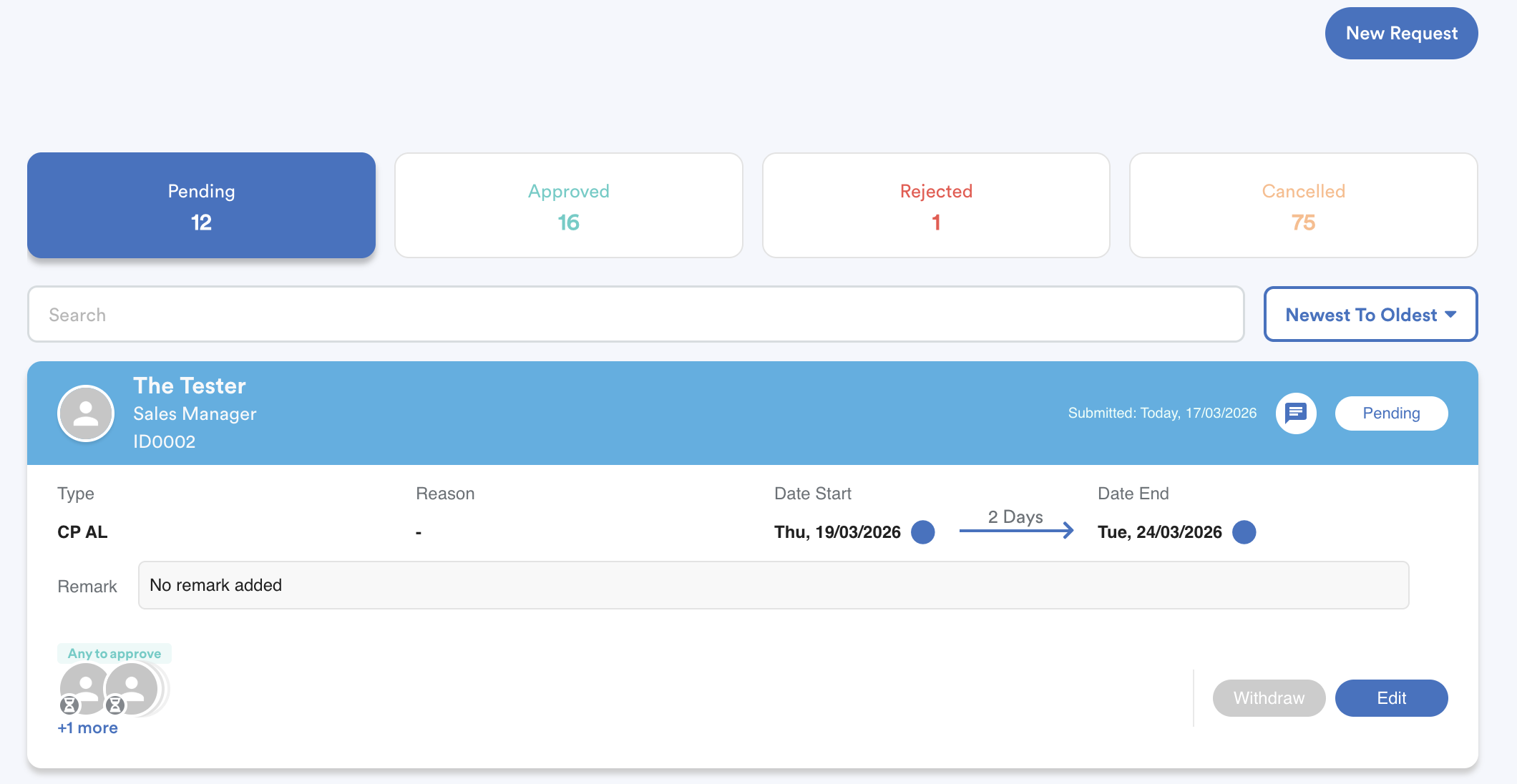
Example: Changing the start date from 19 March 2026 to 24 March 2026, click "Save". 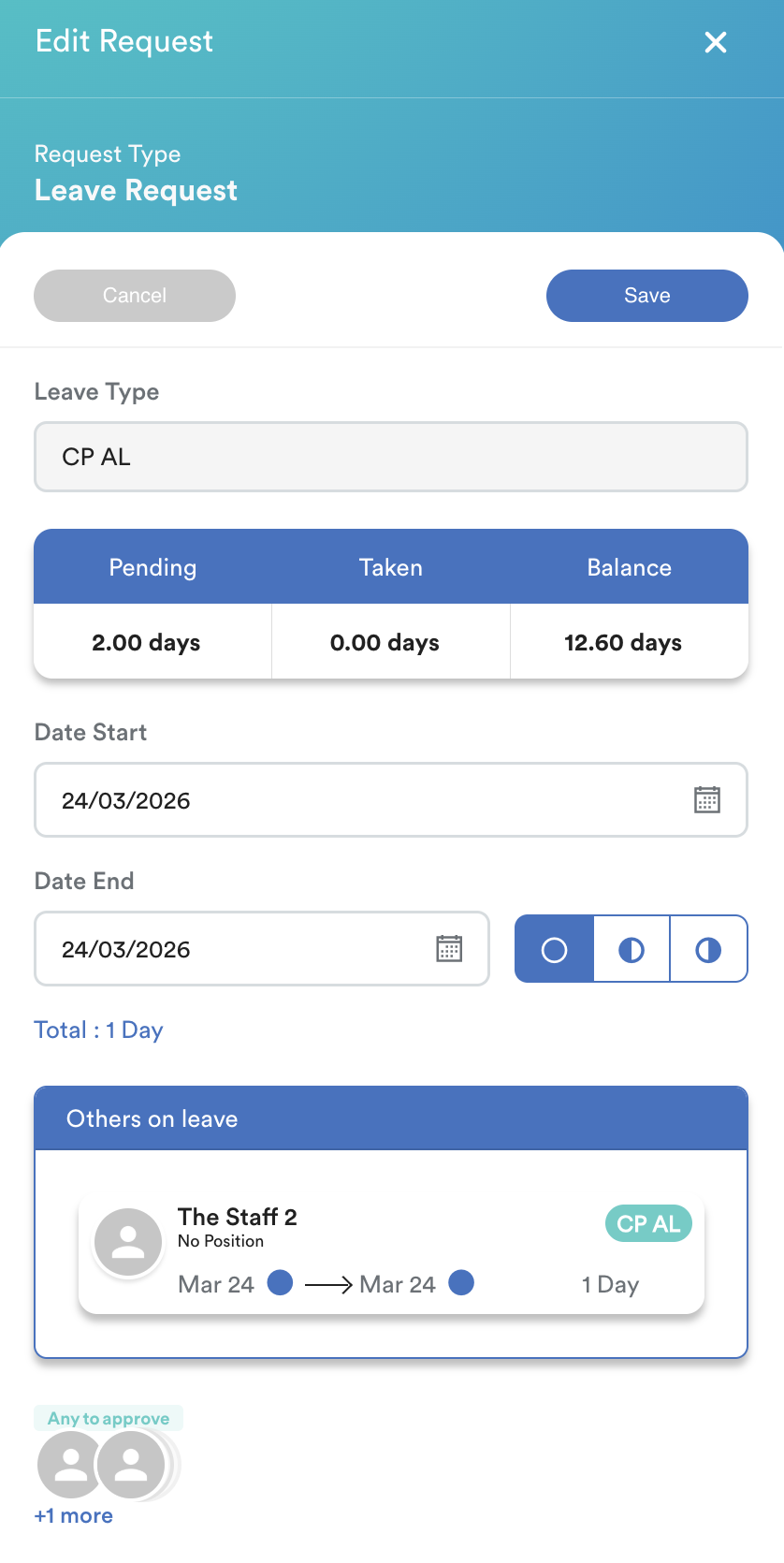
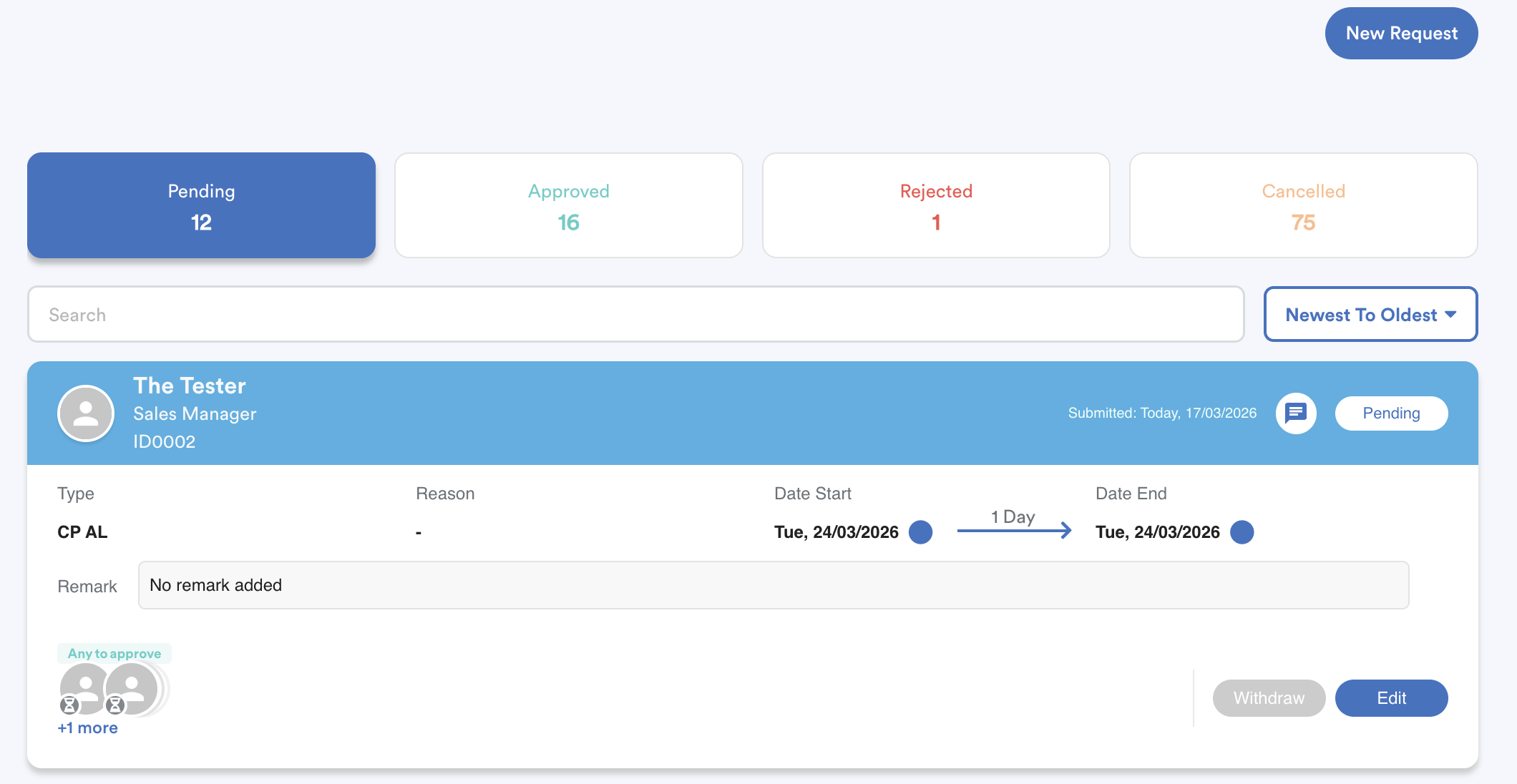
You will see the updated pending request.
We hope this explanation clarifies the matter. If you require additional assistance, do not hesitate to contact our support team.
Was this article helpful?
That’s Great!
Thank you for your feedback
Sorry! We couldn't be helpful
Thank you for your feedback
Feedback sent
We appreciate your effort and will try to fix the article