Replacement leave is earned for approved overtime and comes with an expiry period. This article explains how the expiry is calculated and how leave is carried forward to the next year.
In Worksy, leave taken/deduction priority follows this order:
1. BF with expired date
2. BF no expired
3. earn/adjustment with expired date
4. earn/adjustment no expired date
To understand leave expiry and bring forward method, refer to: Leave Expiry Date and Bring Forward Method1. Expiry Period of Replacement Leave
This setting is in Setting > Replacement Leave.
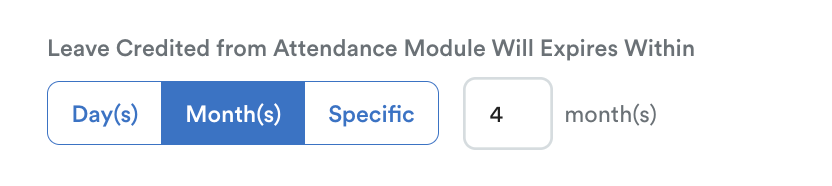
When a replacement leave type has an expiry period (e.g. 4 months), the validity period starts from the date the overtime was performed (earned date), not from the date the leave was generated.
Example: Credited on 14 May 2026, expiry within 6 months, expiry date will be 11 Nov 2026.
If "Specific" is selected, you can define "end of current year" or "end of next year" based on the month the leave is credited.
For each month, you can choose either:
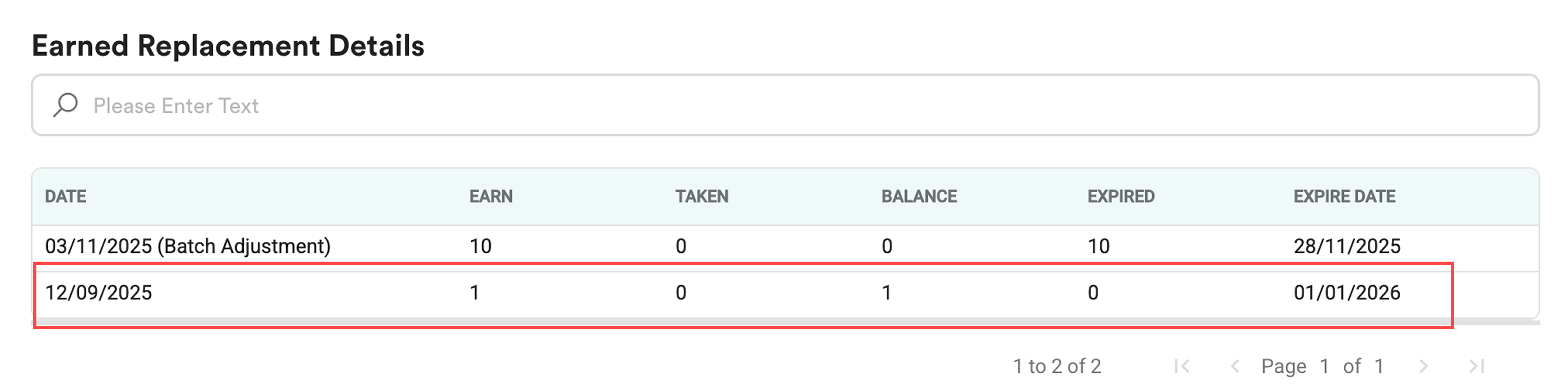
End of Current Year: earned leave on 12 Sept 2025, the last day to apply leave is on 31 December of the same year (2025), expiry date shows is 1st January of the next year (2026).
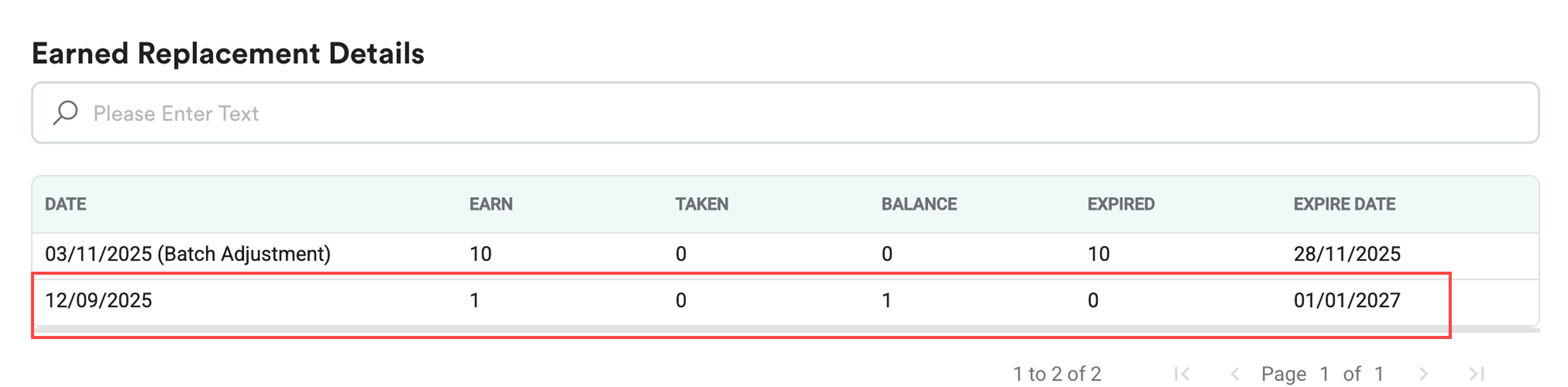
End of Next Year: earned leave on 12 Sept 2025, the last day to apply leave is on 31 December of the next year (2026), expiry date shows is 1st January of the following year (2027).
Expiry Date
If you choose "Specific", make sure you fill in all 12 months, without selecting the expiry options, which means these months will not have any expiry date.
For a replacement leave application, make sure both the application date and the leave date fall within the validity period.
Example
- Overtime performed on 12 September 2025
- Replacement leave credited in November 2025
- Expiry period: 4 months
= Leave expires on 12 January 2026

Result:
- Leave applied and taken on or before 12 January 2026 → Allowed
- Leave taken after 12 January 2026 → Not allowed, even if applied before expiry.
2. Year Allocation of Replacement Leave (Bring Forward)
Replacement leave is recorded based on the attendance date (the date overtime was performed), not the date it was generated.
This ensures that the leave entitlement correctly reflects the work period in which it was earned.
Example
- Overtime performed in September 2025
- Replacement leave generated in November 2025
Result:
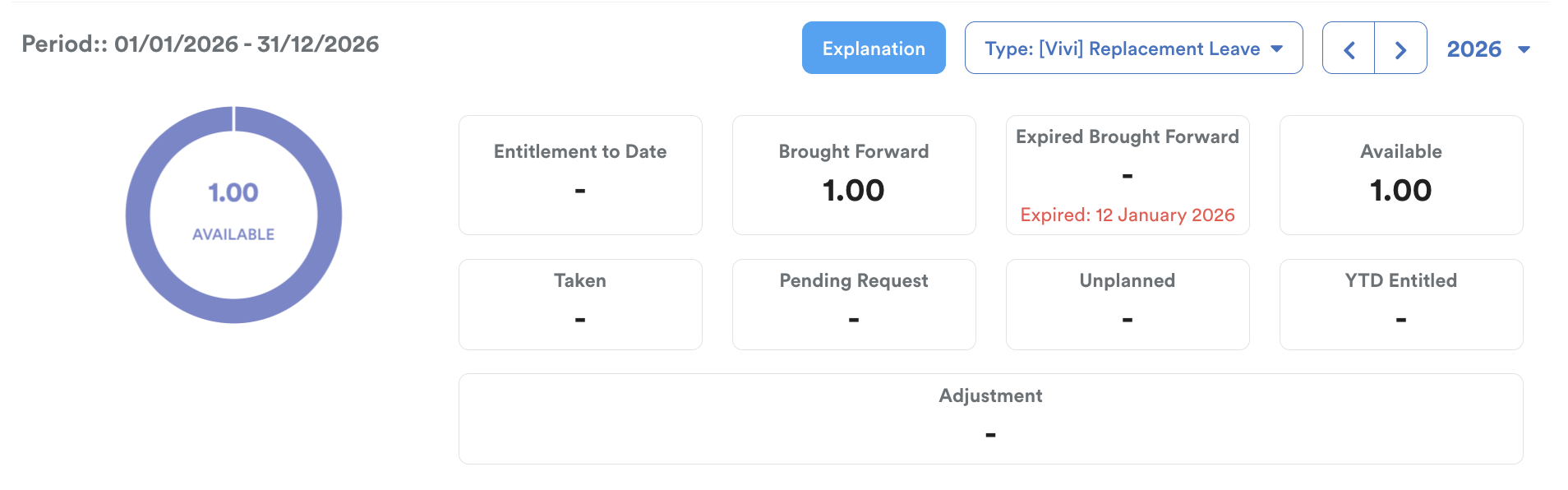
- Leave is recorded under 2025 entitlement, expires on January 2026
- Appears in 2026 as Brought Forward balance
Note:
To view replacement leave that expires in the next year, the entitlement for that year must be generated first. If the entitlement hasn't been generated, the system won't display the leave balance for the upcoming period.
In short,
- Expiry starts from the overtime date.
- Leave must be applied and taken before expiry.
- Replacement leave is recorded in the year the overtime done, and brought forward if generated in the following year.
- Brought Forward leave reflects the previous year’s earned balance.
Note:
There is no way to extend the expiration date on bring-forward leave; you need to manually insert a leave record, refer to Batch Leave Entitlement & Batch Delete Entitlement (a).
Related:
We hope this explanation clarifies the matter. If you require additional assistance, do not hesitate to contact our support team.
Was this article helpful?
That’s Great!
Thank you for your feedback
Sorry! We couldn't be helpful
Thank you for your feedback
Feedback sent
We appreciate your effort and will try to fix the article