This article explains how the "Is Half Day" shift setting determines salary deductions for absenteeism and leave deductions based on whether the deduction is configured as half day (0.5) or full day (1.0).
TABLE OF CONTENTS
For steps on how to set up a shift, refer here: Creating Shift Template
What is "Is Half Day" function
When setting up a shift, the "Is Half Day" option will appear as part of the shift template. This button appears in Normal, Semi-Flexible, and Flexible shift types.

- Is absent
- Applies for leave
If set to full deduction, during a leave request, you can choose either a full day or half day; the system will deduct based on your leave application.
If set to half deduction, no matter what you choose in the leave request, it still only deducts 0.5
Example
A) Scenario - Half Day Shift that deducts absenteeism and leave as full day (1.0)
- Shift type: Normal, "Is Half Day"
- Absent: Deduct full day
- Leave: Deduct full day

Result
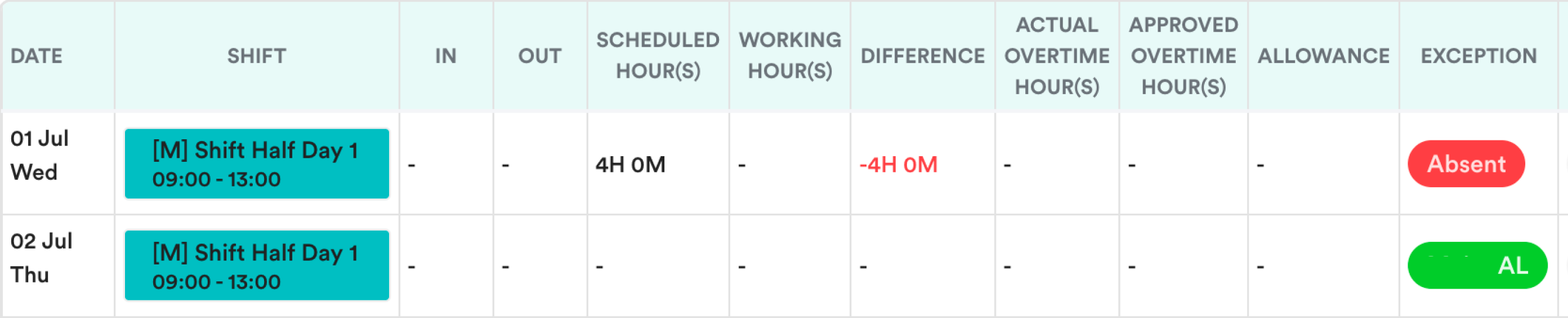
Absent
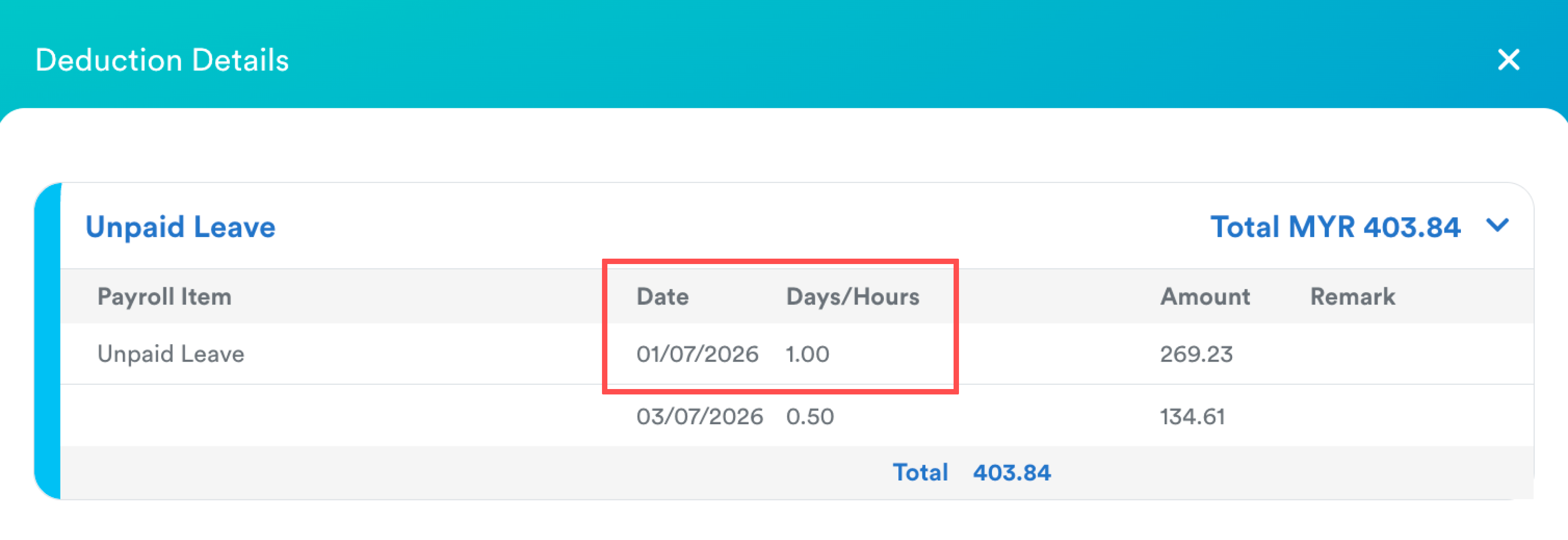
The attendance record for 1 July is marked as Absent.
The system deducts 1 day from the employee's salary.
Leave
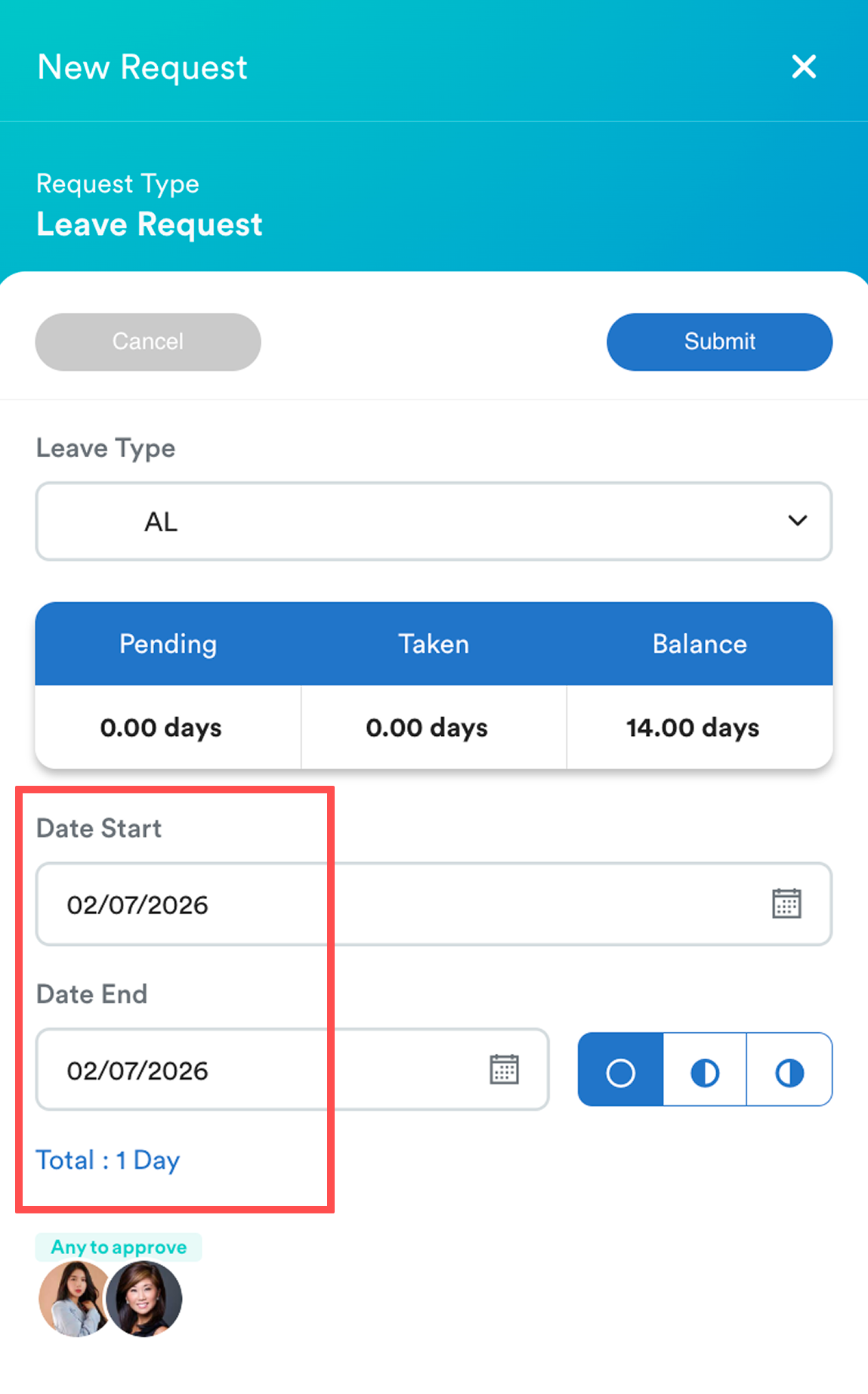
The leave request is calculated as 1 day.
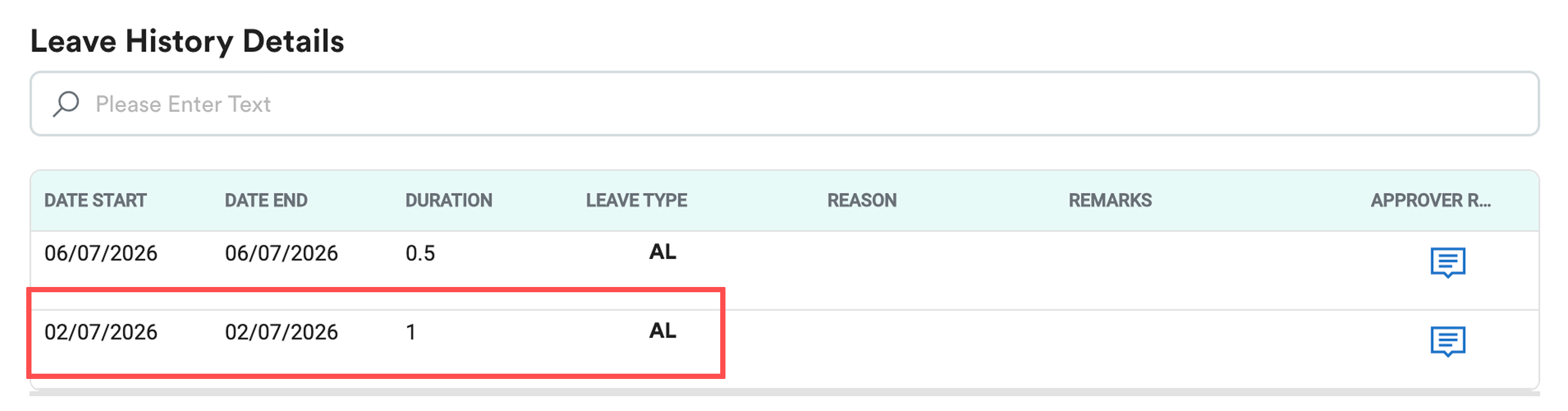
Once approved, 1 day is deducted from the employee's leave balance.
B) Scenario - Half Day Shift that deducts absenteeism and leave as half day (0.5)
- Shift type: Normal, "Is Half Day"
- Absent: Deduct half day
- Leave: Deduct half day

Result
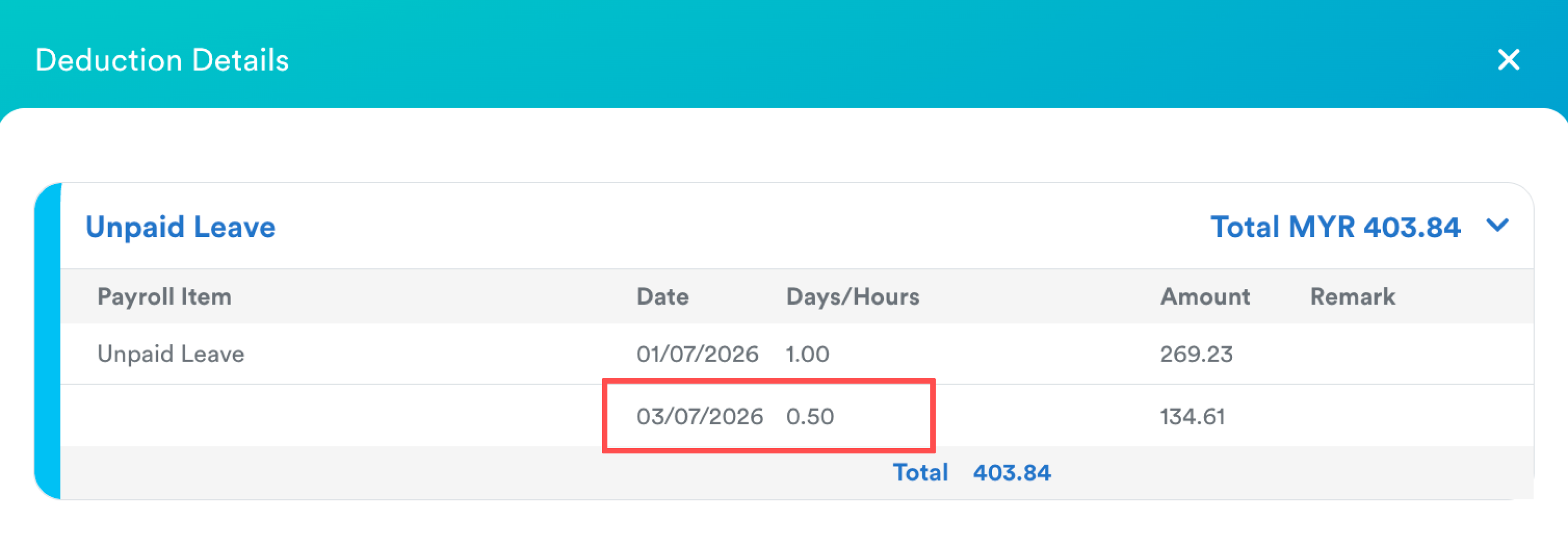
Absent
The attendance record for 3 July is marked as Absent.
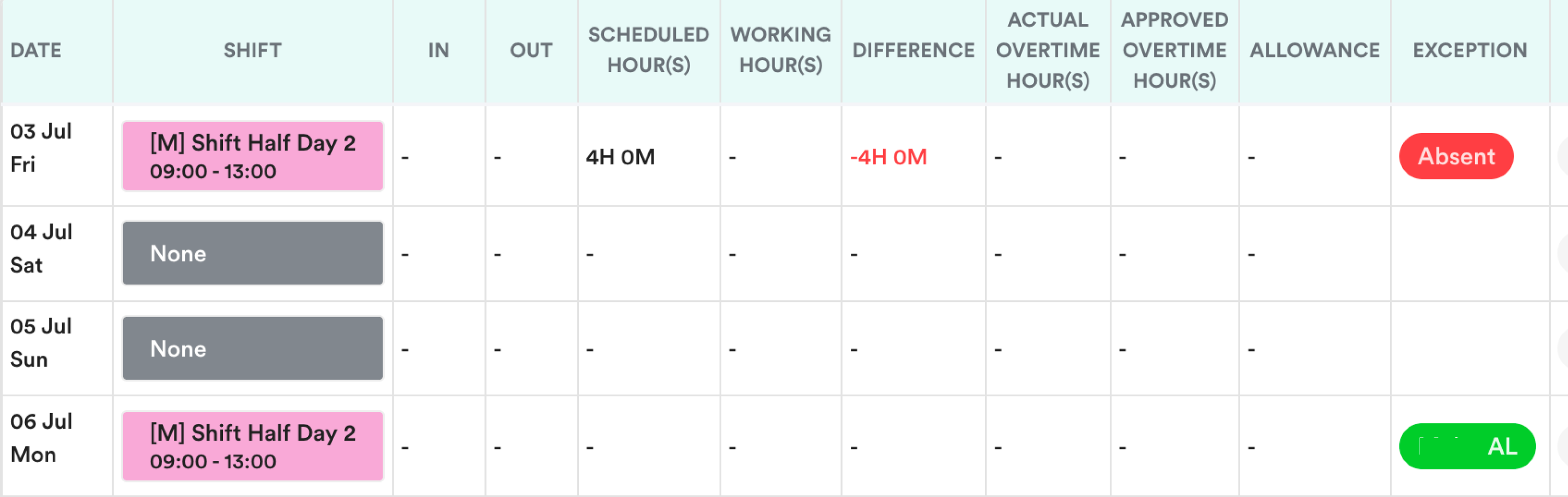
The system deducts 0.5 day from the employee's salary.
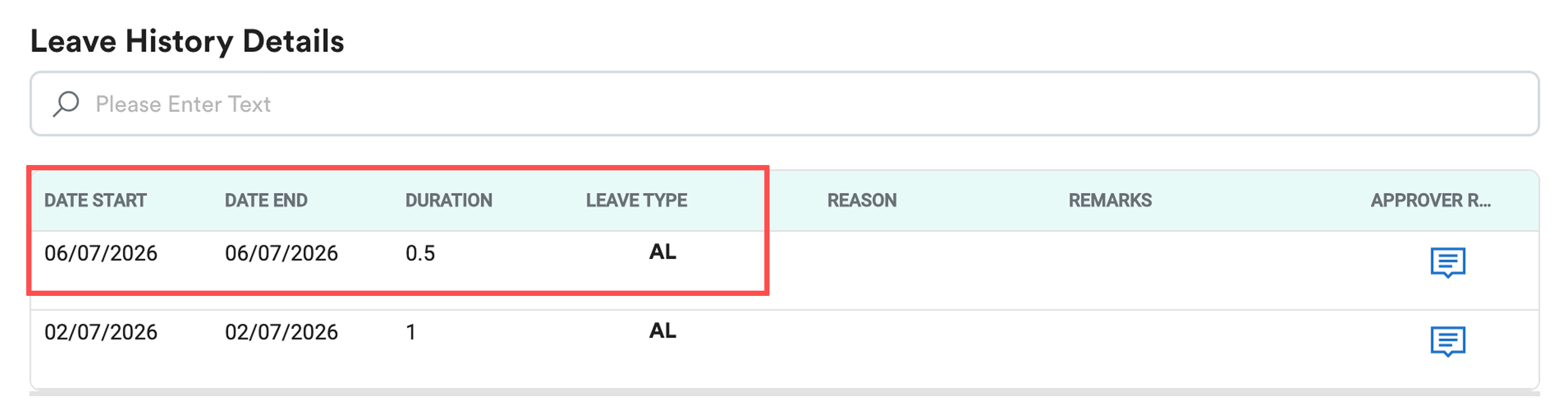
Leave
The leave request is calculated as 0.5 day.
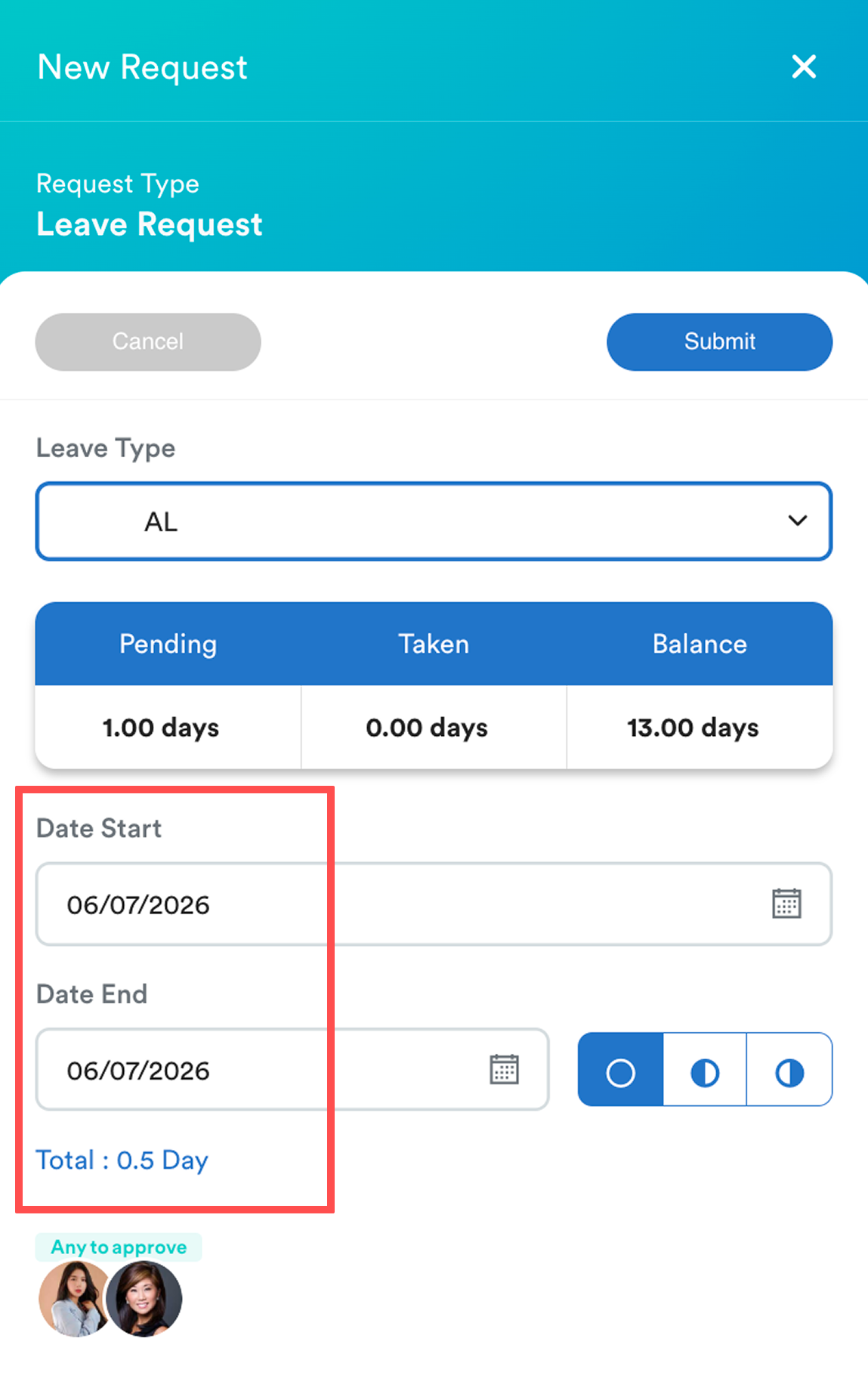
Once approved, 0.5 days are deducted from the employee's leave balance.
We hope this article helps clarify the issues. If you require additional assistance, do not hesitate to contact our support team.
Was this article helpful?
That’s Great!
Thank you for your feedback
Sorry! We couldn't be helpful
Thank you for your feedback
Feedback sent
We appreciate your effort and will try to fix the article