The TP1 (Personal Tax Relief) form is used to apply eligible tax reliefs for an employee, which helps reduce their Monthly Tax Deduction (MTD/PCB).
Under LHDN requirements, employers must ensure that new employees who worked for previous employers within the same calendar year fill out the Previous Employment Figures Take On / TP3 form (2026). under the Experience tab in their profile.
Note: Personal tax relief (TP1) only reflected in EA if and only if the payslip is processed. If you want to reflect on EA form without a processed payslip, please update PFTO, refer to Adjust Payroll Figures Take On (PFTO) to Reflect on EA Form.
To enable editing on personal tax relief (TP1), ensure the access right is granted. Refer to access right for TP1.
Step 1
Employees fill in their tax relief information on the TP3 form, including all applicable reliefs such as SOCSO/EIS, insurance, and others.
Link: Explanatory Notes for TP3 2026
Step 2
Once completed, employees submit the TP3 form back to the employer.
The employer then updates the Personal Tax Relief (TP1) form in Worksy to reflect the employee’s reliefs.
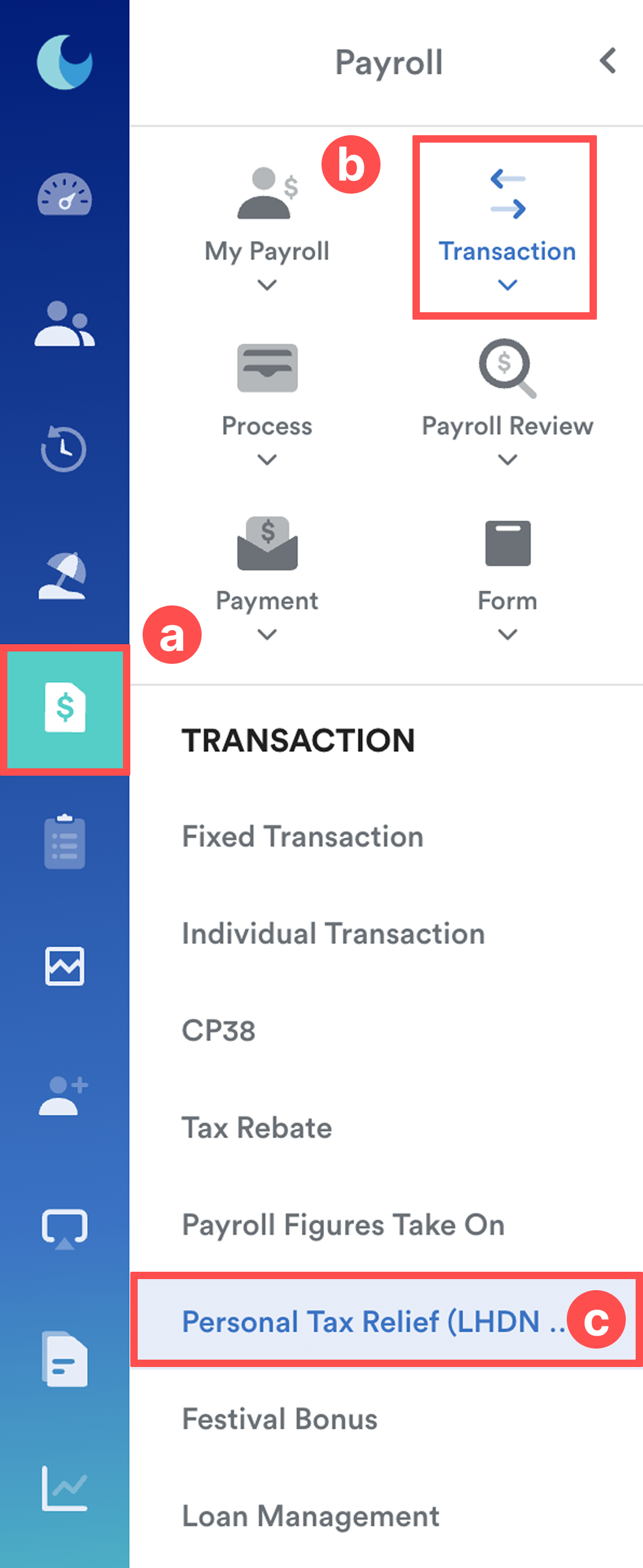
Go to Payroll (a) > Transaction (b) > Personal Tax Relief (c).
Step 3
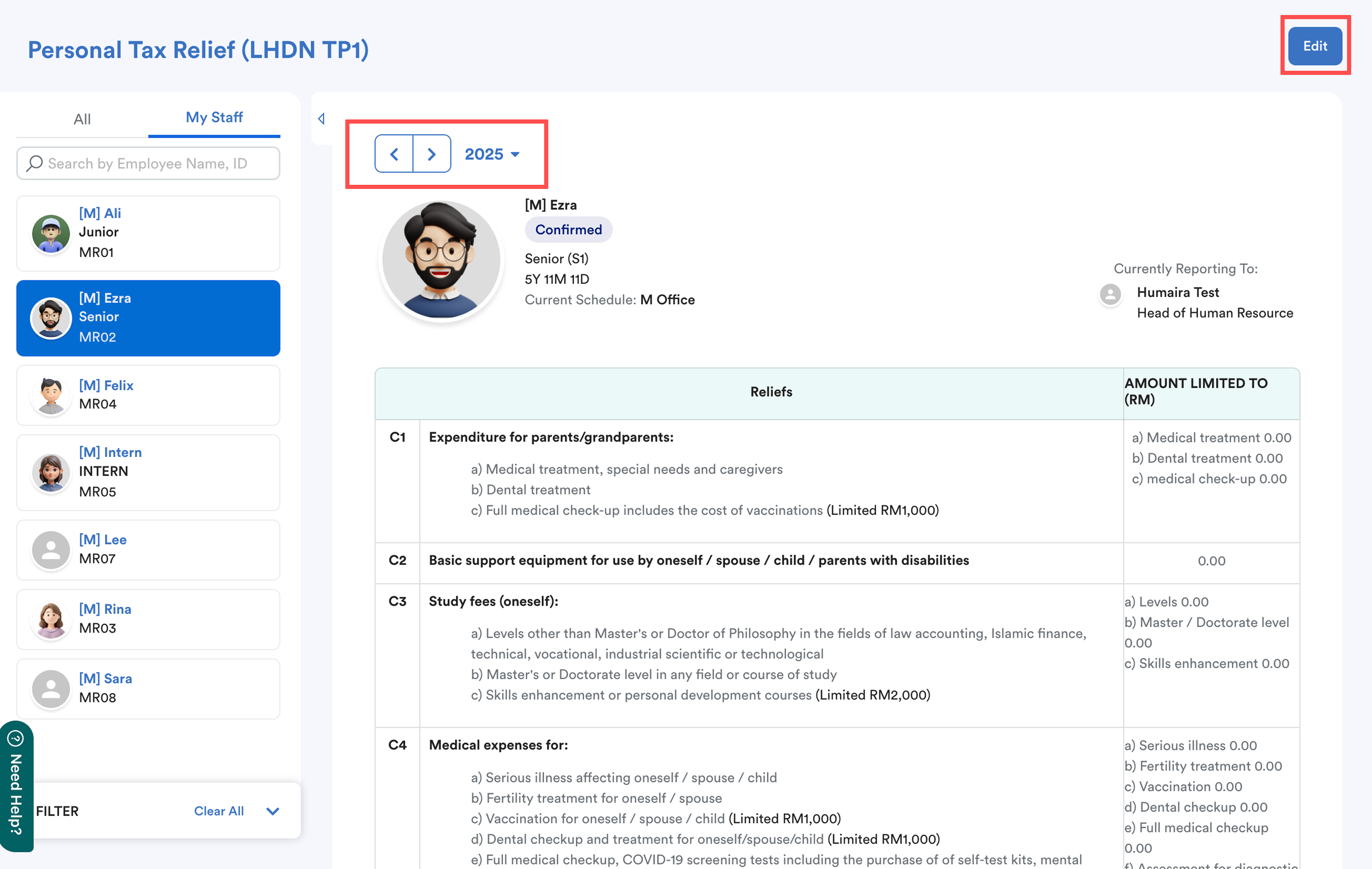
Select the employee and the correct year. Click Edit.
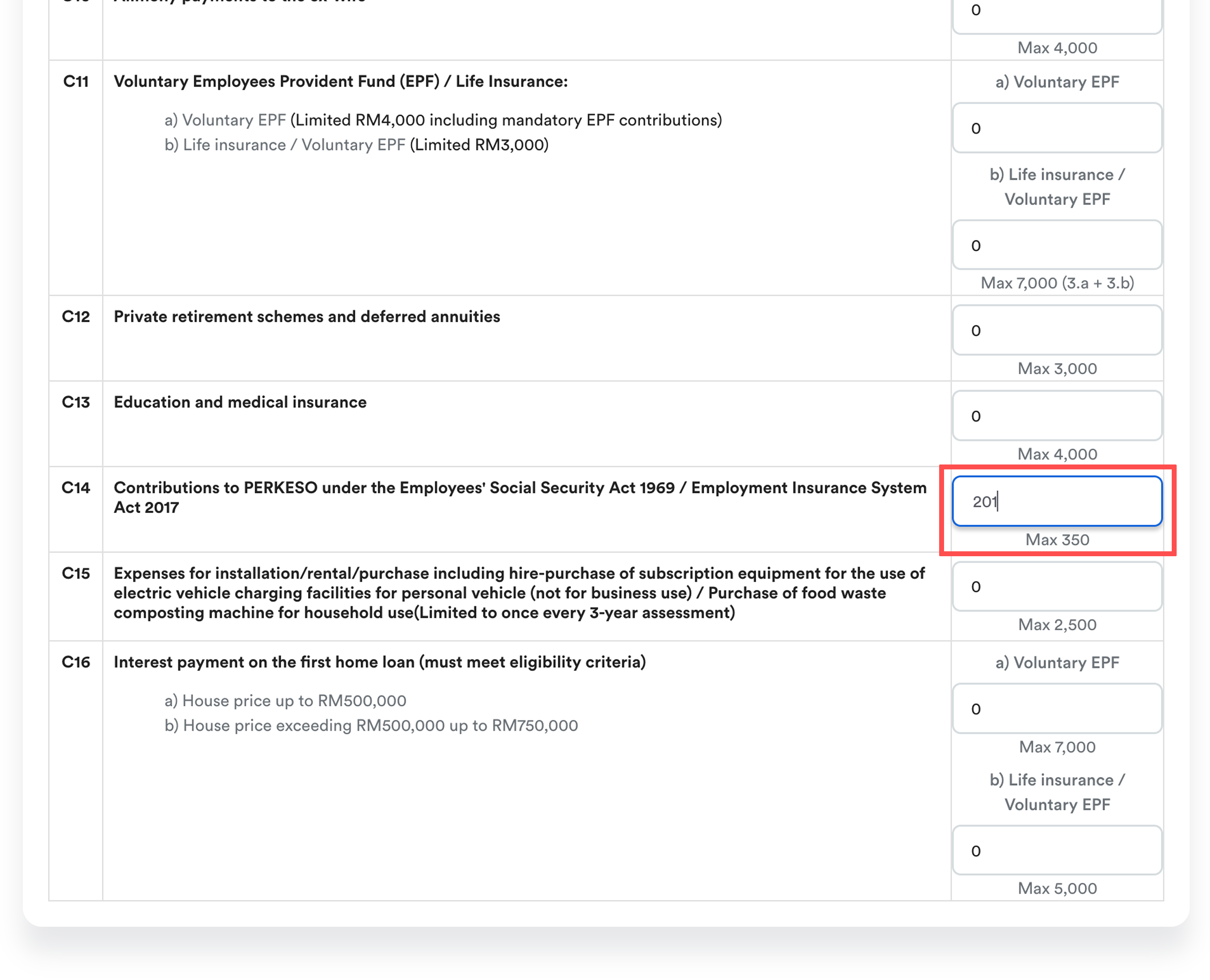
Enter all relevant tax relief details as per the TP3 form.
Click Save to apply the updates.
To know how TP1 helps to reduce PCB, you may refer to the example in this article: How SOCSO Affects MTDWe hope this explanation clarifies the matter. If you require additional assistance, do not hesitate to contact our support team.
Was this article helpful?
That’s Great!
Thank you for your feedback
Sorry! We couldn't be helpful
Thank you for your feedback
Feedback sent
We appreciate your effort and will try to fix the article