Under the Stamp Act 1949, formal employment contracts are subjected to stamp duty — regardless whether they are for full-time or part-time, local or foreign staff — at a flat rate of RM10 per contract.
Employment contracts must be stamped within 30 days from:
- The date the contract is signed (if signed in Malaysia), or
- The date the contract is first received in Malaysia (if signed overseas).
Quick Links
When is Stamping Required?
According to Penyeteman Kontrak Penggajian Di Malaysia (03 Julai 2025), an employment contract has the characteristics as follows:
a) The existence of parties known as "employer" and "employee"
The contract clearly states the party offering the work and the party accepting the work, along with their respective responsibilities.
b) Periodic payment of remuneration or salary
There is a clause mentioning fixed payment rates (salary/wages) paid by the employer to the employee on a monthly basis (or other calculations) in return for the work performed.
c) Determination of working hours and work location
The contract specifies certain working hours and the workplace, which shows control by the employer over how and when work needs to be executed.
d) Compliance with employer policies and regulations
The employee is required to comply with instructions, internal procedures, and work regulations set by the employer.
e) Provision of benefits such as EPF contributions, SOCSO, and annual leave
This is a key characteristic of an employer-employee relationship that distinguishes an employee from a service provider.
f) Work executed under the direction and control of the employer
The employee is subject to direct instruction, monitoring, and reporting from/to the employer in executing daily tasks.
g) Prohibition of working with third parties without permission
The employee is not allowed to work for other parties throughout the contract period, indicating an element of exclusivity in service.
This includes
- temporary / short-term / part-time / contract / intern employment contracts
- offer letter (if offer is the only document to establish the employer and employee relationship);
- renewed employment contract (every new employment contract agreement is considered a separate instrument and must be stamped.)
Step-by-step
Once a new employee profile has been created, HR can submit the signed employment contract or offer letter through Worksy for E-Stamping.
Step 1
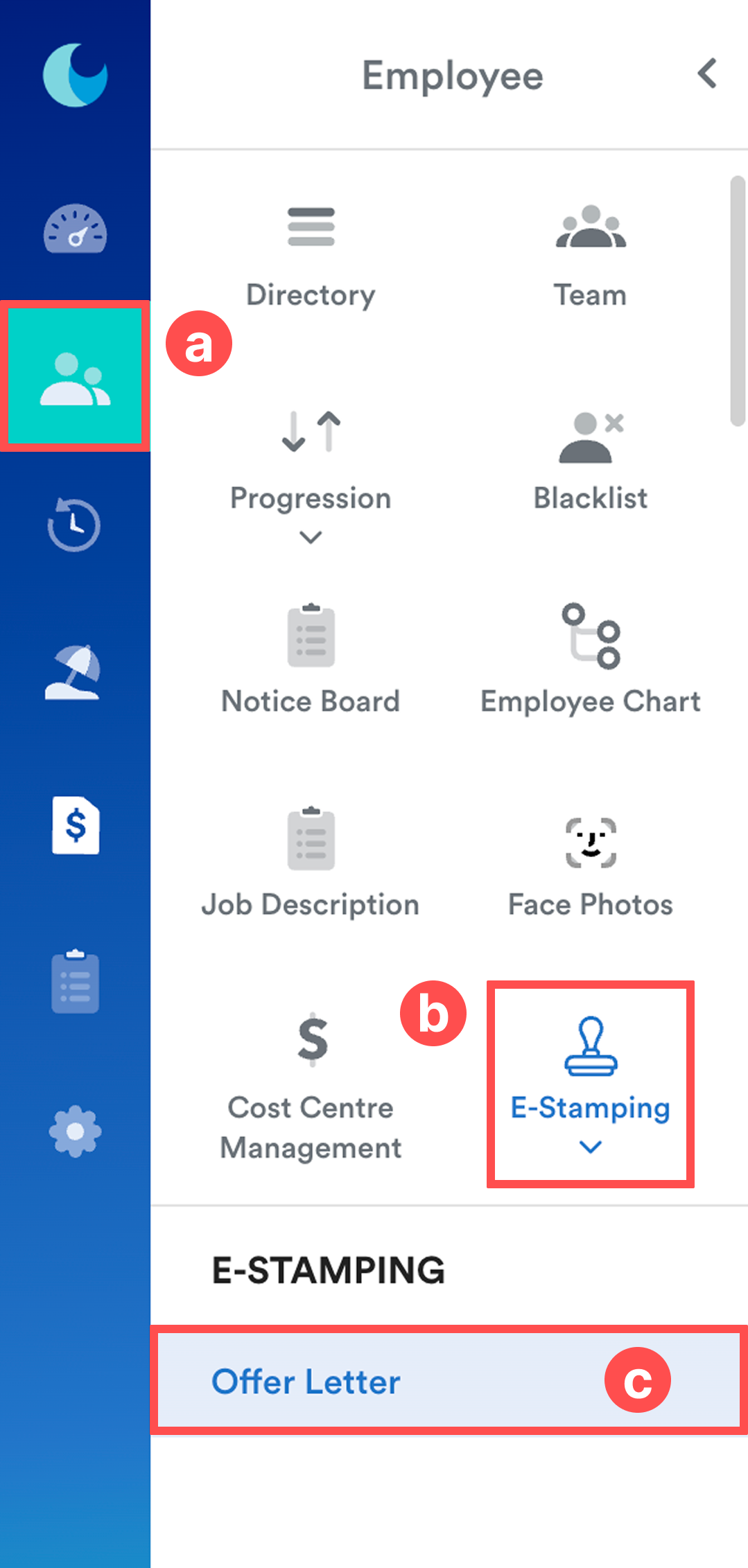
From the left menu, go to Employee (a) > E-Stamping (b) > Offer Letter (c).
Step 2
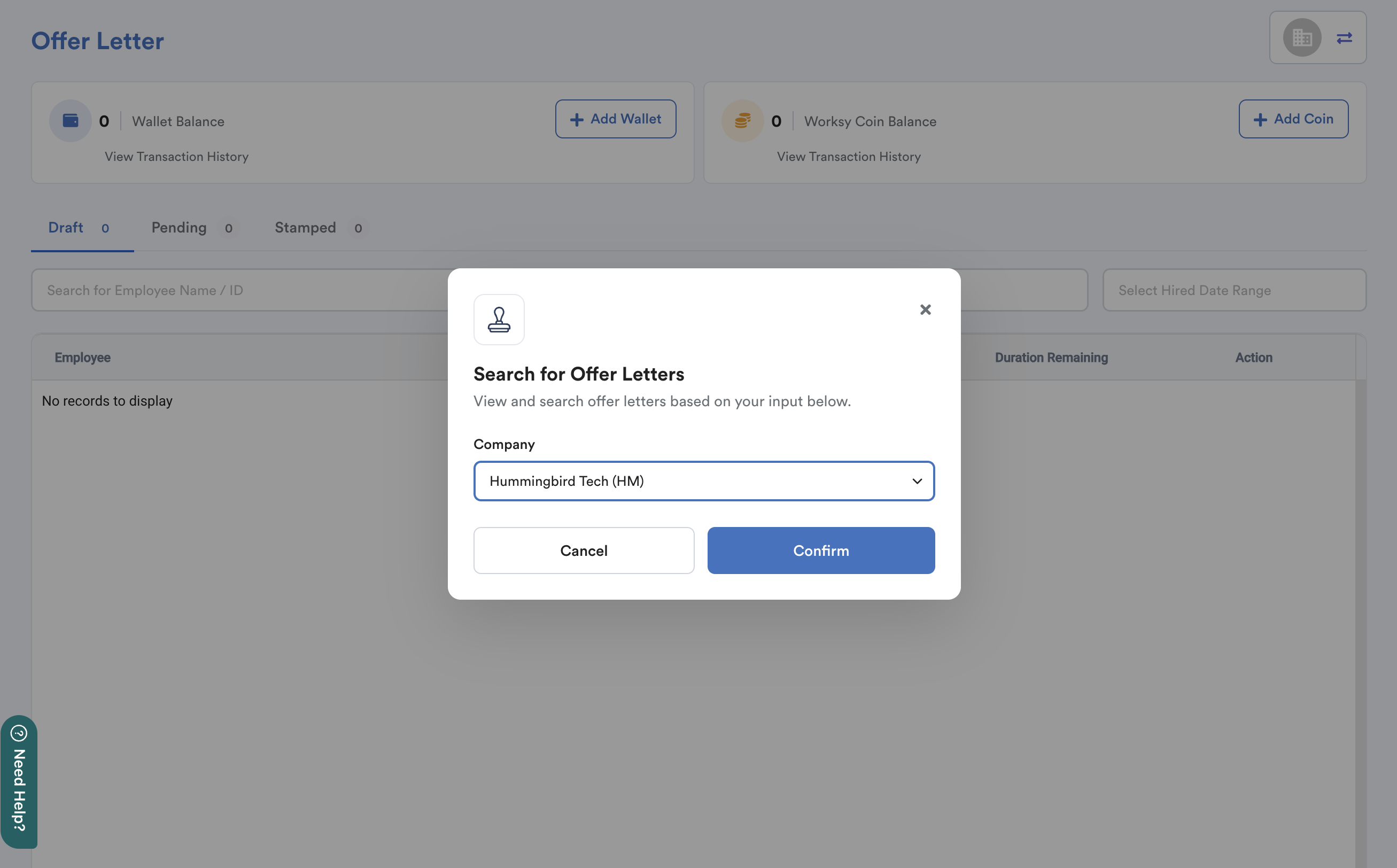
Select the company that the employee has been hired under.
Step 3
At the top of the page, you'll see:

- Wallet Balance
- Worksy Coin Balance
Worksy Coins are used when submitting employment contracts for E-Stamping. If you do not have enough coins, you will need to top up your Wallet first, then purchase Worksy Coins.
Top Up Wallet Balance

- Click Add Wallet.
- Select the company.
- Select the top-up amount.
- Click Email to support.worksy.io.
Our Customer Support team will follow up on your request via email. You can also monitor the request status under Transaction History.
Purchase Worksy Coins

- Click Add Coin.
- Select a coin package.
- Tick "I agree to use Wallet to purchase Worksy Coin". The system displays your current Wallet Balance and whether it is sufficient for the selected package.
- Click Confirm Purchase.
Step 4
The employee list displays the following information:
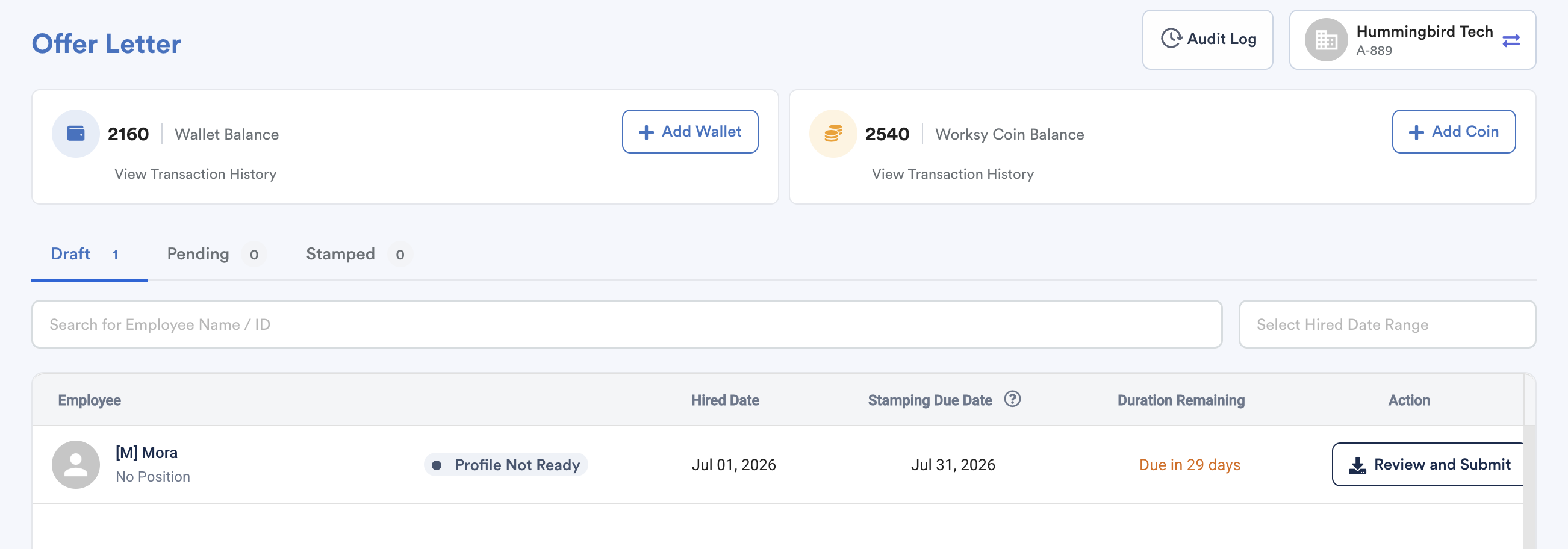
- Employee
- Profile Creation Status
- Hired Date
- Stamping Due Date
- Duration Remaining
- Action
Note: Stamping Due Date is automatically calculated as: Hired Date + 30 days
Submit Document for E-Stamping
To begin submitting an employment contract for E-Stamping, go to the Draft tab.
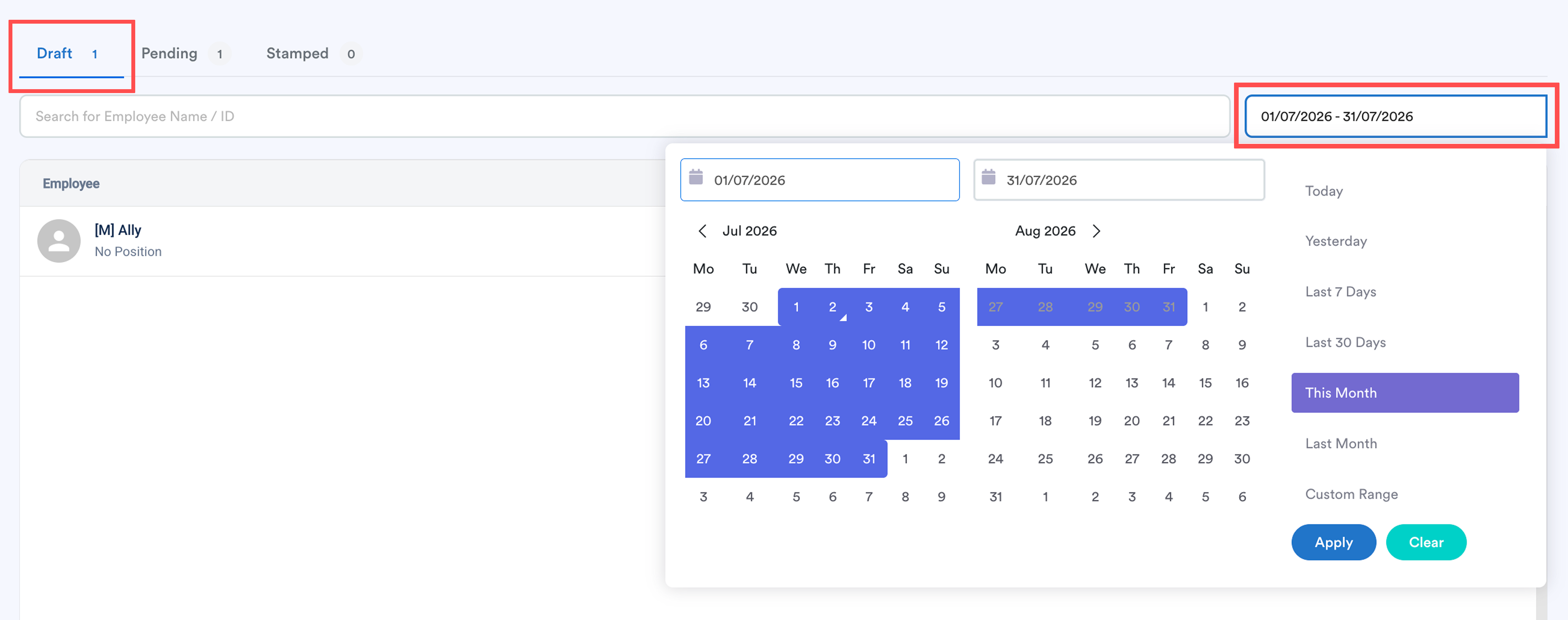
Use the Hired Date Range filter to quickly locate the employee.
Click Review and Submit for the relevant employee.
Note: If the employee profile is not ready, complete the profile first before you can submit the employment contract for E-Stamping.

Step 5
The Letter Details screen displays an overview of the employee's employment information.
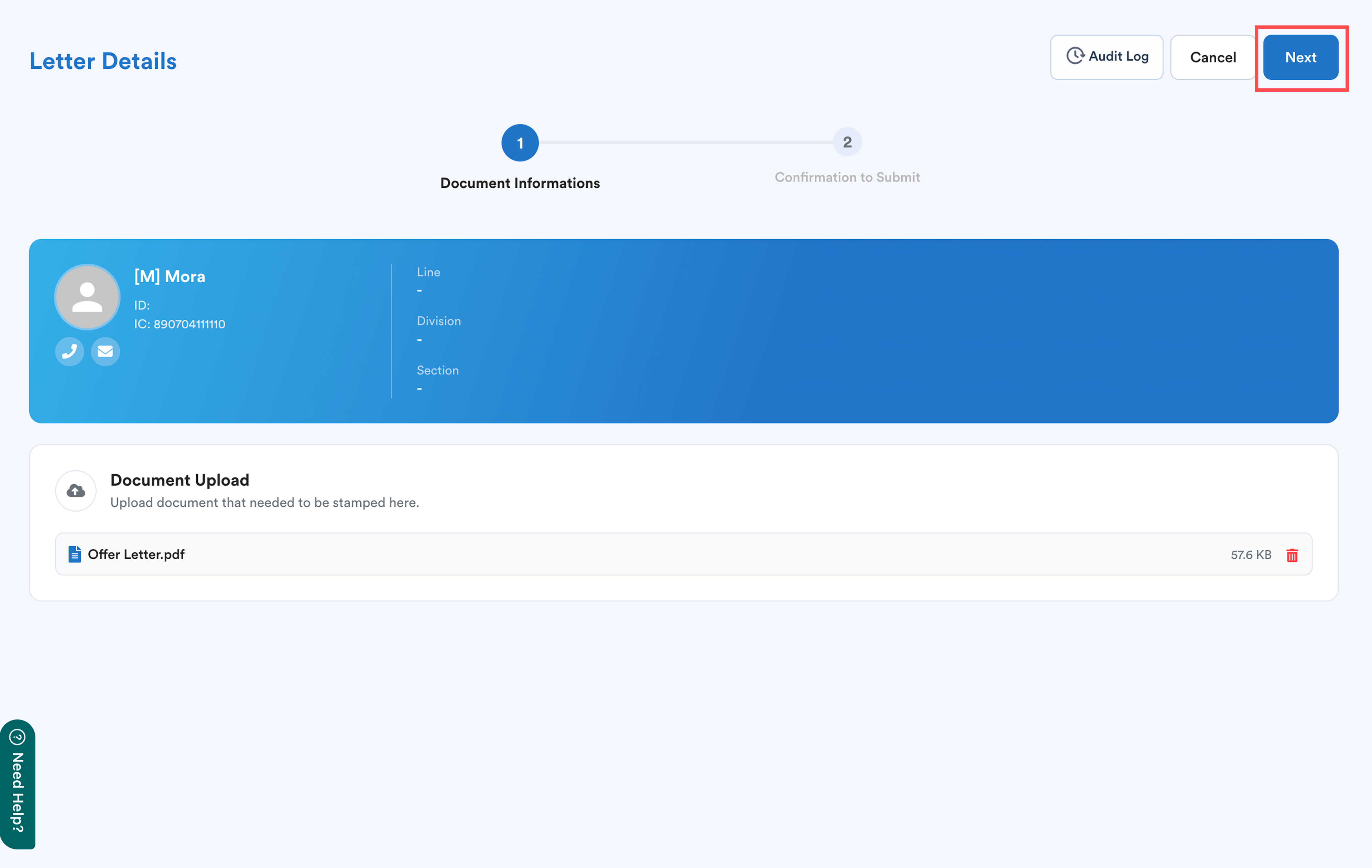
Upload the document that requires stamping.
Important: Ensure the document has been signed by all required parties before uploading.
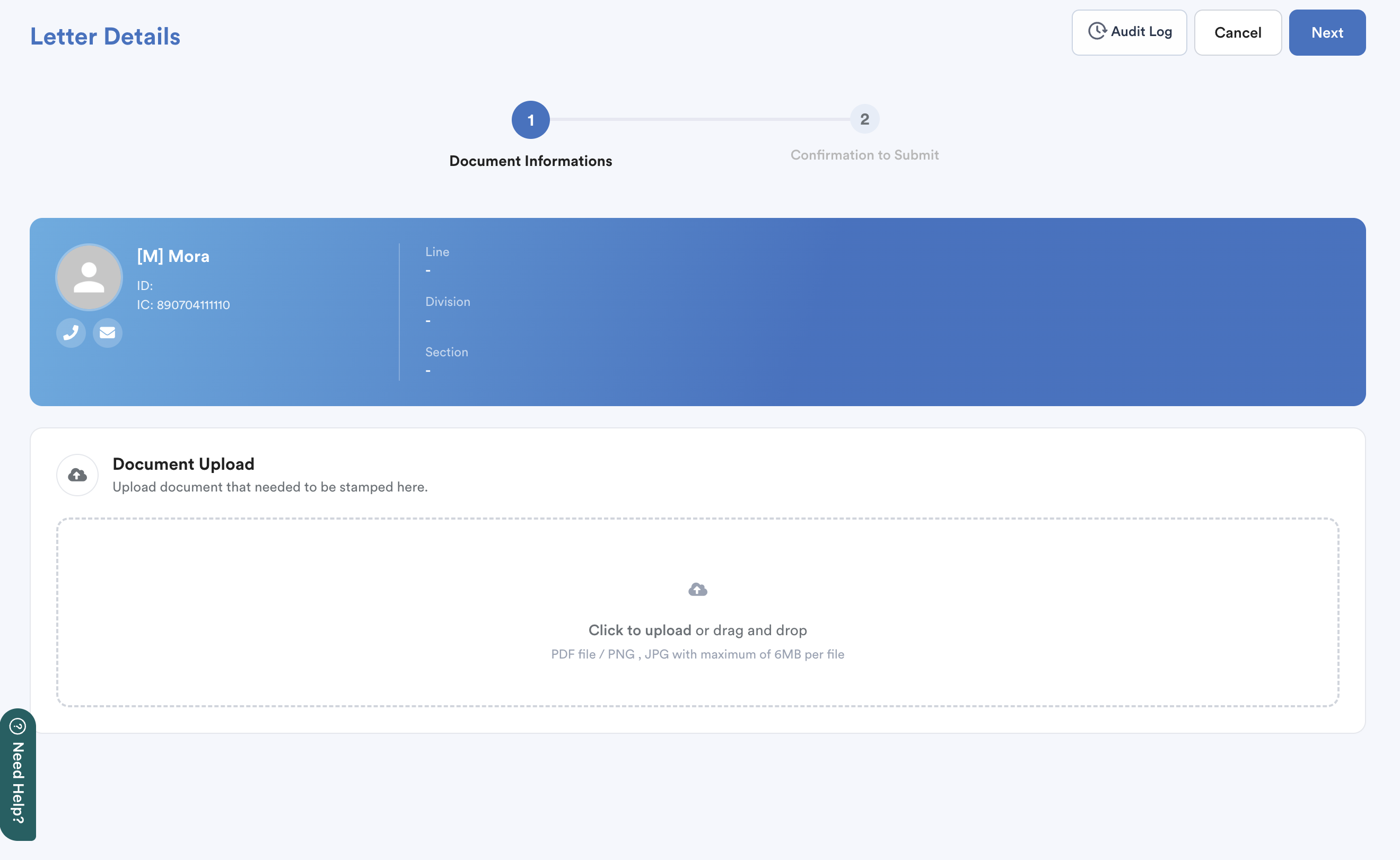
Once the document has been uploaded successfully, click Next to continue.
Step 6
The system displays a preview of the uploaded document together with the Total Fee to Pay.
The total fee includes:
- Stamp Duty
- Late Submission Penalty (if applicable)
- Worksy Service Fee
- Total Payment Amount
Note: All charges are deducted from both wallet balance and Worksy Coins.
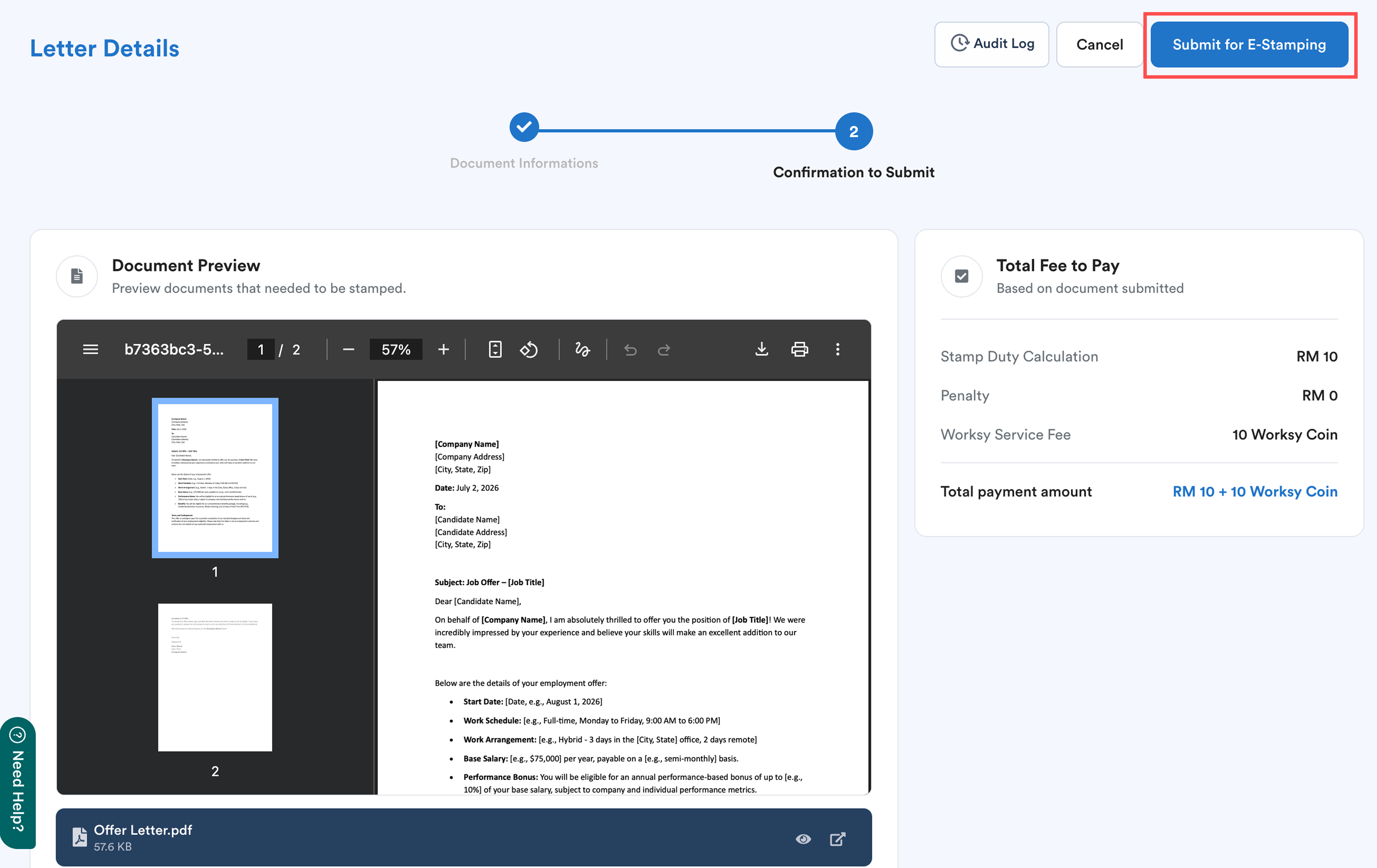
After reviewing the details, click Submit for E-Stamping.
A confirmation window will appear, informing you that the submission will deduct RM10 stamp duty and 10 Worksy Coins.
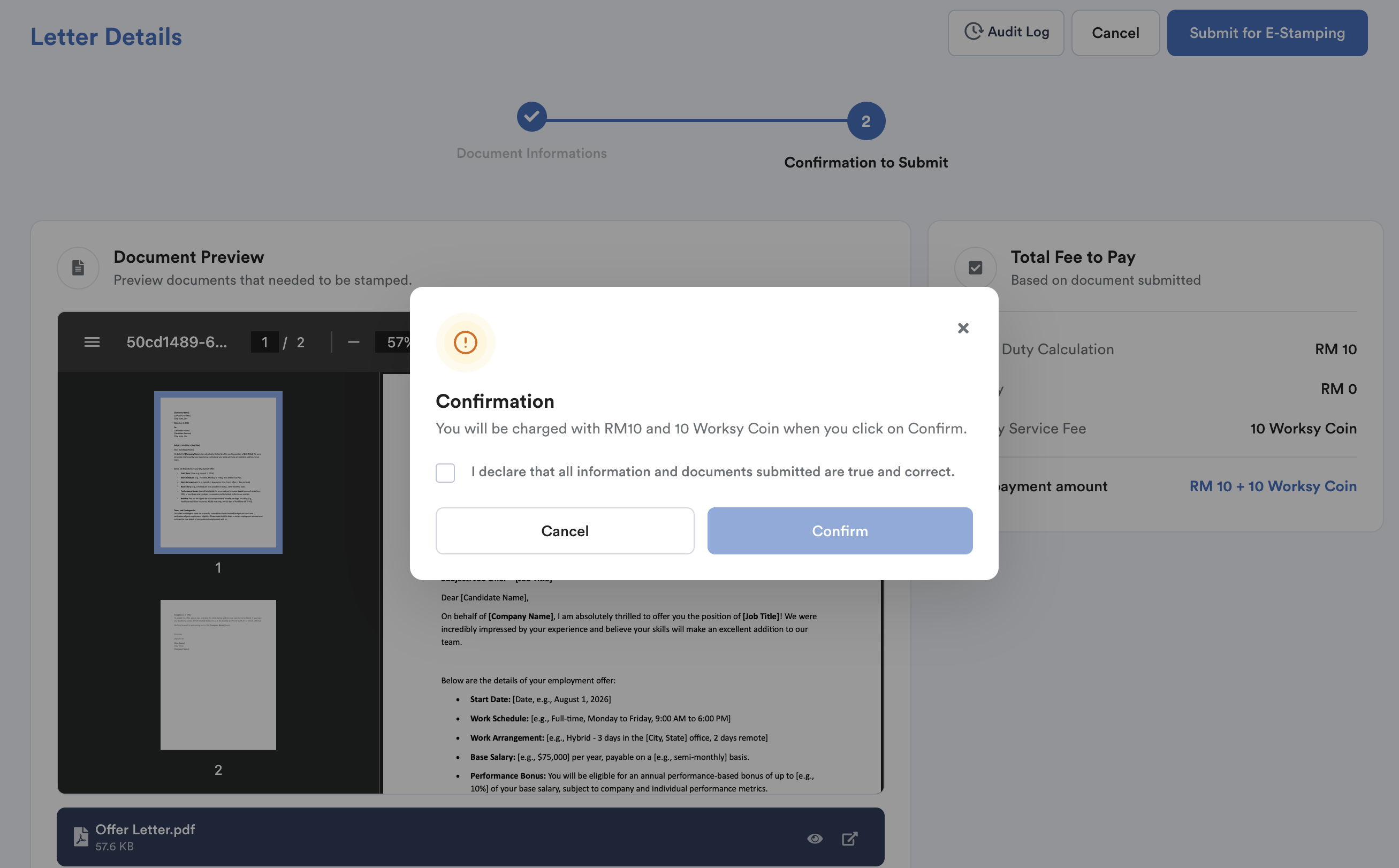
Tick "I declare that all information and documents submitted are true and correct", then click Confirm to proceed.
Once the submission is successful, the following confirmation message will be displayed:
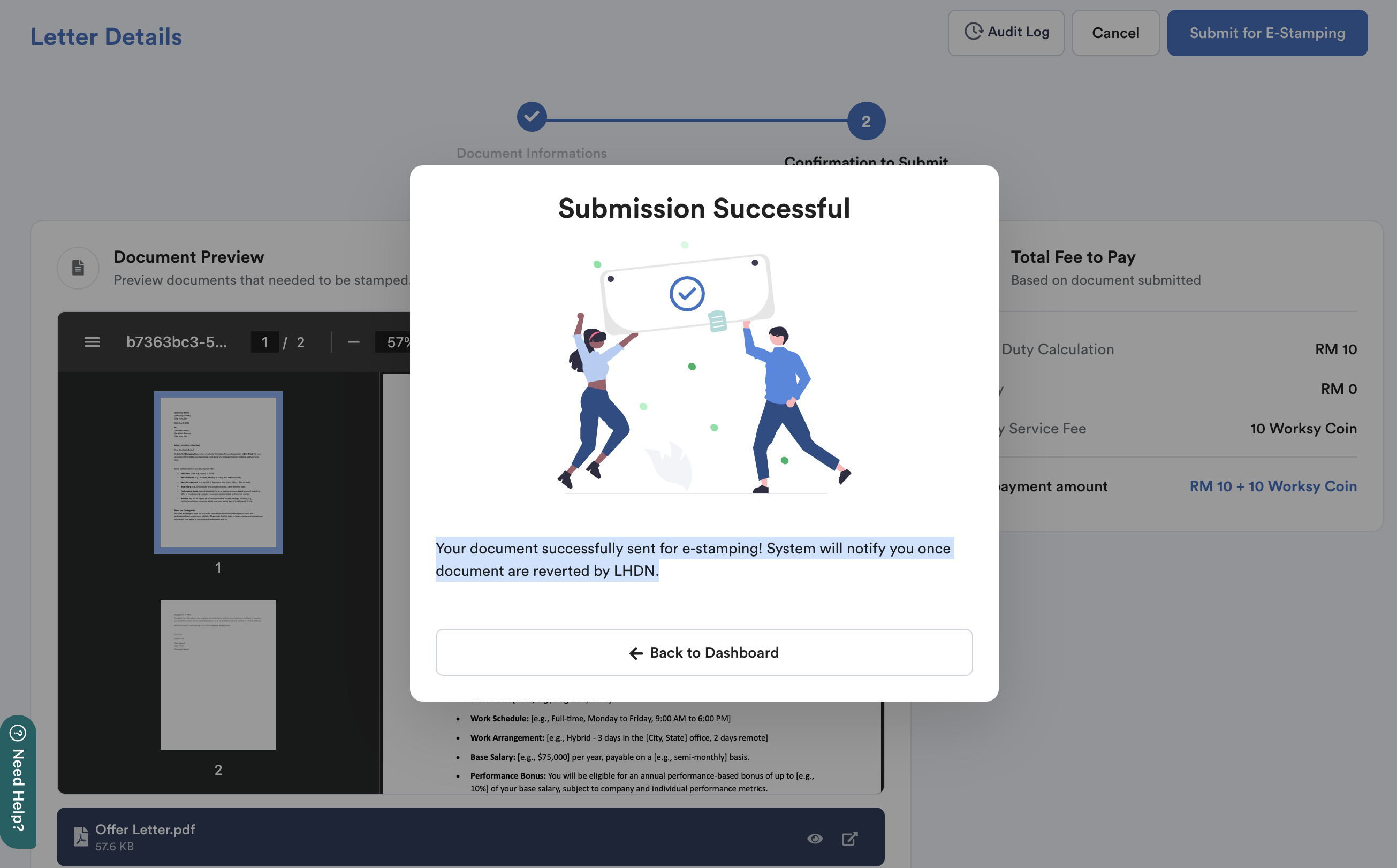
Click Back to Dashboard to return to the employee list.
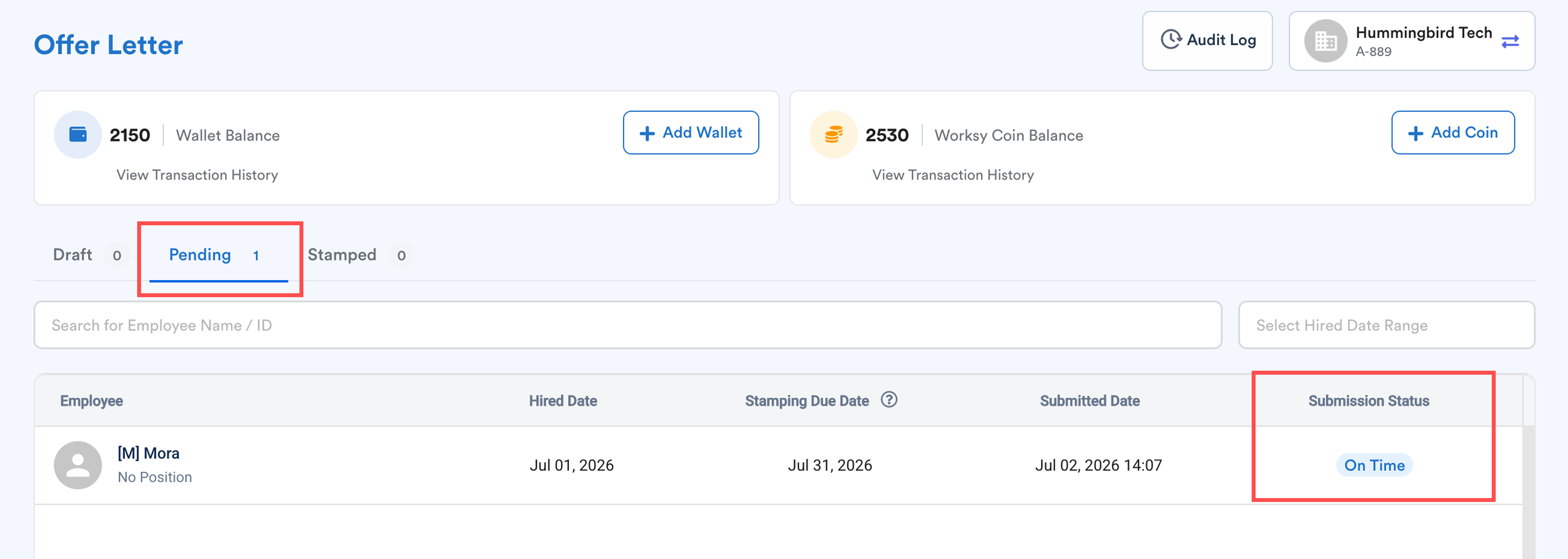
The employee will now appear under the Pending tab, where you can monitor the submission progress.
The employee list also displays the current Submission Status for each E-Stamping request.
We hope this explanation clarifies the matter. If you require additional assistance, do not hesitate to contact our support team.
Was this article helpful?
That’s Great!
Thank you for your feedback
Sorry! We couldn't be helpful
Thank you for your feedback
Feedback sent
We appreciate your effort and will try to fix the article