If an employee's work email address changes, you can update it in Worksy without creating a new employee profile or account.
After updating the email address, the administrator must resend the invitation to the employee's new email address. The employee does not need to register again, and their existing account, attendance records, leave records, payroll data, and historical records will remain unchanged.
TABLE OF CONTENTS
Update Employee's Email Address Individually
Step 1
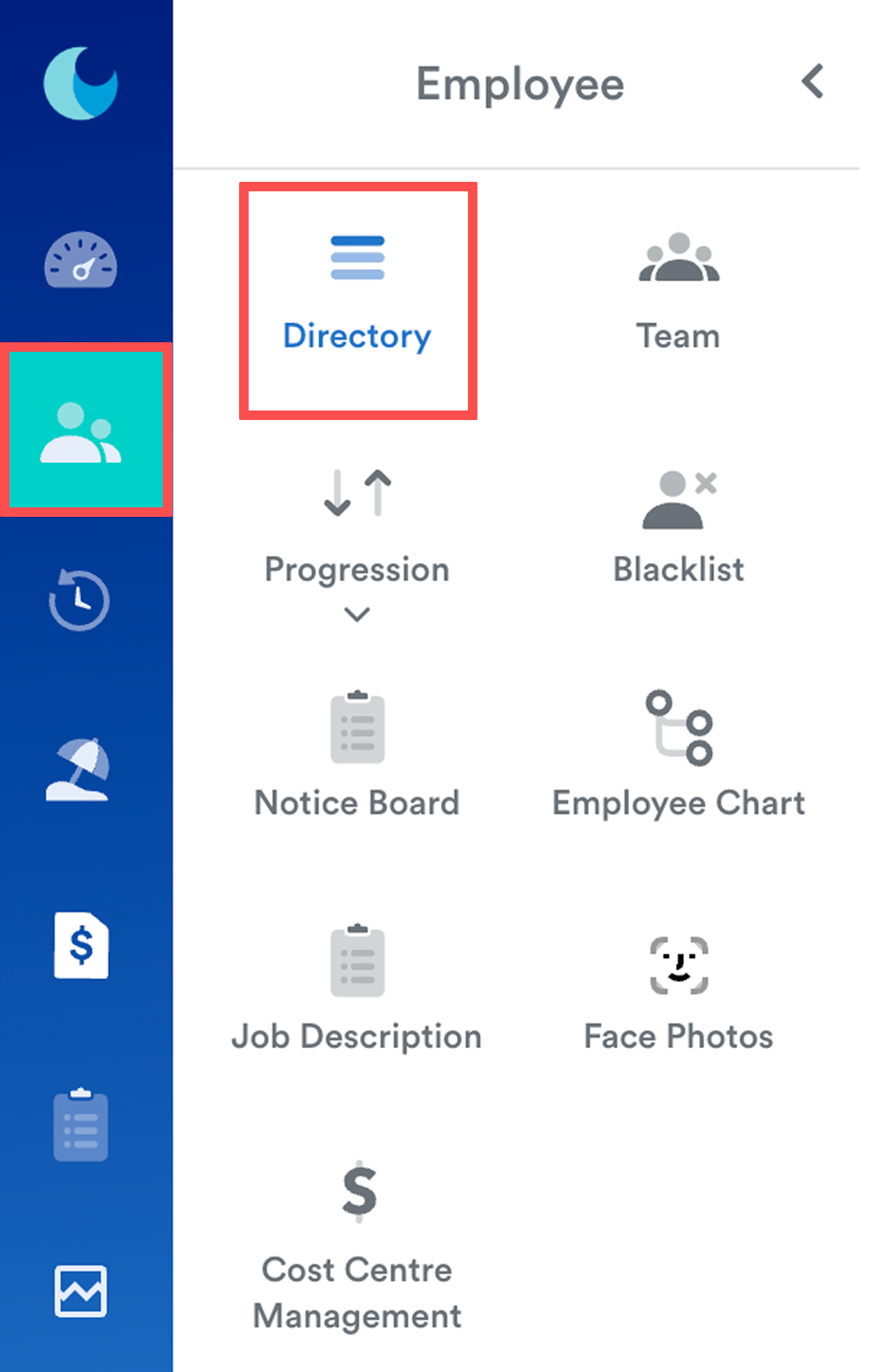
Go to Employee > Directory and select the employee from the list.
Step 2
Go to the Work tab and click Edit.
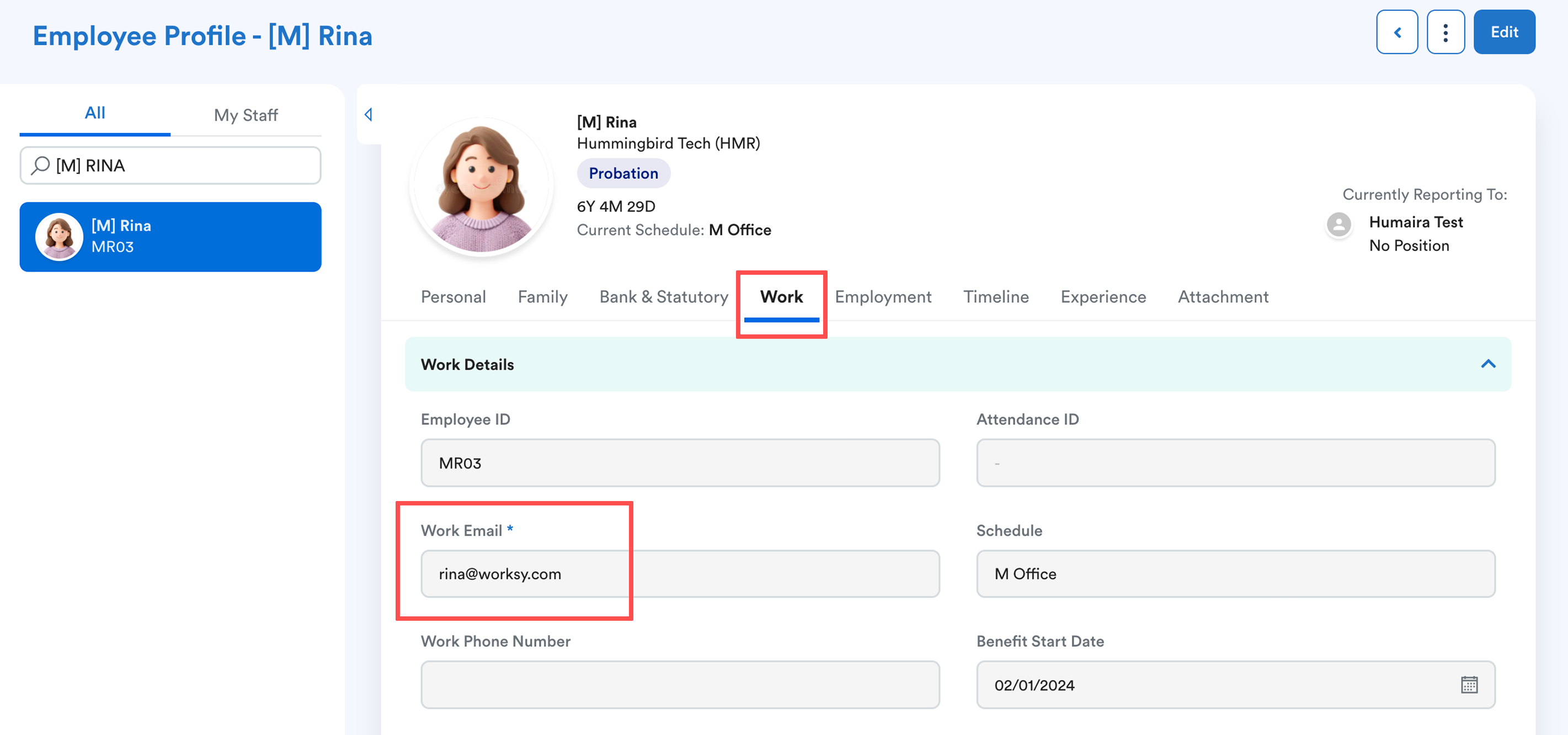
Update the Work Email* field with the new email address, then click Save.
Click Save to confirm changes.
Step 3
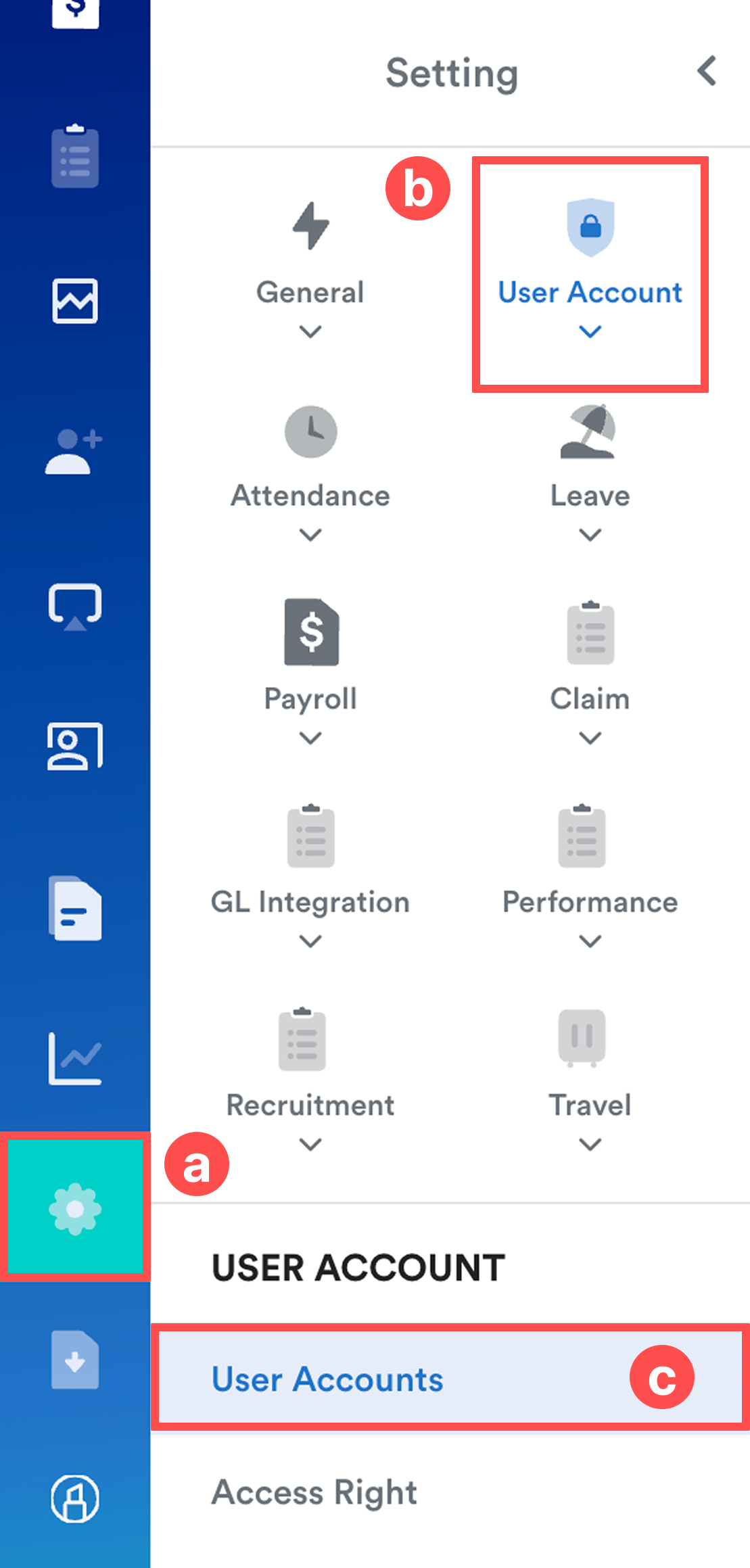
Go to Settings (a) > User Account (b) > User Accounts (c).
Step 4
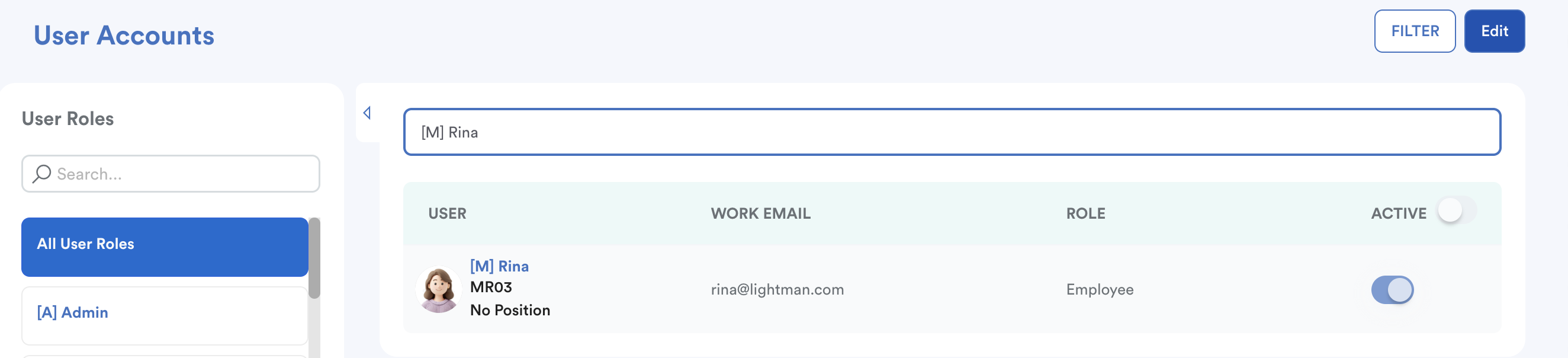
Find the employee and click Edit.
Step 5
Click the Mail icon to resend the invitation to the employee's new email address.
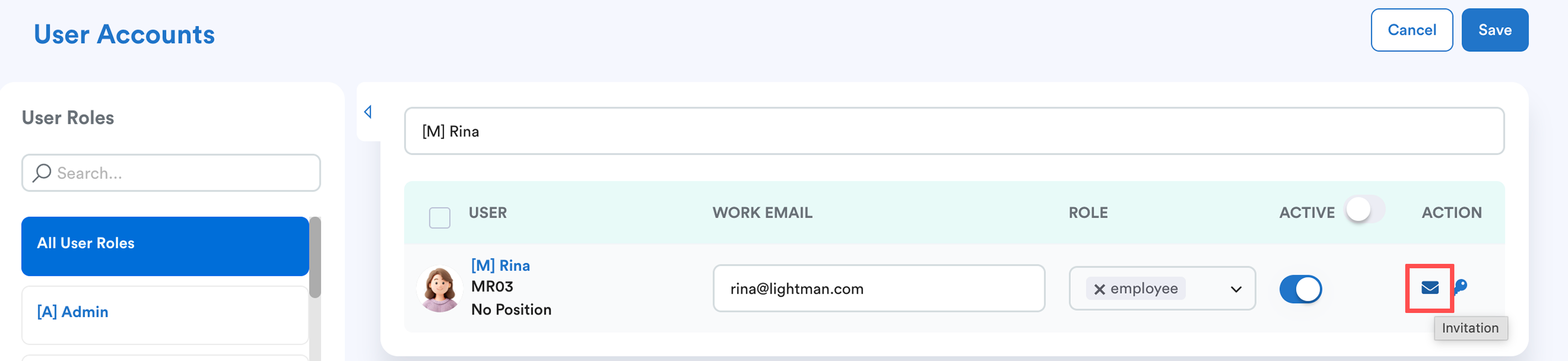
Click Save once done.
Bulk Update Employee Email Addresses
Step 1
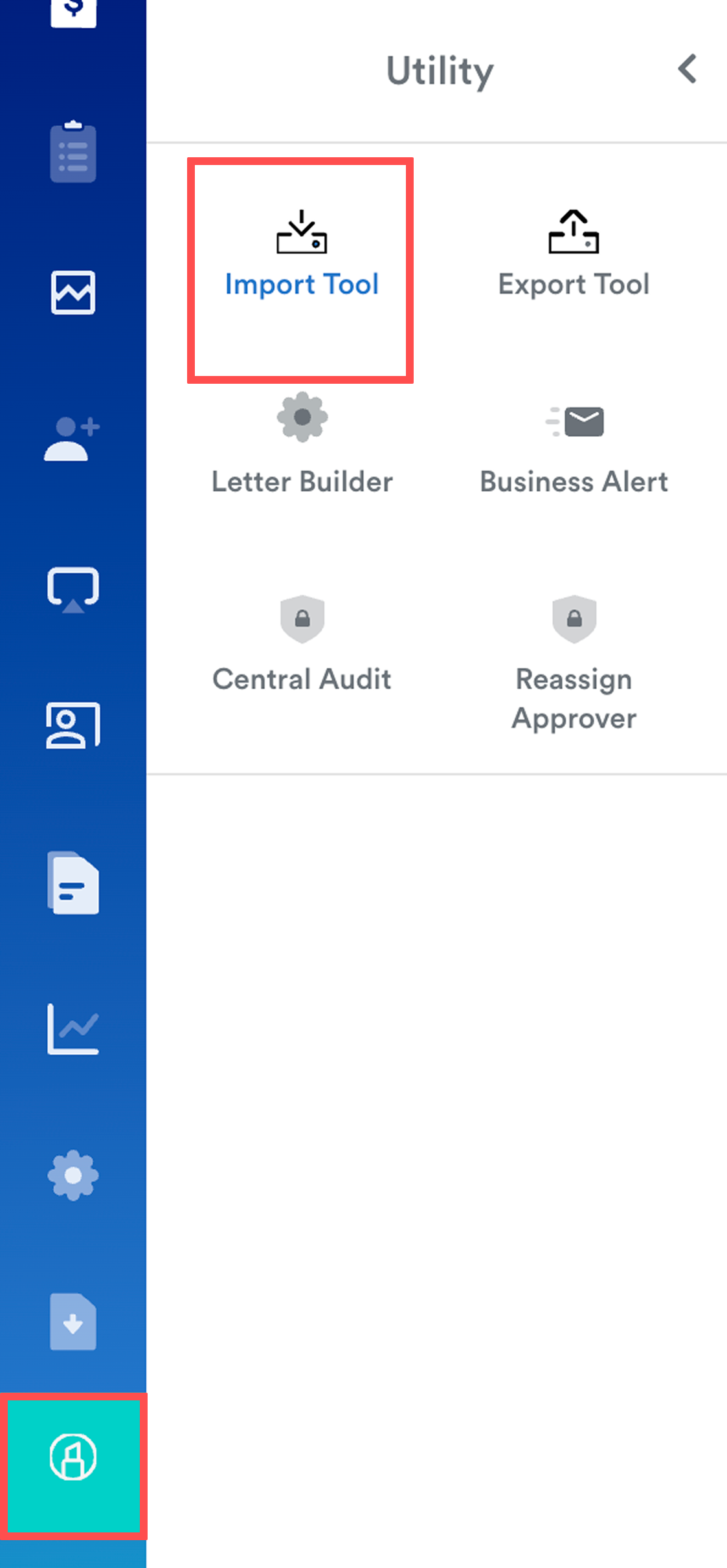
Go to Utility > Import Tool.
Step 2
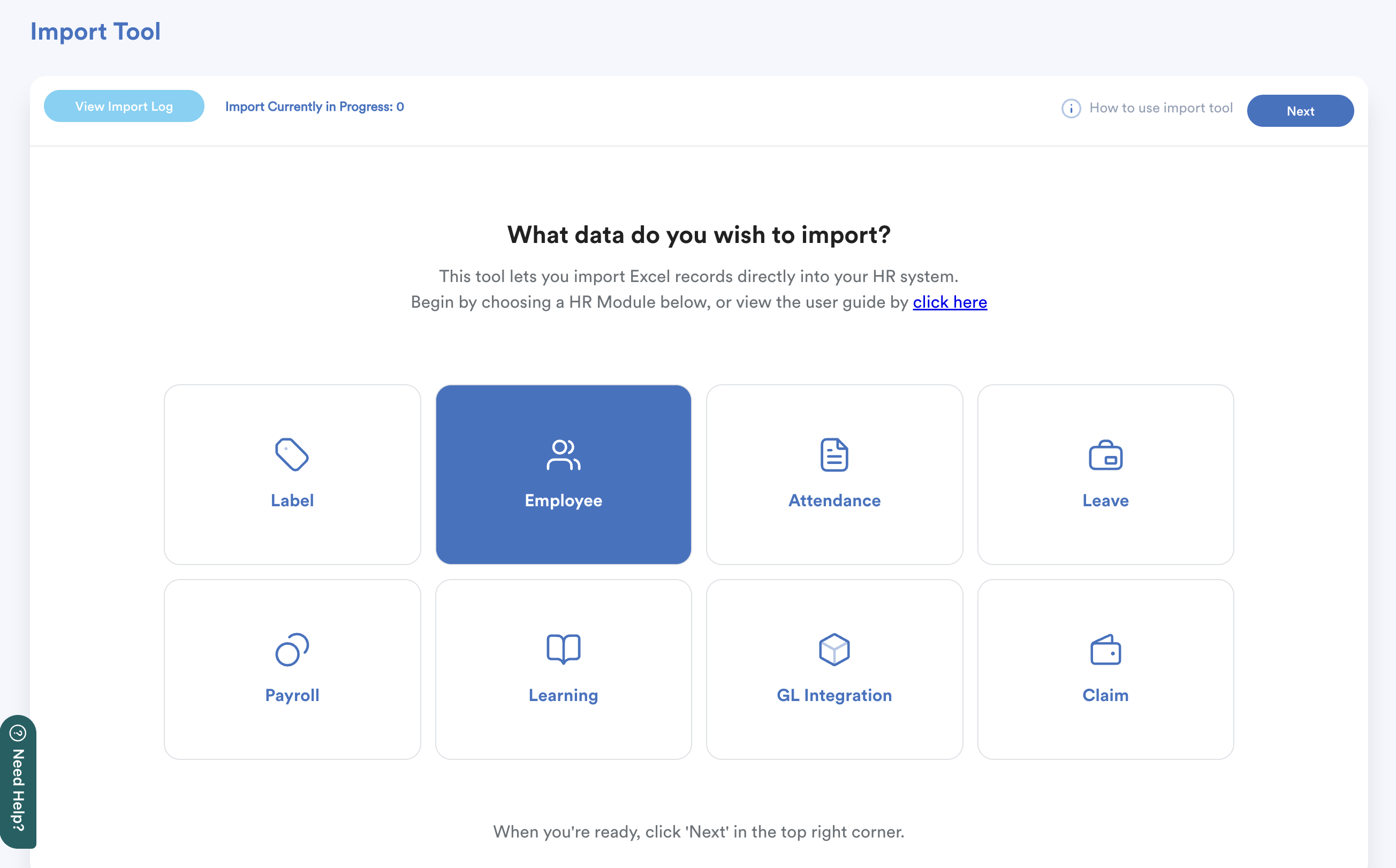
Select Employee module, then click Next.
Step 3
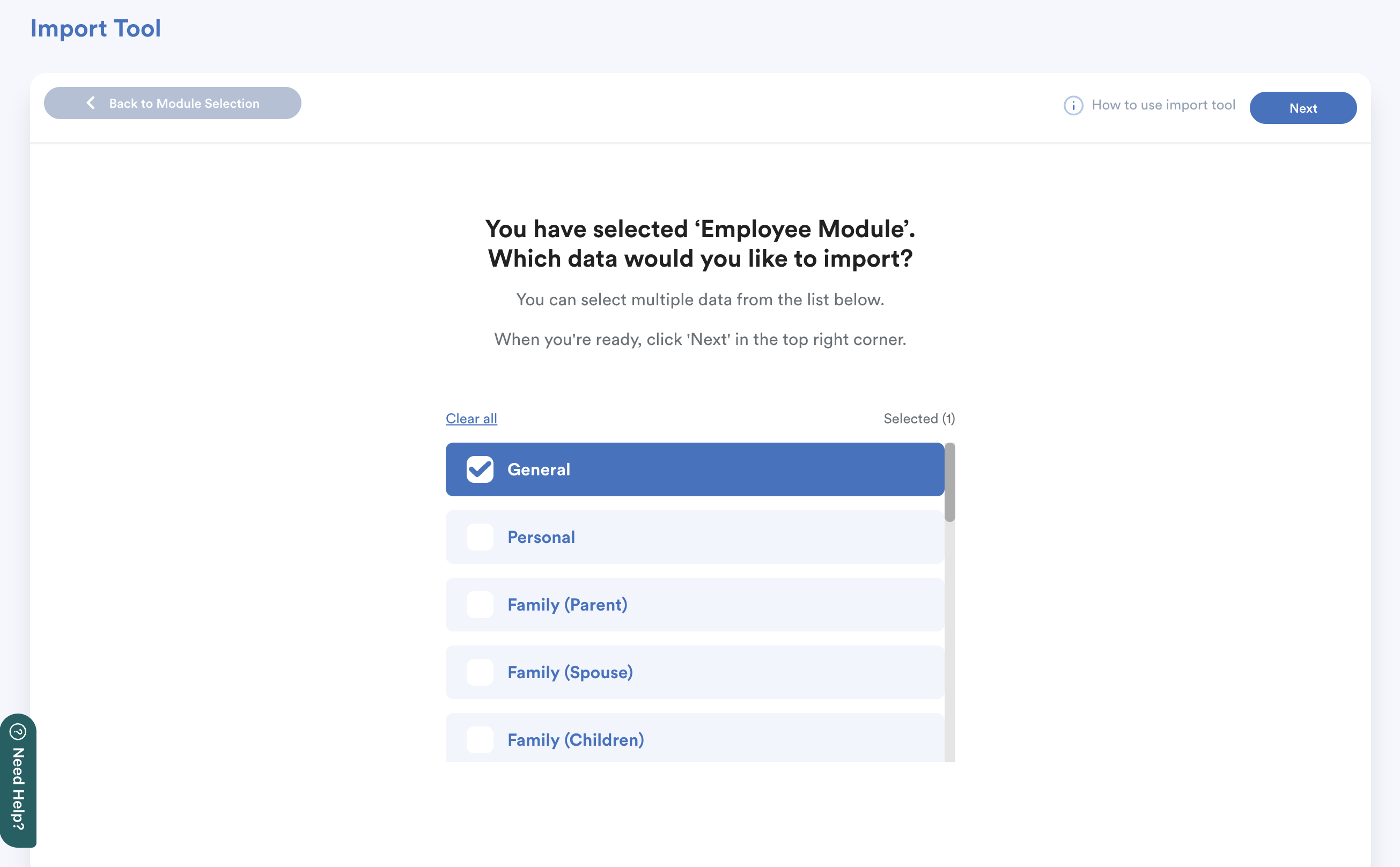
Select General and click Next.
Step 4
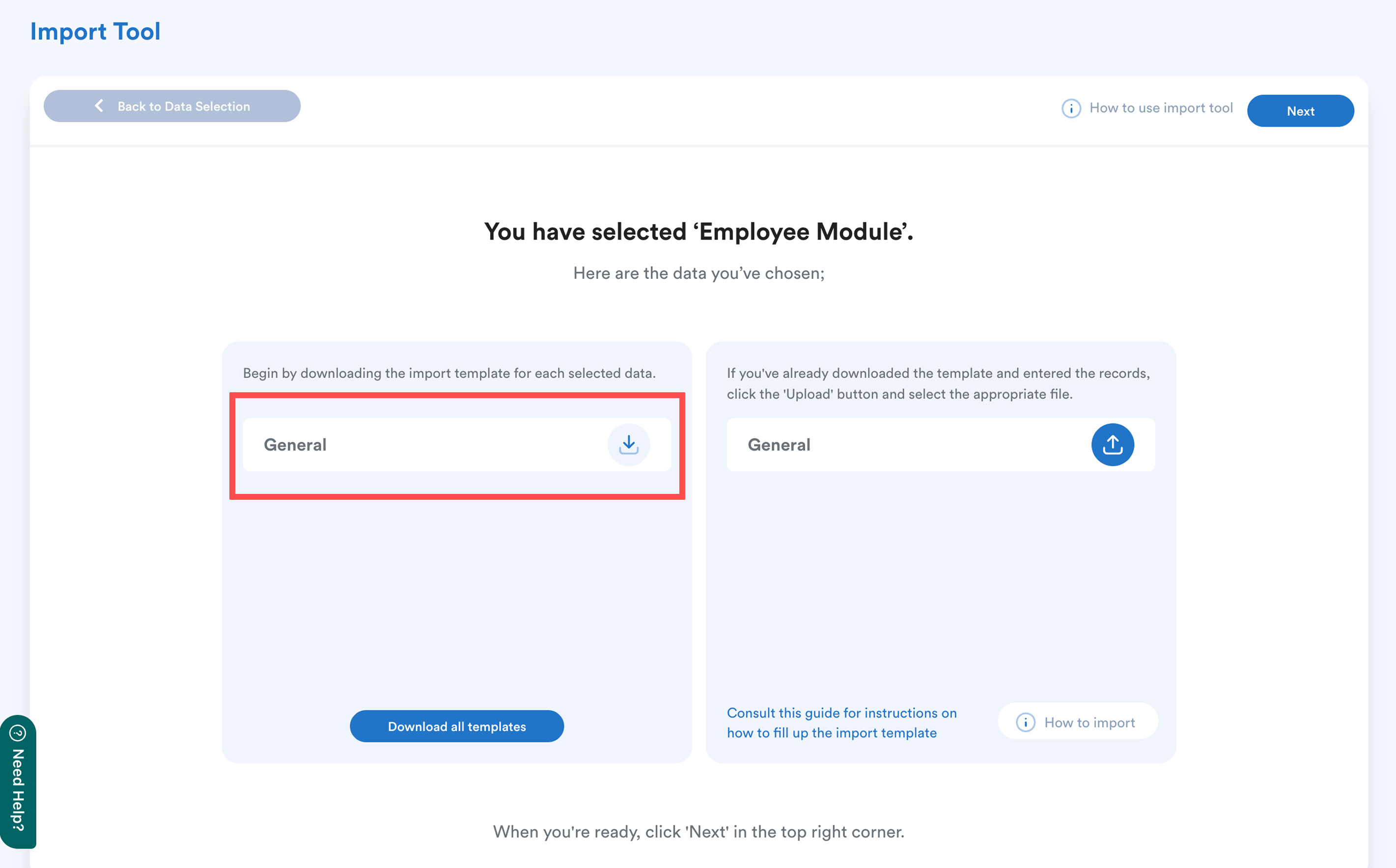
Download the template from the left column and open the downloaded file.
Step 5
Update the Work Email column with the new email addresses.
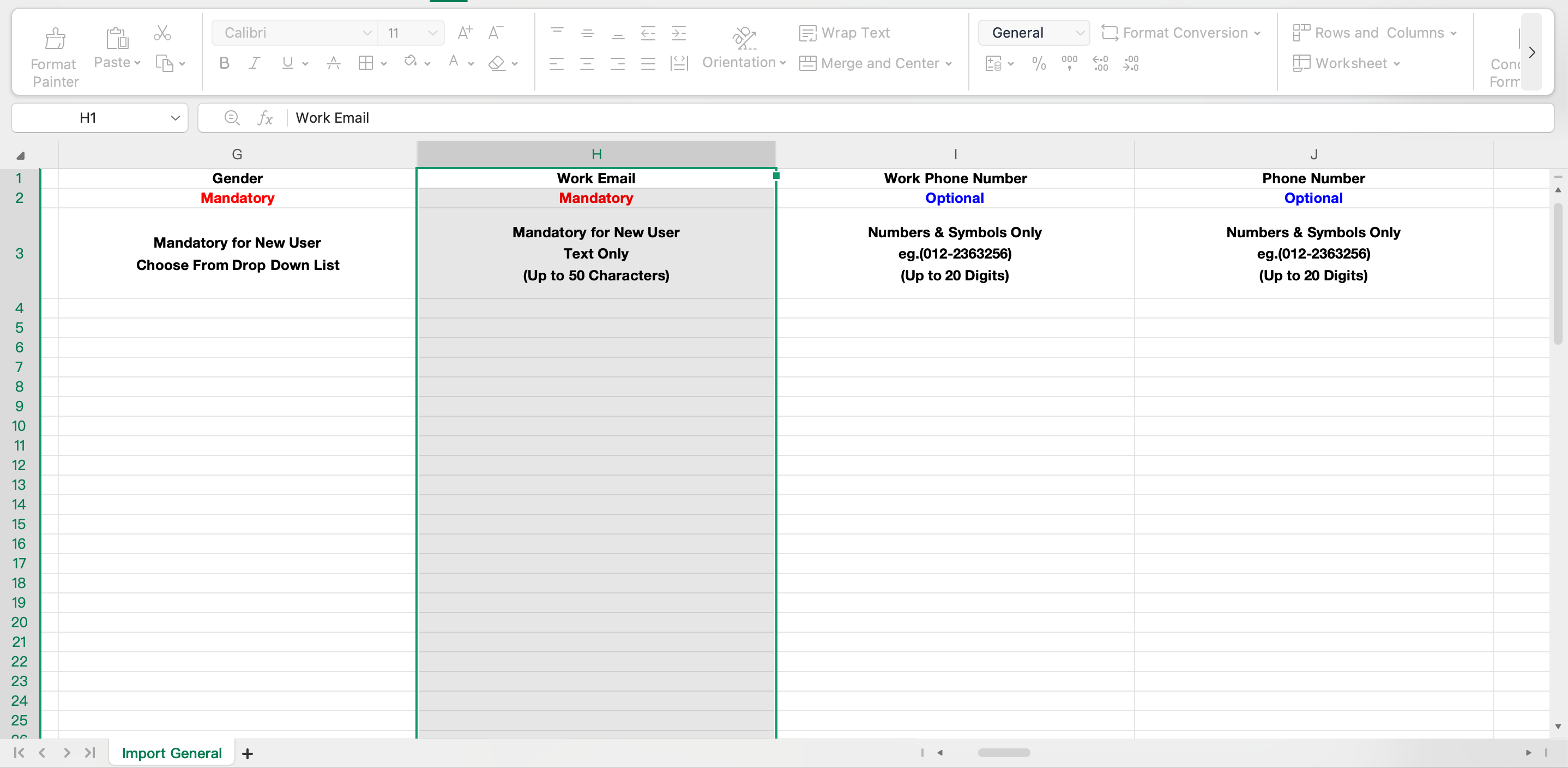
Ensure all email addresses are entered correctly, and save the changes.
Step 6
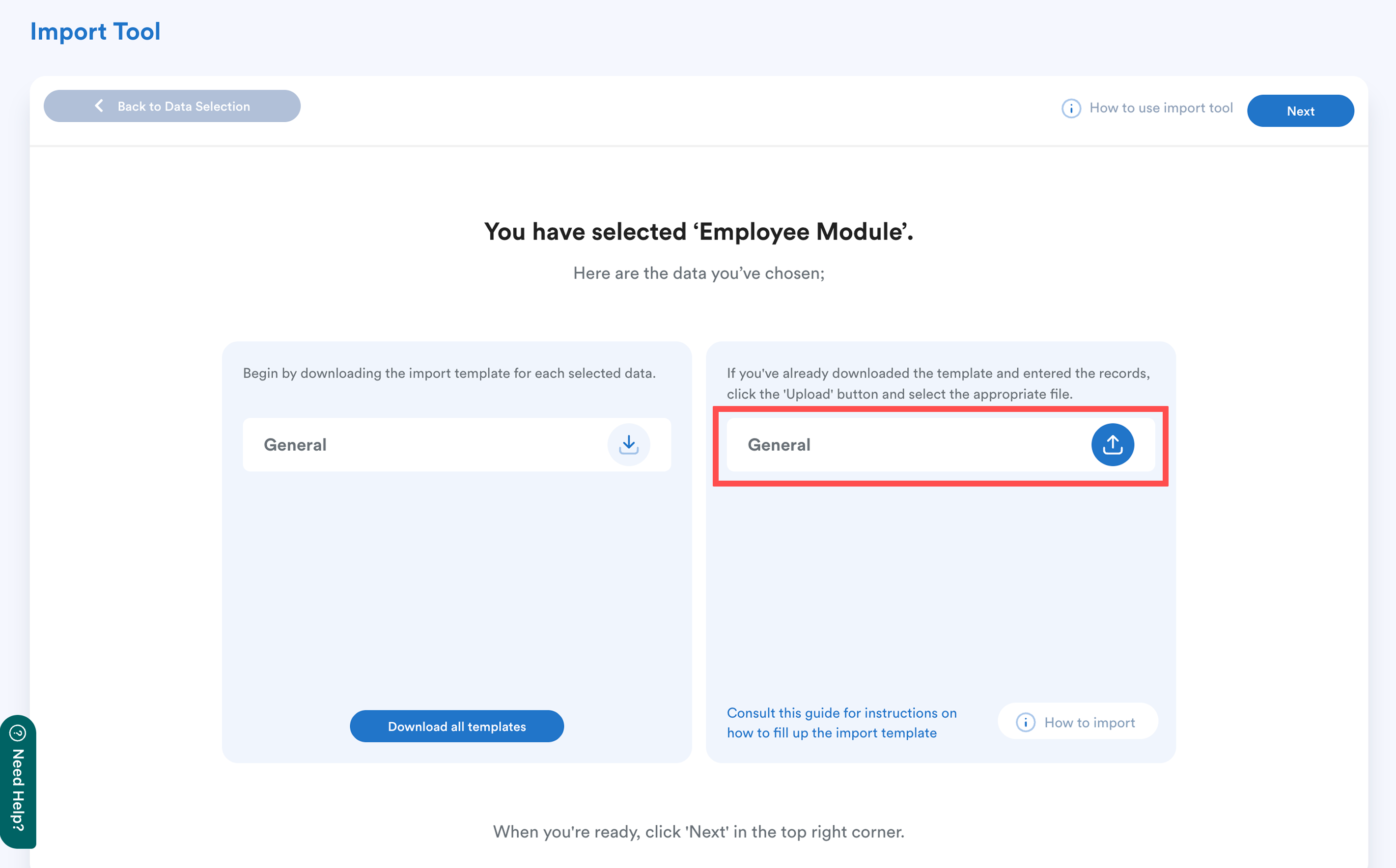
Upload the completed template to the right column and click Next.
Step 7
The system will display the import status and results of the upload.
Important:
Administrators must still resend the invitation email from Settings > User Account > User Accounts for affected employees to access Worksy using their new email address.
Refer to Step 3 in Update Employee's Email Address Individually.
We hope this explanation clarifies the matter. If you require additional assistance, do not hesitate to contact our support team.
Was this article helpful?
That’s Great!
Thank you for your feedback
Sorry! We couldn't be helpful
Thank you for your feedback
Feedback sent
We appreciate your effort and will try to fix the article