To create a new system label, refer to this guide: Managing System Labels
Worksy system prevents the deletion of items within System Labels once they have been utilized. This restriction is a safeguard designed to maintain data integrity and prevent reporting inconsistencies across the platform.
Why can’t I delete a label?
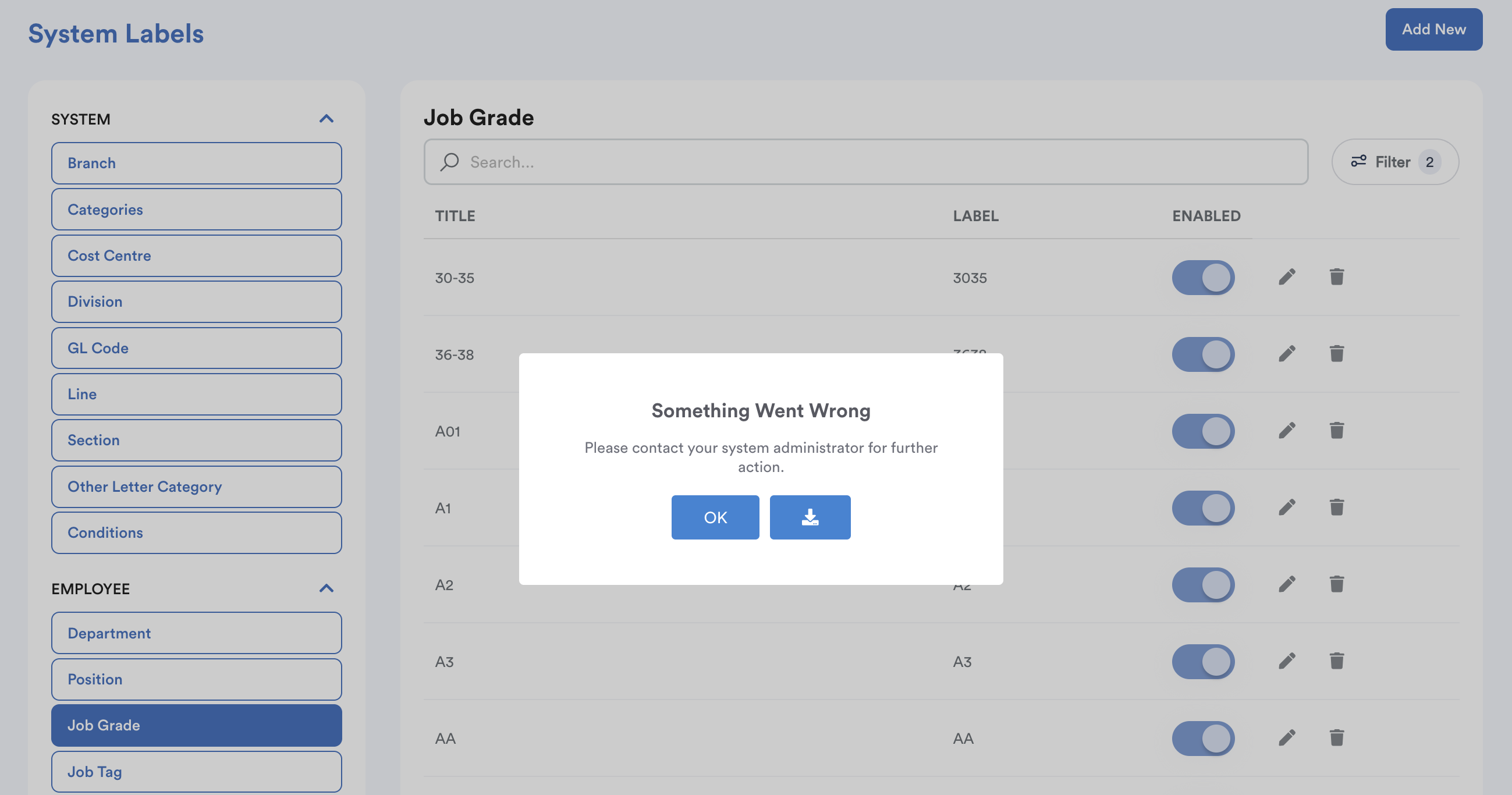
If a label such as a "Department" or "Line" is used in a record and then deleted, that record's data field would become blank.
Example:

- If an employee is assigned to the "A3" Job Grade and that label is deleted, their profile would lose that data point. This will result to historical records and active reporting no longer reflect accurate information.
Alternative Methods
If you no longer wish to use a specific System Label, you can manage it without deleting it using the following methods:
- Toggle Off: Switch the label to "Inactive". This hides it as an option for future selections while preserving all existing historical data.
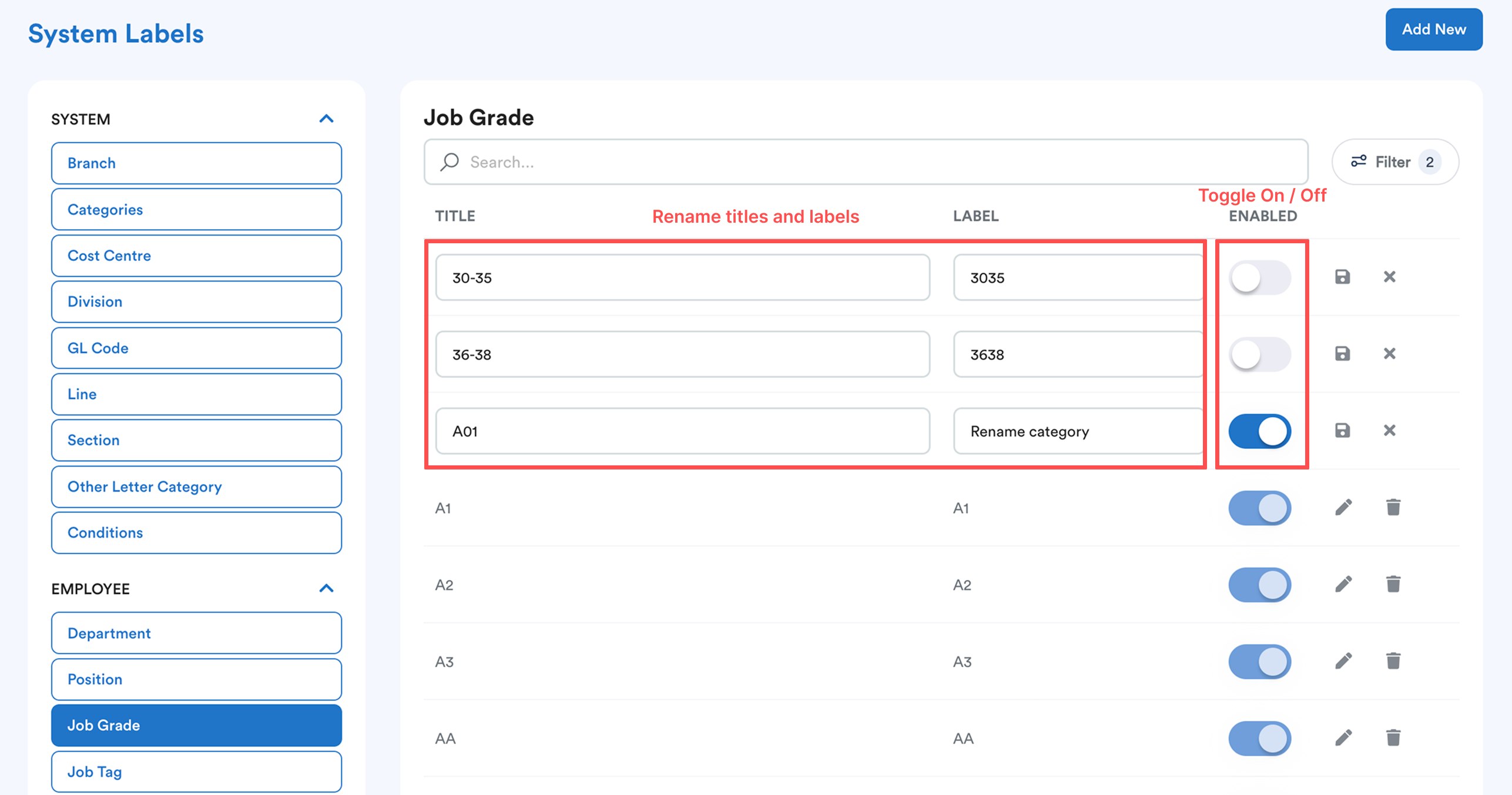
- Rename: Edit the name of the label to repurpose it for a new category.
By using these methods, you ensure your organization's data remains consistent and your reporting stays reliable.
We hope this clarifies the matter. If you require further assistance, do not hesitate to contact our support team.
Was this article helpful?
That’s Great!
Thank you for your feedback
Sorry! We couldn't be helpful
Thank you for your feedback
Feedback sent
We appreciate your effort and will try to fix the article