In some cases, an employee may need to be added under more than one company within the system.
To support this, Worksy provides an option to allow duplicate I/C numbers which lets HR create another user account for the same employee under a different company.
Note: If the employee is employed and paid separately by two different companies, it is necessary to create two separate employee profiles in the system, with one profile assigned to each company.
This is because each company is treated as an independent entity with its own payroll, statutory reporting, and employment records. Maintaining separate profiles ensures that salary payments, leave balances, attendance records, and statutory calculations, such as EPF, SOCSO, and tax, are processed accurately under the respective company.
Having two different profiles also helps maintain clear audit trails and proper documentation for each employment relationship, which is important for compliance and record management.
Step 1
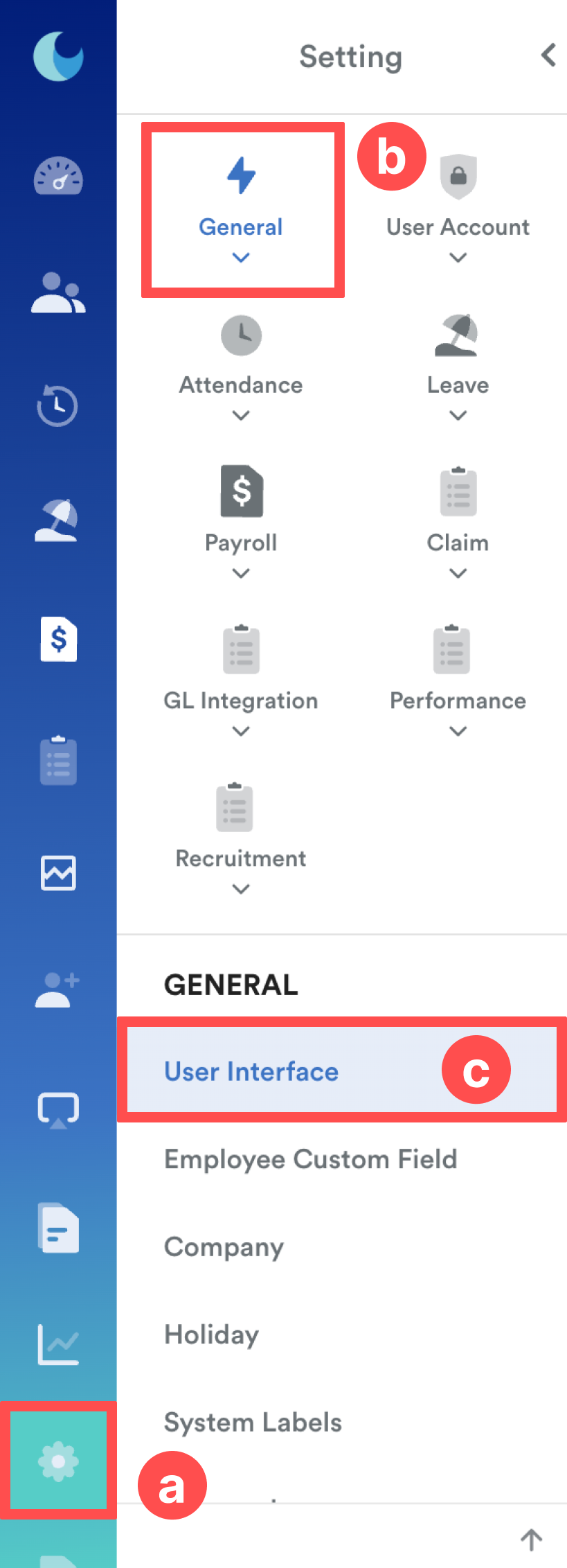
From the left menu, go to Settings (a) > General (b) > User Interface (c).
Step 2
Click Edit, toggle on the "Allow duplicate New I/C number and Old I/C number" button.
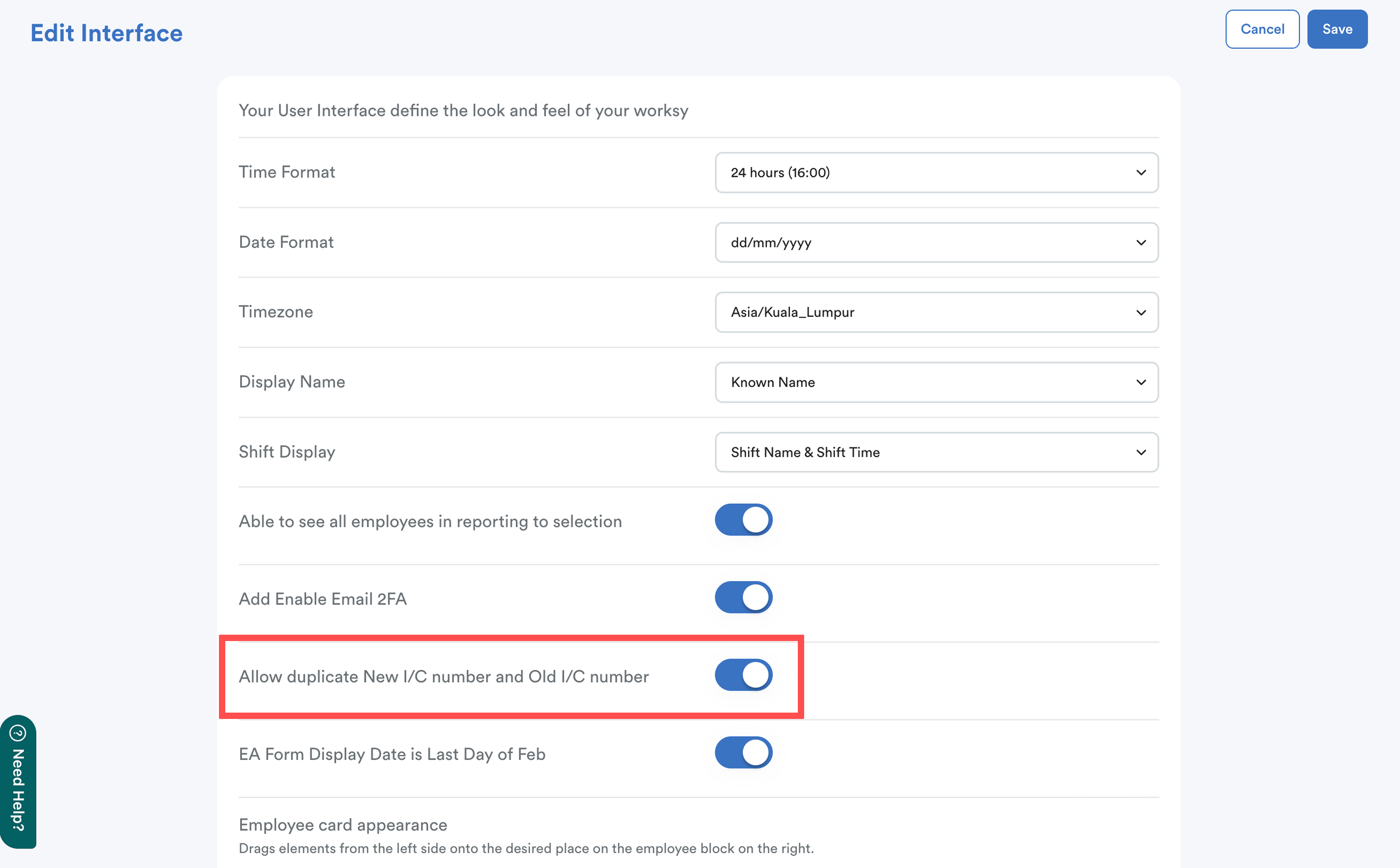
Click Save at the top right of the screen to confirm changes.
Step 3
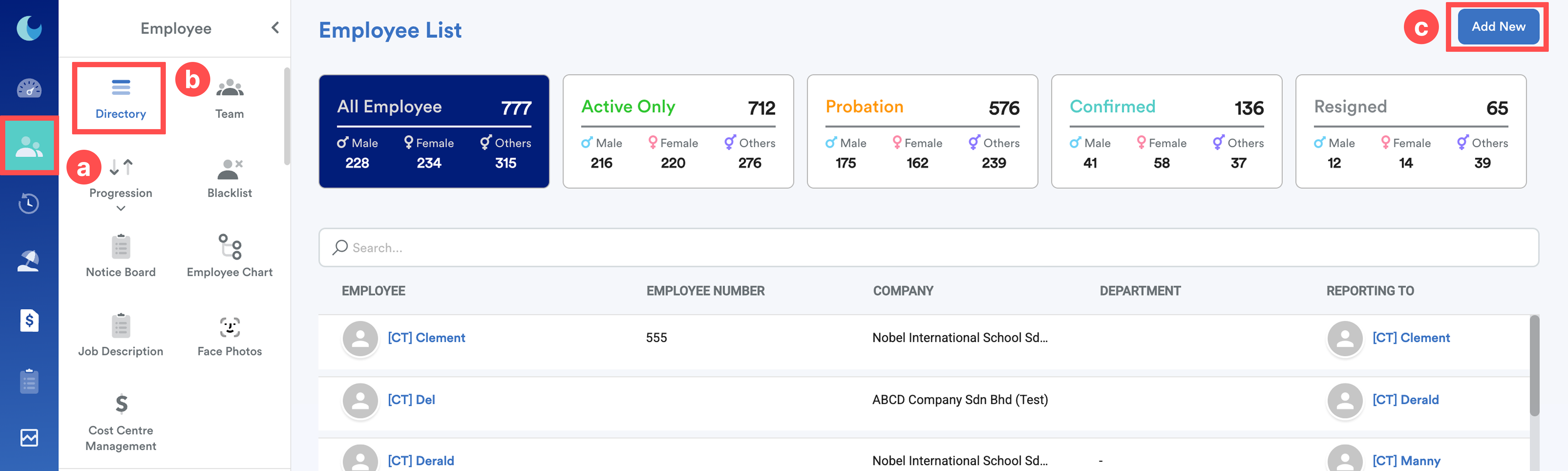
On the left menu, go to Employee (a) > Directory (b) > Add New (c).
Refer here for detailed step-by-step: Adding New EmployeeWe hope this explanation clarifies the matter. If you require further assistance, please don't hesitate to contact our support team.
Was this article helpful?
That’s Great!
Thank you for your feedback
Sorry! We couldn't be helpful
Thank you for your feedback
Feedback sent
We appreciate your effort and will try to fix the article