To process voluntary payroll deductions such as Zakat, PTPTN, ASB, or Tabung Haji, follow the steps below.
Step 1
Before processing the deduction, ensure the required information has been filled in for each employee.
Navigate to Employees > Directory > Employee Profile > Bank & Statutory > Other Statutory.
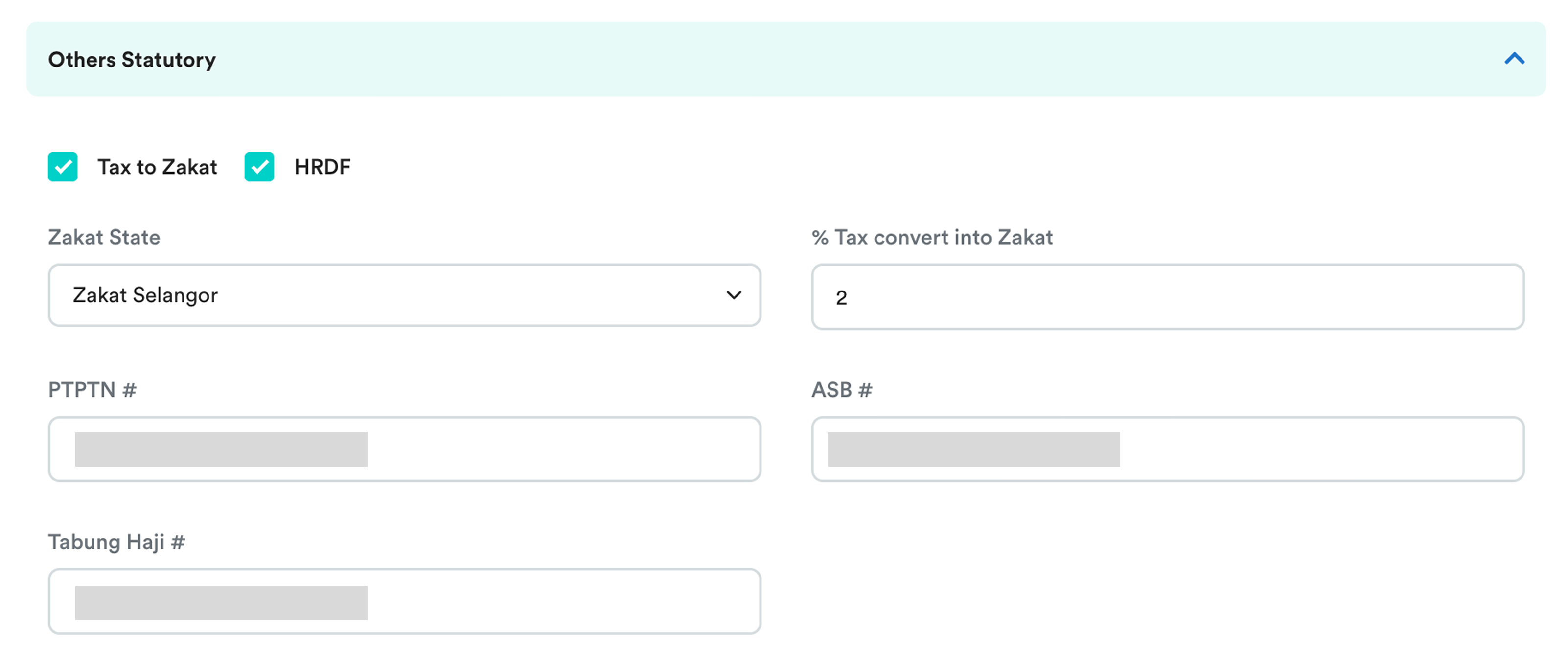
Complete the following information where applicable:
- Zakat – Select the employee's Zakat State and specify the percentage (%).
- PTPTN – Enter the employee's PTPTN Account Number.
- ASNB (ASB) – Enter the employee's ASNB Account Number.
- Tabung Haji – Enter the employee's Tabung Haji Account Number.
Step 2
Create a payroll deduction item for the relevant contribution.
Refer to Creating/Edit Payroll Items for the setup steps.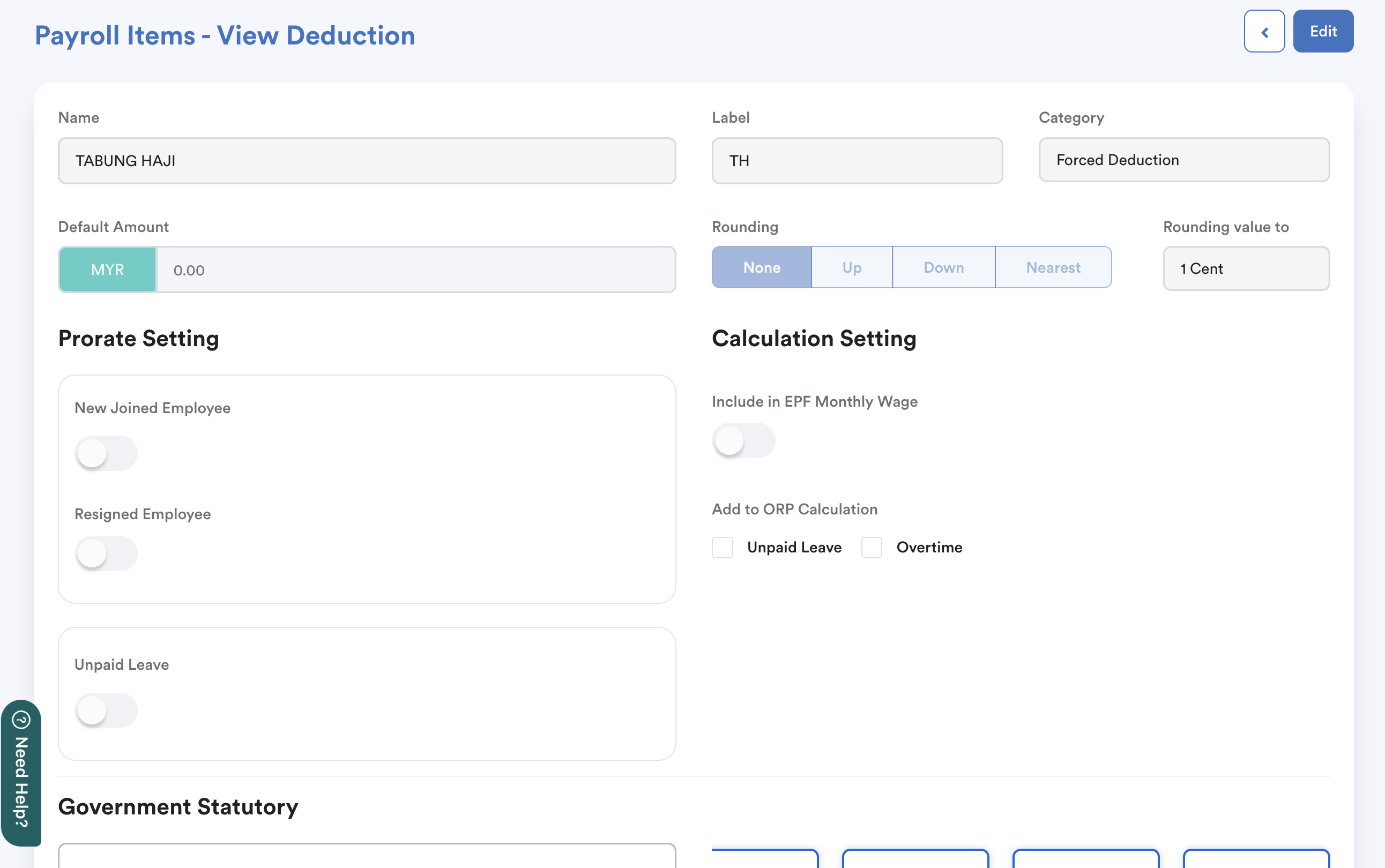
Step 3
Set up the deduction as a Fixed Transaction for the relevant employee so that the deduction is automatically applied in every payroll cycle.
Refer to How to Add Fixed Transaction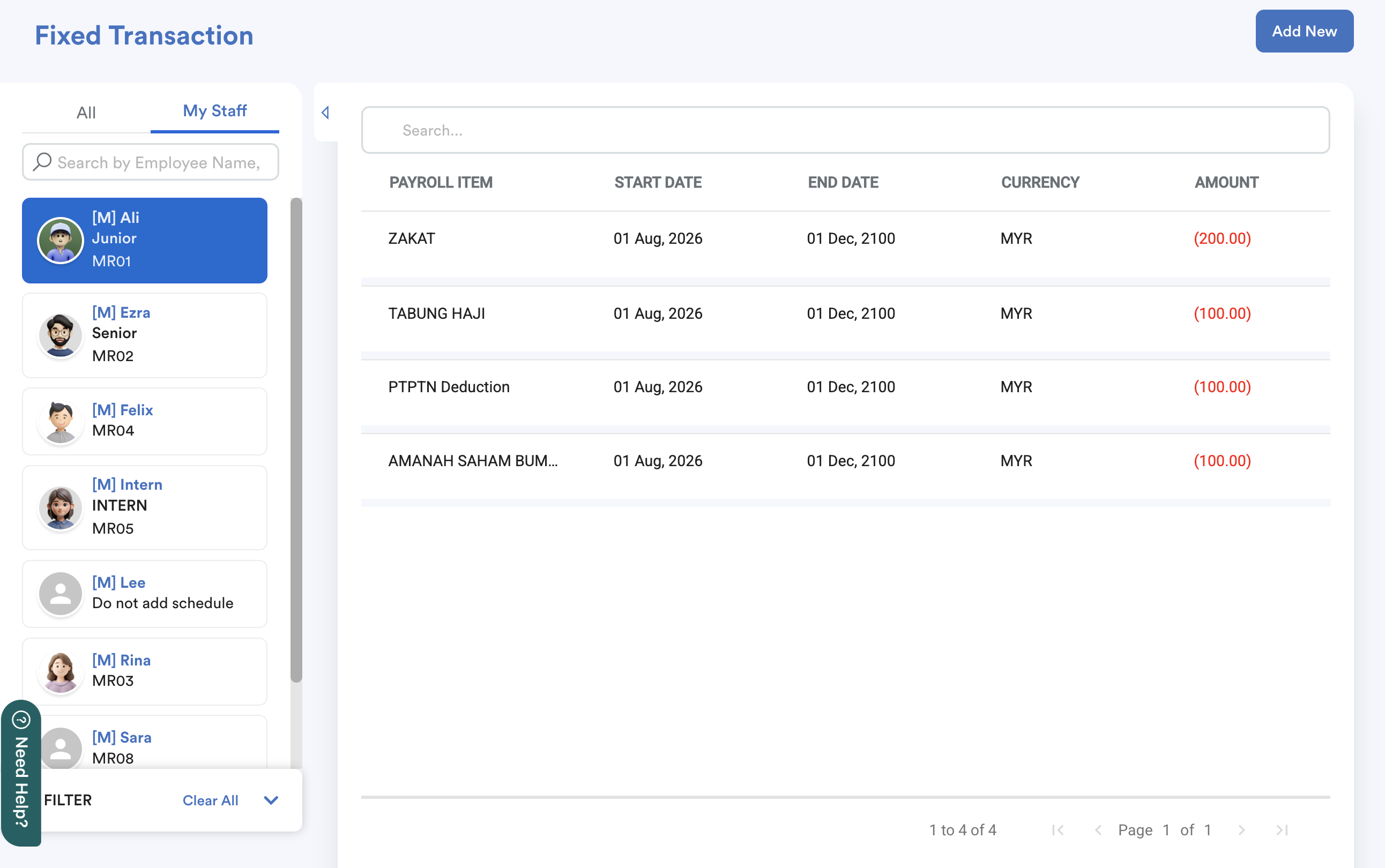
Step 4
Run payroll as usual.
Once payroll has been finalized, navigate to: Payroll > Payment > Bank / Statutory Submission.
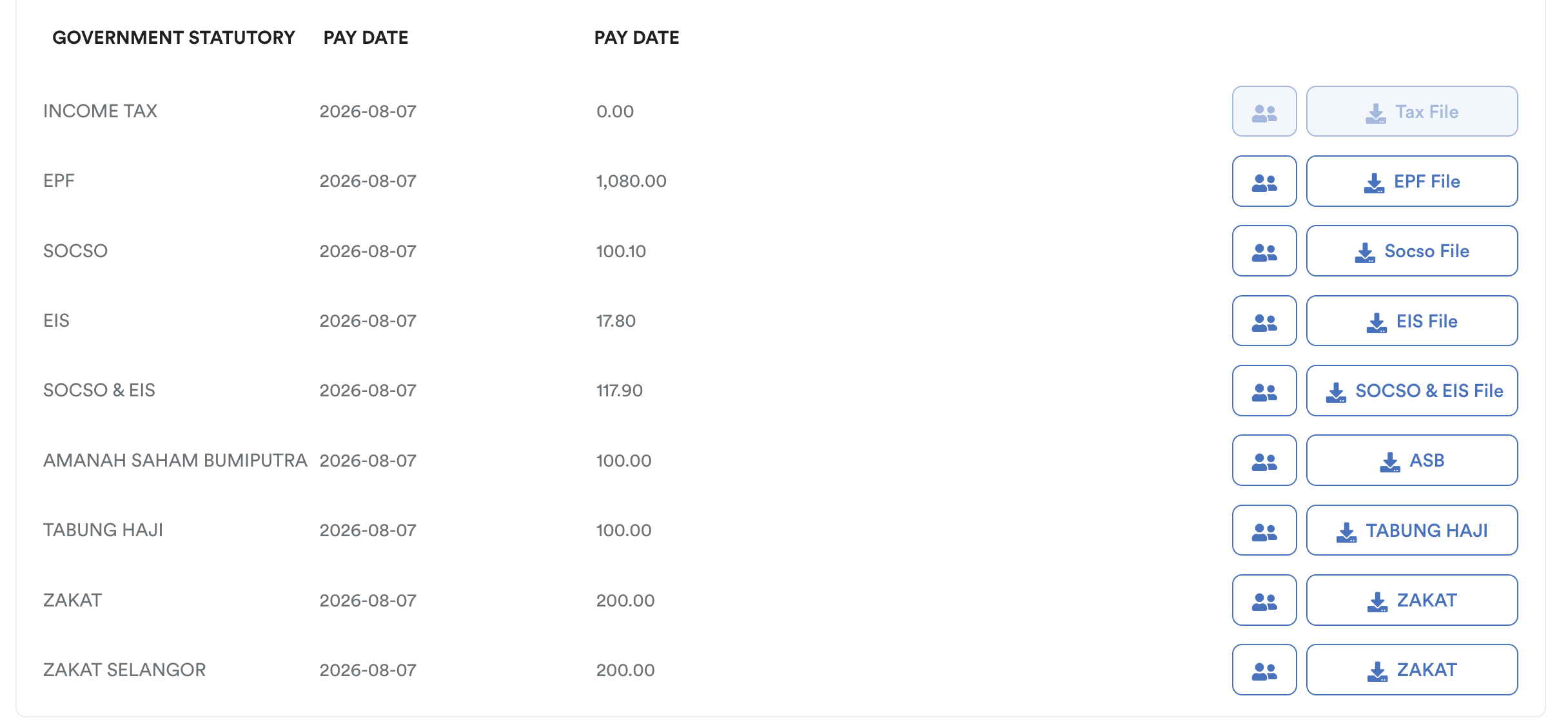
Note: Ensure the company's statutory information has been completed under Settings > Company > Statutory. Otherwise, the payment file may not be available for download.
Download the relevant statutory or bank payment file, then submit the payment through the respective organization's employer portal or according to their submission requirements.
Payment Portals and Submission Methods
| PTPTN | Submit and make payment through the Portal Majikan Online (PMO) |
| Zakat | Submit through the respective state's zakat authority portal (for example, PPZ-MAIWP for Kuala Lumpur). |
| ASNB (ASB) | Submit the salary deduction information to ASNB Headquarters or any ASNB Branch according to ASNB's submission process. |
| Tabung Haji | Submit deductions and make payment through the THiJARI Biz employer portal. |
We hope this explanation clarifies the matter. If you require additional assistance, do not hesitate to contact our support team.
Was this article helpful?
That’s Great!
Thank you for your feedback
Sorry! We couldn't be helpful
Thank you for your feedback
Feedback sent
We appreciate your effort and will try to fix the article