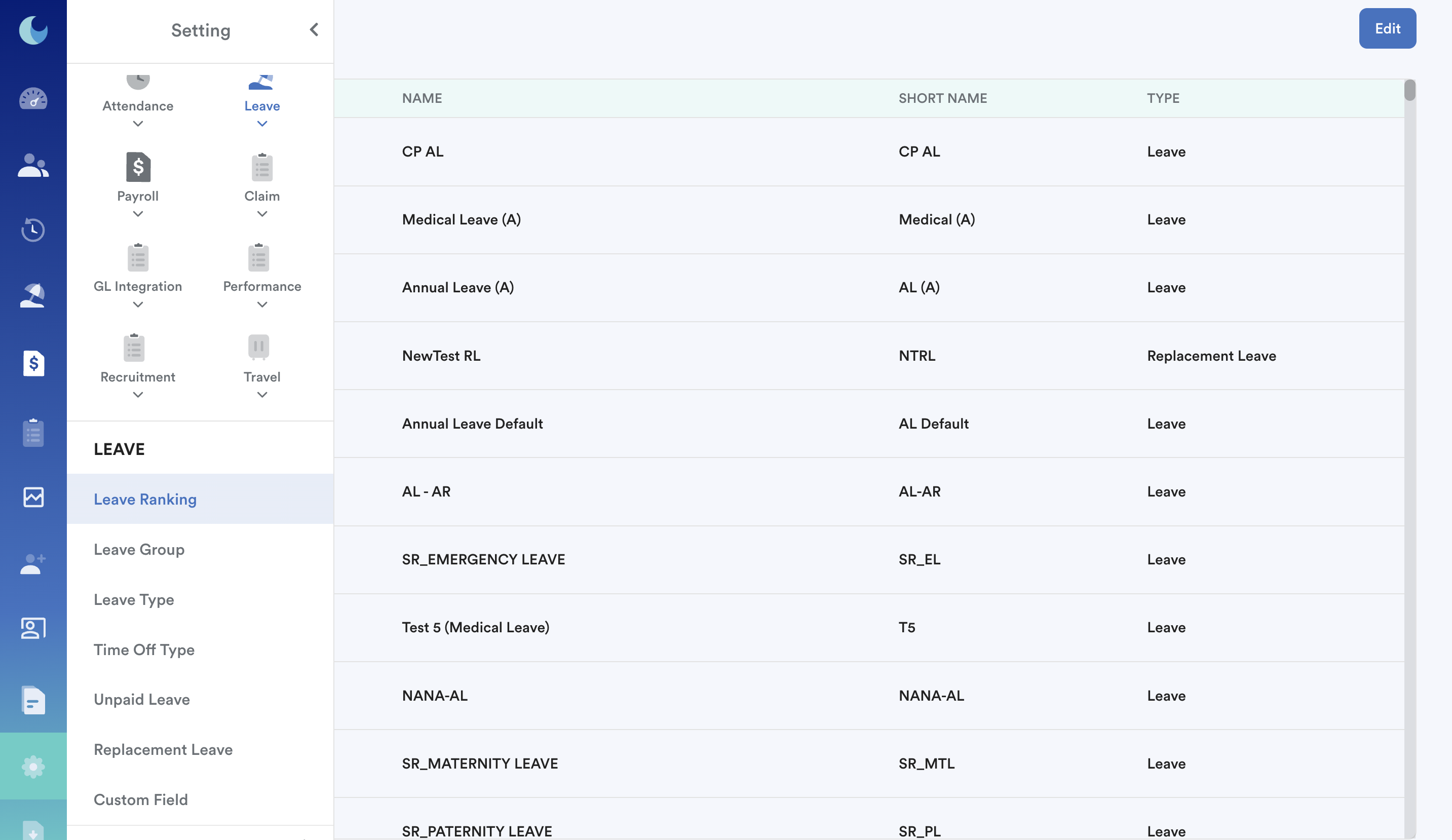
The order of leave cards on both the dashboard and the individual leave screen depends on Settings > Leave > Leave Ranking.
Step 1
Navigate to Settings > Leave > Leave Ranking as shown in the image below.
Step 2
Click Edit and rearrange the order. Click Save. It will reflect these changes instantly.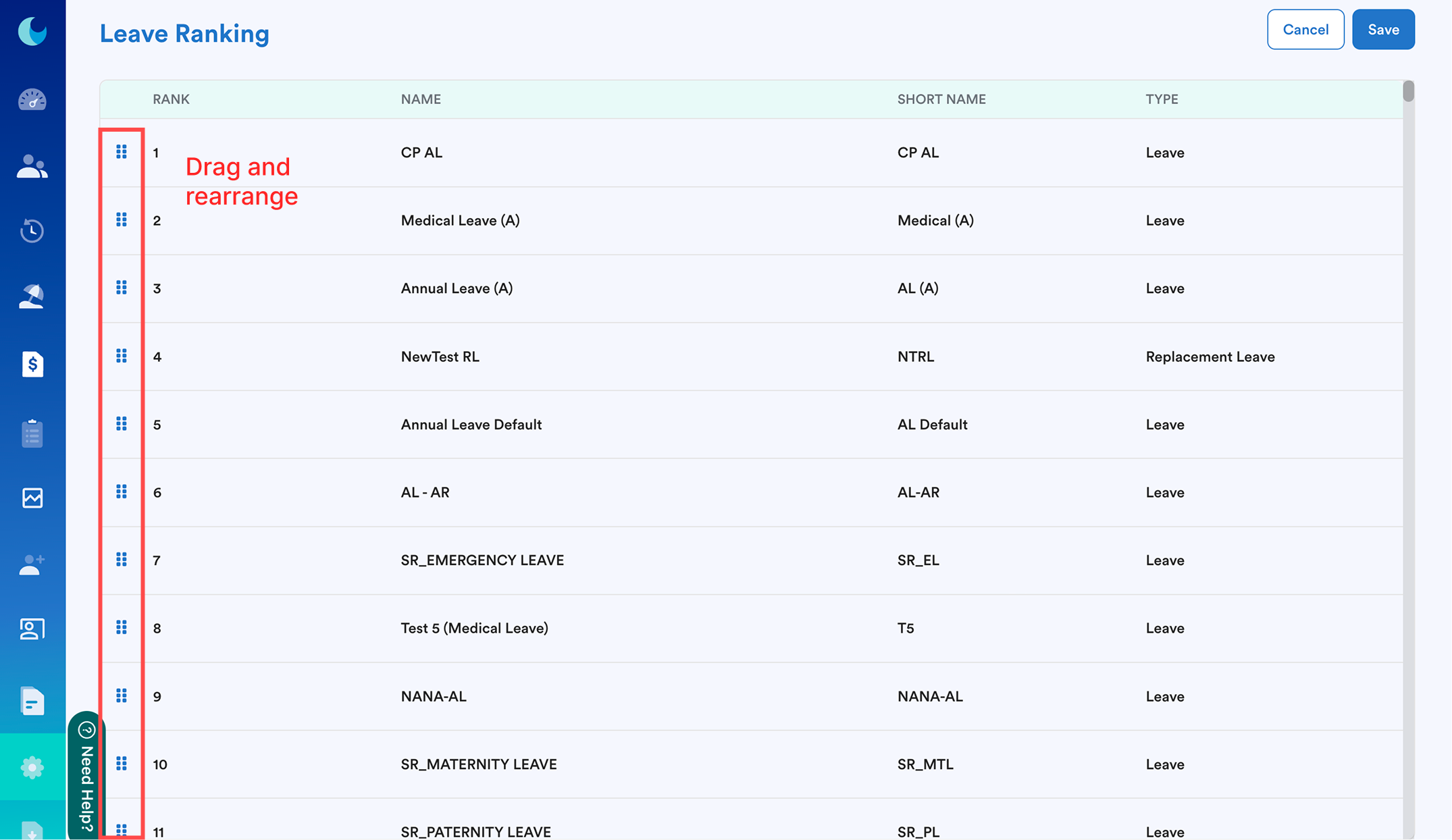
In this example, "CP AL" is the 1st entitled leave; "Annual Leave Default" is the second entitled leave for "The Tester".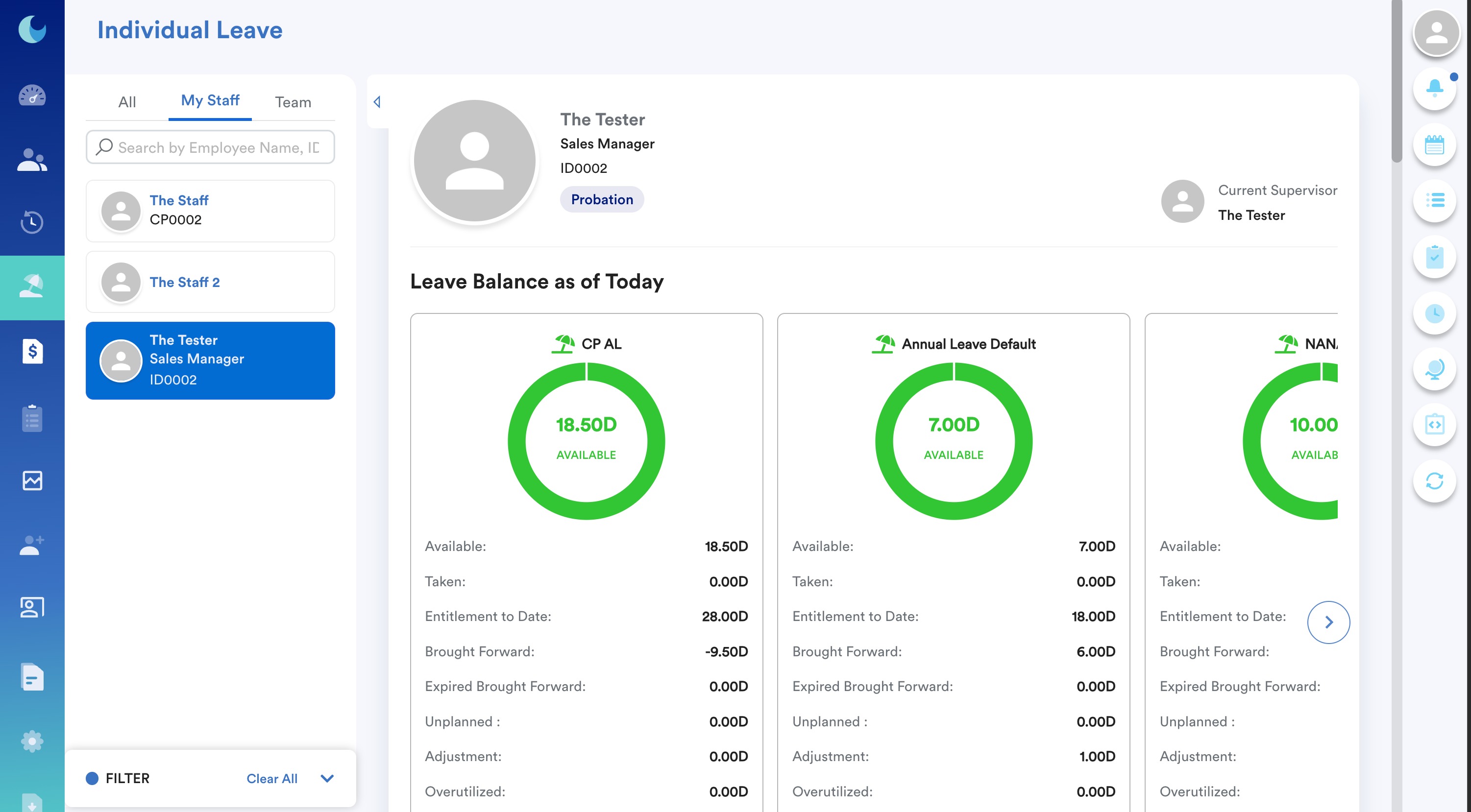
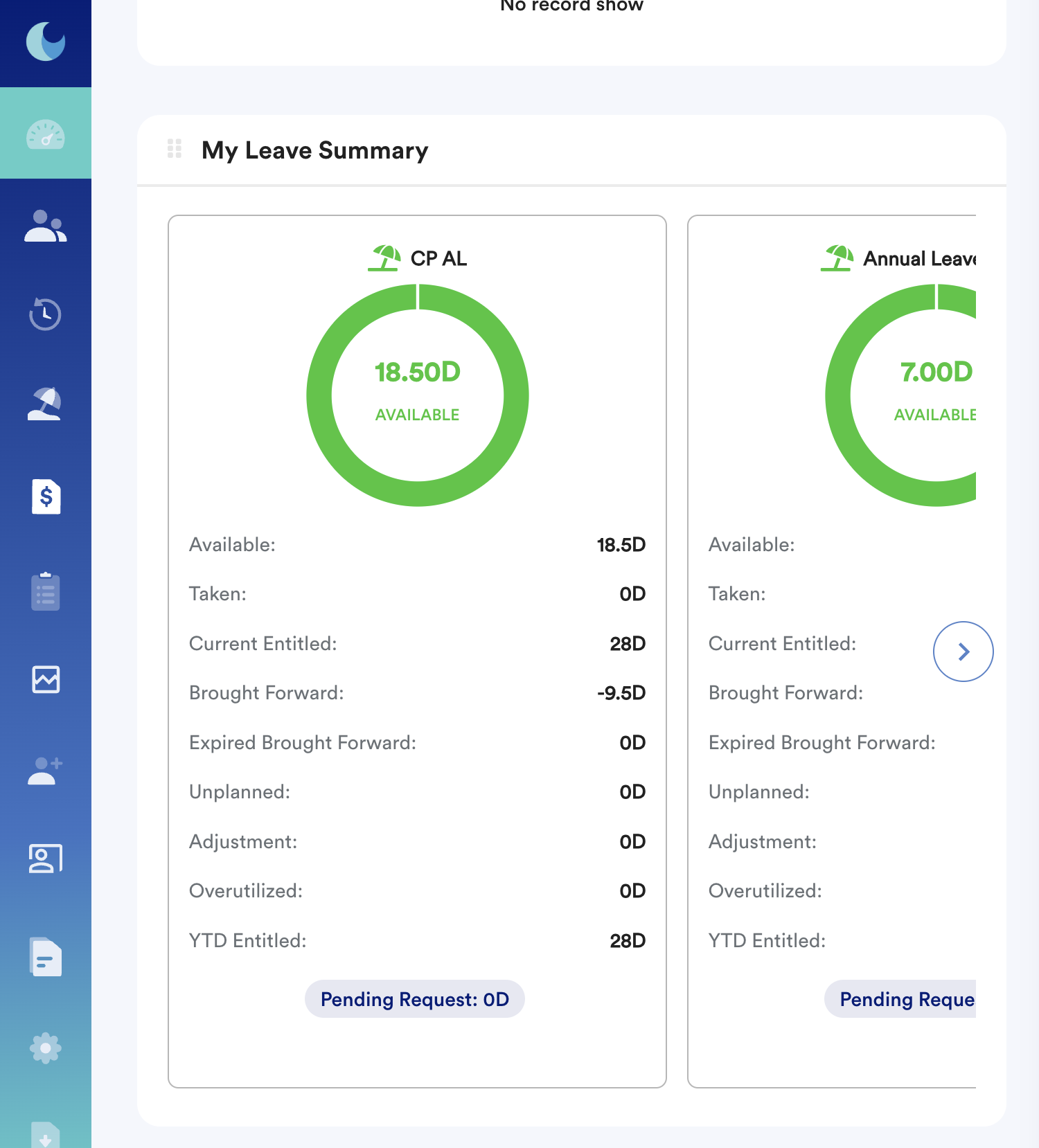
This is a leave widget specifically designed for employees who want to see the balance of the entitled leaves at a glance on their Worksy dashboard.
If you cannot see the leave summary widget on the dashboard, contact HR to enable via this path: Dashboard > Settings > Dashboard Widget > Leave > My Leave Summary
We hope this explanation clarifies the matter. If you require additional assistance, do not hesitate to contact our support team.
Was this article helpful?
That’s Great!
Thank you for your feedback
Sorry! We couldn't be helpful
Thank you for your feedback
Feedback sent
We appreciate your effort and will try to fix the article