To set the overtime pattern, refer to Set Overtime Rate in Overtime Pattern.
If your company deducts a fixed amount of overtime before calculating overtime pay, you can enable Overtime Deduction in the overtime pattern.
How It Works
When Overtime Deduction is enabled, the system deducts the configured amount of overtime before applying any overtime rounding or overtime rate.
The system determines the overtime hours to deduct based on your overtime approval method:
- With an OT Request: Deduction is applied to the Approved OT from the request.
- Without an OT Request: Deduction is applied to the employee's actual overtime hours captured from attendance records.
The calculation sequence is:
Captured OT → Overtime Deduction → Approved OT → Rounding → Overtime Rate Calculation
Example
The employee has 4 hours of approved overtime.

The overtime pattern is configured as follows:
- Deduct 30 minutes when overtime reaches 5 hours.
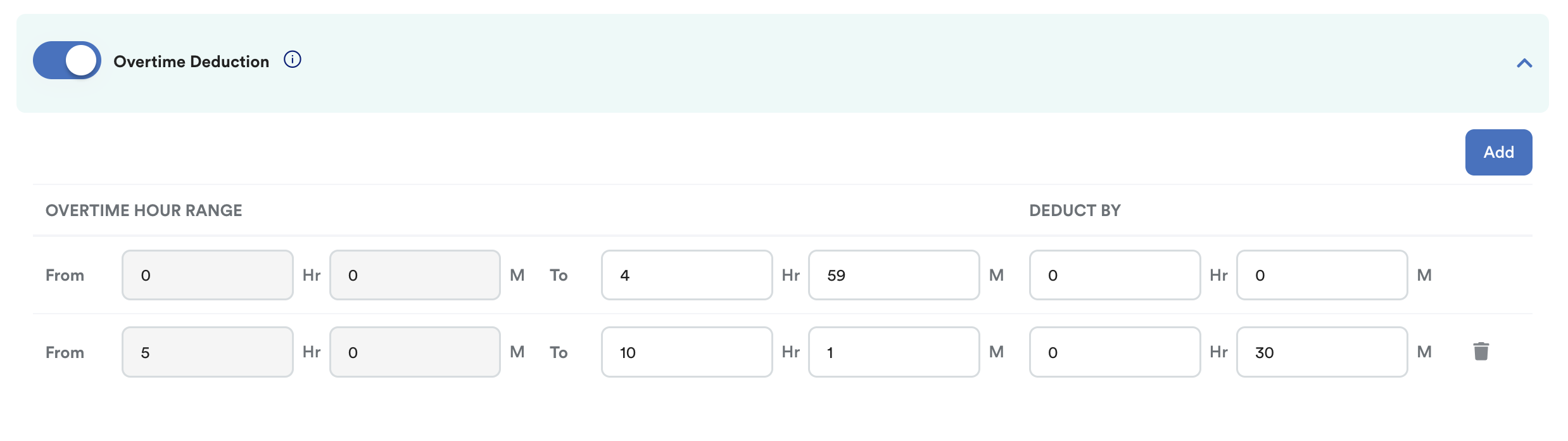
The system will calculate the overtime as follows:
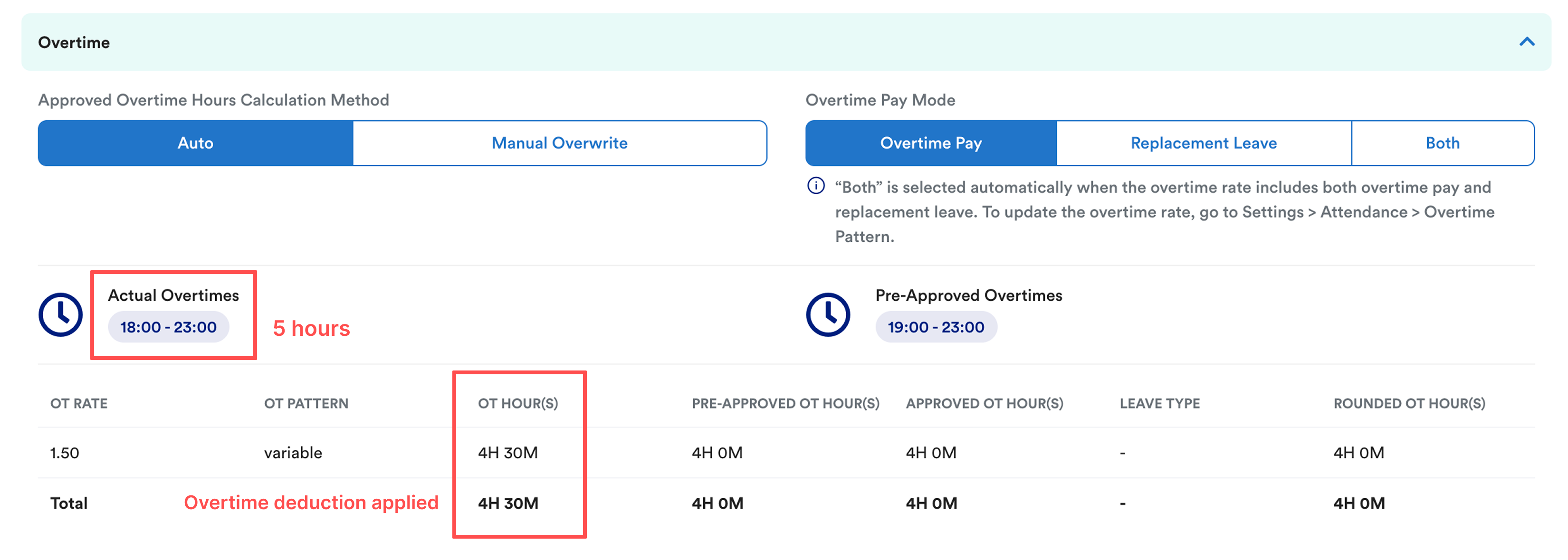
- Captured OT: 5 hours
- Overtime Deduction: 30 mins (5 hours → 4 hours 30 mins)
- Approved OT: 4 hours
- Rounding: Applied based on the overtime pattern settings
- Final overtime payment is calculated using the rounded overtime hours.
Note: Overtime deduction is always applied before overtime rounding.
To learn more about how overtime rounding works, refer to step 4.3 in Set Overtime Rate in Overtime Pattern.
We hope this explanation clarifies the matter. If you require further assistance, please don't hesitate to contact our support team.
Was this article helpful?
That’s Great!
Thank you for your feedback
Sorry! We couldn't be helpful
Thank you for your feedback
Feedback sent
We appreciate your effort and will try to fix the article