This guide explains how to disable statutory contributions for specific employees. Once disabled, no statutory deductions or employer contributions will be calculated in payroll for the selected statutory bodies.
Step 1
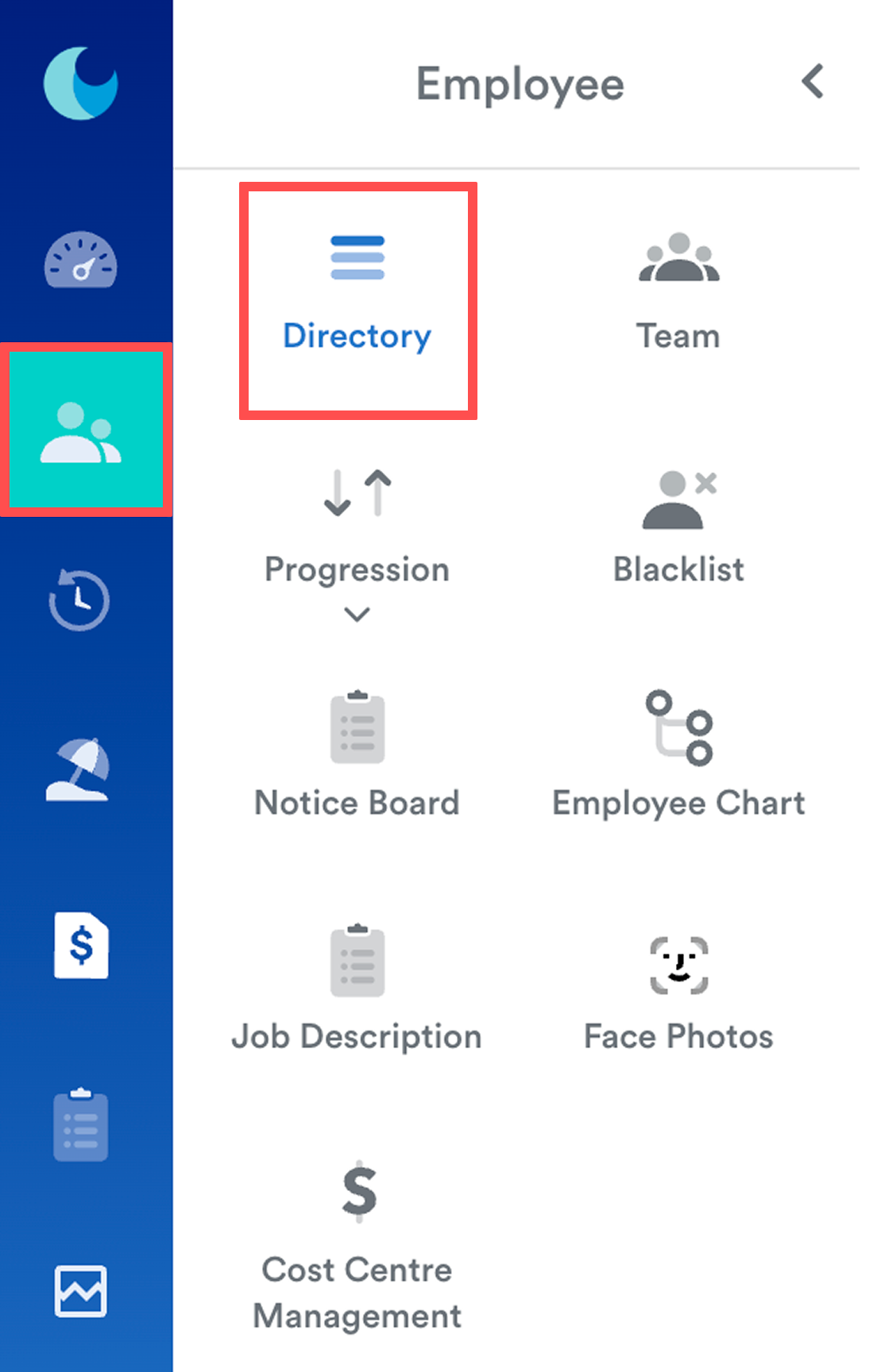
Go to Employee > Directory. Then, select an employee from the list.
Step 2
Go to the Bank & Statutory tab.
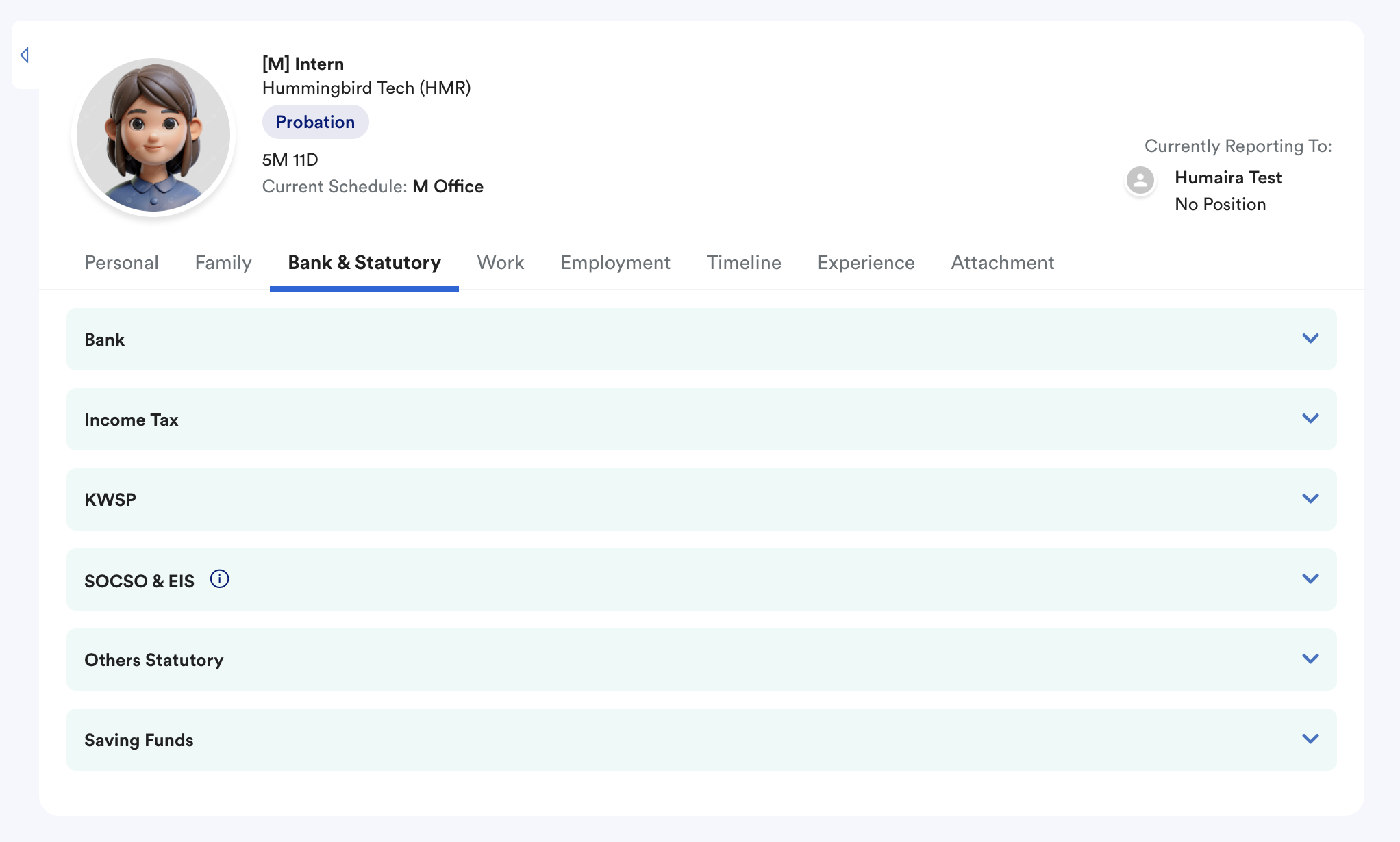
Based on the statutory contribution you want to disable, update the relevant sections below.
Income Tax (PCB)
To disable PCB deductions:
- Leave the Income Tax # field blank
- Set Tax Category to None
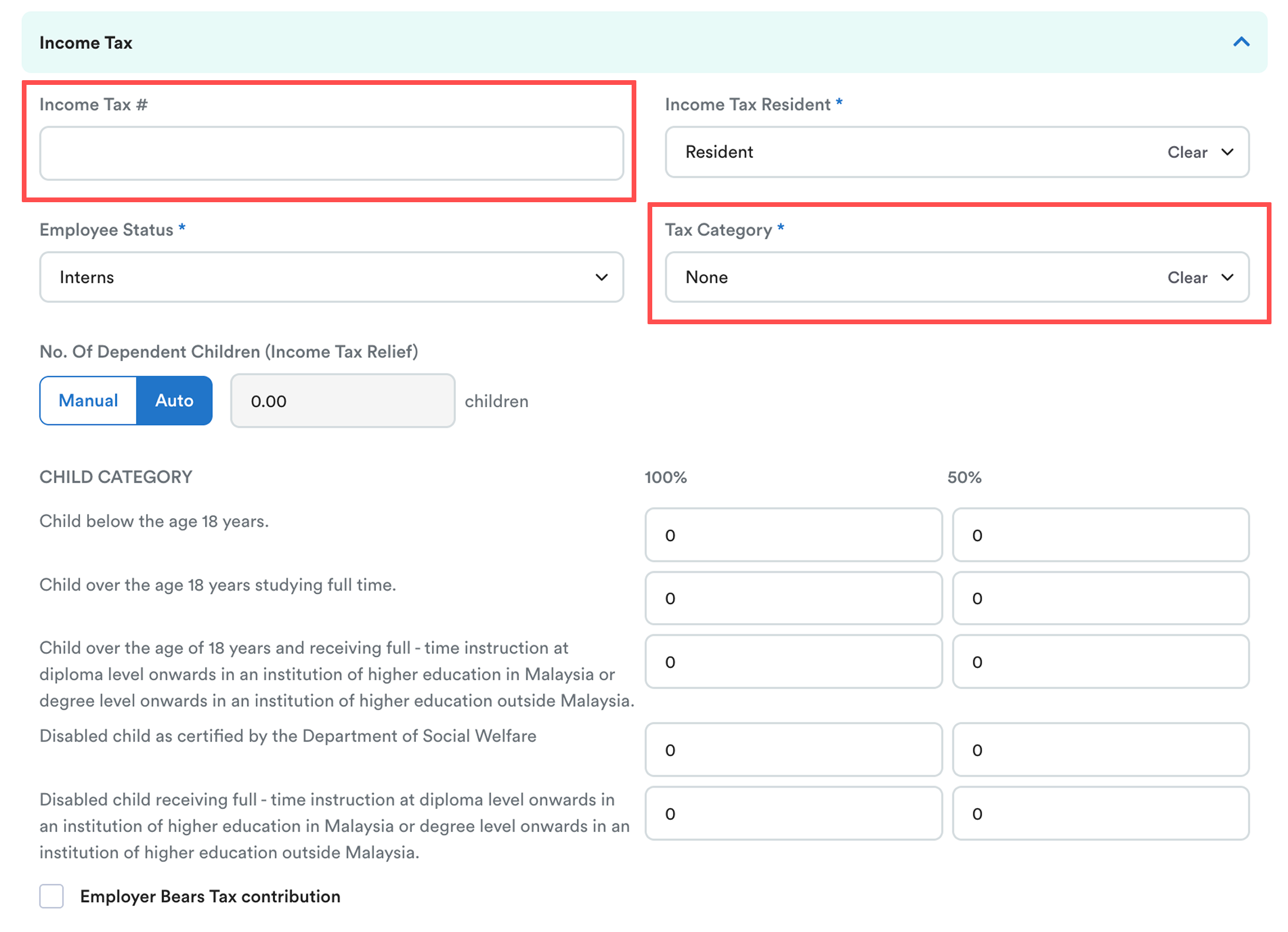
This will prevent PCB calculations for the employee.
KWSP, SOCSO & EIS
To exclude the employee from statutory contributions:
- For KWSP, leave the EPF category empty, so both the employee and the employer will not contribute to EPF. (Identification 1 is mandatory if the employee has IC number registered)
- Ensure both SOCSO and EIS checkboxes are unticked
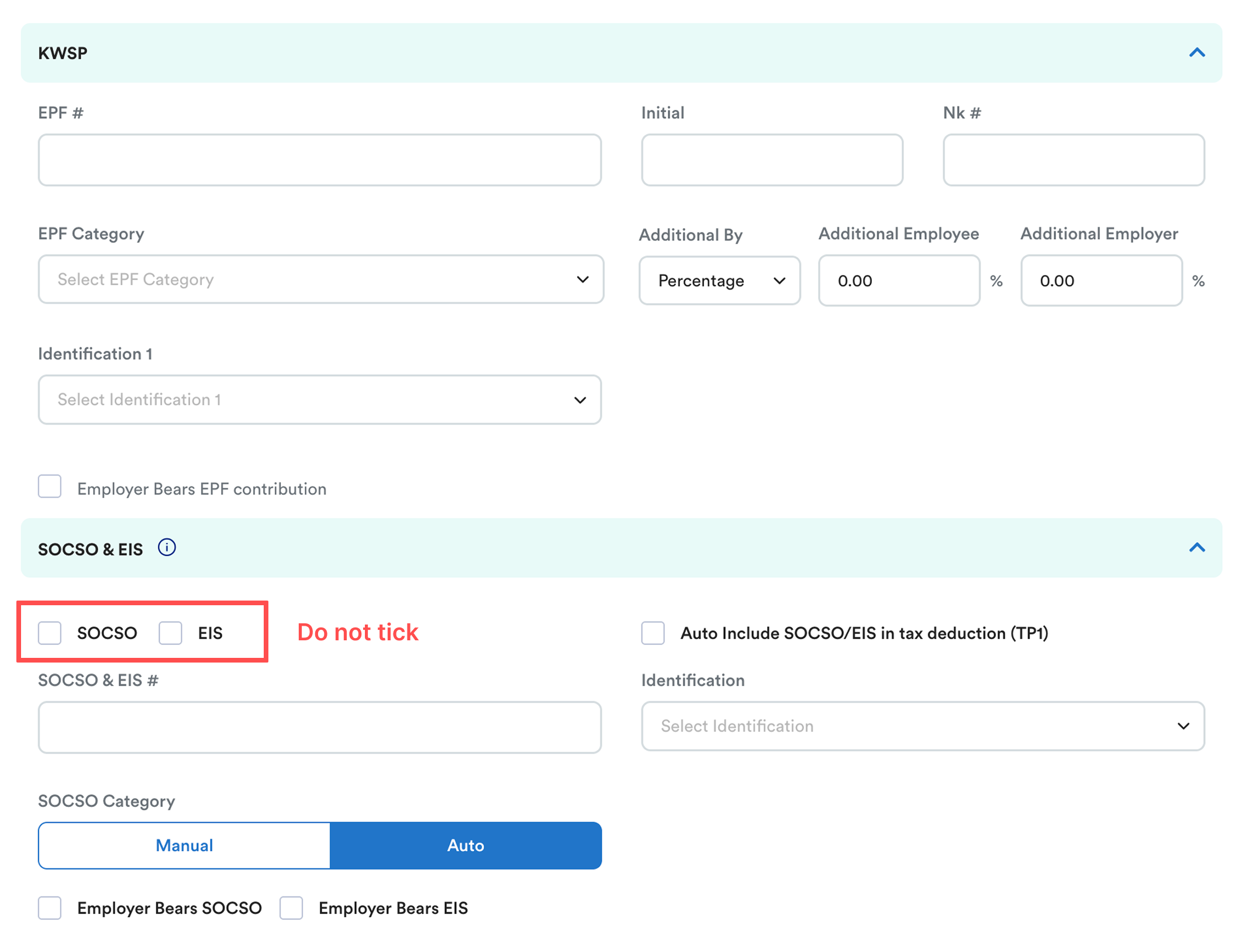
This prevents automatic statutory calculations during payroll processing.
Step 3
Click Save once all changes are completed.
You may generate a future payroll as a test to confirm that no statutory deductions or employer contributions are being calculated for the employee.
We hope this explanation clarifies the matter. If you require additional assistance, do not hesitate to contact our support team.
Was this article helpful?
That’s Great!
Thank you for your feedback
Sorry! We couldn't be helpful
Thank you for your feedback
Feedback sent
We appreciate your effort and will try to fix the article