This guide is for companies with employees working and clocking from outside Malaysia.
By default, the system uses Malaysia Time (MYT). To ensure accurate clocking for employees abroad, you must set their Primary Work Location to a location with the correct foreign timezone.
Important:
To reflect the foreign timezone, you must assign this foreign-timezone location as primary work location to your employees.
Example: Avenue 5 location is created with New York timezone. And this location is assigned to New York staffs as the primary work location.
Step 1
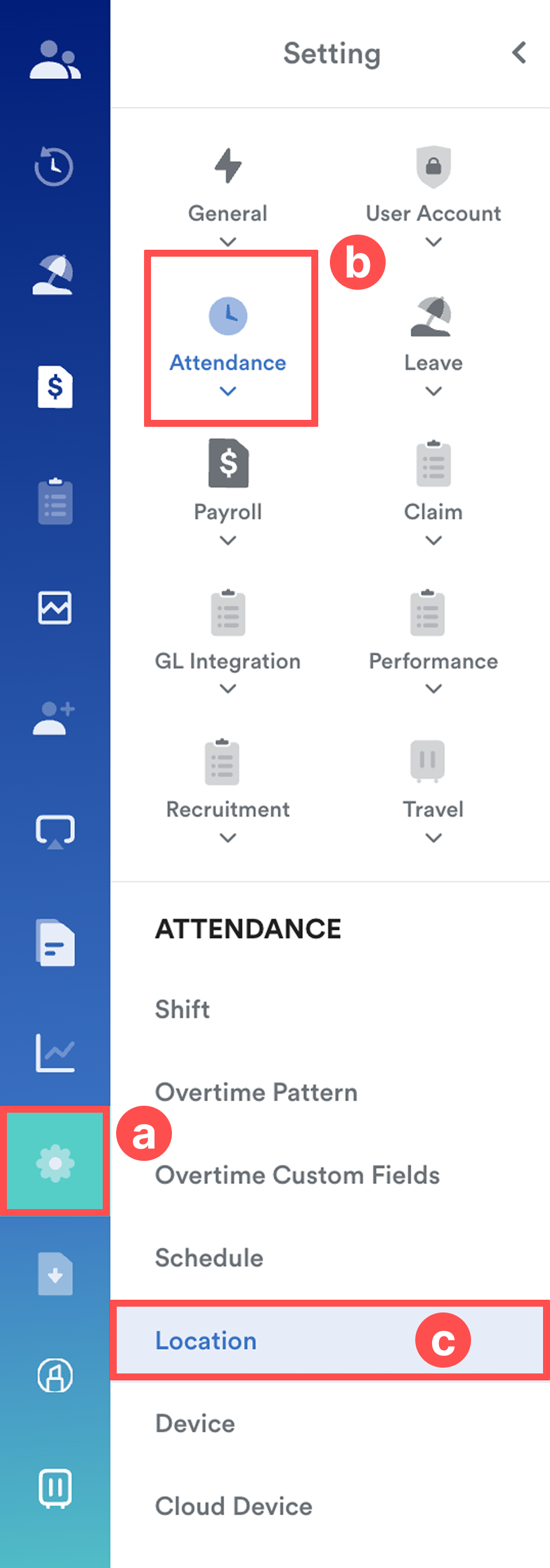
Go to Settings (a) > Attendance (b) > Location (c).
Step 2
Click Add New or select from any existing location (Example: Avenue 5).
Fill in all the required fields.
In the Timezone field, choose the correct foreign timezone for this location.
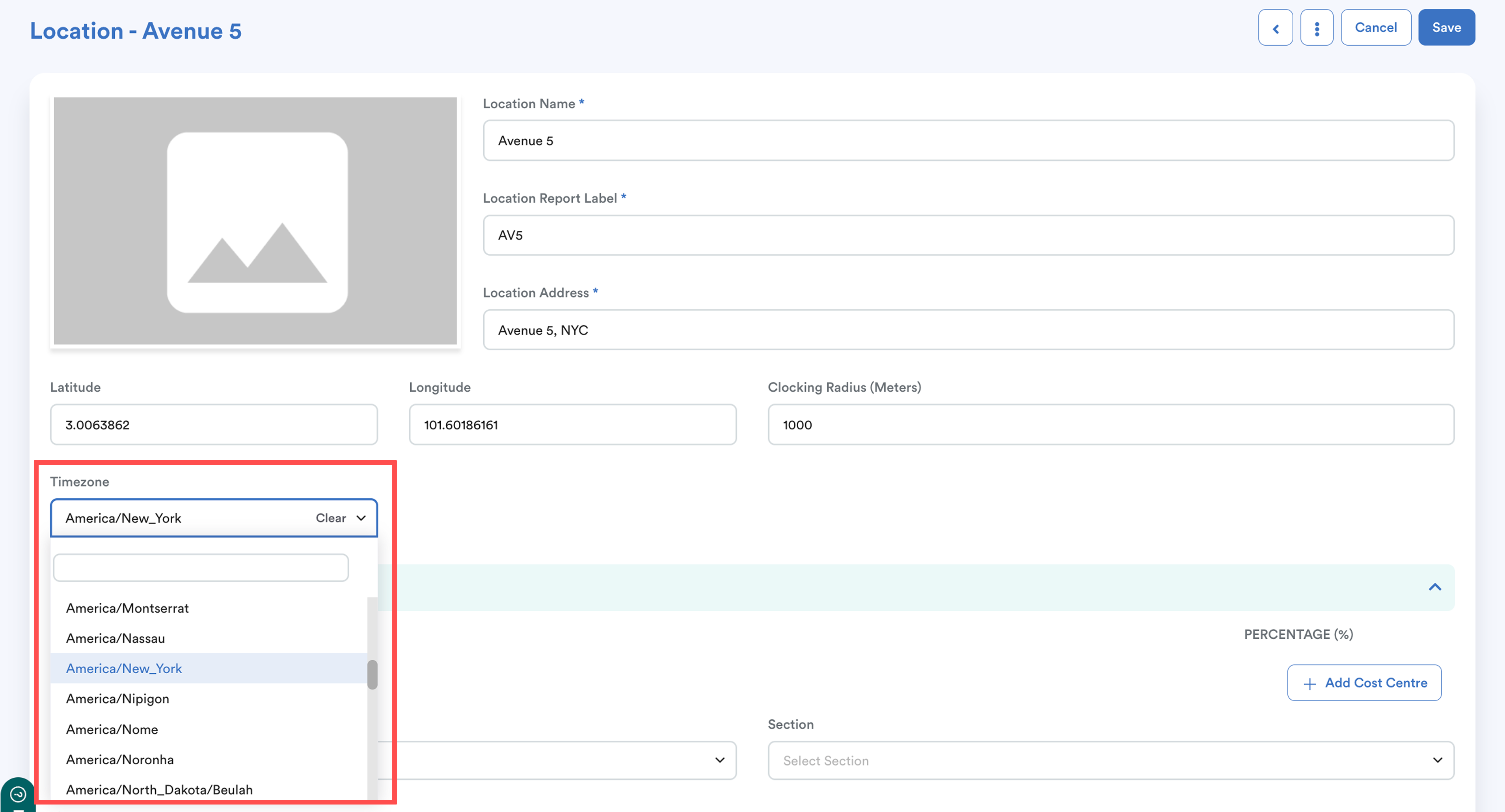
Click Save.
Step 3
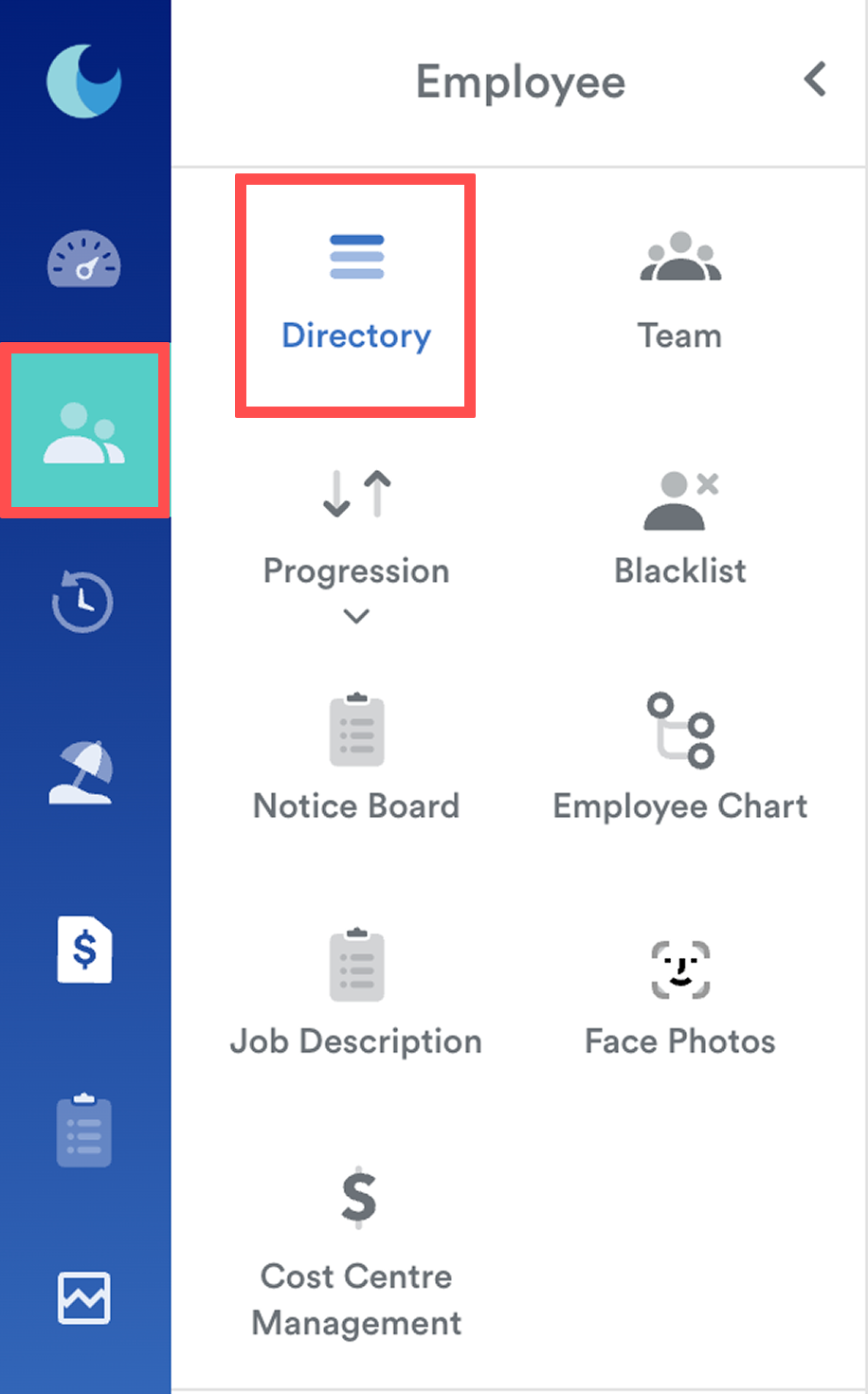
Go to Employee > Directory. Select the employee and navigate to the Work tab.
Step 4
Under the Work tab, go to Work Location. Click Edit.
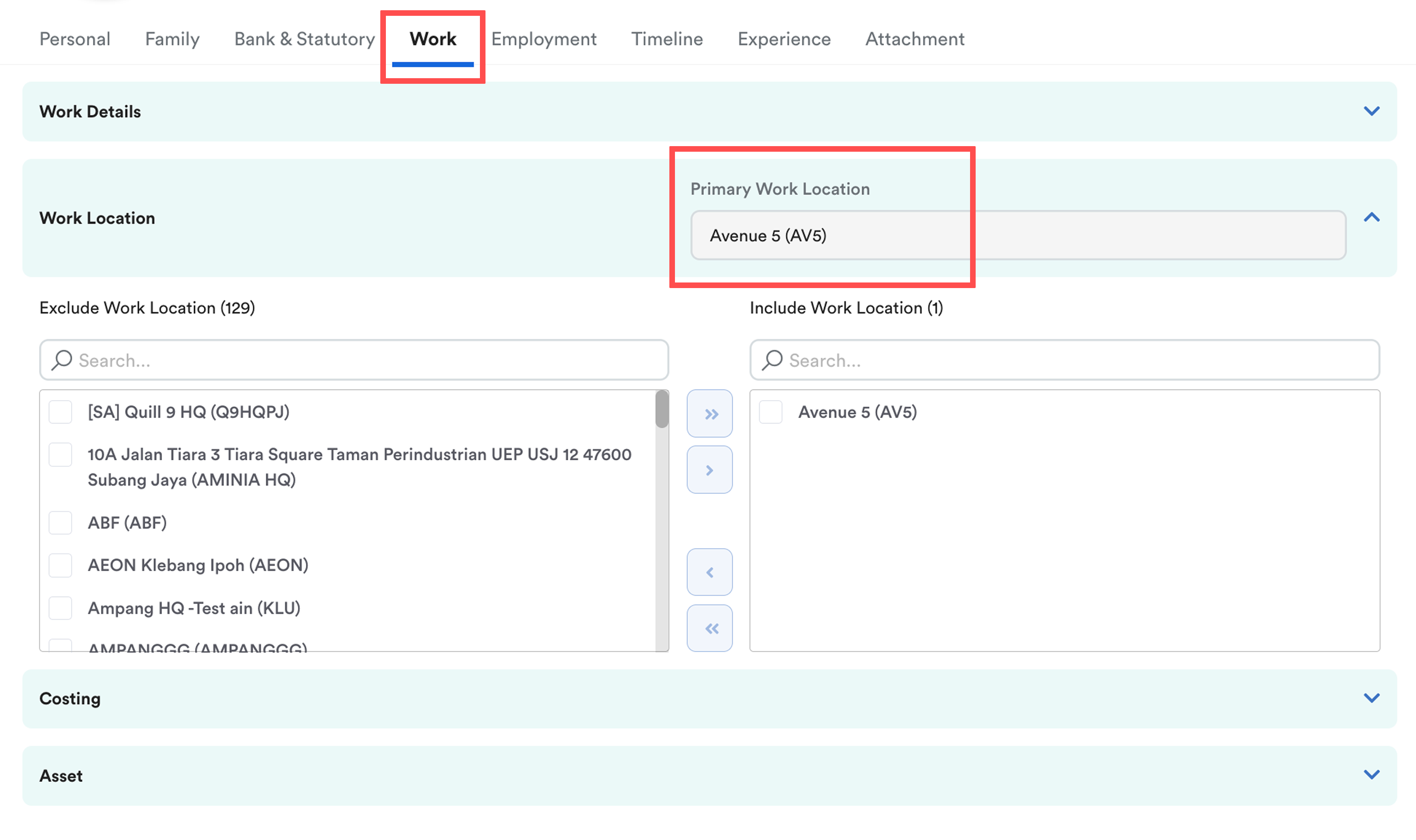
This part is crucial:
Set the Primary Work Location to the one with the foreign timezone.
You can add additional locations in the Include Work Location field, but the Primary must be the foreign timezone location.
Result
When the employee clocks in/out, the system will automatically record the attendance using the timezone of their Primary Work Location when it detects that they are at that location.
Below are the displays of mobile clocking, web clocking, and individual attendance.
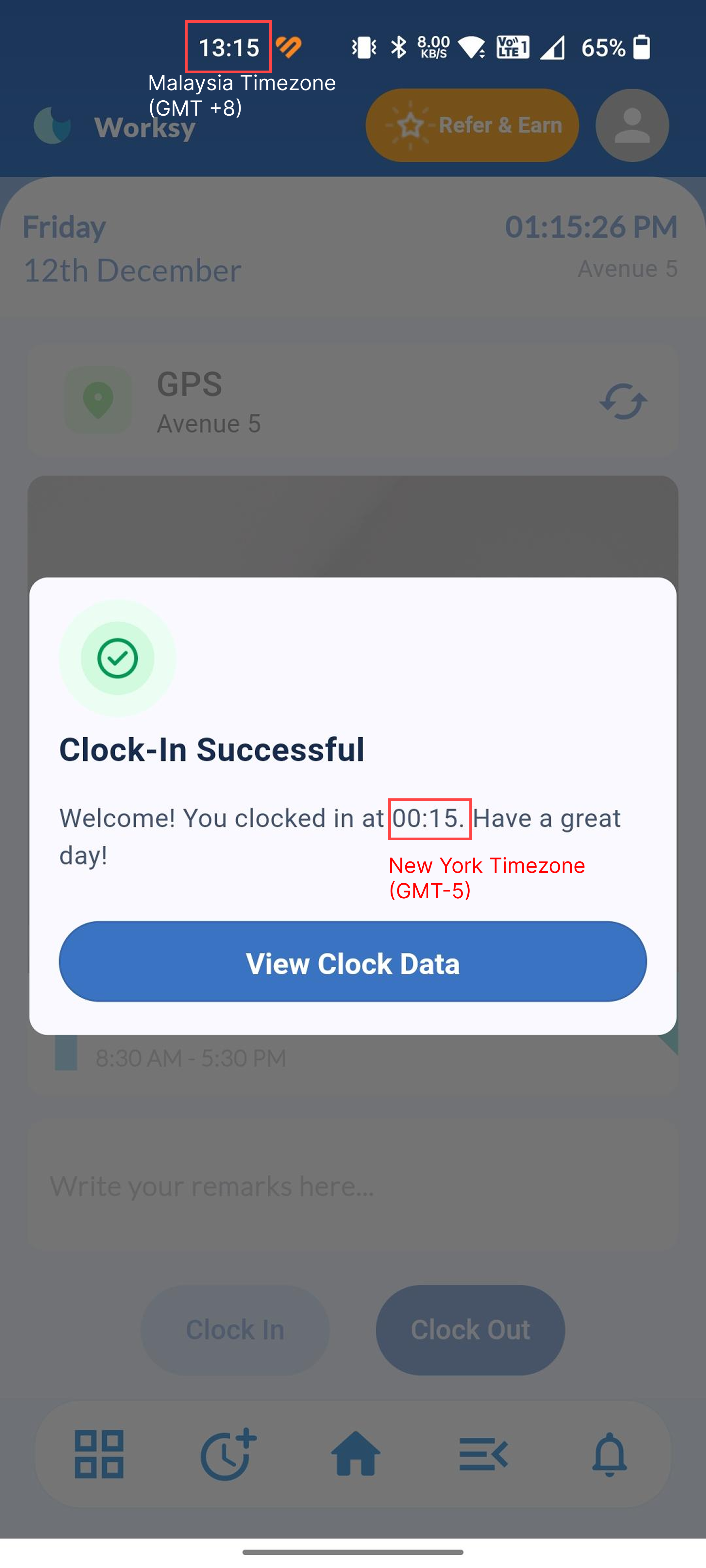
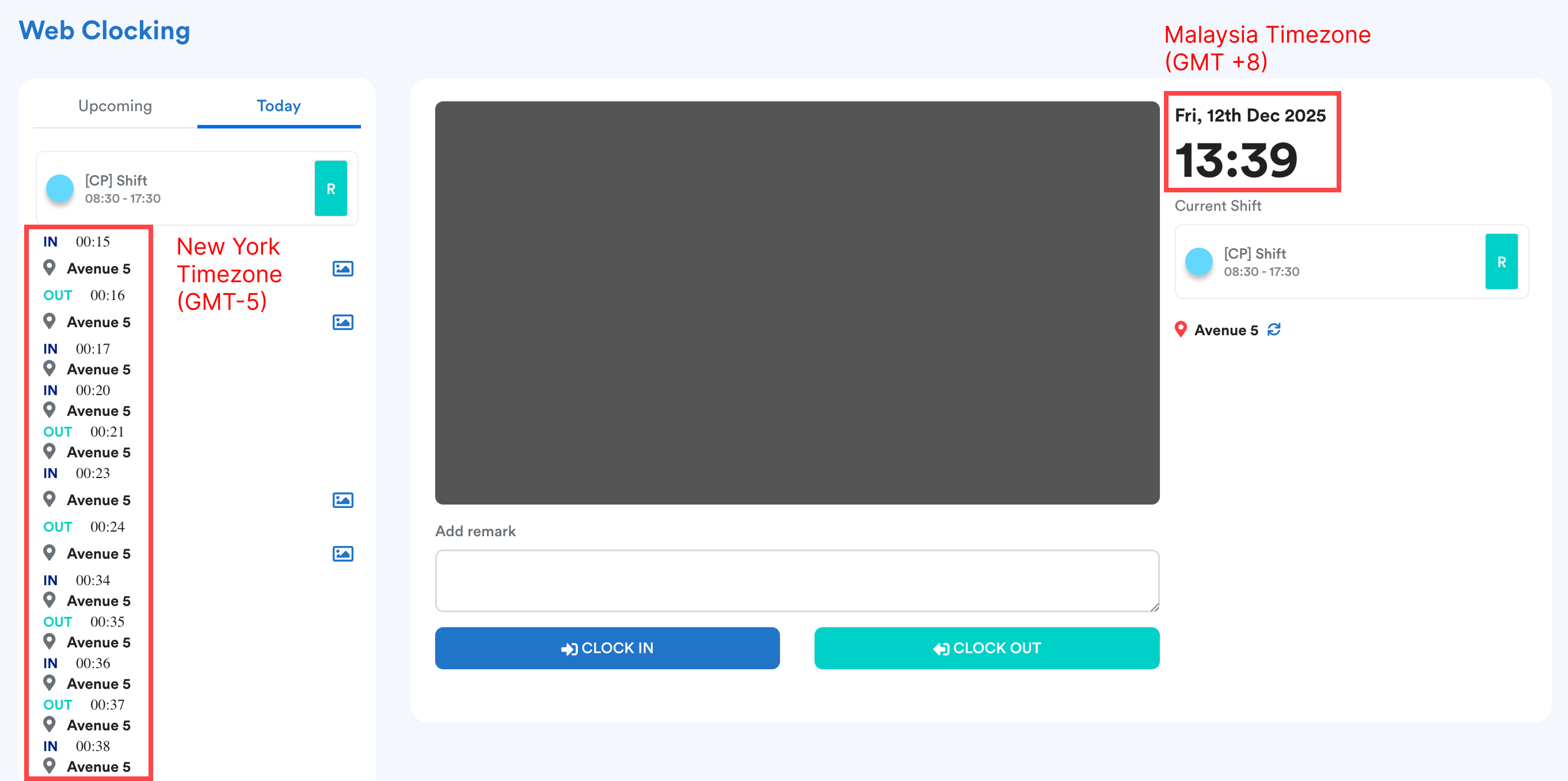
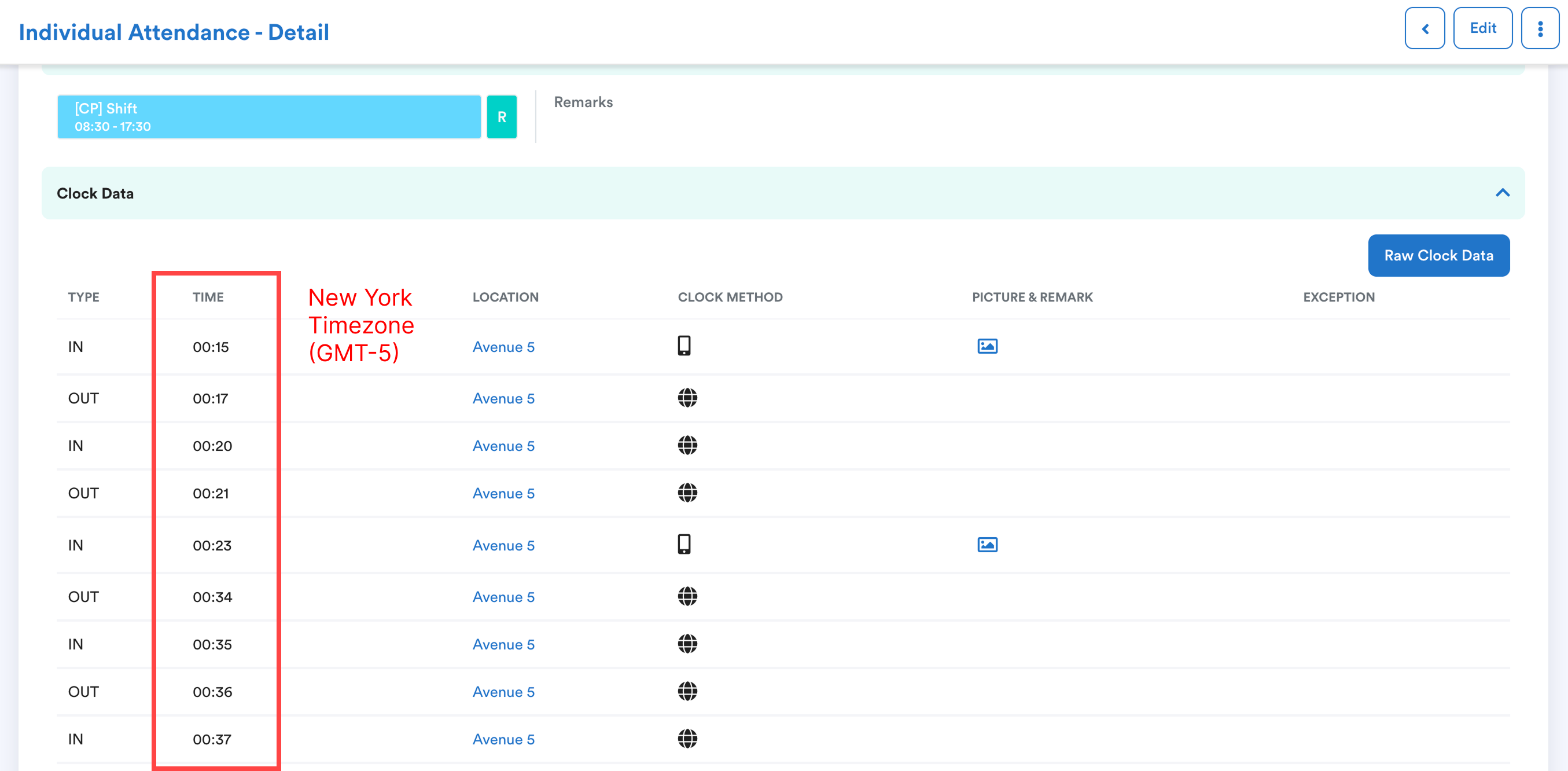
The clock data shows the clock-in time based on New York time, as set in the location’s timezone.
We hope this explanation clarifies the matter. If you require further assistance, please don't hesitate to contact our support team.
Was this article helpful?
That’s Great!
Thank you for your feedback
Sorry! We couldn't be helpful
Thank you for your feedback
Feedback sent
We appreciate your effort and will try to fix the article