To set the overtime pattern, refer to Set Overtime Rate in Overtime Pattern.
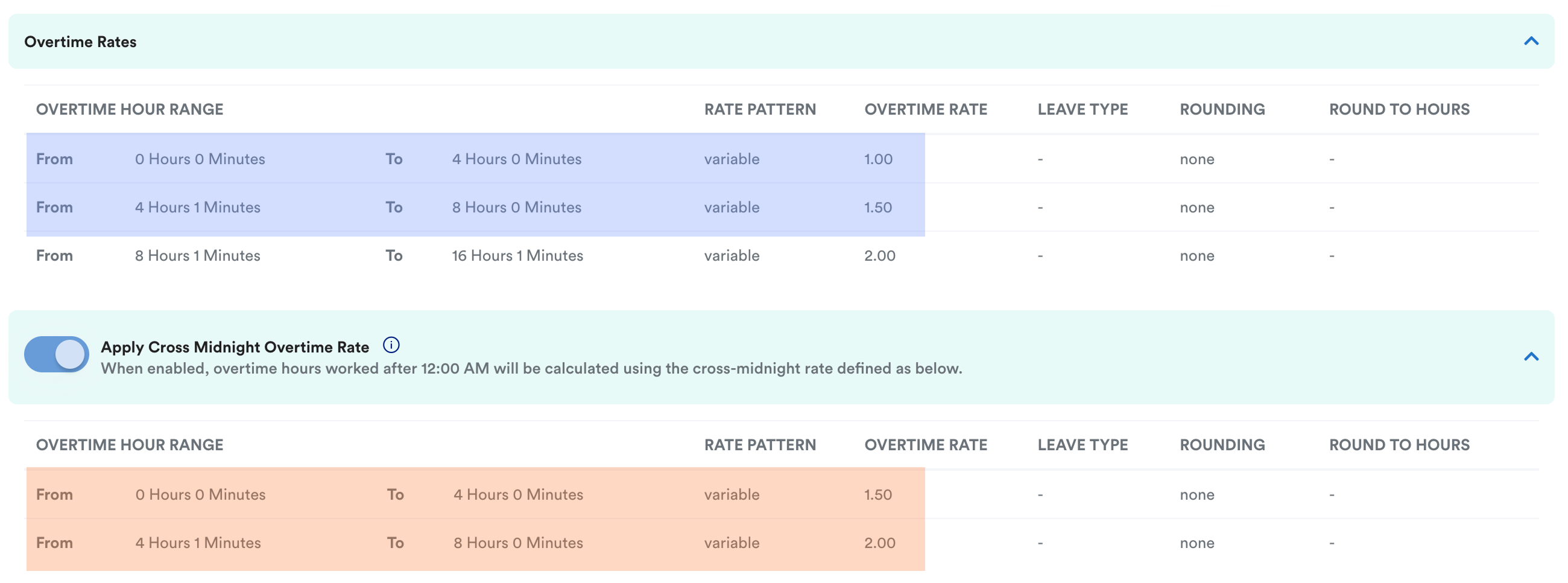
If you would like to set a different rate for overnight working hours, you may toggle on the "Apply Cross Midnight Overtime Rate". 
Example:
This employee has a scheduled work shift from 09:00 to 18:00 on 5 May. However, she works overtime from 18:00 until 06:00 the following morning (6 May).
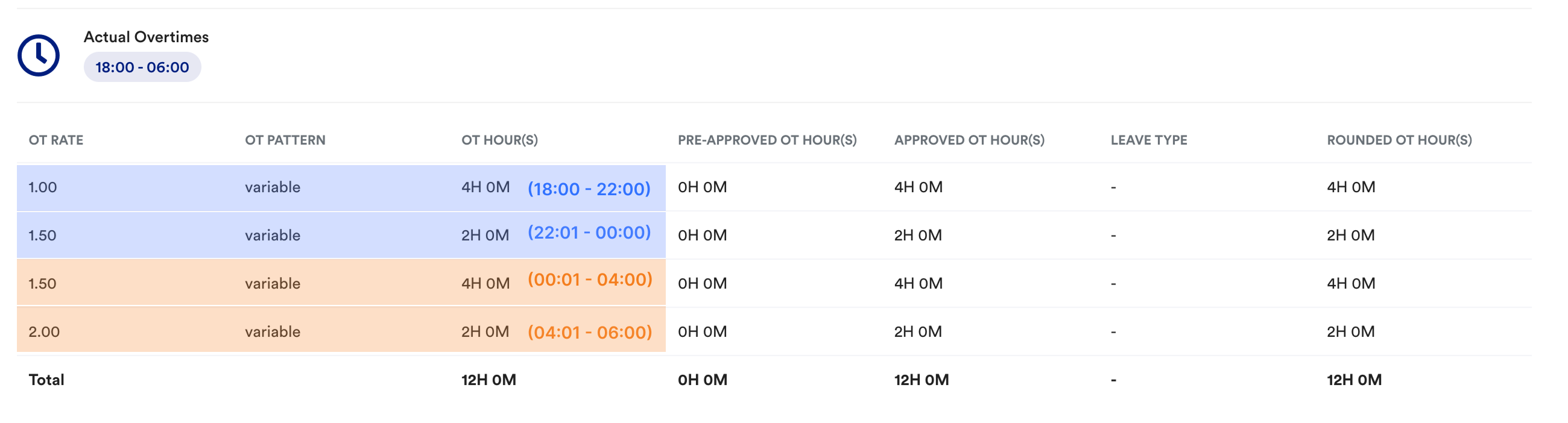
According to the overtime pattern setting as below, she will get:
- an overnight OT rate of 1.5 if working after 12 AM for the first 4hrs, and
- a cross midnight OT rate of 2.00 for 4-8 hours.
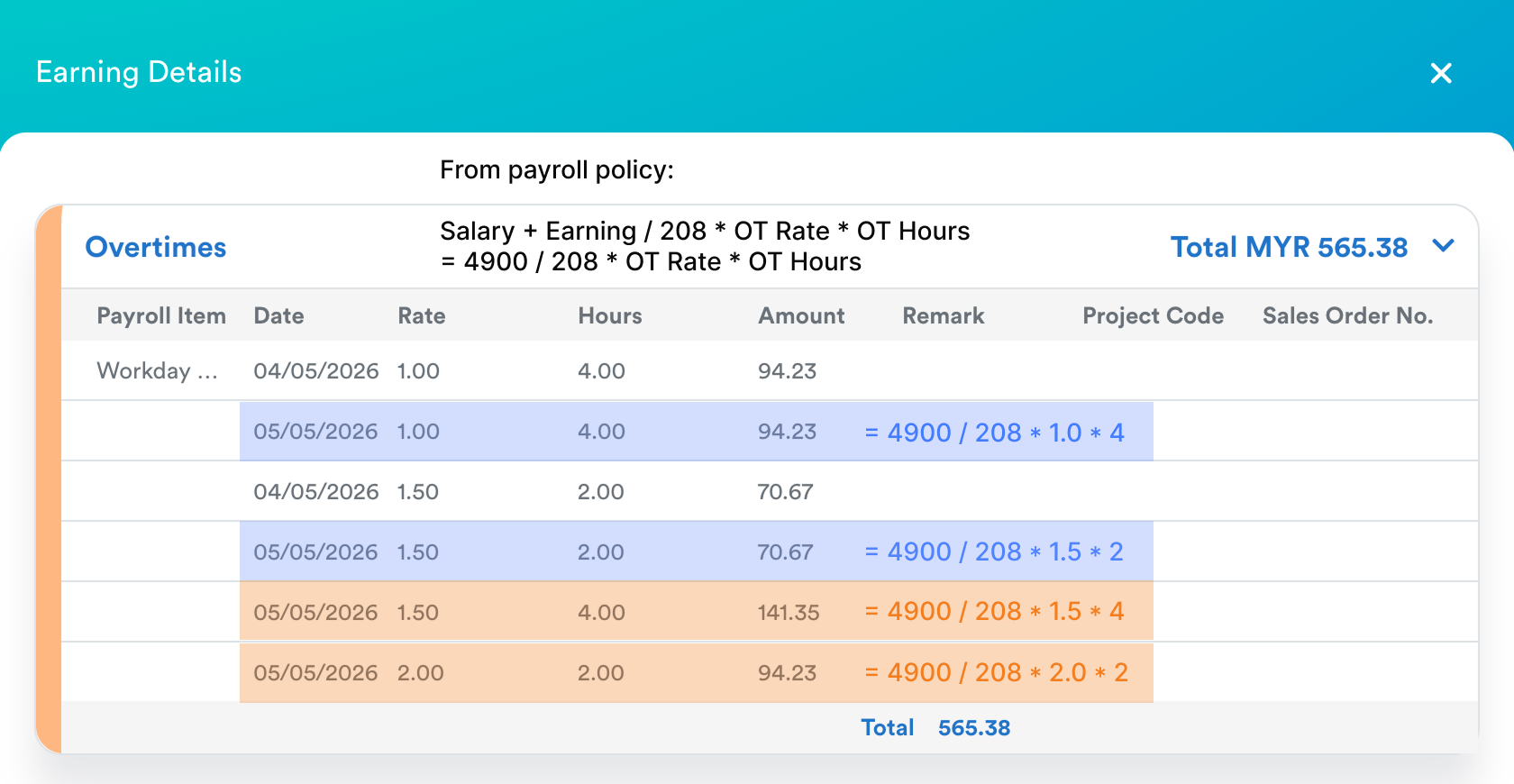
Result:
Though the work ended on 6 May, the system recognizes these hours as part of the shift that started on 5 May.
After payroll is processed, the employee will receive her OT payment calculated with the higher late-night rates included in the 5 May records.
To understand why overtime is not being pulled, refer to Overtime Not Appearing in Payslip.
We hope this explanation clarifies the matter. If you require further assistance, please don't hesitate to contact our support team.
Was this article helpful?
That’s Great!
Thank you for your feedback
Sorry! We couldn't be helpful
Thank you for your feedback
Feedback sent
We appreciate your effort and will try to fix the article