The logic below applies to both pairing leave and pairing time off.
Leave Entitlement Pairing allows you to link two leave types together. When an employee applies for one leave type, the paired leave type will also be deducted based on the pairing rules.
Important: Pairing does not create a combined leave pool. Each leave type still maintains its own balance. The system only adjusts the paired leave accordingly.
Quick Links
How pairing deduction works
Unpaid Leave Pairing
Pairing is recommended only if:
How pairing deduction works
Pairing logic depends on which leave is taken and the balance comparison between the two leave types.
Scenario A: If Balance Leave A > Balance Leave B
- Leave taken from A → Deduction applies only to Leave A.
Scenario B: If Balance Leave A ≥ Balance Leave B
- Leave taken from B → Deduction applies to both Leave A and Leave B.
Example
If:
If the employee takes 3 days from Leave A:
Final balance:
|
If Leave A becomes zero, employees can still apply Leave B
- In this situation, the system deducts from Leave B only.
- The system will not block Leave B application just because Leave A is used up.
- The system will not borrow or deduct from future Leave A entitlement.
This means Leave B remains usable as long as there is Leave B balance, even if Leave A is exhausted.
Unpaid Leave Pairing
Note: If you have paired with unpaid leave, it will not affect your annual leave entitlement. Pairing with unpaid leave is used to control the availability of the unpaid leave application when the annual leave is less than 0.5 days.
In Leave Type setting:
1. If "apply only after confirm" is Yes, when you pair annual leave with unpaid leave:
- Probation staff can still apply for unpaid leave.
2. If "apply only after confirm" is No, when you pair annual leave with unpaid leave:
- All staff cannot apply for unpaid leave unless their annual leave balance is <0.5 days.
When you pair time off with unpaid time off, the system will block the application for unpaid time off if your time off available balance is more than 1 minute.
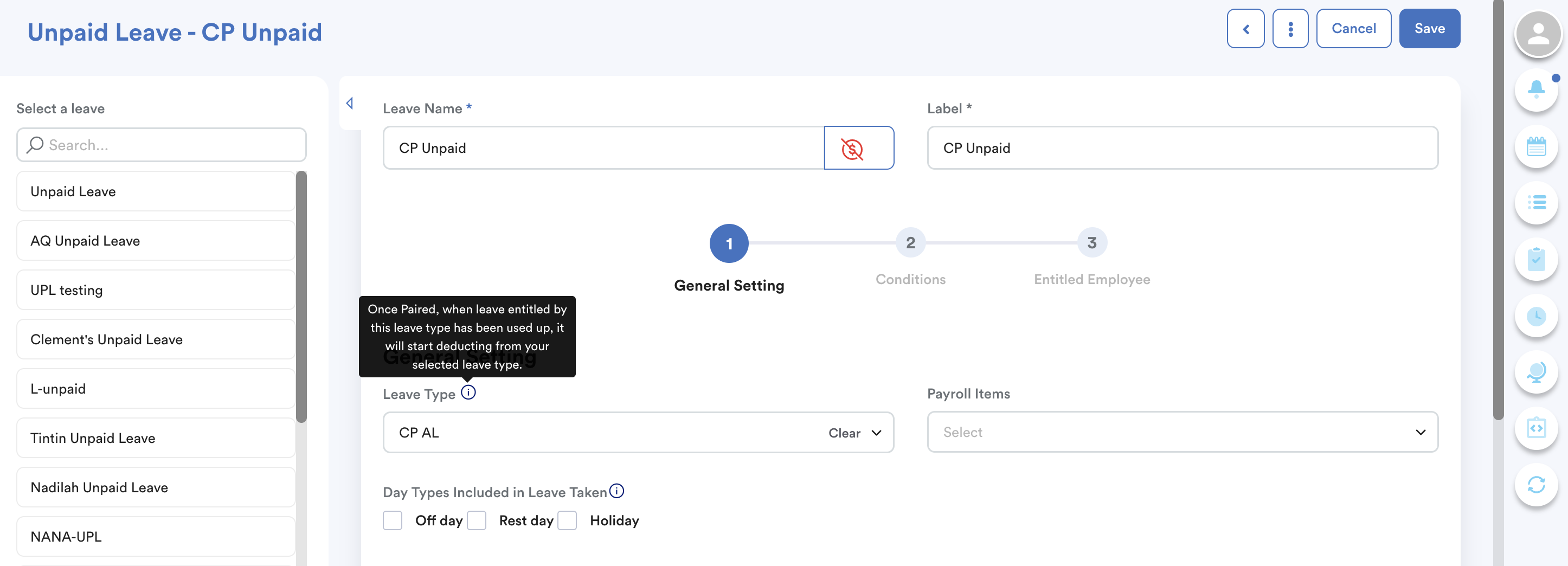
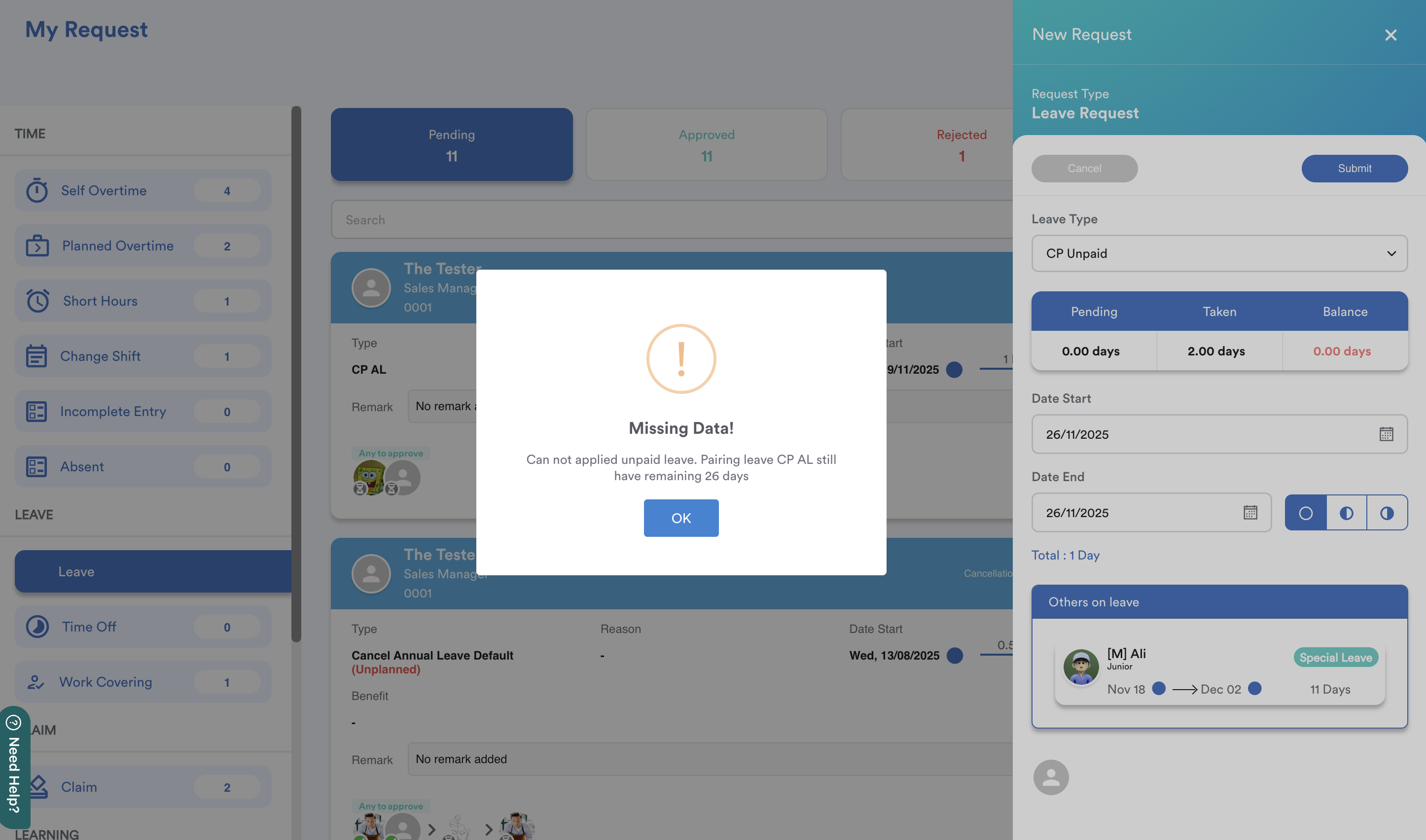
In this example, CP Unpaid is paired with CP AL. When CP AL still has 26 days of leave balance, the employee cannot apply for CP Unpaid.
Common Use Case
Pairing Sick Leave (14 days) with Hospitalization Leave (60 days).
If the employee fully utilizes 14 days of Sick Leave, hospitalization leave will be reduced from 60 days to 46 days.
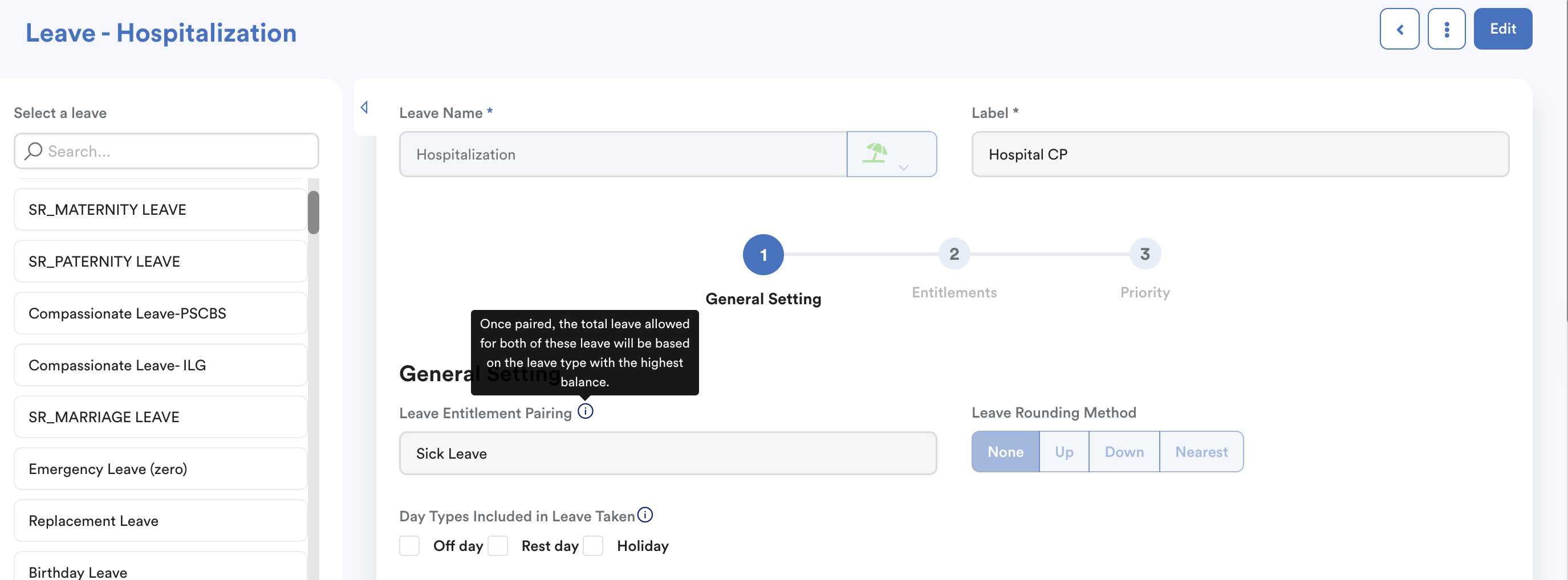
This setting applies when a company intends for sick leave to be treated as part of the overall Hospitalization entitlement.
Pairing is recommended only if:
- One leave type is a subset of another
[e.g. Emergency Leave (EL) is part of Annual Leave (AL)] - You want to prevent one leave type from being fully utilized while the main leave remains high. [e.g. Control Unpaid Leave (UPL) application when there is Annual Leave (AL)]
- The leave type is granted as a full lump-sum yearly entitlement. Pairing does not work accurately when leave is accrued monthly. It is designed for full entitlement allocation.
We hope this explanation clarifies the matter. If you require further assistance, please don't hesitate to contact our support team.
Was this article helpful?
That’s Great!
Thank you for your feedback
Sorry! We couldn't be helpful
Thank you for your feedback
Feedback sent
We appreciate your effort and will try to fix the article