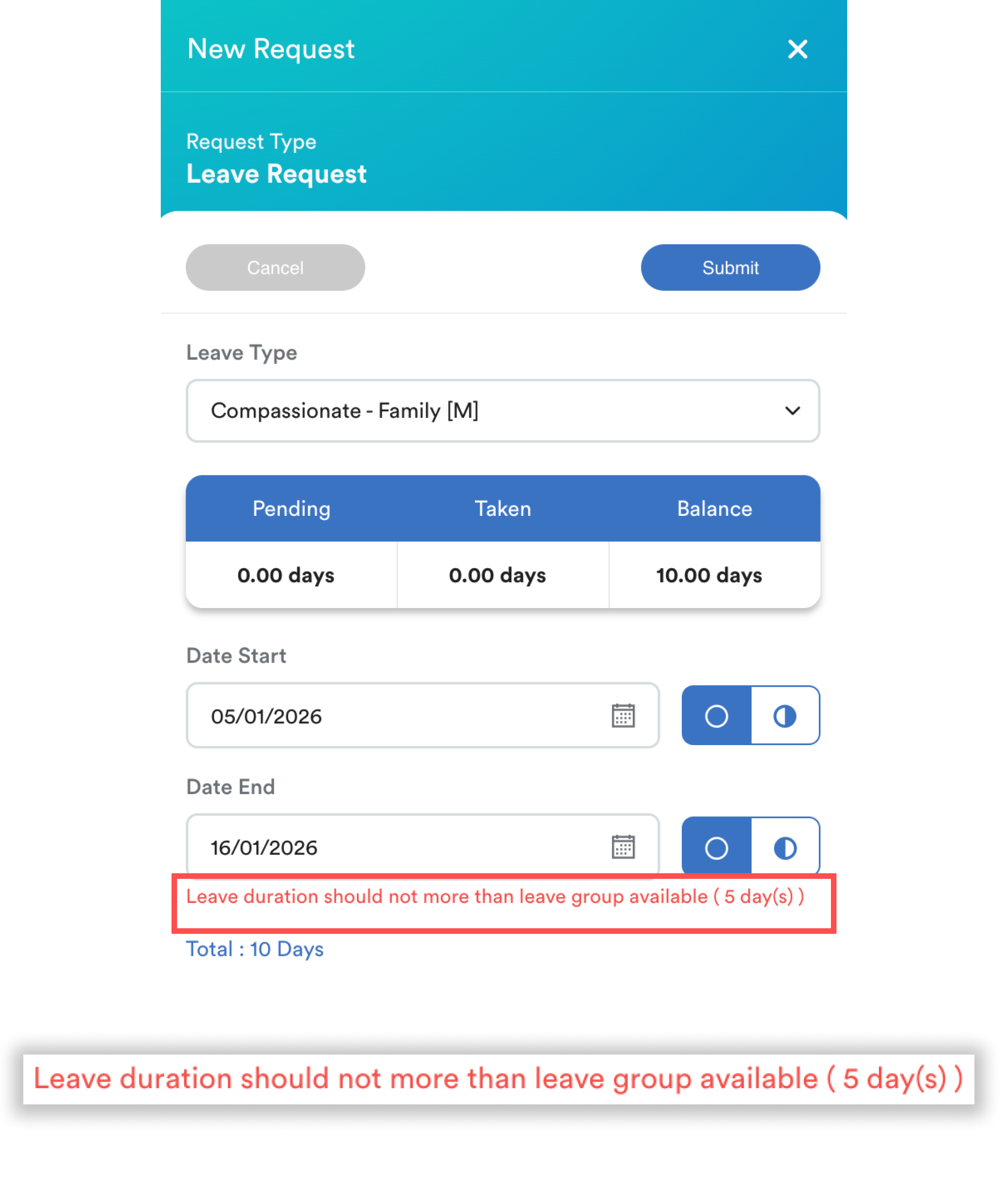
This message appears when a leave request exceeds the maximum days allowed by the employee’s assigned leave group. This limit is defined in the Leave Group settings.
Why This Happens
Some leave type may belong to a Leave Group with a predefined maximum days. If the requested leave duration is greater than this limit, the system will prevent the request from being submitted.
When to use leave group?
- Different maximum leave limits per year
- Different entitlement rules between groups of employees (e.g. departments, contract types, seniority levels)
- Special leave configurations that cannot be applied under the existing group
Step 1
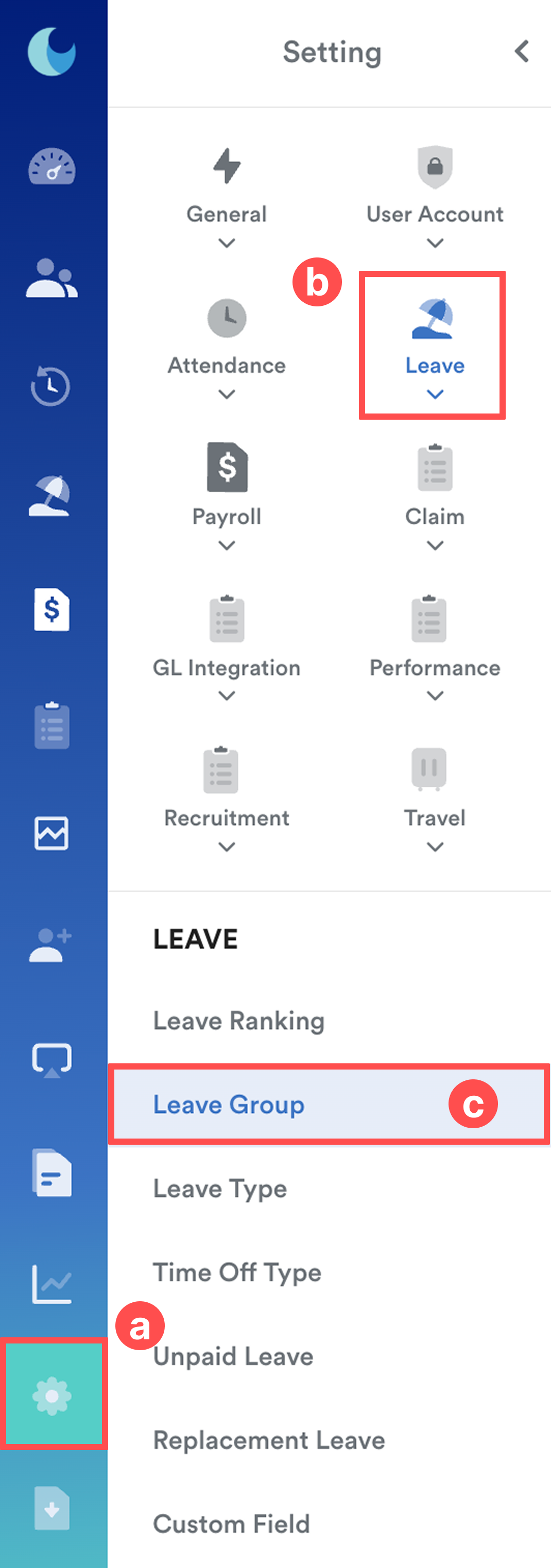
Go to Settings (a) > Leave (b) > Leave Group (c).
Step 2
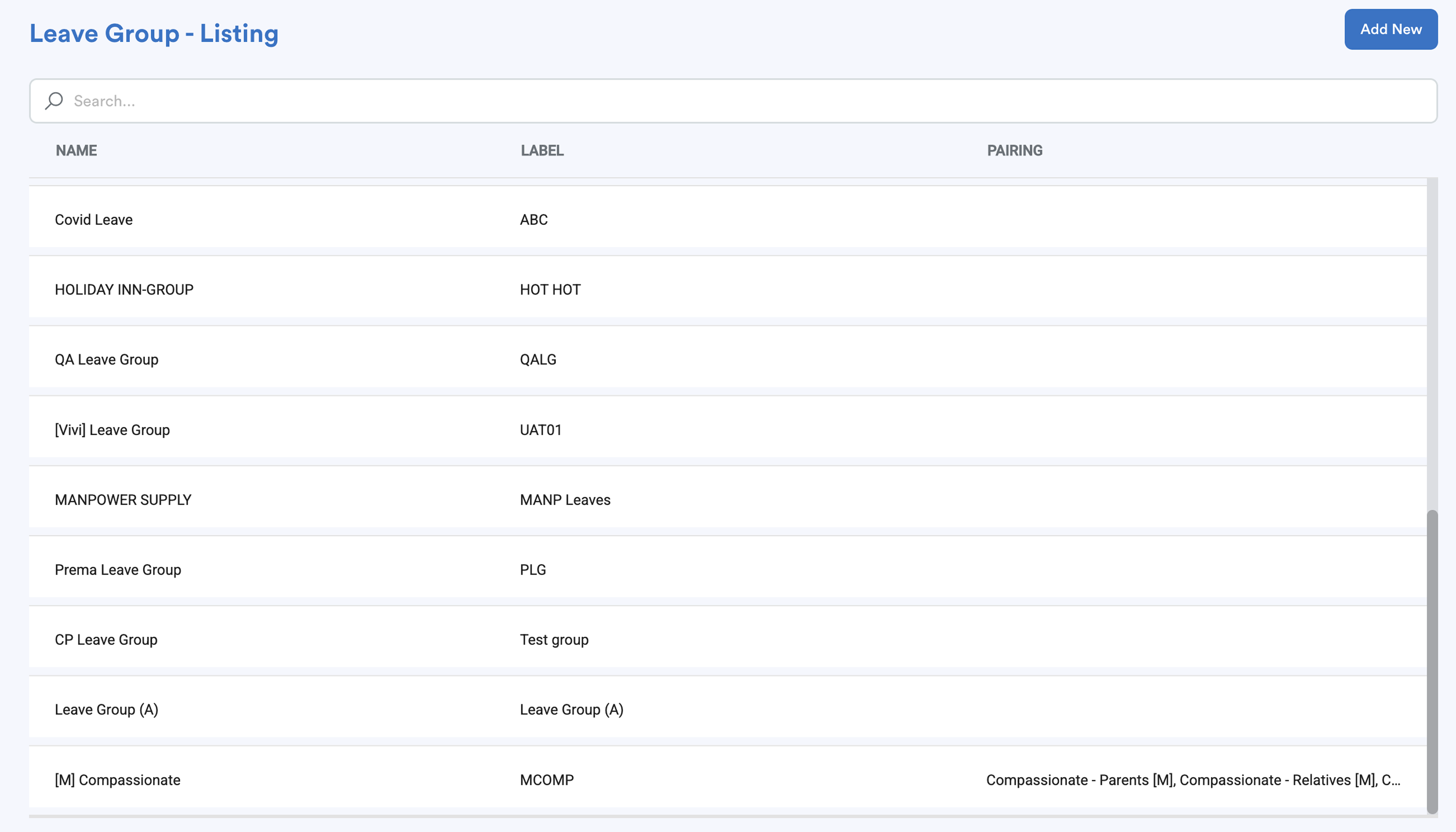
From the Leave Group list, find the group that the employee is entitled to.
Step 3
Under General Settings, adjust the Maximum Amount settings.
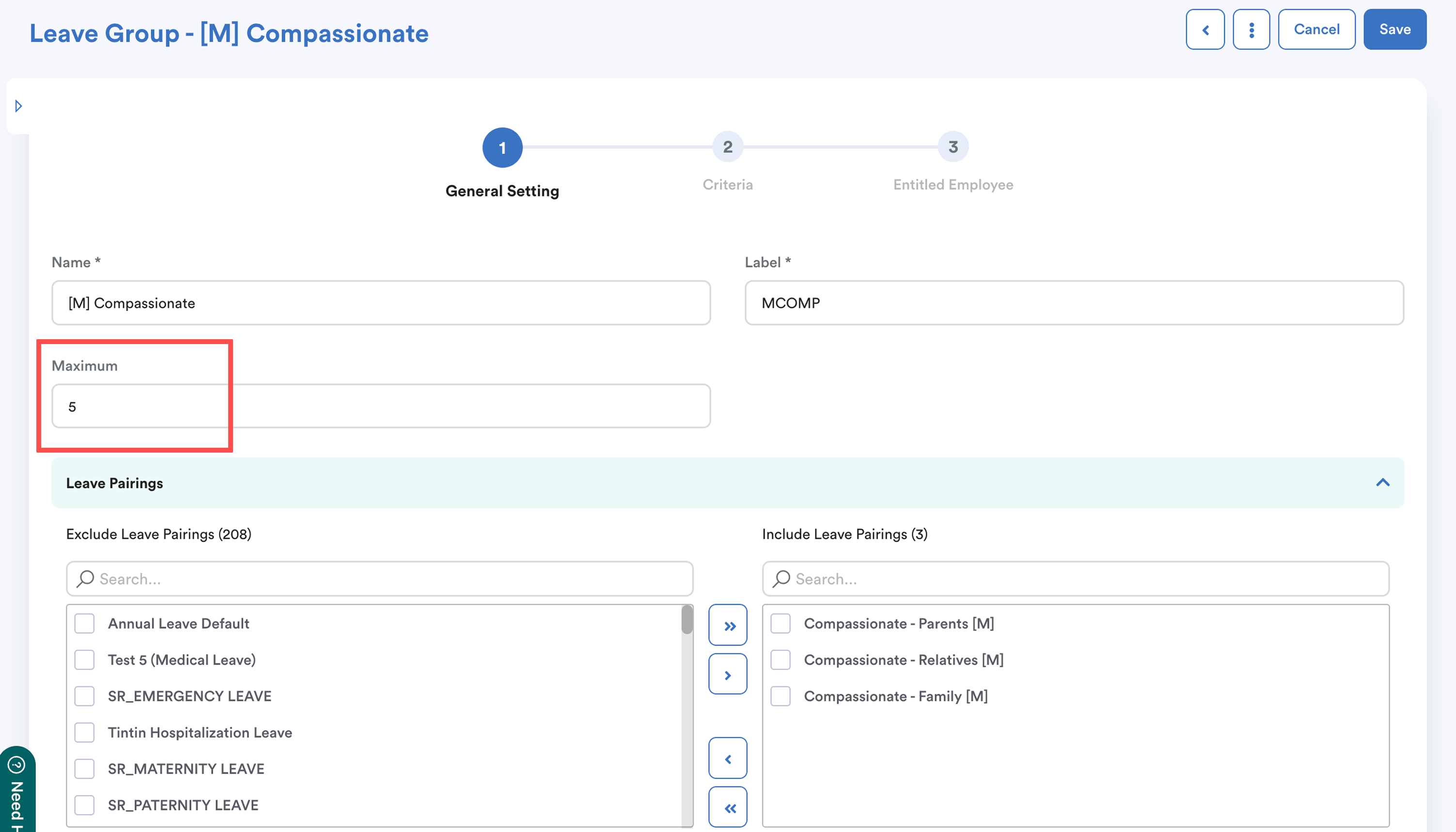
Click Save to apply the changes.
If the Same Error Still Persists
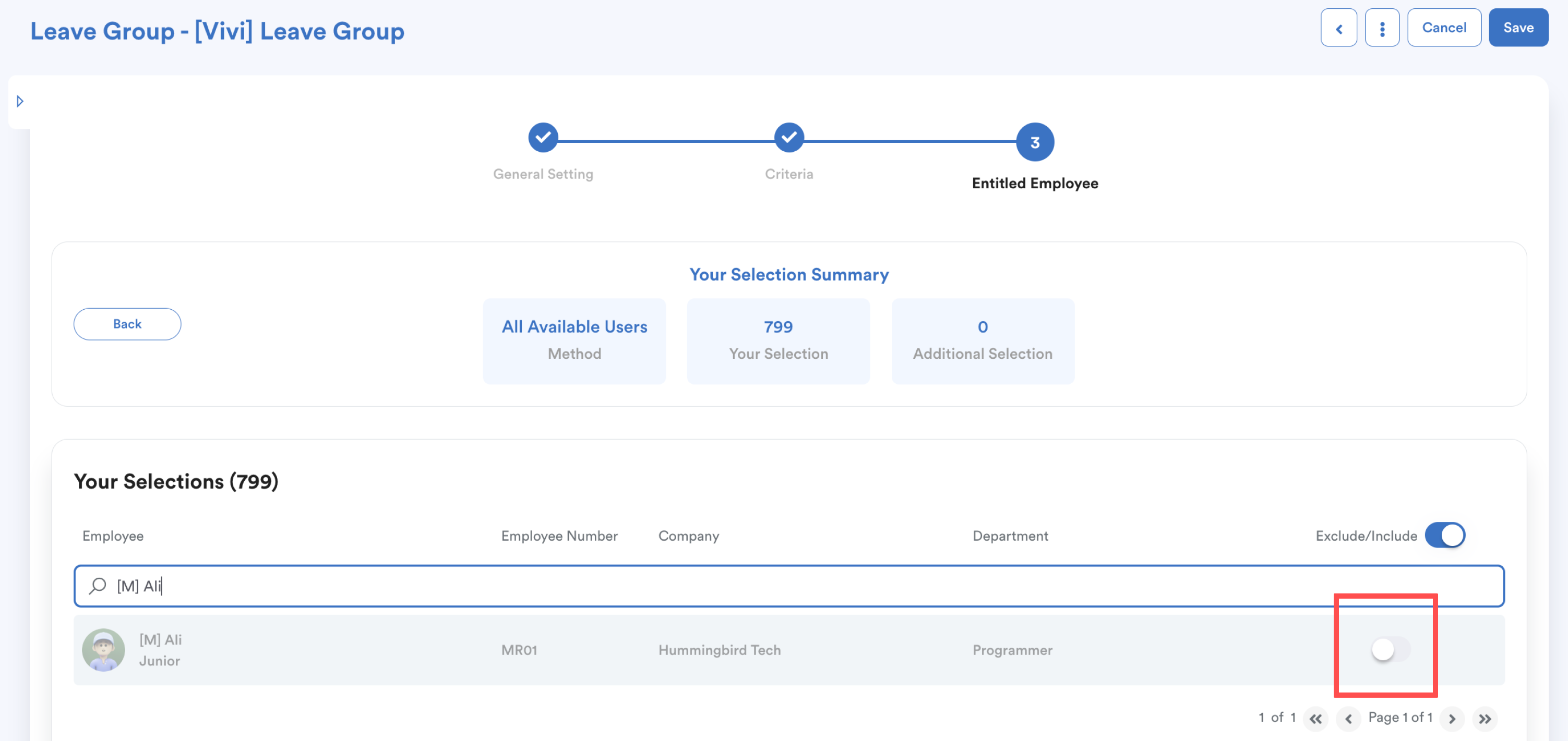
The employee may be included in multiple leave groups, and another leave group with a lower maximum limit may be taking effect.
To resolve this:
- Go through the other leave groups.
- Locate the employee in the Inclusion List.
- Toggle the button to exclude (grey) the employee from the conflicting leave groups.
For other common leave issues, refer to: Leave Request Errors and How to Fix ThemWe hope this explanation clarifies the matter. If you require additional assistance, do not hesitate to contact our support team.
Was this article helpful?
That’s Great!
Thank you for your feedback
Sorry! We couldn't be helpful
Thank you for your feedback
Feedback sent
We appreciate your effort and will try to fix the article