If you do not wish to participate in the SKBBK (Lindung 24 Jam) scheme, you can submit an opt-out declaration through the Lindung 24 Jam portal.
If you did not opt out of the declaration form, you will be considered "opt in" automatically after 31 August 2026. For more information, please see the Soalan Lazim.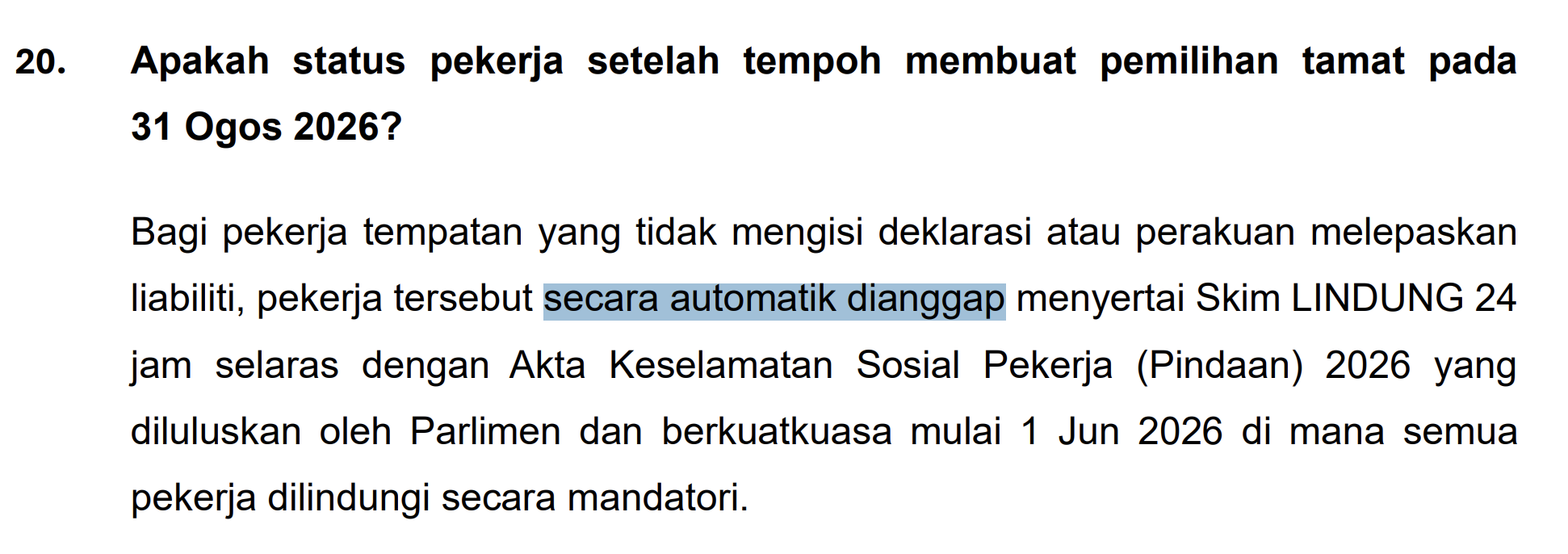
For Perkeso Guidance, refer to Perkeso Guidance on Online Portal.
Step 1
Visit the Portal LINDUNG FAEDAH.
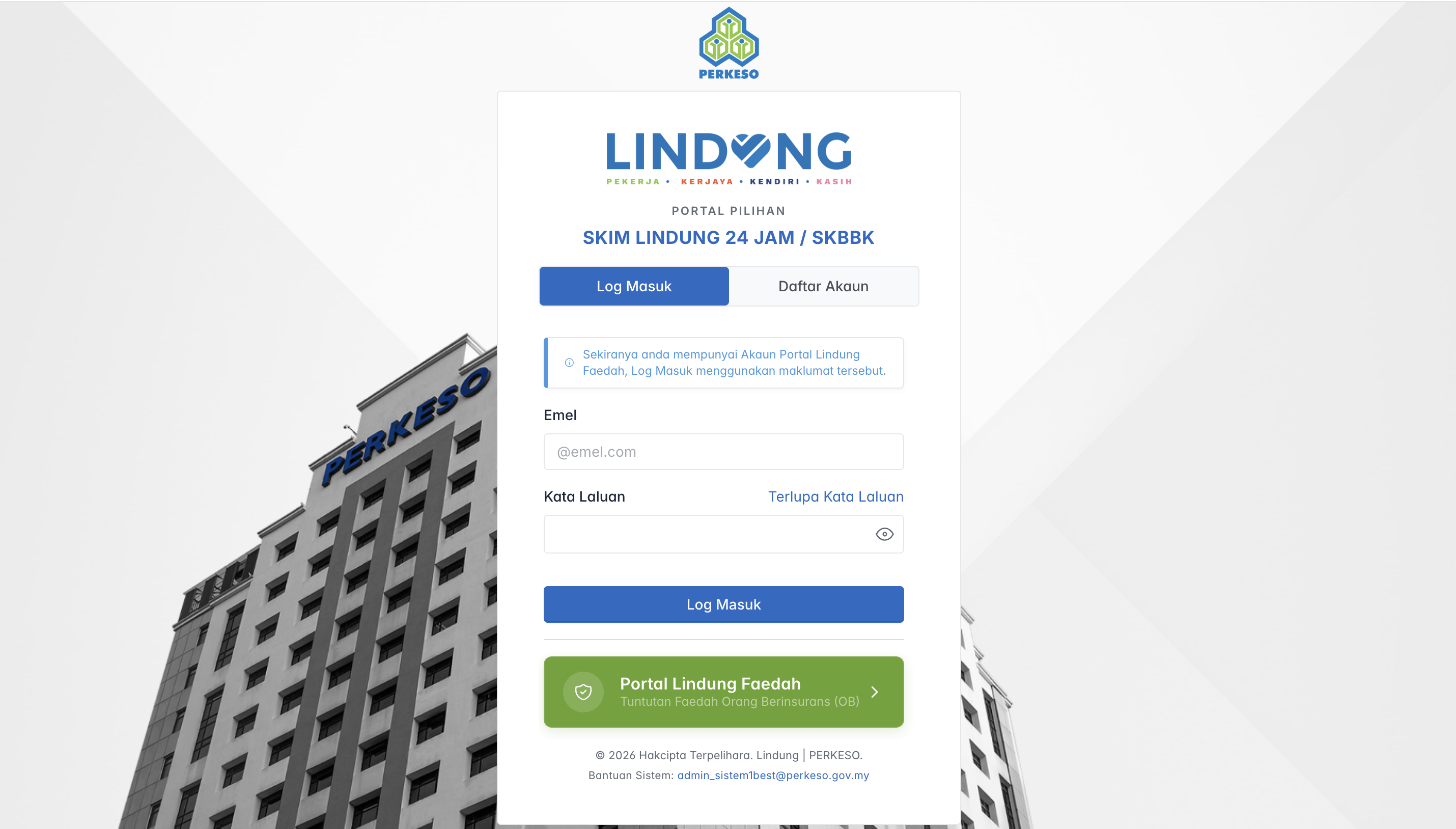
Step 2
Create an account if you are a first-time user.
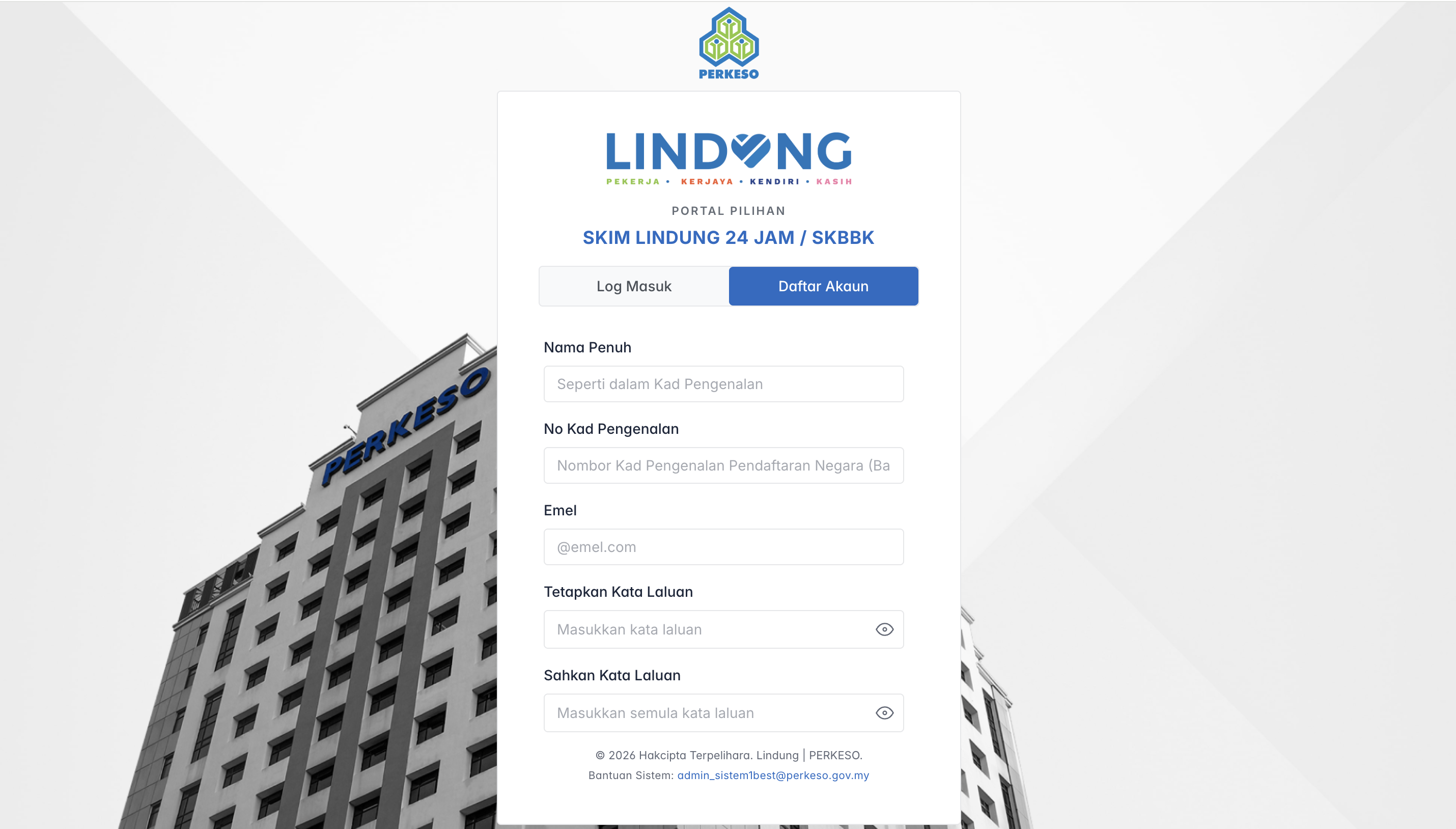
Step 3
Log in to the portal and navigate to the Employee Declaration section.
Select "SAYA MEMILIH UNTUK TIDAK MENYERTAI Skim LINDUNG 24 Jam".
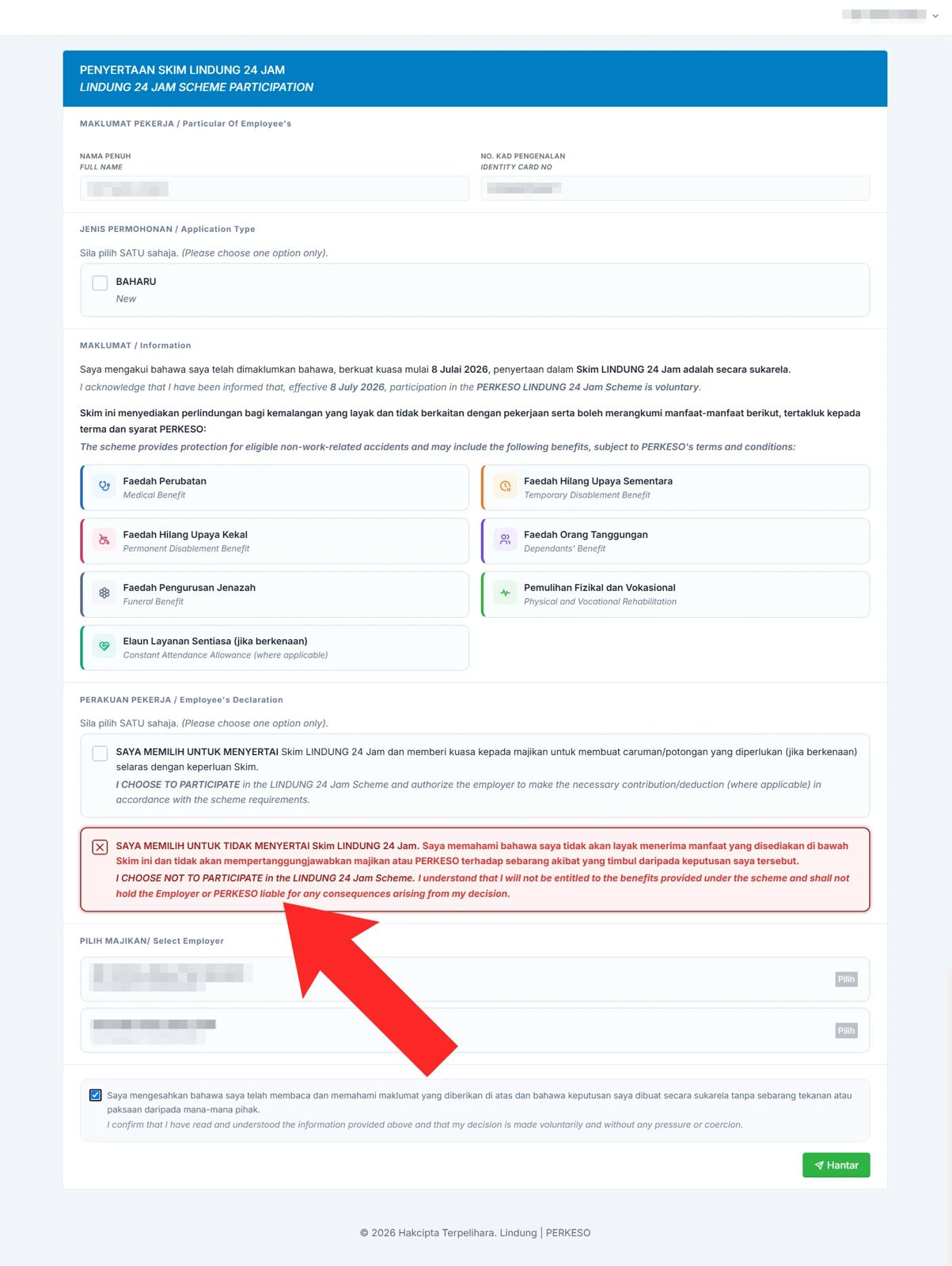
Note: You do not need to select an employer. You may skip the Select Employer section.
Step 4
Click "Hantar".
Step 5
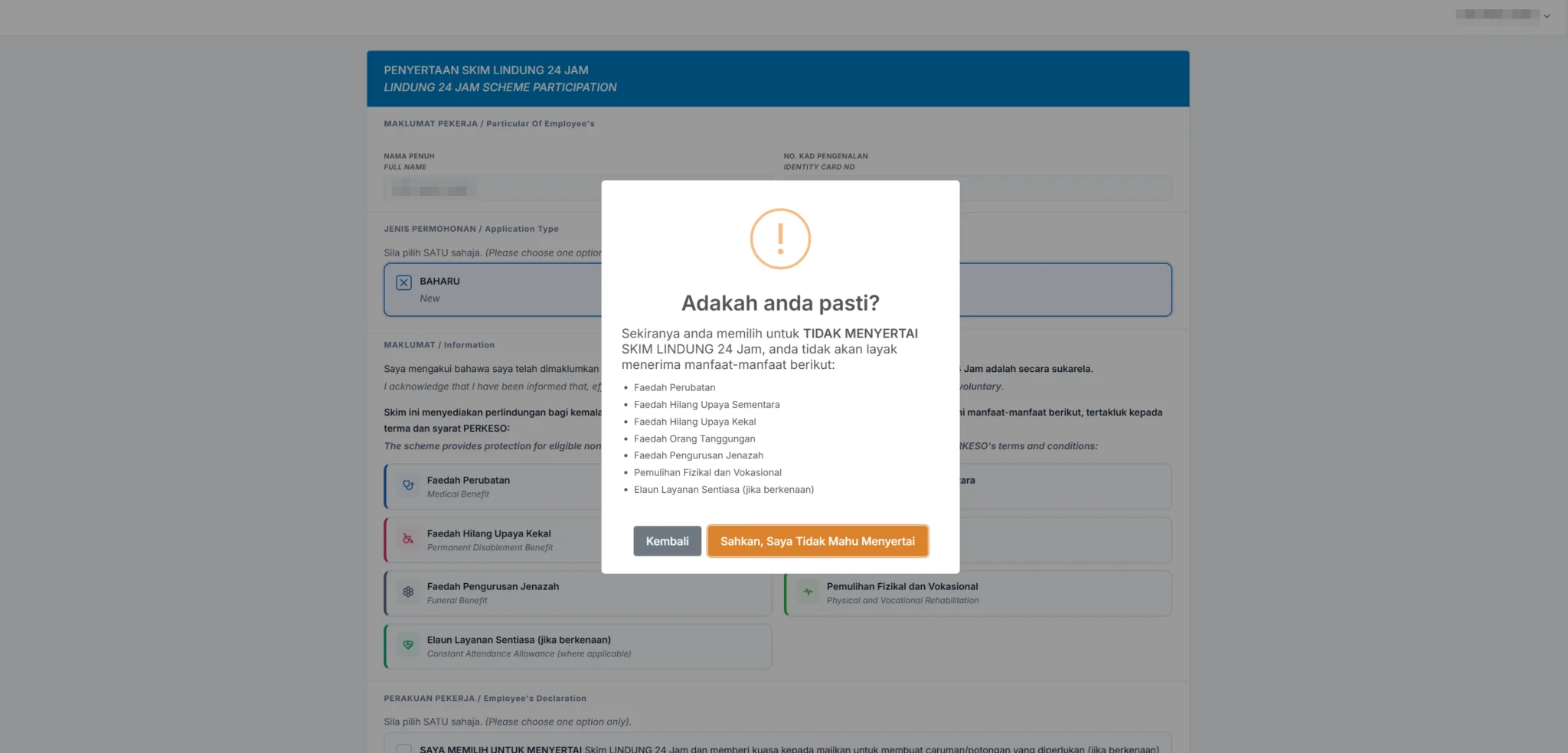
Review your declaration, then click "Sahkan, Saya Tidak Mahu Menyertai" to confirm your opt-out request.
Step 6
Download the completed declaration form and submit it to your HR department for record purposes.
We hope this article helps clarify the issues.
If you have any questions regarding the SKBBK scheme or the opt-out process, please contact PERKESO:
Was this article helpful?
That’s Great!
Thank you for your feedback
Sorry! We couldn't be helpful
Thank you for your feedback
Feedback sent
We appreciate your effort and will try to fix the article