You can easily view your claim history and remaining balance through the Individual Record screen in Worksy. Follow the steps below to access your claim details.
Step 1
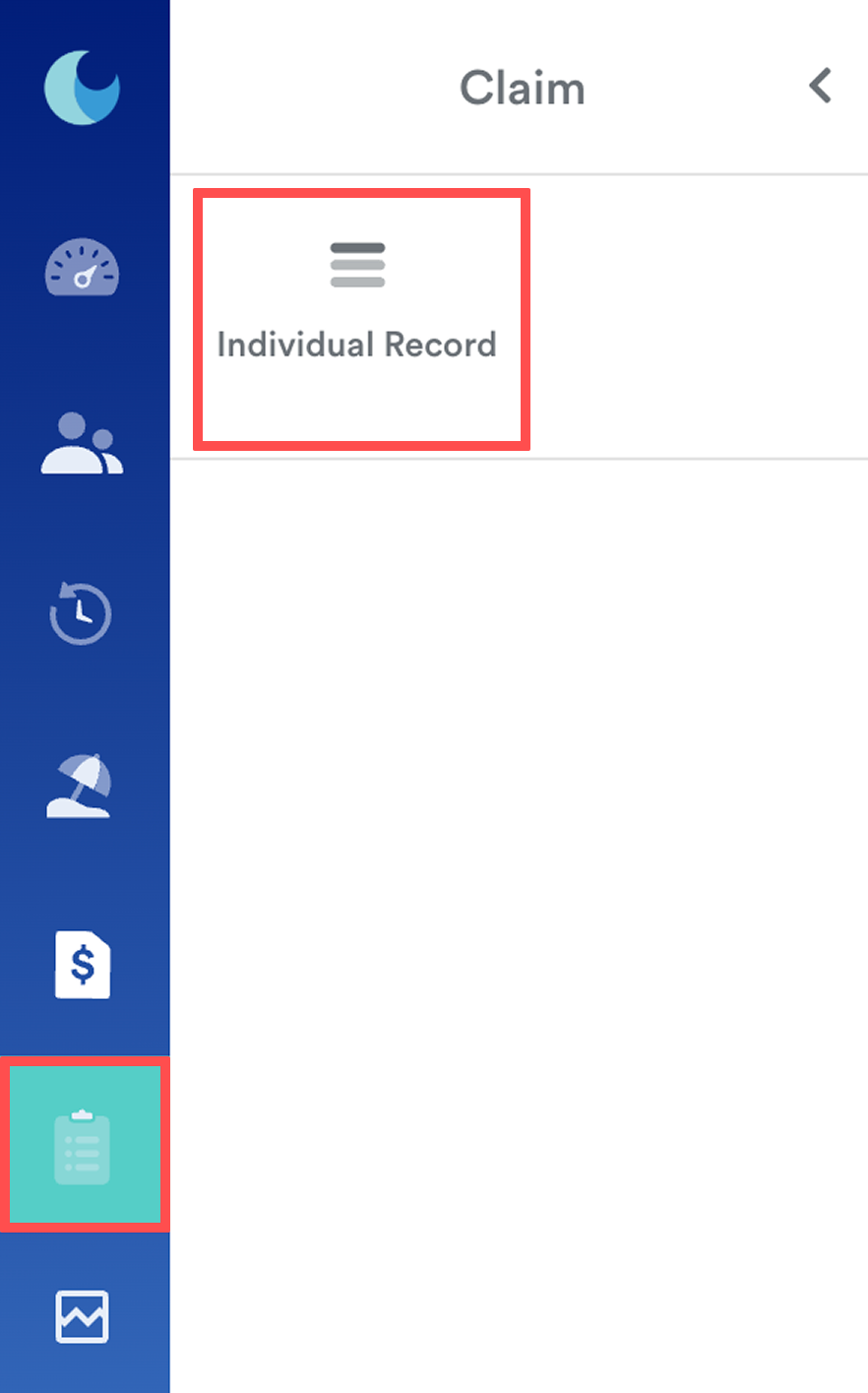
On the left menu, go to Claim > Individual record.
Step 2
You will be redirected to the Claim Entitlements screen.
On this screen, you'll see your name and any direct reports in My Staff, if applicable.
To view your claim details:
Select the claim year
All claim groups you are entitled to will be displayed, along with their respective items, limits, and balance.
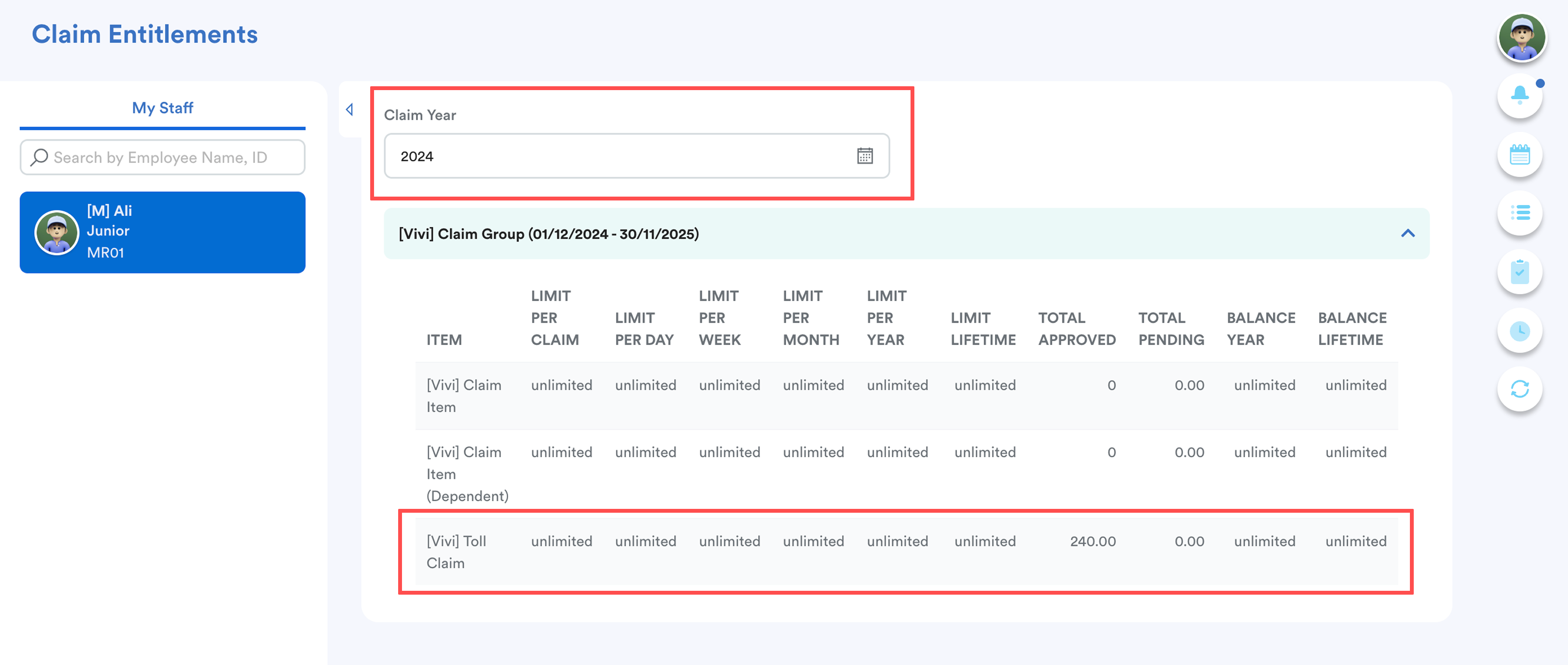
Click on a claim item row to view detailed transaction information.
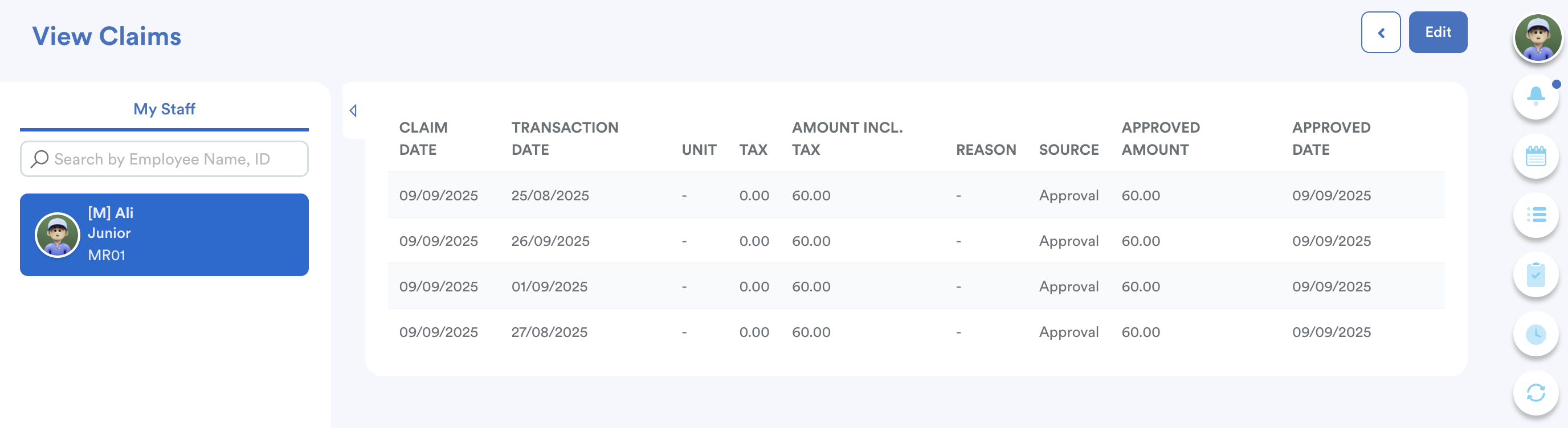
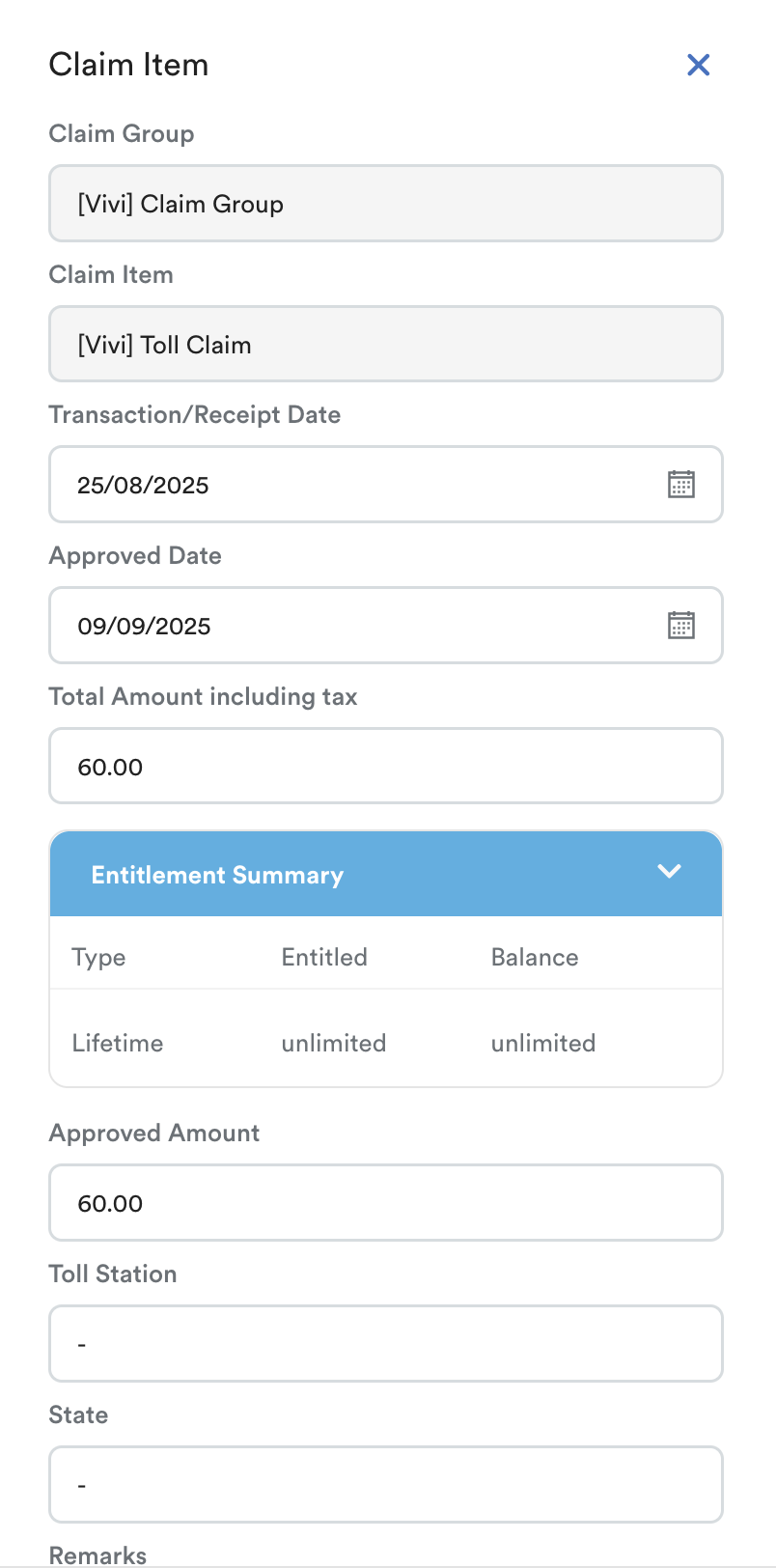
To edit or delete a claim, click the Edit button and select the specific claim you wish to amend. The Claim Item panel will slide in from the right.
Please note that this action is only allowed if the claim has not yet been approved.
We hope this explanation clarifies the matter. If you require additional assistance, do not hesitate to contact our support team.
Was this article helpful?
That’s Great!
Thank you for your feedback
Sorry! We couldn't be helpful
Thank you for your feedback
Feedback sent
We appreciate your effort and will try to fix the article